







AI Portfolio Optimizer
The portfolio plan that earns the most, found for you
Picking the right projects is half the answer. The other half is the order the work runs in when projects share people. Our AI searches millions of combinations within your limits and keeps only the plans your people can actually deliver. The best plan arrives as a What-If beside your live plan: your bottleneck and the few moves that pay.

-
$330,000 loss
-
nearly $1.3 million of profit
See it on a sample portfolio: a $330,000 loss became nearly $1.3 million of profit, with every project on time.
-
PMO as a Service.
We run the optimization for you, on your own instance, and bring you the moves, each with a decision and an owner. Nothing changes in the live plan without your sign-off.
Project portfolio financial planning on the same forecast as the work
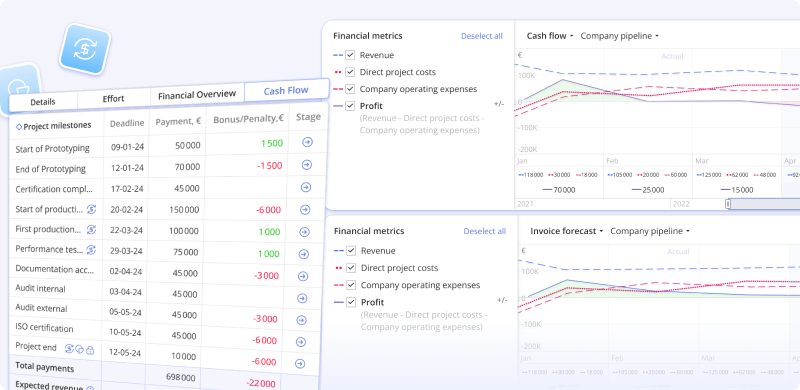
Run your whole portfolio as one investment. The money runs on the same forecast as the work, so you see what a plan earns before you commit people to it.
-
Project portfolio financial planning
Project portfolio financial planning softwareWhich plan earns the most with the people you have?
Contract value, milestone payments, bonus and penalty clauses sit on the projects they belong to. Epicflow shows what each project returns on what is left to spend, as one multiple next to ROI, and puts a cost of delay on every week a project waits. Change the order of work and see what the portfolio earns.
-
Cash flow forecasting
Cash flow forecasting softwareWhen does the money really come in?
Every expected payment sits on the milestone that earns it, and that milestone is dated from a schedule built around the people you actually have. Add your payment terms and see what becomes invoiceable when, when cash is expected and when the portfolio covers what the organization costs. Your ERP keeps the bank balance.
-
Budgeting
Project budgetingIs the work still inside the approved budget?
Set the approved budget in work hours on each project. Epicflow calculates burned hours, remaining work, total expected work and remaining budget from the live plan, and splits budget tasks across the people assigned to them.
Also in this sector: Burnup chart: completed and remaining work against the approved cost, with the reason for every increase.
Developed with Stephen Devaux, whose drag cost method is now part of PMI's PMBOK Guide.
Portfolio management with priorities you can defend and dates you can keep
Move the PMO from reporting progress to deciding what the portfolio works on next. Answer "why is it late?" with the cause, the cost and the move that fixes it.
-
What-If Analysis
What-If Analysis and scenario planningWhat happens if we take on this project, lose this engineer or change the order?
What-If runs the change on an isolated copy of your whole portfolio, planned around the people you actually have. You see which projects move, which team overloads and what each option does to profit, penalties and cash, before anyone acts on it.
-
Pipeline
Project pipeline managementWhen can a new project really land?
Every project in one list, ordered by a priority that updates as the portfolio changes, with load shown against capacity over time. Set a business value per project and Epicflow ranks by it. Pipeline leveling shows when a new project can really land, before you say yes.
-
Project forecasting
Project management forecasting softwareWill the portfolio deliver on the dates we promised?
A forecast of every project's finish, calculated from real capacity across the whole portfolio, not from each plan on its own. See which projects will be late, and which team causes it, while there is still time to act.
Also in this sector: Dashboard · Reporting · Critical chain project management
-
KPN: on-time delivery in less than a year
Capacity planning for people and AI resources
Know whether you have the people the plan needs, before you commit to it. Loading every team to 100% slows the portfolio down. Keep the bottleneck fed, and let the other teams carry slack.

-
Capacity planning
Capacity planning softwareWill our teams cope with the work ahead?
Future Load shows each team's load against its capacity months ahead, across active projects and the pipeline. Select an overload and Load Analysis shows which tasks and projects put it there.
-
Workforce planning
Workforce planning softwareHire, bring in a contractor, or move a date?
See how much capacity the portfolio needs and where extra people pay back. Hire into a team that was not holding you up, and its work finishes sooner, then waits longer for the team that was.
-
Resource allocation
Resource allocation softwareWho is the right person for this task?
Competences, their levels and attributes such as location sit on every person and every task. The Resource Allocation Advisor suggests who matches, color-coded by fit.
-
AI agents as a resource
AI agents as a resourceWhere does an AI agent actually pay?
Plan agents like anyone on your team, with capacity and a rate, in the same load view. An hour an agent frees at your bottleneck is an hour more output for the whole portfolio. An hour freed anywhere else changes little.
-
Workload management
Workload management softwareDid our estimates match what the teams delivered?
Historical Load compares each team's load, capacity and output over time, so the next plan runs on real numbers instead of hopeful ones.
Also in this sector: Group management · Multigroups · Material resources
-
of hidden overload, found in a 60-engineer group at the Dutch Ministry of Defence.
Engineering project management with one priority per engineer
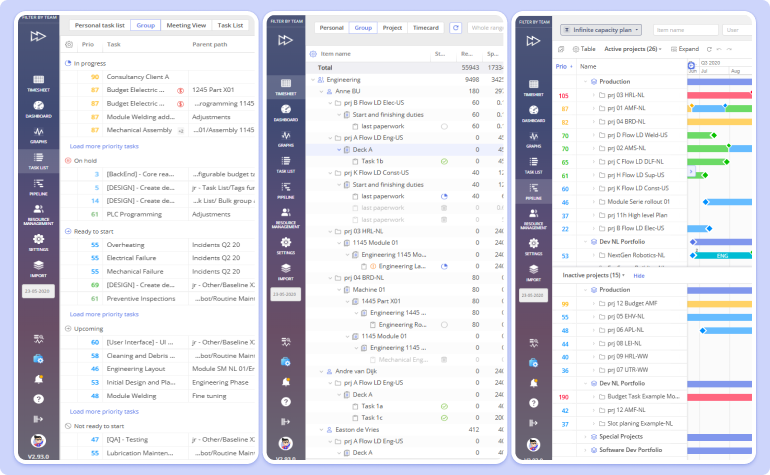
Your best engineers are the queue every project waits in. These are the tools your teams work in every day, all ordered by the same portfolio priorities.
-
Task List
Task management softwareWhat should each engineer work on next?
Every person's tasks across all projects, in one order calculated from the dependencies between projects and recalculated when anything changes. Switching between five projects is where the weeks go. One list per person ends it.
-
Gantt chart
Gantt chartWhat does this project's schedule look like right now?
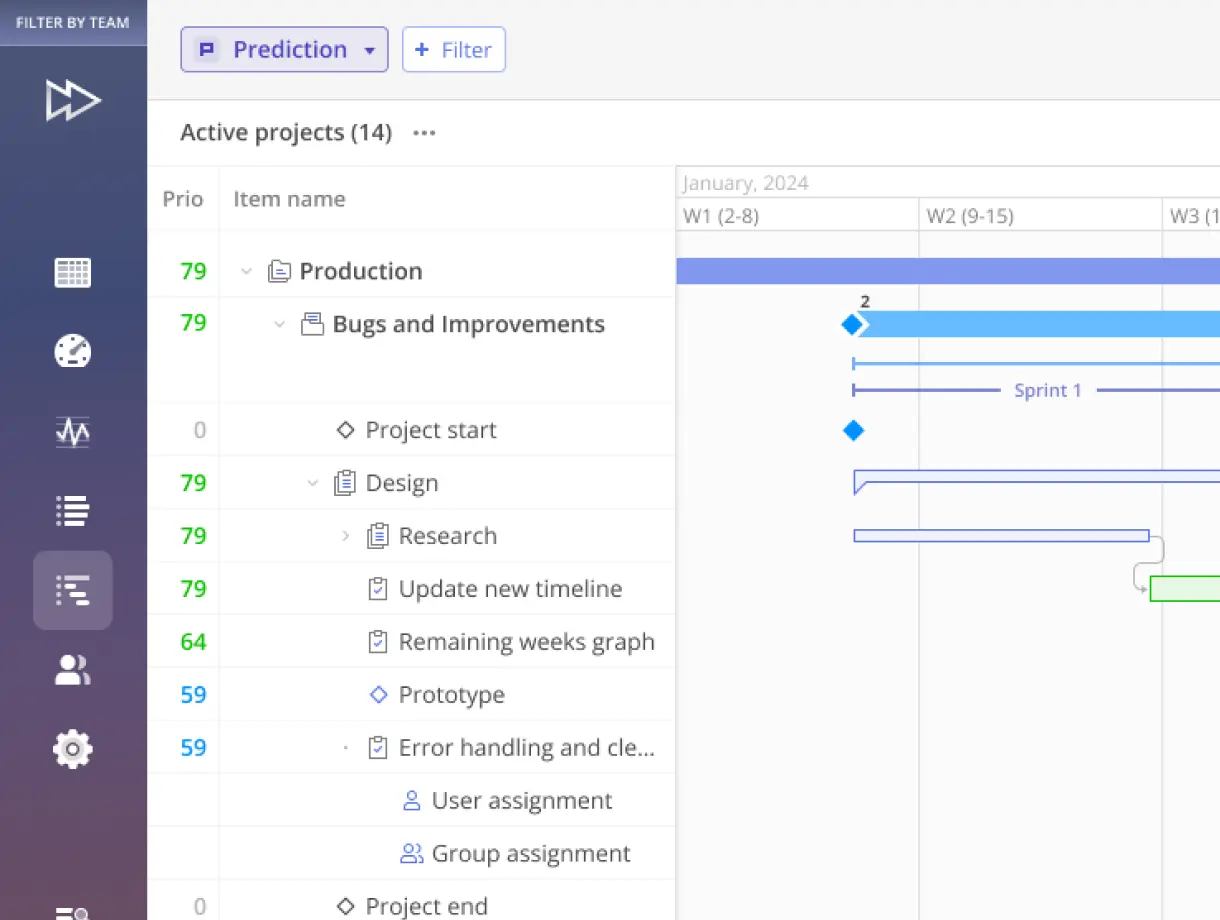
Open any project from the Pipeline to see its schedule, dependencies and milestones, and edit them in place. Work in phases, or in sprints and releases if your teams come from Jira.
-
Timesheet
TimesheetWhere did the hours go?
Output per person and task, day by day, against the estimates. Engineers book or return hours; managers see where estimates drift and plan the next project on what teams really delivered.
Also in this sector: Task card · Epica virtual assistant
Your best engineer on five projects is late on all five.

Custom integration: we build a connector to the system you run.
Integrations
Runs on the project data you already keep
Epicflow works as the portfolio layer above the tools your teams already use. They keep working where they work; Epicflow adds the forecast, the priorities and the cost of delay on top.


See what your own portfolio is losing to delay
Epicflow models your own portfolio and shows you the team that holds it back, two or three ways to change the plan, and what each does to dates and money.
Every project in one place, with finish dates based on the people you actually have. Build the demo around your own questions.
Frequently asked questions
What is multi-project resource management software?
Multi-project resource management software plans many projects that share the same people as one system. Instead of scheduling each project as if its team were always free, it forecasts what every team can really deliver across the whole portfolio, shows where projects compete for the same specialists and sets priorities across projects. Epicflow adds the money: what each week of delay costs and which change to the plan recovers the most.
Who offers AI-powered workload balancing tools?
Many work management tools balance workload by showing who is busy. Epicflow balances it across the whole portfolio: it forecasts each team's load months ahead, recalculates task priorities across projects as the plan changes, and suggests who should take each task. For the portfolio as a whole, our AI searches millions of combinations for the plan that earns the most, delivered as PMO as a Service.
Which portfolio management software suits teams running many projects at once?
Look for three things: a forecast built on real capacity rather than on each project plan alone, one priority order across all projects, and a price on delay so trade-offs are made in money, not opinion. Epicflow is built for organizations running 10 to 100 projects at once on shared engineering and specialist teams.
How does Epicflow use AI?
Epicflow uses AI to improve the portfolio plan, not just to answer questions about it. The Portfolio Optimizer searches millions of combinations to find the most valuable portfolio plan; predictive analytics forecast load, output and delivery dates; Resource Allocation Advisor suggests who should take each piece of work; and AI agents can be planned as resources. AI recommends and forecasts. People decide.
How do I maximize value across multiple programs?
Find the team that every program waits for, put a cost on each week of that wait, and give that team's hours to the work that earns the most. Speeding up teams that nothing waits for changes little. Epicflow shows the bottleneck, the cost of delay per project and the sequence that recovers the most value.
What are drag cost and RRI?
Drag cost is what a delay costs: how much a project or portfolio loses for each week a piece of work holds up the finish. The term comes from Stephen Devaux, and critical path drag and drag cost are both in PMI's PMBOK Guide, 8th Edition. RRI, Epicflow's implementation of Devaux's DIPP, shows whether finishing a project is still worth what is left to spend, as a multiple of the remaining investment. Epicflow shows it next to ROI.