15 Best Resource Management Tools & Software [2026]
 Victoria Sokolova
.
Victoria Sokolova
.
 Anna Balyuk
.
January 15, 2026
.
Resource Management
.
52 mins READ
Anna Balyuk
.
January 15, 2026
.
Resource Management
.
52 mins READ
![Epicflow – 15 Best Resource Management Tools & Software [2026]](https://www.epicflow.com/wp-content/uploads/2019/01/resource_management_tools_1-1024x640.jpg)
Resource management software is a must-have tool for any project-based company because it addresses most of the challenges and complexities that organizations face when managing their resources and projects.
By investing in resource management software, businesses can improve their efficiency, productivity, and competitiveness. But how to choose one that would let a company reach all these goals? Let’s figure it out in this article as here we suggest tips for selecting the most suitable solution for your company and present the list of the best resource management tools to choose from in 2024.
Key takeaways:
- This review is going to be helpful for project, program, and portfolio managers looking for the best resource management tools.
- We analyzed 15 best tools across six factors, there’s no ranking — you’re welcome to choose a tool that fits your needs best.
- If you’re looking for quick answers, choose Epicflow for portfolio-level resource management, Jira for project-level, and Parallax for managing resources with margins in mind.
Key Features of a Resource Management Tool
A modern resource management tool should offer a variety of features to help organizations effectively plan, allocate, and manage their resources. Here are the key features resource capacity management tools in project management should provide:
Resource Allocation
The ability to assign resources to projects, tasks, or activities based on availability, skills, and multi-project task priorities. There are semi-automatic and automatic resource allocation options.
Capacity Planning
It’s a must-have feature of any RM tool used to forecast resource demand, identify resource constraints, and balance resource capacity with project demand.
Read more: Resource Capacity Planning: What, Why, and How.
Workload Management
Features for tracking and managing resource workload to ensure a balanced distribution of work and prevent overload and idleness.
Time Tracking
The ability to track resource time spent on tasks or projects accurately and compare the figures with the estimations.
Performance Examination and Tracking
A resource management software solution provides all necessary measures to analyze resource performance and track it in real time to timely detect inefficiencies and improve the state of things.
Skills and Competence Management
Functionality for tracking employee skills, certifications, and qualifications to ensure the right resources are assigned to the right projects and tasks.
Team Collaboration
Features for facilitating communication and collaboration within project teams, including commenting, shared calendars, chatting, and document sharing.
Project Reporting
The software’s ability to automatically generate reports and fine-tune the parameters to be shown there.
Integration Capabilities
The ability to integrate with other tools and systems used in the organization, such as project management software, CRM systems, and HR systems, to streamline data exchange and improve efficiency.
System Permissions
Security features of resource tools to control access to sensitive resource data based on user roles and permissions.
Mobile Accessibility
Support for mobile devices to allow users to access and manage resources on the go.
Best Resource Management Tools in 2026: Shortlist
In case you don’t want to read detailed reviews of every tool, here’s a shortlist of best resource management tools. What makes them unique is they stand out among competition in their respective fields.
Epicflow
Epicflow is one of the best resource management tools on the market because it offers intelligent resource management for complex multi-project environments. Epicflow can:
- Analyze resource performance.
- Suggest optimum resource allocation across multiple projects
- Analyze future resource load based on planned projects.
- Automatically organize the portfolio based on resource availability and project priority.
- Avoid resource burnout, bottlenecks, and delays.
Best for: Resource-constrained companies in multi-project environments.
Pricing: from 25€ per person/month, with enterprise plan available.
Forecast
Forecast is one of the best resource management and forecasting tools. It can:
- Analyze workload.
- Forecast resource workload and demand .
- Optimize resource allocation and prevent bottlenecks.
- Assist in sprint planning.
Best for: project management and AI-based growth forecasting.
Pricing: only enterprise plan is available, pricing depends on your organization’s size and needs.
Parallax
Parallax is one of the best resource management tools for organizations that mostly do client-oriented projects with fixed pricing and need to monitor budgets to ensure good margins. Parallax can:
- Provide insight for resource capacity and hiring decisions.
- Track work hour and budget spent on each project.
- Predict margins for a project.
- Help in setting a fair price for projects based on resource utilization.
Best for: Resource management with profit maximization in mind.
Pricing: Starts at $9000 annually for 15 resources.
Resource Management Software Comparison Table
We’re measuring each of the 15 tools on this list across six parameters:
- Key features. What features make the tool stand out among competition.
- Security. How secure is your data with this tool.
- Integrations. What native integration the tool has.
- Best use case. What would be the most fitting use for the tool.
- Company size. Companies of which size would benefit from it.
- Industries. What industries are best served by the tool.
Here’s a short comparison of all tools in this review.
|
Key features |
Integrations |
Best for |
|
|
Epicflow |
AI-based capacity planning, resource allocation, and workload balancing. |
Jira, MS Project, Oracle, and SAP. |
Automatic resource planning and analytics. |
|
Jira |
Workload management and collaboration. |
Multiple tools in design, IT, and business management. |
Project-level resource management. |
|
Silver Bucket |
Project resource planning. |
MS Azure, PowerBI, Hubspot, and more. |
Resource management and time tracking. |
|
Parallax |
Margin tracking. |
Salesforce, HubSpot, Copper, Pipedrive, Zoho, Monday.com |
Resource and ROI monitoring. |
|
Resource Guru |
Capacity planning. |
Zapier. |
Capacity and schedule planning. |
|
Float |
Margin tracking. |
Outlook, Asana, Slack, Zapier, Jira, Trello, Teamwork. |
Capacity and ROI monitoring. |
|
Runn |
Capacity planning. |
AlexisHR, BambooHR, CharlieHR, Clockify, Harvest. |
Resource capacity planning. |
|
Celoxis |
What-if analysis. |
Jira, Azure. |
Portfolio-level resource management and analytics. |
|
Forecast |
Resource management and reporting. |
Asana, Azure DevOps, GitHub, Hubspot, Jira, Pipedrive, Salesforce, Slack, Xero, and more. |
Resource management, forecasting. |
|
Mosaic |
AI-based forecasting and resource planning. |
Multiple productivity tools. |
Resource planning and project scheduling. |
|
Productive |
Budgeting tools. |
Multiple productivity tools. |
Resource management and AI-based notetaking. |
|
Milient |
Resource management and reporting. |
Slack, Teams, Okta, Zapier, Azure, Basecamp, and authenticator apps. |
Resource planning and scheduling. |
|
ProjectManager |
Resource management visualization tools. |
Multiple productivity and BI tools. |
Portfolio-level resource management. |
|
MS Project |
Resource management and collaboration tools. |
Epifclow, MS suite of tools. |
Project-level resource planning. |
|
Paymo |
Resource and budget planning tools. |
Google Workspace, Dropbox, QuickBooks, Slack, Zapier, Xero, and more. |
Time tracking, invoicing, and margin monitoring. |
Top 15 Resource Management Tools in 2026: Full Reviews
Let’s now consider the list of top project management resource planning tools available on the market today.
1. Epicflow
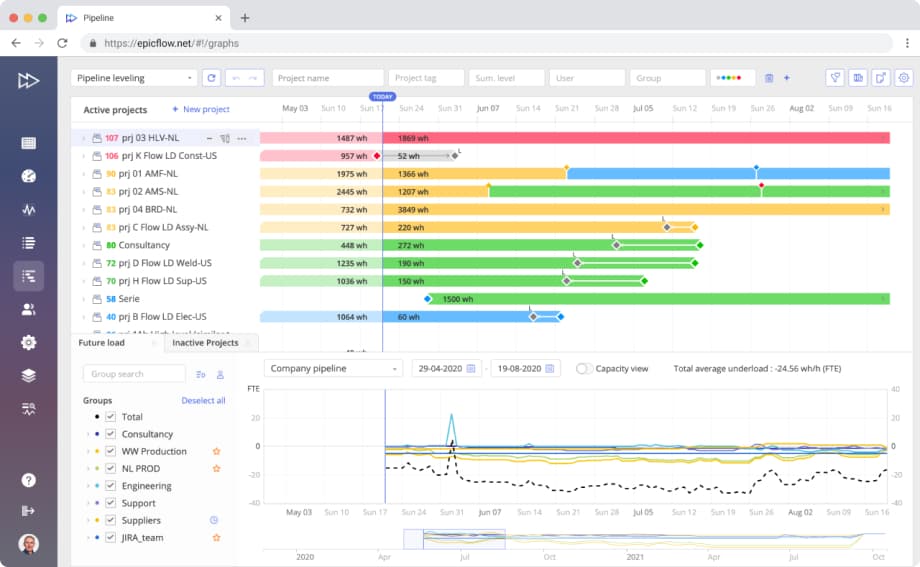
Epicflow is a JOSCAR-certified cutting-edge resource and project portfolio management and resource planning software solution that uses AI to help companies from various industries, from software development, telecommunications, and healthcare to defense and aerospace, deliver multiple projects on time sharing limited resources.
The uniqueness of Epicflow on today’s market is fueled by not only the fact it combines powerful features for efficient resource management and project portfolio management functionality that allows companies to automatically plan their projects, control the whole multi-project environments with priority coefficients and milestones from one place, and track progress and budget consumption, but also has a unique multi-project resource management methodology that has been developed based on 25 years of practical experience in complex multi-project environments. This framework makes Epicflow a one-on-the-market solution with an innovative but proven approach to effective multi-project management.
With Epicflow’s diverse features, ranging from task and project priority calculation to AI-based resource workload forecasting and allocation, users have everything necessary to successfully deliver more projects with their available resources with less cost, time, and stress.
Plus Epicflow comes with these standard features:
Intelligent resource management
- resource management features from individual to group and multi-group levels;
- competence management with semi-automatic and automatic resource allocation options;
- AI-based predictions of resource workload based on given parameters;
- automatic detection of resource bottlenecks with further assistance in their elimination;
- ensuring fruitful collaboration of remote teams;
- resource forecasting: AI-driven predictions of future demand and capacity of resources, which let users easily plan the scope of work and timely detect bottlenecks.
Enterprise portfolio management:
- automatic portfolio planning based on capacity and availability of resources, and project constraints;
- access to historical data for further analysis and comparison with current information for better project outcomes in the future;
- AI-driven scenario planning and analysis for informed decision-making;
- AI-powered projects’ start date adjustment based on business values and existing constraints.
Multi-project planning and control:
- automatic project and task priority calculation based on resource and task dependencies between projects;
- access to the multi-project environment data from a single place, including inactive and completed projects, with priority coefficients and an opportunity to manage milestones;
- real-time project progress tracking and examination of project health in terms of time and budget constraints accompanied with the time tracking feature.
Comprehensive task management
- automatically generated task lists based on multi-project task priorities;
- access to teams’, individual, and custom group tasks with all task-, project, and resource-related information;
- task competence management for easier resource allocation.
Budget management:
- all real-time budget-related data in one place;
- easy project budgets monitoring and control;
- features to prevent projects from cost overrun;
- automatic planning adjustments with smart budget distribution functionality.
Progress and performance tracking:
- monitoring project timelines and the general state of projects from different perspectives;
- examining teams’ output over time and improving project and resource management strategy based on the comparison with estimations;
- access to resource workload, capacity, and output changes over time to improve their performance in the future;
- analysis of resource performance based on the completed and remaining work in terms of the approved budget;
- reporting feature with an opportunity to create basic and advanced reports.
AI project management assistant:
- the AI-powered virtual assistant Epica provides prompts, warns about errors and threats, answers any project- and resource-related questions, and helps improve project outcomes with ease.
Security
Epicflow is a JOSCAR-certified solution with role-based permissions that is pen-tested according to British MOD standards. With its outstanding feature DataGuard, Epicflow can provide complex data operations on the cloud while users may keep their project data on premises.
Integrations
It has ready-made integrations with Jira, MS Project, Oracle Primavera, and SAP; + custom integrations with any tool upon your request. With our innovative integration with Jira, its users may keep working in their home-like environment without switching to a new interface, while management gets advanced features to fully control their multi-project environment, including timelines, budgets, and resources.
Company size
Epicflow is suitable for medium-sized to large-scale project-based companies with a headcount of 200+ resources.
Industries
Defence, aerospace, manufacturing, automotive, healthcare, telecommunications, software development.
Best for
Epicflow is best for resource management and analytics in dynamic multi-project environments of companies ranging in size from medium to enterprises.
2. Jira
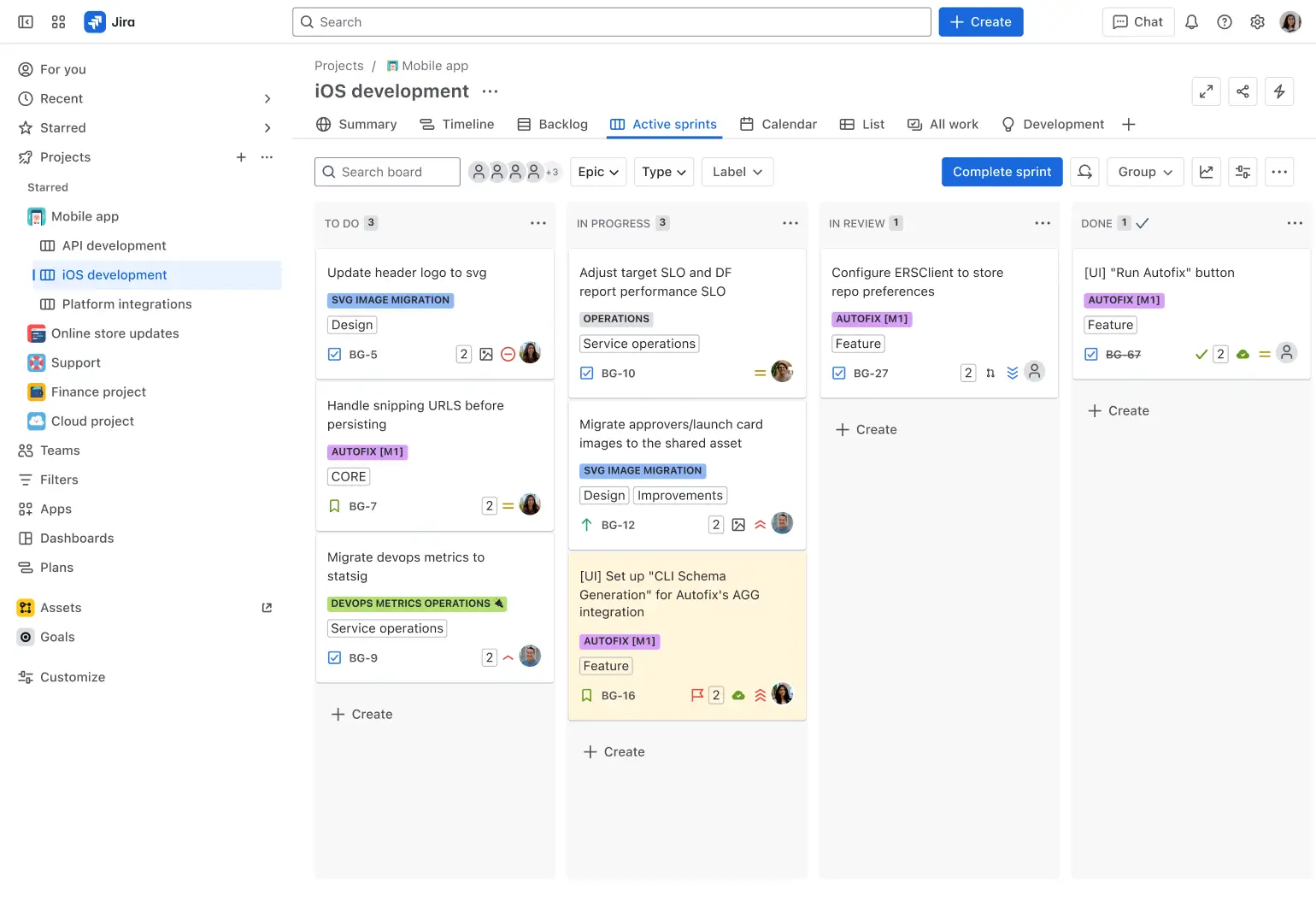
Jira is a project management software developed by Atlassian that helps project teams plan, track, and manage their work more efficiently. Atlassian’s suite of resource management tools assists project managers and team members in their daily activities, e.g., planning and monitoring work progress to ensure timely task completion as well as forecast employee capacity. This lets organizations avoid workloads and ensure smooth project delivery together with other functionalities like time tracking and resource allocation planning
Plus Jira comes with these standard features:
- Resource allocation
- Capacity planning
- Workload management
- Time tracking
- Dashboards and reporting
Security
- Project and resource data in Jira are encrypted in transit using TLS 1.2+ with perfect forward secrecy.
- Servers holding user data will use full disk, industry-standard AES 256 encryption.
- With customizable roles, you can manage access to different parts of project data.
- Last but not least is the IP allows listing that lets only people from trusted networks access your instance.
Integrations
Jira has integrations with multiple products depending on the industry: e.g., Invision, AdobeXD for Jira, Figma – for design teams; Jenkins, GitHub, Slack – for IT teams; Microsoft Teams, Google Sheets, Confluence – for business teams. In fact, Epicflow has a ready-made integration with Jira that serves as a bridge between software development teams and management by letting resources work in Jira and providing management with all the advanced features of Epicflow.
Company size
From small to medium-sized organizations.
Industries
Software development, IT, Healthcare, Marketing, Finance, Education.
Best for
Jira is best used for project management in small and medium sized organizations.
3. Silver Bucket
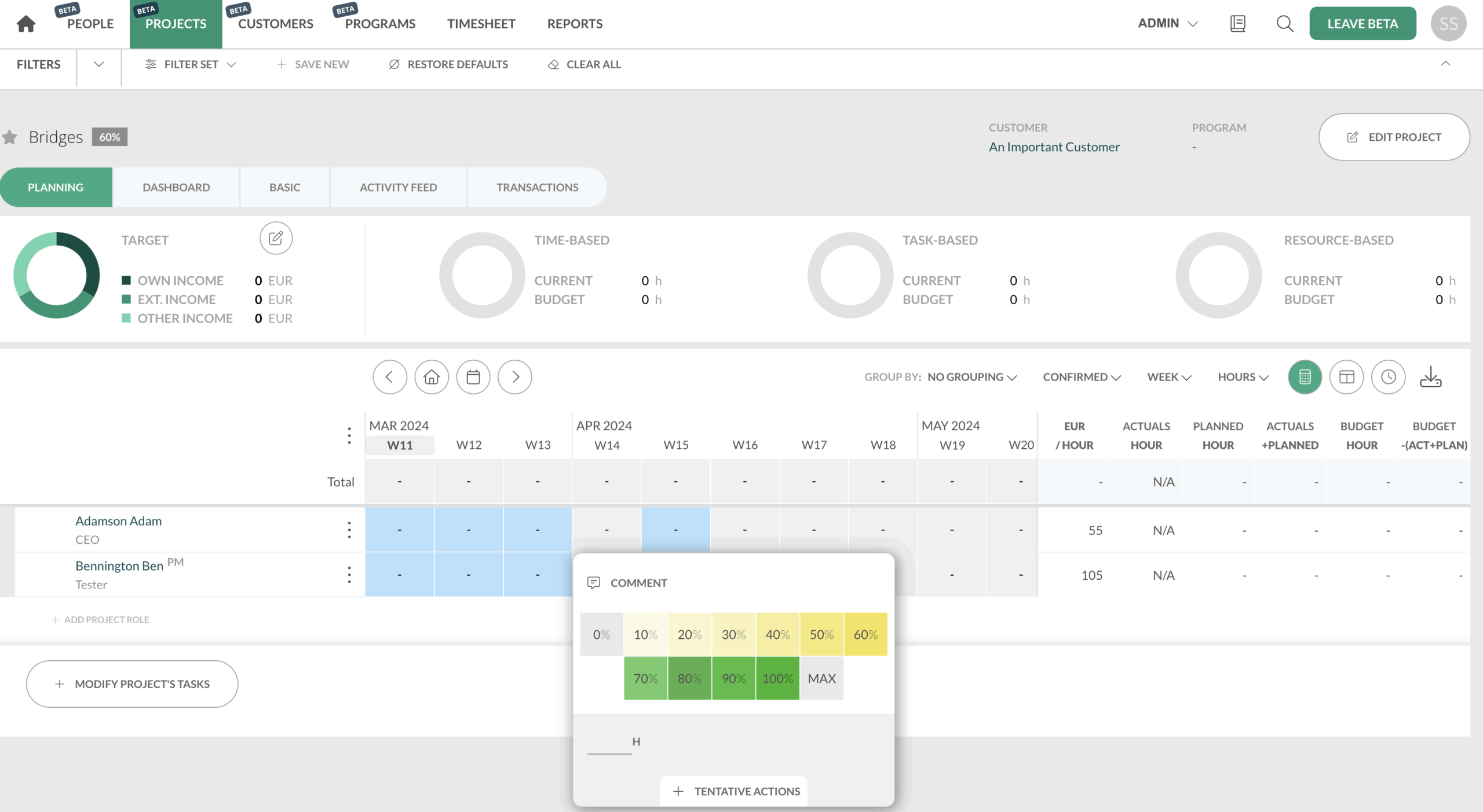
Silverbucket is a resource management software designed to help organizations effectively plan, allocate, and manage resources to optimize project outcomes. It allows companies to enhance resource management practices, improve project delivery, and gain better outcomes by ensuring that the resources are allocated to the required projects at the right time.
Plus Silverbucket comes with these standard features:
- Resource overviewing
- Project resource planning
- Integrating competencies
- Time tracking
- Forecasting and reporting
Security
Silverbucket uses role-based access control and data encryption.
Integrations
Hubspot, Microsoft Azure, Millnet, PowerBI, Visma Severa, ValueFrame, Parm, Toggle Track.
Company size
From small companies to enterprises.
Industries
Engineering, Architecture, IT, Consulting, and are ready to work with a company of any industry.
Best for
Silverbucket is best used for resource management and time tracking in medium sized companies.
4. Parallax
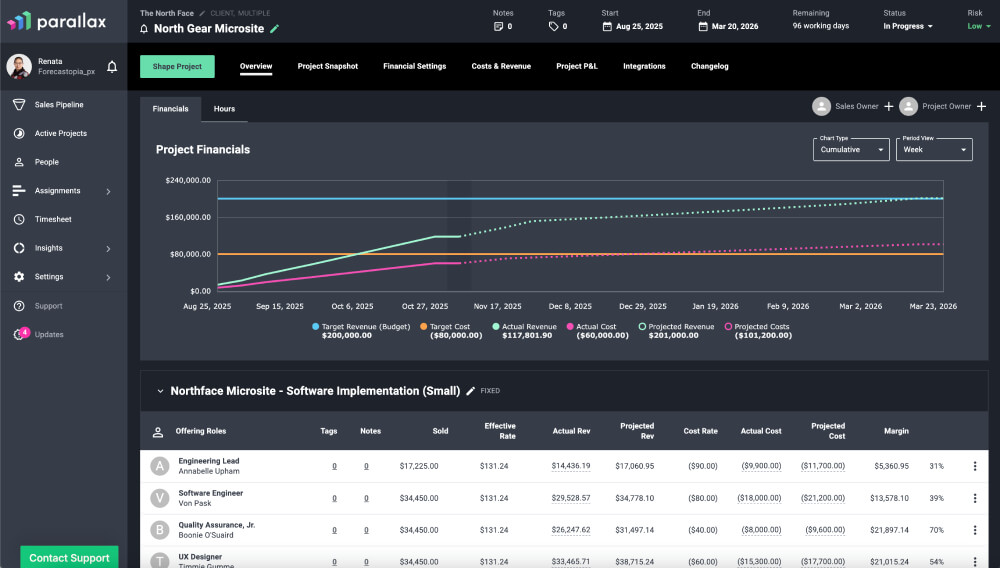
Parallax is a solution that helps digital service organizations with forward-looking resource planning. It provides visibility into team’s capacity and examines if there are enough resources for the required projects. It helps create and adjust resource plans and assists in boosting team efficiency. It also has features to diagnose resource utilization and productivity, allowing companies deliver their projects within their constraints. With this tool, managers can easily assign the right resources to the right tasks and track their progress in real time, therefore, timely detecting inefficiencies.
Plus Parallax comes with these standard features:
- Resource Planning & Management
- Capacity Planning
- Project Financials
- Operations Intelligence
Security
Parallax uses data encryption and role-based access control.
Integrations
Salesforce, HubSpot, Copper, Pipedrive, Zoho, Monday.com, and offers developing integrations upon request.
Company size
From small to middle-sized.
Industries
Software Development, Digital agencies, Marketing, Finance, Consulting.
Best for
Parallax is best for resource and ROI monitoring for sales-oriented projects.
5. Resource Guru
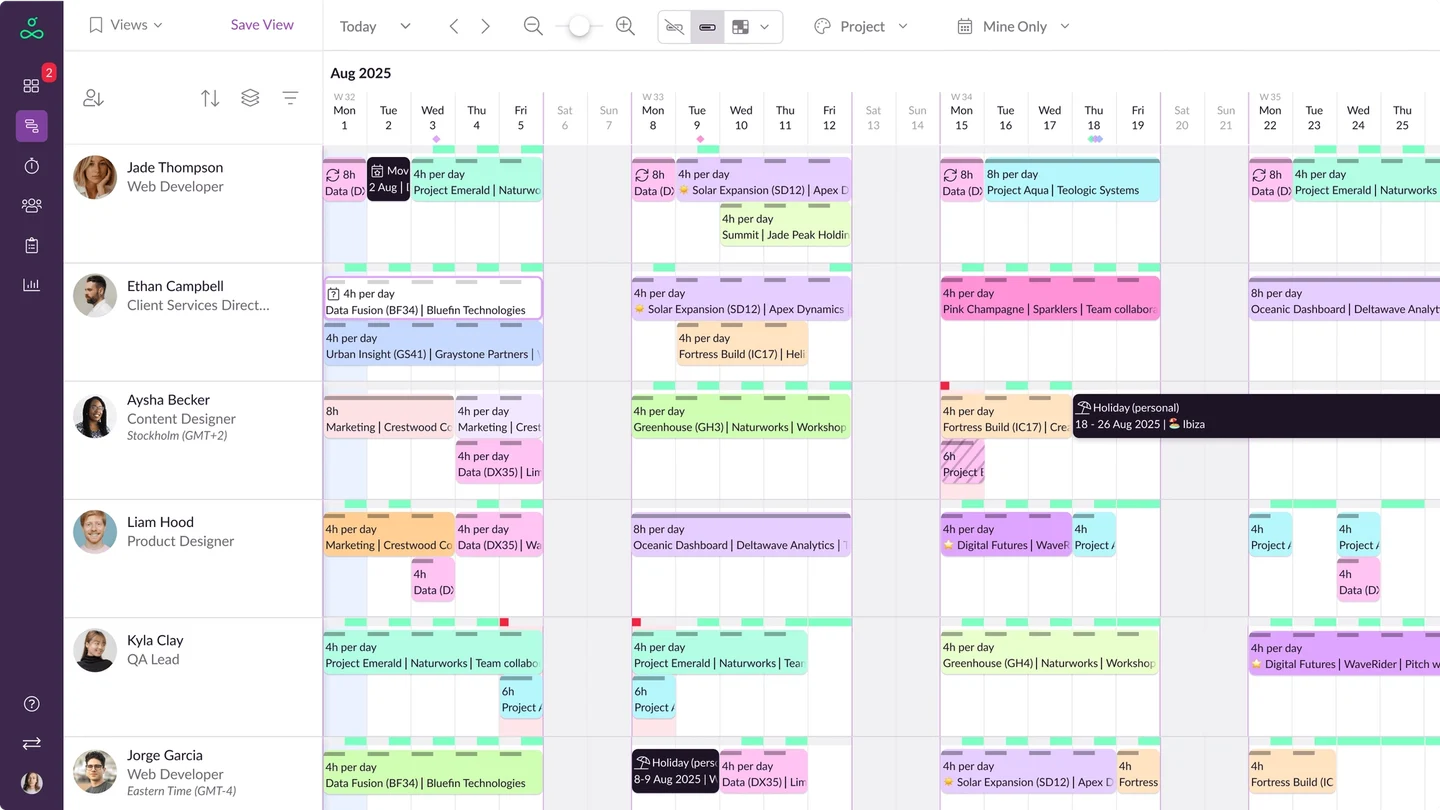
Resource Guru is a resource scheduling tool with a primary focus on enhancing team productivity while preventing people from unrealistic workloads. It provides comprehensive visibility of people’s availability, taking factors like days off and sick leaves into account. This approach helps avoid overbooking and resource conflicts, and if they happen, it facilitates their resolution.
Plus Resource Guru comes with these standard features:
- Resource scheduling
- Resource management
- Timesheets
- Leave management
- Project scheduling
- Equipment management
- Capacity planning
- Project forecasting reports
Security
By enabling SSO-only mode (single sign-on), you can consolidate access control. When you deactivate a user in your identity provider (IdP), their access to your Resource Guru account is automatically revoked. This ensures that only authorized individuals have access to your data.
Integrations
Integration with any software upon request. With the Zapier integration, it’s possible to connect Resource Guru with everything from Slack to Salesforce.
Company size
Small to mid-sized and large organizations.
Industries
Agencies, consultants, construction, engineering, IT.
Best for
Resource Guru is best for capacity tracking and resolving scheduling issues in small to mid-sized companies.
6. Float
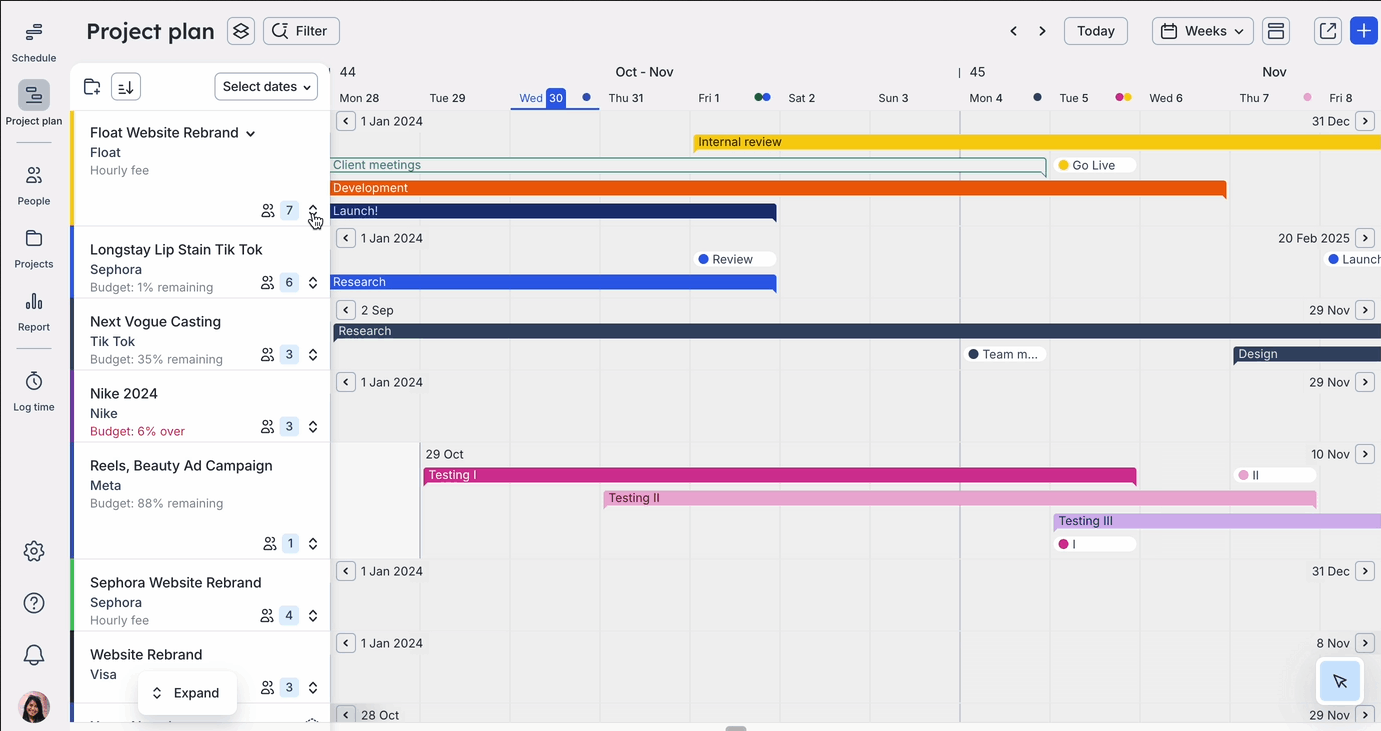
Float is a resource management software solution aimed at helping project teams organize and plan project resources. It provides functionalities such as resource scheduling, capacity planning, and workload management, allowing teams to efficiently allocate resources, avoid overload, and improve project results. Float users can generate visual schedules, make assignments, and control resource availability in real time. The solution also provides insights into resource utilization, helping managers avoid resource bottlenecks and make informed project decisions.
Plus Float comes with these standard features:
- Managing capacity
- Planning projects
- Forecasting budgets
- Allocating resources
- Creating schedules
- Tracking time
- Logging timesheets
Security
Float is SOC2 certified and supports AES 256-bit encryption and TLS 1.2 and one-way encrypts all passwords.
Integrations
Outlook, Asana, Slack, Zapier, Jira, Trello, Teamwork.
Company size
From small to medium enterprises.
Industries
Consulting, Software Development, Manufacturing, Education.
Best for
Float is best for capacity and profit monitoring in sales-driven organizations.
7. Runn
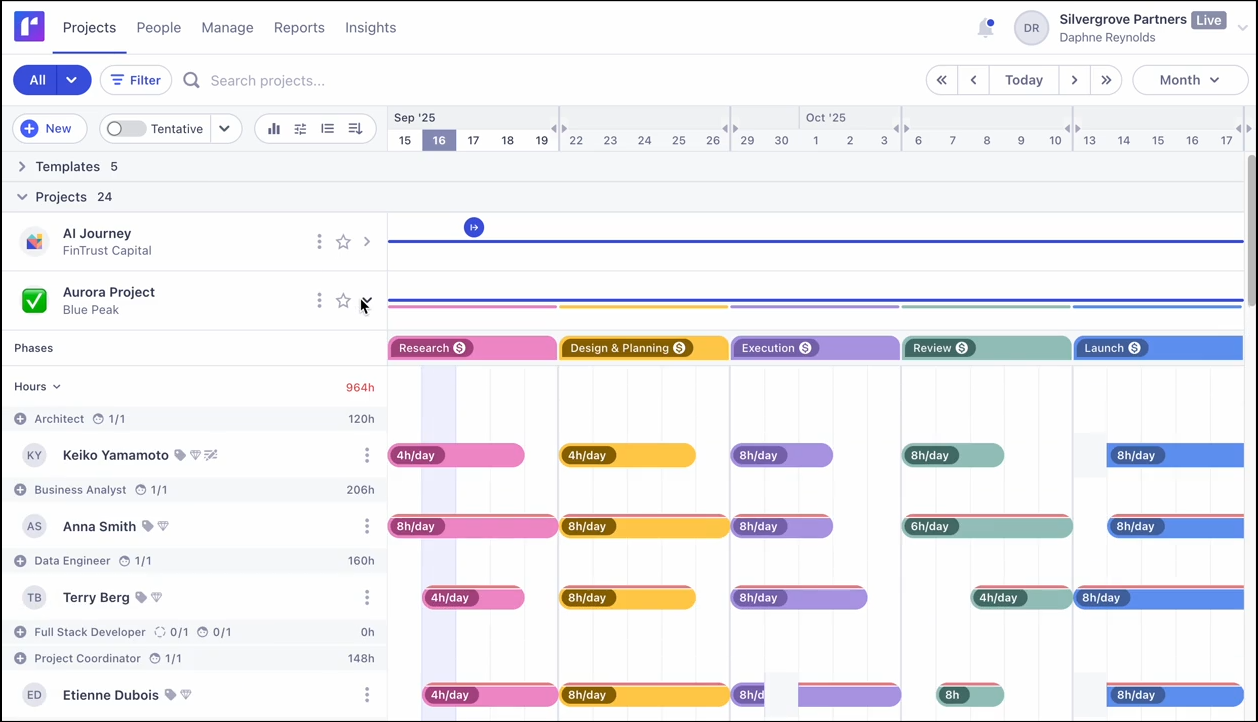
Runn is a resource management tool for businesses that seek to effectively plan, allocate, and manage their resources for projects. Its features aim at resource scheduling, capacity planning, and workload management, while also letting teams improve collaboration and ensure data transparency. It helps managers assign people to projects and create assignments in seconds and provides everyone’s schedules from a single view. Runn also has features to forecast capacity, projects, scenarios, and financials.
Plus Runn comes with these standard features:
- Resource scheduling
- Project forecasting
- Project planning
- Capacity management
- Time management
- Reporting
Security
Project data is transmitted via HTTPS encryption; Runn maintains a cloud-based infrastructure hosted with Heroku.
Integrations
AlexisHR, BambooHR, CharlieHR, Clockify, Harvest, and customers can offer an integration upon request.
Company size
From small to middle-sized organizations.
Industries
IT and software development, Consulting, Architecture and Engineering.
Best for
Resource capacity visualization and management.
8. Celoxis
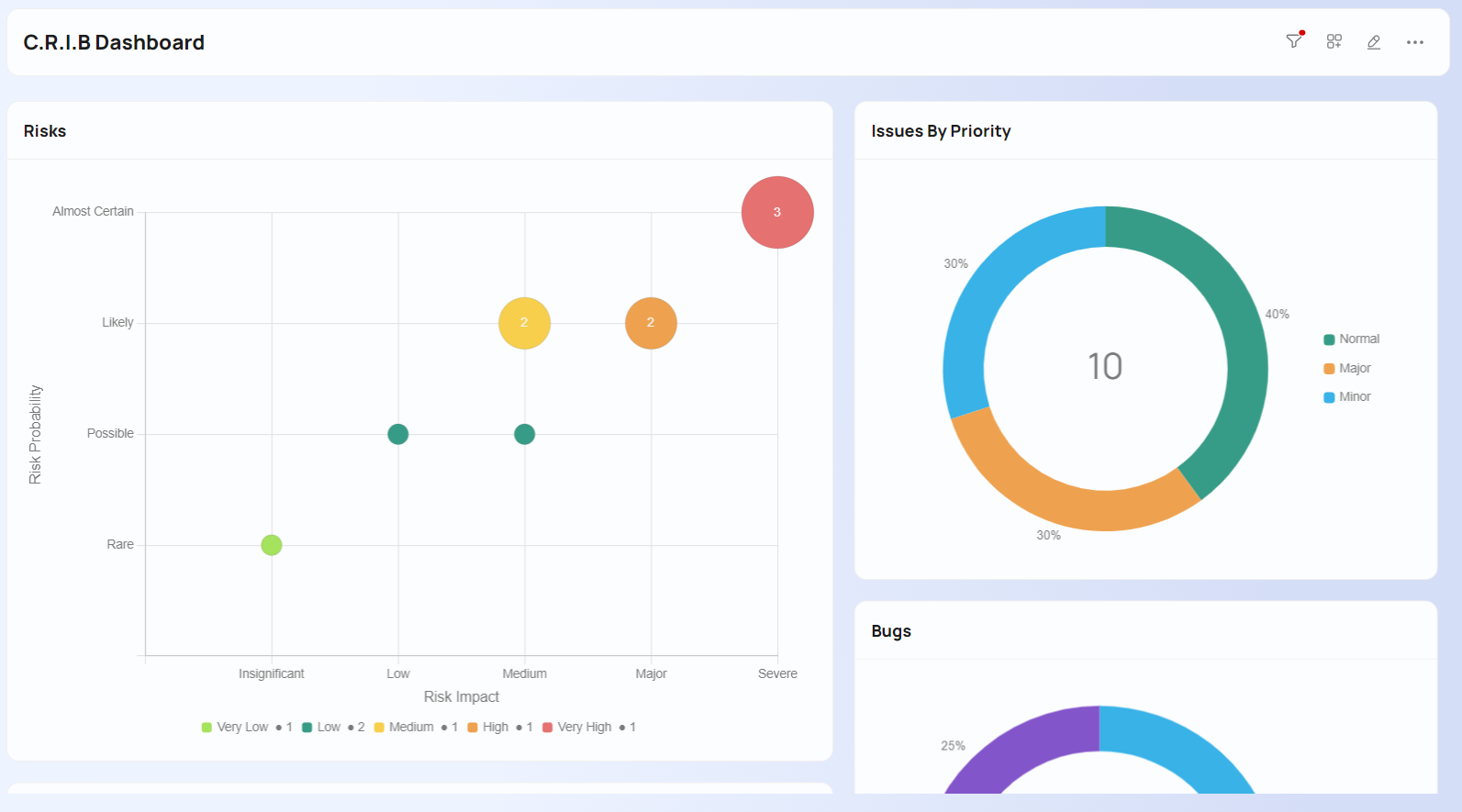
Celoxis as an enterprise project and portfolio management (PPM) solution provides advanced analytics and dashboards, enabling teams to optimize their projects, resources, and workflows effectively.
Plus Celoxis comes with these standard features:
- Intake management
- Project planning
- What-if analysis
- Resource management
- Portfolio monitoring
- Custom workflow apps
Security
- The Celoxis servers are deployed within the Amazon Web Services (AWS) Cloud Infrastructure, located in the United States and Ireland (EU). AWS offers a sophisticated array of access, encryption, and logging functionalities.
- Access to the Celoxis application is exclusively granted through state-of-the-art 2048-bit industrial grade SSL certificates, utilizing the Transport Layer Security (TLS 1.2) protocol.
- In-application security mechanisms are role-based, ensuring that data access and user actions are tailored according to each user’s role within each project.
Integrations
Celoxis integrates with JIRA and Azure DevOps and provides easy-to-make integration with any other tool upon your request.
Company size
From small companies to large enterprises.
Industries
IT, healthcare, construction, manufacturing, finance, marketing, consulting, education, and others.
Best for
Celoxis is best for project tracking and what-if analysis.
9. Forecast
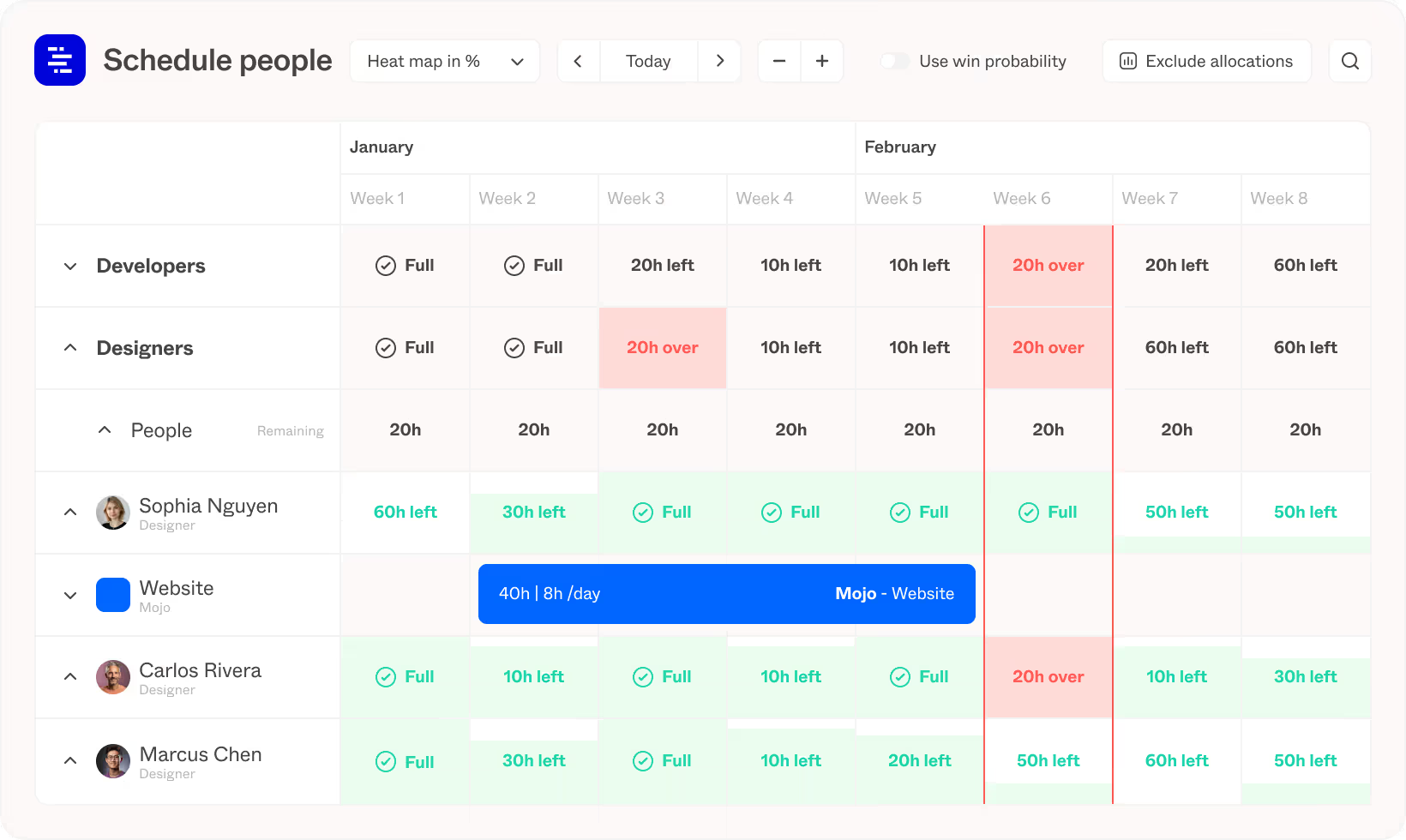
Forecast is a software solution that integrates resources, work, and financial management into a single platform. It contributes to more efficient project and resource management by streamlining the day-to-day work of team members, optimizing staffing decisions, and creating intelligent plans based on individuals’ capacity and availability.
Plus Forecast comes with these standard features:
- Forecasting the demand
- Monitoring resource utilization
- Enhancing resource efficiency
- Balancing team members’ workloads to preventing bottlenecks
- Optimizing resource allocation by considering employees’ availability and capacity
- Financial control
- Risk management
- Program management
- Reporting
Security
- Data input is encrypted and backed up to multiple data center availability zones.
- Every interaction of a user with Forecast is encrypted via HTTPS.
- Any project data (i.e., comments, tasks, and allocations) are encrypted at the database level using AES 256 encryption. Data backups are encrypted using AES 256.
Integrations
Ready-made integrations with different apps, e.g. Asana, Azure DevOps, GitHub, Hubspot, Jira, Pipedrive, Salesforce, Slack, Xero, Zapier, and others.
Company size
From small to large companies.
Industries
Consulting companies, software & technology, advertising & digital agencies.
Best for
Forecast is best for project and program management, resource utilization tracking, and AI-based growth forecasting.
10. Mosaic
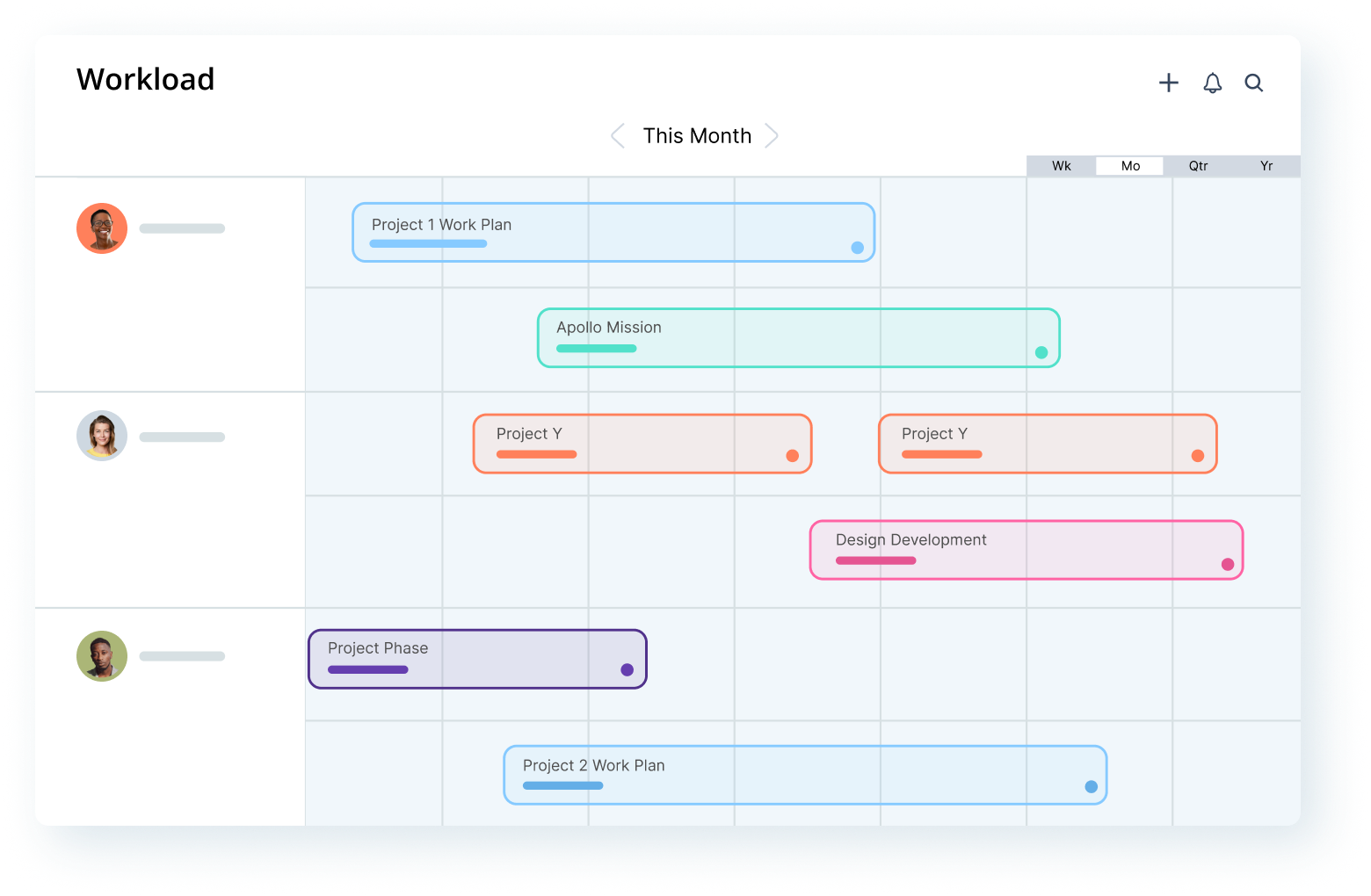
Mosaic is a resource management tool that helps maximize resource utilization and prevent burnout by scheduling projects based on resource capacity and providing relevant data about every employee’s workload. AI functionality used in the software solution lets clients be flexible and ready for any project environment changes.
Plus Mosaic comes with these standard features:
- Resource planning
- Resource allocation
- Workforce intelligence
- Project planning
- Project financial controls
- AI, automation and forecasting
Security
No information is available.
Integrations
BST Global, Deltek Ajera, Deltek Vantagepoint, Deltek Vision, Microsoft Dynamics 365, Unanet, Asana, Clockify, Github, Jira, Oracle, QuickBooks, SAP, Salesforce, Sage, Slack, Vista, Xero, and others.
Company size
Small to mid-sized and large organizations.
Industries
Architecture & engineering, creative & web dev agencies, IT & software development, consultants, construction.
Best for
Mosaic is best for AI-based resource planning and team composition.
11. Productive
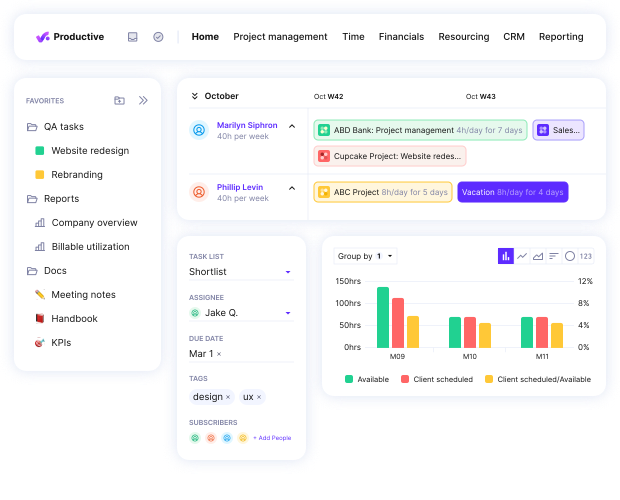
Productive is an all-in-one scalable platform for agencies of all sizes that helps consolidate data in one management system, run projects from prospect to payment and everything in between, provides complex budgeting and resource planning. It lets users monitor the state of budgets and profit margins in real time and streamline project work and keep employees focused.
Plus Productive comes with these standard features:
- Resource planning
- Time tracking
- Time off management
- Budgeting and profitability
- Invoicing
- Forecasting
- Project management (Gantt charts)
- Reporting
Security
- Server access
- Data encryption
- Penetration testing
Integrations
Jira, Hubspot, Xero, Exact, Slack, Zapier, QuickBooks, Sage, BambooHR, Lucca, Gusto, HiBob, Jira, Memtime, and others. Custom integrations are available upon request.
Company size
From small to large companies.
Industries
IT, marketing agencies, business consultancies, design studios.
Best for
Productive is best for centralized project management and AI-assisted note taking.
12. Milient
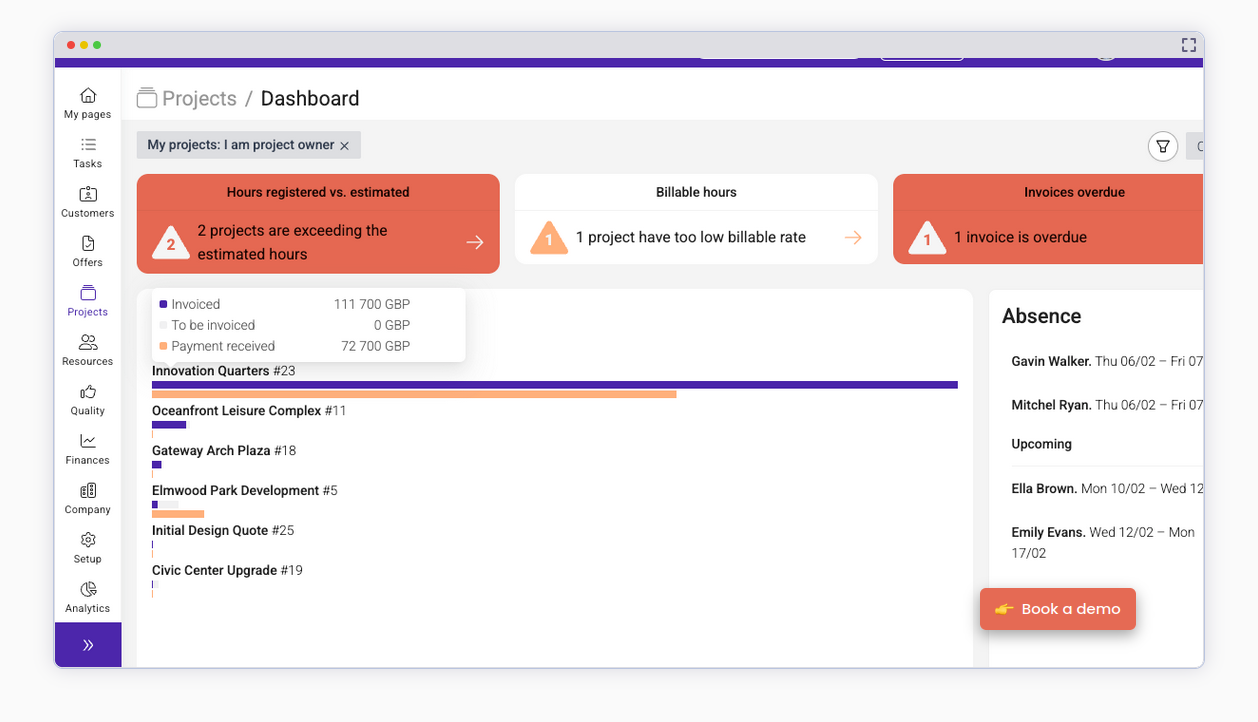
Milient is a resource management and scheduling software solution that helps organizations manage resources and projects: allocate resources to projects, track resource availability and utilization, manage project schedules, and generate reports on resource allocation and project performance.
Plus Milient comes with these standard features:
- Resource management
- Timesheets
- Dashboards and reports
- Project management
- Capacity planning
- Vacation and PTO
- Skill matching
- Dependencies
- Fixed costs
Security
- Milient encrypts data using industry-standard encryption protocols to protect it from unauthorized access.
- Milient allows administrators to define user roles and permissions, controlling access to features and data based on users’ roles and responsibilities at the company.
Integrations
Google Authenticator, Microsoft Authenticator, OneLogin, Slack, Teams, Okta, Zapier, Azure, Basecamp, and others.
Company size
From small to large companies.
Industries
Education, healthcare, marketing, construction, IT, architecture and engineering.
Best for
Milient is best for resource planning and scheduling.
13. ProjectManager.com
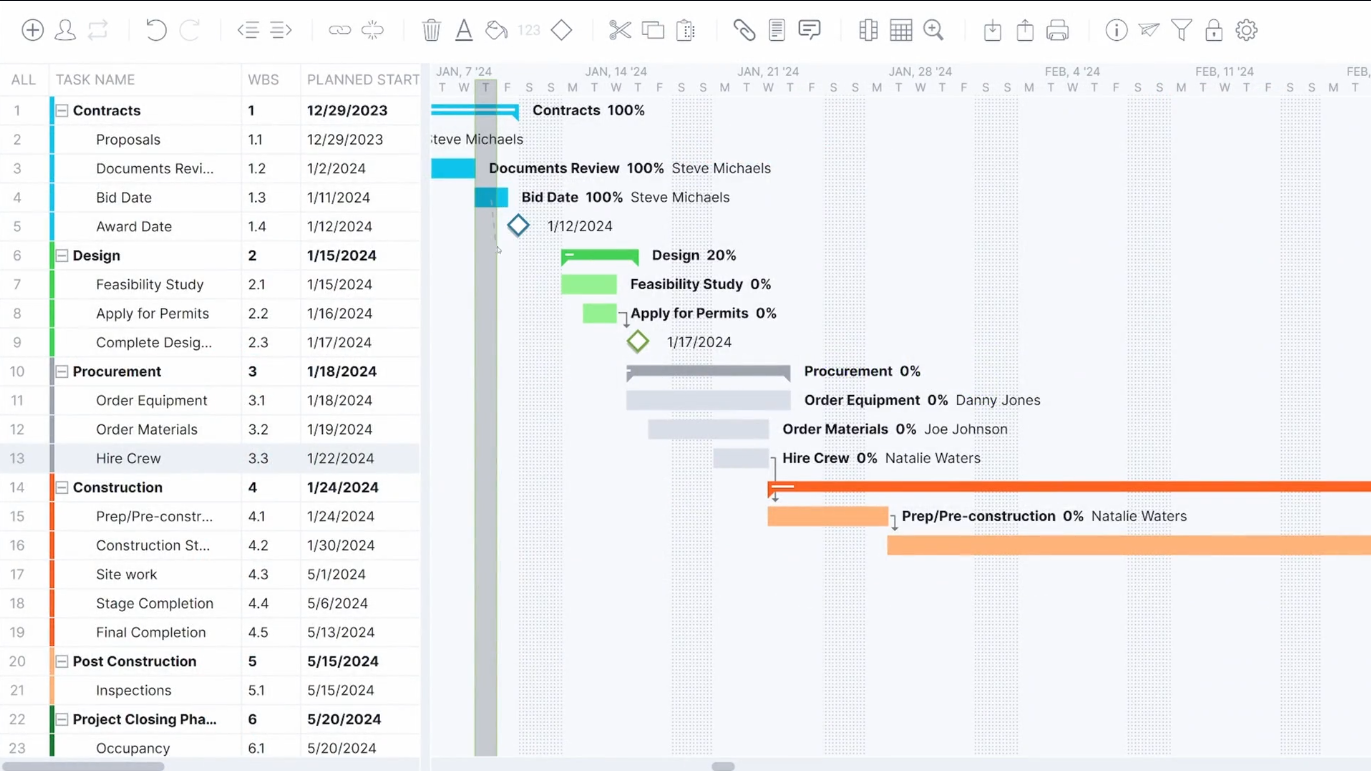
ProjectManager.com is a project portfolio management system that ensures collaboration between globally distributed resources, provides tools for project planning, workflow management, resource management and time tracking across the entire project lifecycle.
Plus ProjectManager.com comes with these standard features:
- Gantt charts
- Project portfolios
- Kanban boards
- Collaboration
- Dashboards
- Reporting
- Task lists
- Workflow automation
Security
- The ProjectManager servers and cloud platform meet the following standards for certification, capability and compliance: SOC-2 audit complianceNIST CyberSecurity Framework
- ProjectManager stores all customer data in Amazon AWS using industry standard best practices for encryption and access control.
Integrations
MicrosoftTeams, Slack, ProjectManager API, MS Project, Jira, Power BI, Trello, Exchang, Excel, Salesforce, Hubspot, OneDrive, Dropbox, Jira, Xero, Zendesk, Evernote, and others.
Company size
From small to mid-sized and large organizations.
Industries
Construction, manufacturing, IT, engineering, marketing, non-profit organizations.
Best for
ProjectManager is best for portfolio management and project scheduling.
14. Microsoft Project
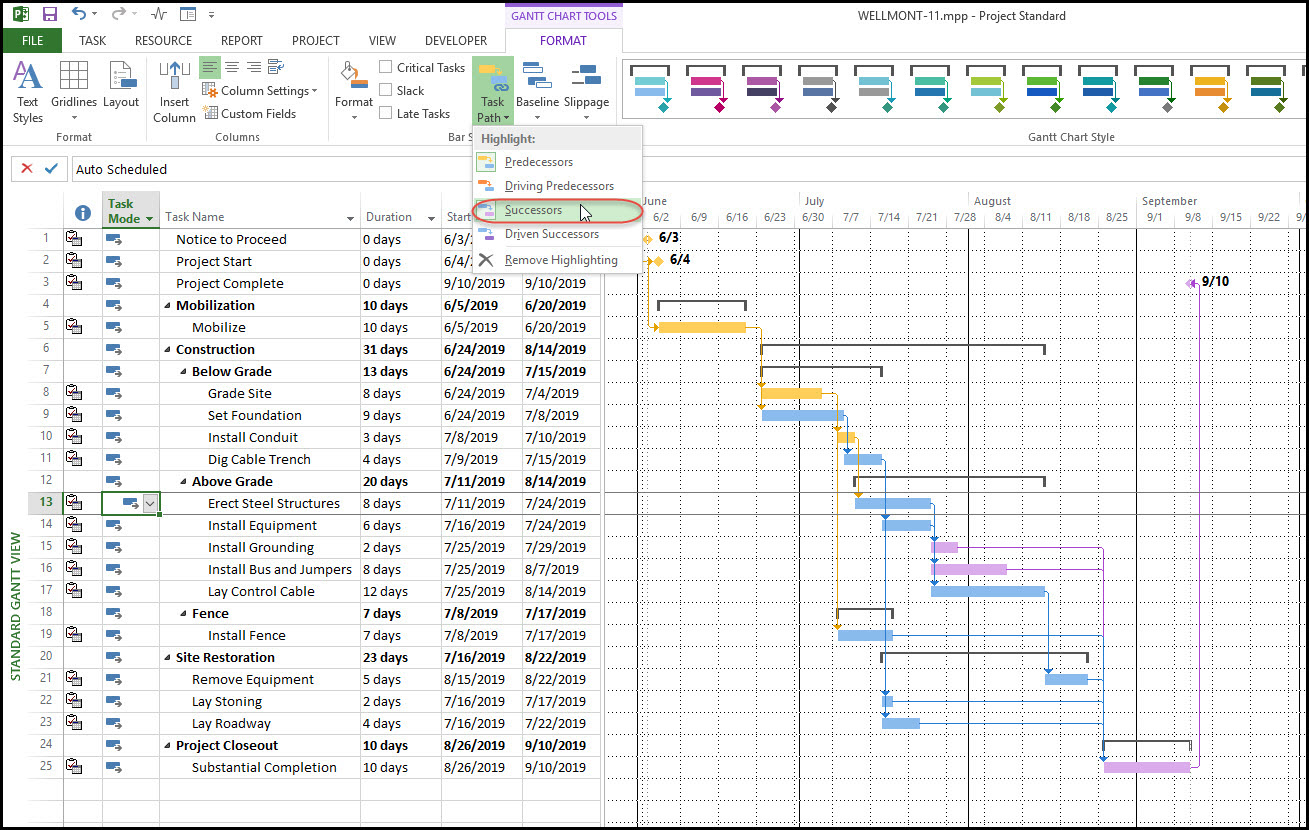
Microsoft Project is a project and resource management software solution developed by Microsoft. The tool assists project managers in planning projects, assigning resources, tracking progress, managing budgets, and analyzing workloads. Microsoft Project users can create schedules, Gantt charts, timelines, and other project-related documents to facilitate efficient project management.
Plus MS Project comes with these standard features:
- Project planning
- Task management
- Resource management
- Timeline view
- Reporting and analytics
- Collaboration tools
- Portfolio management
Security
- Microsoft Project allows administrators to define user roles and permissions, restricting access to sensitive project data based on user roles and responsibilities.
- Project data is encrypted both in transit and at rest to protect against unauthorized access. Microsoft Project uses industry-standard encryption protocols to secure data during transmission and storage.
Integrations
Microsoft Excel, Dynamics 365, Microsoft Word, Microsoft SharePoint, Microsoft PowerBI, Procore, Wrike, GanttPro, Replicon, WorkOtter, Celoxis, ProjectManager.com, and others.
Company size
From small to medium-sized organizations.
Industries
Construction, engineering, IT, manufacturing, and others.
Best for
MS Project is best for project planning in multi-project environments.
15. Paymo
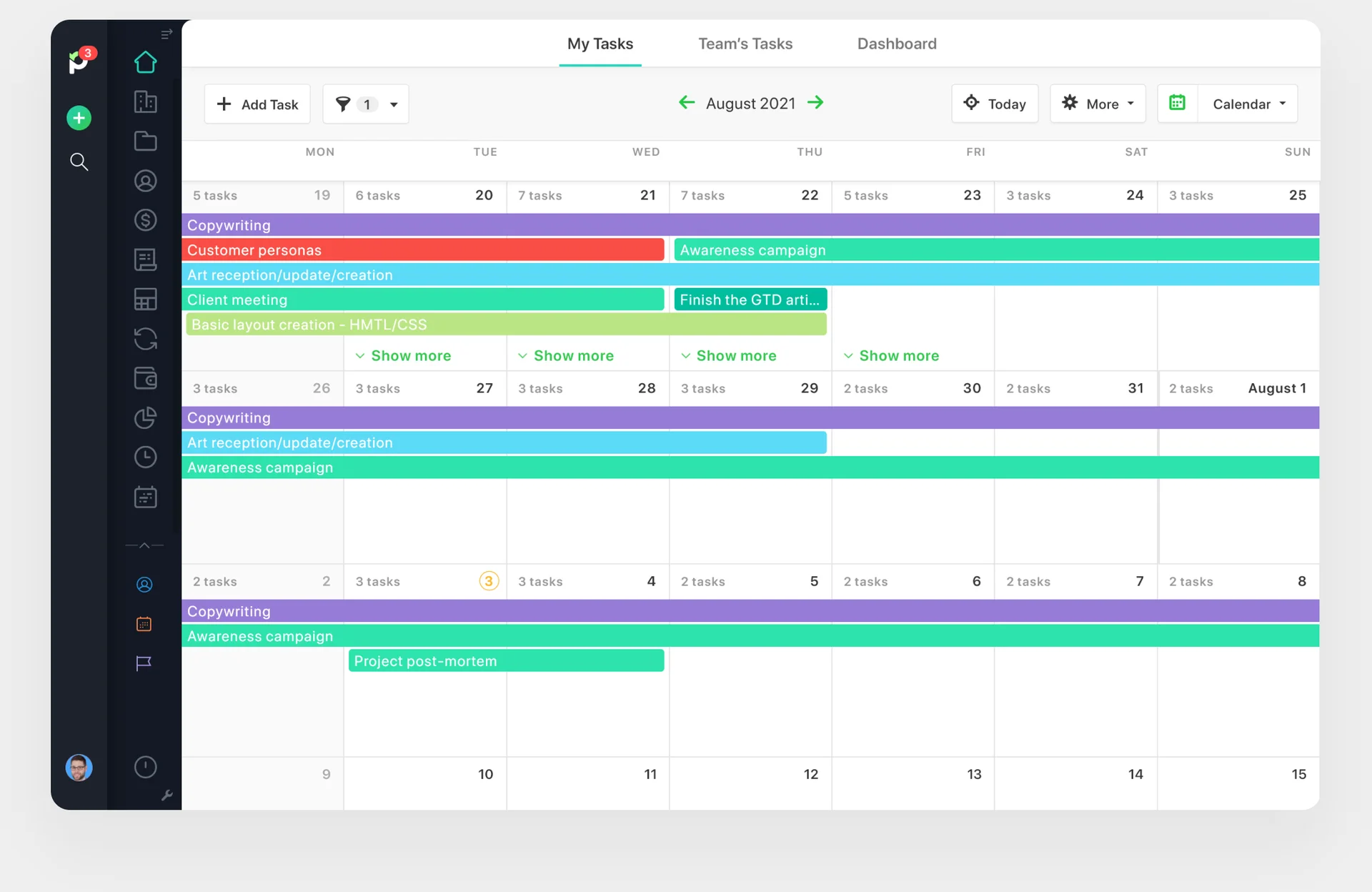
Paymo is a project management software designed to help teams and freelancers manage their projects, tasks, time tracking, and invoicing. It enables users to plan and organize their projects, track time spent on tasks, collaborate with team members, and generate invoices based on tracked time and expenses.
Plus Paymo comes with these standard features:
- Task management
- Time tracking
- Team collaboration
- Team scheduling
- File sharing
- Invoicing and estimates
- Gantt charts
- Kanban boards
- Reporting and analytics
- Leave planner
- File proofing
Security
- Paymo uses SSL encryption to ensure data security.
- Paymo allows administrators to define user roles and permissions.
Integrations
Google Workspace, Dropbox, QuickBooks, Slack, Zapier, Xero, JotForm, Pomodone, Rethink, Skyvia, Shift, and others.
Company size
From small teams to large enterprises.
Industries
Educational institutions, marketing and creative agencies, software and engineering, architecture, consulting.
Best for
Paymo is best for time tracking, invoicing, and margin monitoring.
How to Select the Best Project and Resource Management Software: Essential Criteria
When looking for the right resource management software and resource tracking tools for your company, you should consider several essential criteria. Here are some key aspects you should dwell upon to make the right choice:
Functionality
Make a list of features of resource forecasting tools your organization requires for efficient resource management and check out the RM solutions in terms of their availability. Make sure the software solution has all the necessary features to meet your organization’s needs.
Scalability
Take into account the scalability of a resource management tool to align with your company’s growth and evolving requirements. Check out if it can expand and adapt, accommodating a growing number of projects and users.
Ease of Use
A user-friendly interface can significantly simplify the process of adoption and training, which will make the transition from one tool to another easier for project team members and management who are snowed under with important tasks. This is why it’s so important to adopt not only innovative and effective but also simple resource management tool into your company.
Integration Options
Examine the integration capabilities of the resource management tools you’re considering, because, at any time, you may need the RM software to be integrated with other tools and systems your organization uses, e.g., project management tools, CRM systems, HR systems, etc.
Project Data Security
Ensure that the resource management software complies with industry standards and regulations for data security and privacy, such as GDPR or HIPAA. Look for features such as role-based access control, data encryption, audit trails, and compliance certifications.
Technical Support and Training Materials
When examining vendors of project resource planning tools, focus also on the support and training opportunities they offer. Very often, there’s a methodology behind the solution, and to effectively adopt it, you have to undergo special training. Technical training materials, such as tutorials, workshops, and documentation are also a good-to-have option.
Cost and Pricing Model
Assess the pricing model and cost of the resource management tool, including subscription charges, licensing fees, as well as supplementary expenses for implementation, customization, training, and support. Opt for a pricing plan that is in line with your financial constraints and provides good value for its cost.
Read more: How to Choose the Right Project Management Tool: Selection Guide.
Resource Management Software Costs & Pricing
The cost of tools for resource management depends on many aspects, such as functionality and features, the number of users, additional services, and the type of subscription model. The following pricing options for resource planning software are most popular in the market today:
- Subscription-Based Pricing (when you pay a monthly or annual fee per user).
- Tiered Pricing (depending on the features and functionality included).
- Custom Pricing (the pricing is fine-tuned according to your organization’s needs after negotiations with the vendor).
Besides, many vendors of resource allocation software offer free trials and freemium plans, which is a comfortable option if you have doubts about the software solution and want to try it before making the final decision. A freemium plan provides free access to basic features with an opportunity to upgrade to a paid plan if you need additional functionality.
Besides, keep in mind that there may be some additional fees for implementation, training, workshops, customization, and support. Make sure to check this out before signing the agreement with the vendor.
Conclusion
Resource management software can provide your organization with clarity on how your resources are used, where the inefficiencies lie, and how you can fix them. The right tool can be the difference between bottlenecks and efficient utilization of available resources across all projects running in your organization.
There isn’t a single best tool on the list. Instead, read through the reviews and choose a tool that fits your needs best. The three top picks are Parallax, Forecast, and Epicflow.
Epicflow resource management software is a great option for organizations looking to improve their resource and project management, as it offers features for both – resource and project management, and can be easily integrated with any other tool of your choice. To learn more about Epicflow resource tracking software and the opportunities it will open up for your company, book a call with our multi-project resource management experts.
Frequently Asked Questions
1. What is resource management software?
A resource management tool, aka resource scheduling tool or resource allocation tool, is a software solution that lets organizations effectively manage their resources to boost their productivity and deliver multiple projects successfully. With resource capacity planning tools, companies can effectively plan their resource demand to staff their projects correctly, optimize resource utilization, improve project delivery, and achieve better business results. Project resource allocation tools can be used as a stand-alone tool or integrated with other systems such as CRM, project management software, HRM systems, etc.
2. How can resource management software help you deliver more projects?
Being primarily used for resource management in complex multi-project environments, where limited resources work for several projects simultaneously, enterprise resource management tools help companies deliver more projects by efficiently utilizing their resources. This is primarily ensured by the following core aspects:
- Resource scheduling tools help organizations forecast resource demand and correspond it to the available capacity of resources, therefore, letting managers understand if they have enough resources to staff their projects.
- Project resource scheduling software facilitates the correct assignment of resources to specific projects, tasks, or activities based on their availability, competencies, and task priorities.
- Project resource management tools let management monitor resource utilization and track work progress and resource performance.
- Resource forecasting software helps organizations track employee skills, certifications, and qualifications to ensure the right resources are assigned to the right projects.
Therefore, the unity of these essential components makes resource allocation software a powerful solution that lets companies deliver more projects with the same number of resources.
3. What is the difference between project management and resource management tools?
Project and resource management tools serve different purposes but have a common goal – successful project delivery. Let’s consider the key differences between them:
A project management tool: A project management tool is focused on planning, organizing, and executing projects. It helps plan projects and resources, manage tasks, timelines, and budgets, and project communication.
A team resource management tool: An online resource management tool is focused on managing different types of resources: human, financial, raw materials, and equipment across the projects.
Project resource planning tools usually provide features such as resource planning, resource allocation, resource management and performance tracking, capacity planning, skill management, workload management, and reporting.
4. What are the benefits of resource planning software?
The key benefits that the best project and resource management software can offer are as follows:
- Optimized resource utilization. Resource management software can help your organization improve resource utilization.
- Increased resource productivity. Resource management software can increase productivity through elimination of bottlenecks.
- Improved project planning. Resource management software can make the daily decision-making process easier.
- Enhanced collaboration between teams. Resource management software improves collaboration thanks to a high-level view of the portfolio.
- Informed decision-making. Resource management software makes the decision-making process a data-backed endeavor.
- Increased project success rate. Resource management software can improve success rate thanks to elimination of bottlenecks.
- Decreased project costs. Resource management software can reduce project costs thanks to an optimized allocation of resources.
5. What is the best resource management software?
There are hundreds of resource management tools in project management, so finding the right one for your company is challenging. The “best” project resource management software is the one that has all the functionality your company requires, your budget, and your preferences. We highly recommend considering your organization’s unique needs and choosing a solution that aligns with your goals and objectives. Remember to thoroughly consider aspects such as functionality, ease of use, scalability, technical support, and integration capabilities when selecting the right resource management software for your company.
6. How does resource management software help prevent team burnout?
Resource management software’s main objective is to improve the utilization of available resources. Its main instrument in doing so is finding resource overload, moments throughout the portfolio timeline where people on your team are tasked with more than they can handle, and eliminating them by shifting resources and projects around.
This doesn’t just do good to the company, but reduces employee stress and burnout, leading to more productive employees in the long run.
7. What are the most common mistakes when implementing resource management software?
The most common mistakes in resource management software implementation are:
- Choosing software that doesn’t serve your current goals.
- Failing to convince the C-level management in the software’s utility.
- Poor data integration.
8. Is it worth investing in AI features for resource management software?
If a resources management tool uses AI to adjust analytical algorithms and provide better insights for resource utilization, it’s worth the higher price tag. If a tool simply integrates ChatGPT or Gemini to provide short summaries on projects, it might not be the shining technology that they promise.