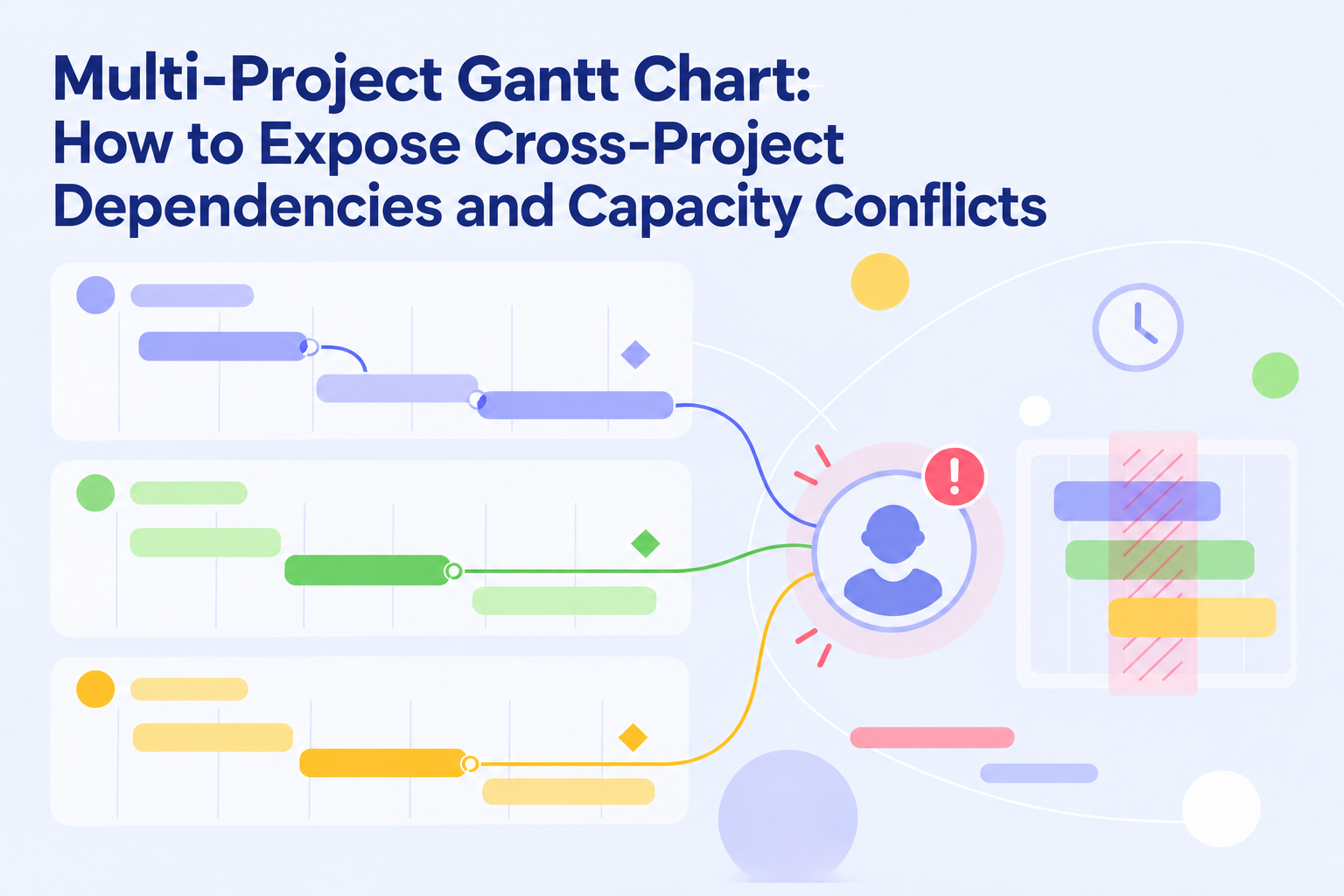
10 Best AI Project Management Tools and Software in 2026
 Victoria Sokolova
.
Updated
.
Project Management
.
34 mins READ
Victoria Sokolova
.
Updated
.
Project Management
.
34 mins READ

The best AI project management tools help with different decisions. Some turn conversations into tasks and status updates. Others connect the applications your team already uses. A smaller group models resource constraints and shows how a change affects delivery across several projects.
Start with the work you need to improve. A useful AI summary can save a manager time, while a feasible resource plan can change which commitments the organization can meet. This comparison covers ten options, explains their documented AI capabilities, and separates the price of the underlying product from access to AI.
Best AI Project Management Tools Comparison Table
Product information and public prices checked on 22 October 2026. USD unless shown otherwise. Annual prices are monthly equivalents with an annual billing commitment. Published starting prices do not include every feature, minimum purchase, usage charge, or negotiated term. The order is a guide to different uses rather than a performance ranking.
| Tool | Best fit and documented AI job | Base product price | AI access and key condition |
|---|---|---|---|
| Epicflow | Shared-resource bottlenecks: due-date feasibility, optimization and scenarios | Growth €22.50/person/month annually; minimum 20 users | Growth includes bottleneck detection and due-date feasibility; quoted Enterprise adds optimization, AI scenarios and allocation assistance |
| ClickUp | Tasks and documents: summaries, workspace answers, AI fields and assignment suggestions | Unlimited $7/user/month annually | Published Brain AI $9/user/month; Everything AI $28; confirm add-on versus AI-inclusive packaging and credit use |
| Zapier | Cross-app workflows: Copilot builds automations; AI steps classify, extract and draft | Free with 100 tasks/month; Professional from $19.99/month annually | Execution follows AI task rates; Agents and other add-ons have separate terms |
| Wrike | Structured delivery: content and comment summaries, natural-language rules, Copilot and agents | Team $10/user/month; Business $25 | Team includes Essentials; Business adds metered Elite, with allowances based on plan and seats |
| Asana | Request routing and reporting: AI Studio, summaries and draft status | Starter $10.99/user/month annually | Starter includes 50,000 AI Studio credits/account/month; portfolio smart status needs Advanced |
| Smartsheet | Sheet-based project data: Smart Assist, Smart Columns and dashboard generation | Pro $9/member/month annually; Business $19 | Several AI capabilities reach Pro; formula generation and the named analysis tools need Enterprise |
| monday.com | Configurable boards: AI blocks, Sidekick and workflow actions | Basic $9/seat/month annually; Standard $12; minimum three users | New AI work platform purchases require seats plus credits; Standard minimum 2,000 credits/month |
| Ayanza | Ideas and team knowledge: writing, brainstorming and conversational help | Free up to five users and 200 documents | Premium assistant $6/user/month; Ultra $15; free AI descriptions differ across official pages |
| Taskade | Agents and projects: file-grounded agents, project creation and triggered workflows | Free; current Pro $10/month billed as $120/year | Pro includes 50,000 AI credits/month and up to ten people; older help tables differ |
| Trello | Cards and boards: AI board generation, checklists and work capture | Standard $5/user/month annually; Premium $10 | AI boards are documented for Standard and above; verify feature-specific writing access |
The profile for each tool names the relevant official sources. Prices use different units: a person, a workspace subscription, a seat and a task allowance are not interchangeable.
What Are AI Tools for Project Management?
AI tools for project management use machine learning or large language models to carry out parts of project work: interpreting requests, drafting plans and status updates, answering questions about project data, and recommending changes to schedules or assignments. Adoption is growing fast. In PMI's 2024 survey of 500 project professionals, roughly two in five used generative AI in more than half of their project work.
The category covers several product types. Some are AI project management platforms that add an assistant to existing tasks, documents and boards. Others are AI-based project management tools for automation, which move information between applications or run agents. A smaller group of AI project management software solutions calculates plans against the capacity of the people involved. Many vendors also offer an AI project management app for mobile, which may support only part of the desktop feature set.
Key AI features of AI project management tools
Most AI-powered project management tools combine several of these capabilities:
- Summaries and status drafts: condense tasks, comments and documents into an update that a person reviews before sharing.
- Questions and answers: respond to natural-language questions about project records, within the user's permissions.
- Plan and task generation: turn a prompt, a meeting note or a request into tasks, checklists or a board.
- Workflow automation and agents: classify, route or act on incoming items through configured steps.
- Resource and schedule recommendations: suggest assignments, flag overloads or recalculate dates when availability changes.
- Scenario analysis: show the effect of a priority or staffing change on dates and workload before it is applied.
What Are the Benefits of Adopting AI Tools in Project Management?
The benefits depend on which part of project work is slow today. Gartner predicted in 2019 that AI would eliminate 80% of today's project management tasks by 2030, including data collection, tracking and reporting. Those routine tasks are where current tools are most mature.
- Less time on reporting: drafted summaries and status updates cut the hours spent collecting information, provided the underlying records are current.
- Faster intake and handoffs: classification and routing send requests to the right owner without manual triage.
- Quicker setup: generated boards, task lists and checklists give a new project a starting structure in minutes.
- Earlier warning of conflicts: tools that model availability can show an overload or a slipping date before it reaches a deadline.
- Better-informed trade-offs: scenario analysis shows the effect of a priority or staffing change before the team commits to it.
These benefits do not come from one feature set. A writing assistant does not detect resource conflicts, and a scheduling engine does not draft documents. Match the benefit you need with the capability a tool documents. The profiles in this comparison follow that logic.
How We Compared the Tools
Epicflow publishes this comparison and is included first. We reviewed official product pages, pricing pages and help documentation for the ten tools in the existing shortlist. We compared the work each product supports, the AI action described, the data it needs, the output a user receives, and the commercial conditions for that capability.
This is a research-based comparison. We did not run comparative product trials or assign performance scores. Where official pages describe different plan generations or feature entitlements, the relevant distinction appears in the profile. The evaluation example later in this guide is fictional and is a protocol you can use during a demo, not a reported vendor result.
Top 10 AI Project Management Tools Comparison
1. Epicflow for planning projects around shared resource bottlenecks
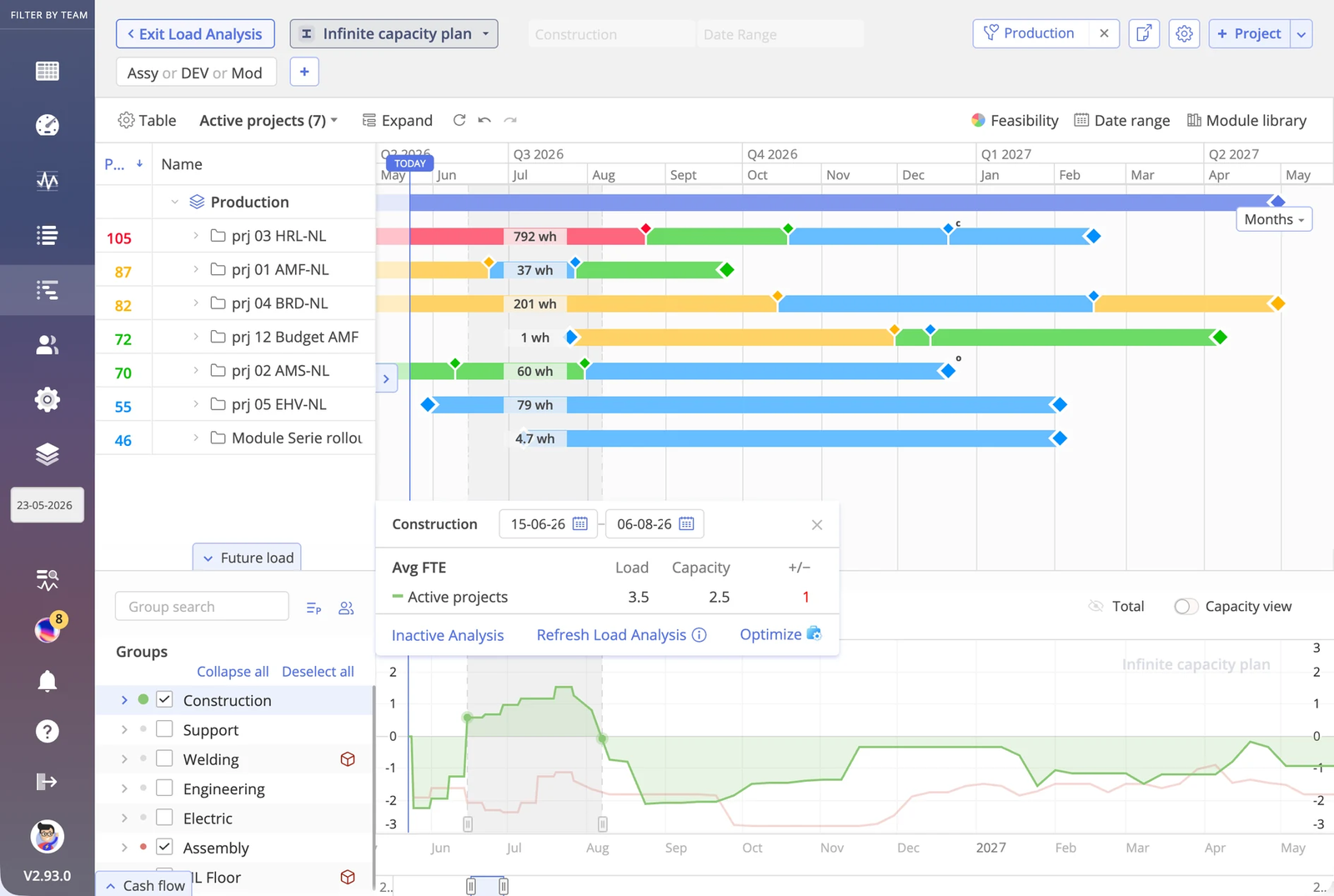
Epicflow is a strong candidate when several projects depend on the same engineers or other scarce specialists. It connects project priorities, remaining work and resource availability so a PMO can see the bottleneck and which due dates remain feasible.
The Epicflow Portfolio Optimizer sequences work within available capacity by business value per bottleneck hour. What-if scenarios show the resulting dates before managers choose a plan. The allocation advisor suggests resources; managers make the assignment.
An additional option is to plan AI agents as resources. Include the human work needed to prepare, review and correct their output. An agent that saves time on a task may still leave the portfolio's bottleneck just as busy.
Pricing and AI access: Growth starts at €22.50 per person/month billed annually, or €25 monthly, for 20–50 users, and includes bottleneck detection and due-date feasibility prediction. Enterprise starts at 50 users, is quoted separately and adds portfolio optimization, AI scenario planning, the allocation advisor and a virtual assistant.
Trade-off: Forecasts depend on maintained effort and availability data. A team seeking only a shared task board may prefer a simpler system.
Sources: Epicflow pricing and plan scope, Portfolio Optimizer, AI agents as resources.
2. ClickUp for AI assistance across tasks and documents
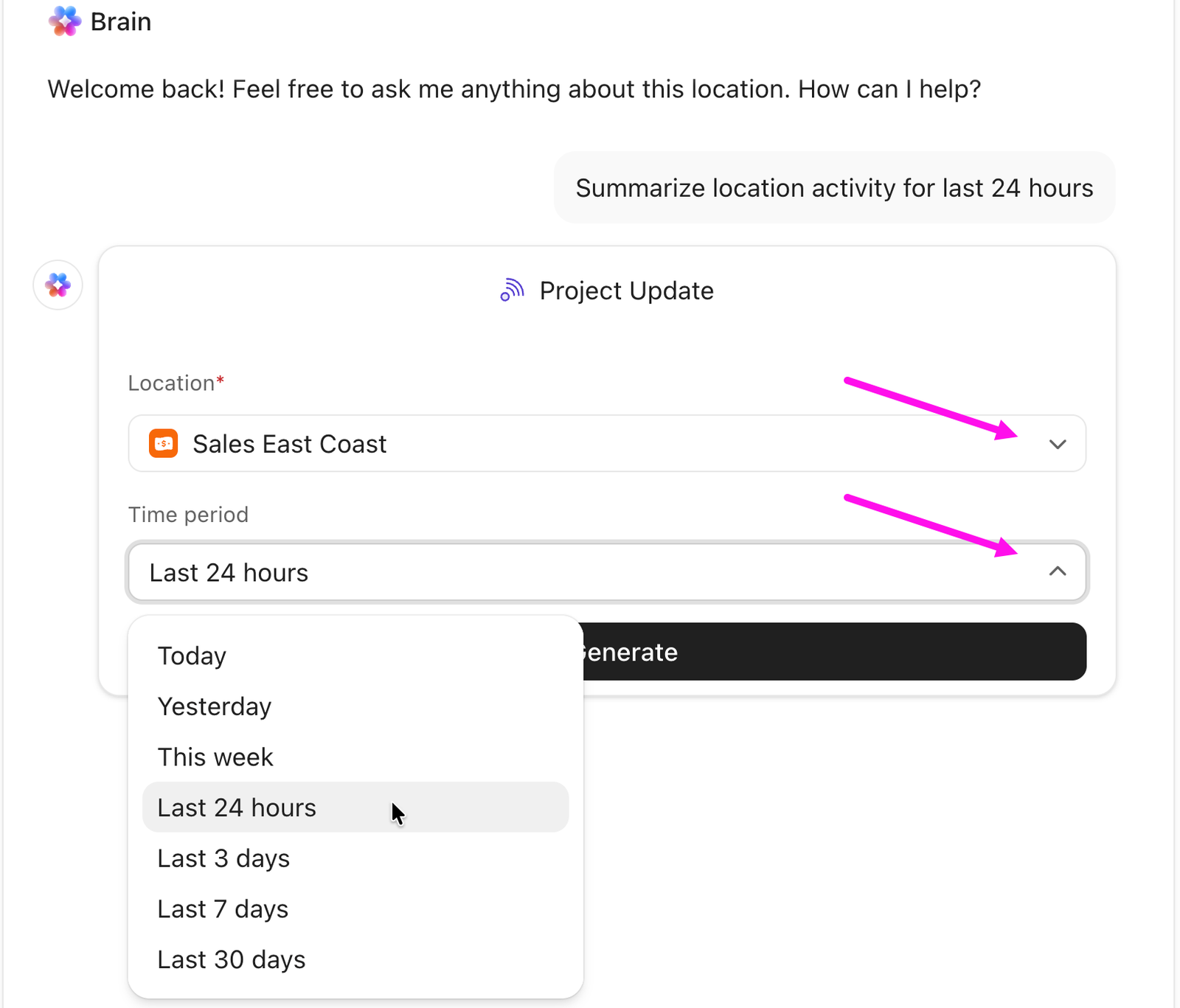
ClickUp combines project work with documents, chat and multiple task views. Its AI is useful when the problem is gathering context from that work: finding an answer, summarizing progress, or preparing an update without reading every task and discussion.
Brain provides project summaries, updates and writing assistance. AI Fields and AI Assign and Prioritize add structured outputs and recommendations inside the workspace. The important buying distinction is between using an assistant and running agent or automation actions. Some advanced operations consume credits, and more extensive capabilities belong to different AI packages.
Pricing and AI access: The standard PM pricing page lists Unlimited at $7 per user/month billed annually. Published AI offers list Brain AI at $9 per user/month and Everything AI at $28, with different included capabilities and credit allowances. Official documentation also notes that some workspaces receive plans that include more AI. Verify the offer presented to your workspace rather than assuming one universal combined price.
Trade-off: An answer about project data does not establish that the workload is feasible. During evaluation, distinguish summaries and assignment suggestions from the scheduling decisions your team needs.
Sources: ClickUp plans, AI feature and package conditions.
3. Zapier for AI workflows between project applications
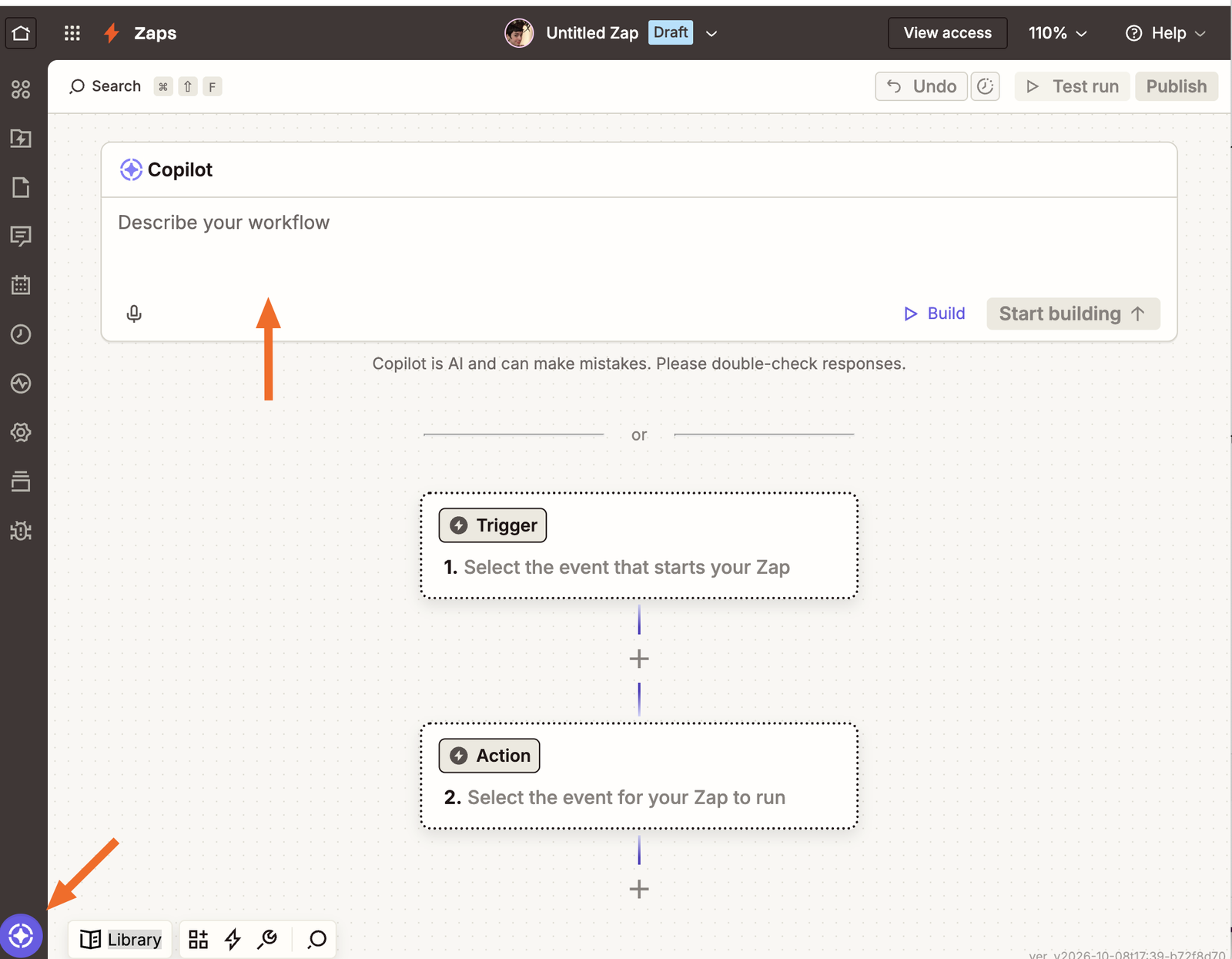
Zapier fits teams that want to keep their current project tools and automate the handoffs between them. For example, a new request can be classified, converted into structured fields, added to the appropriate system and routed for review.
Copilot helps build and configure workflows from natural-language instructions. AI steps can extract information, draft text or classify an input; deterministic steps then act on the result. This makes Zapier an integration and orchestration option within a project-management setup. The connected applications remain responsible for the project records and planning functions they provide.
Pricing and AI access: Free includes 100 tasks per month. Professional starts at $19.99/month with annual billing, with cost increasing by task tier. Current published AI-step rates differ by model category: standard AI steps use one task, advanced steps three and premium steps five. Tool calls can incur additional tasks. Agent products and other add-ons have separate terms.
Trade-off: Estimate the cost of a complete workflow, including retries and tool calls, rather than counting each incoming request as one task. Keep ownership clear when two connected systems can update the same record.
Sources: Zapier pricing, task usage rates, Copilot capabilities.
4. Wrike for AI assistance within structured delivery workflows
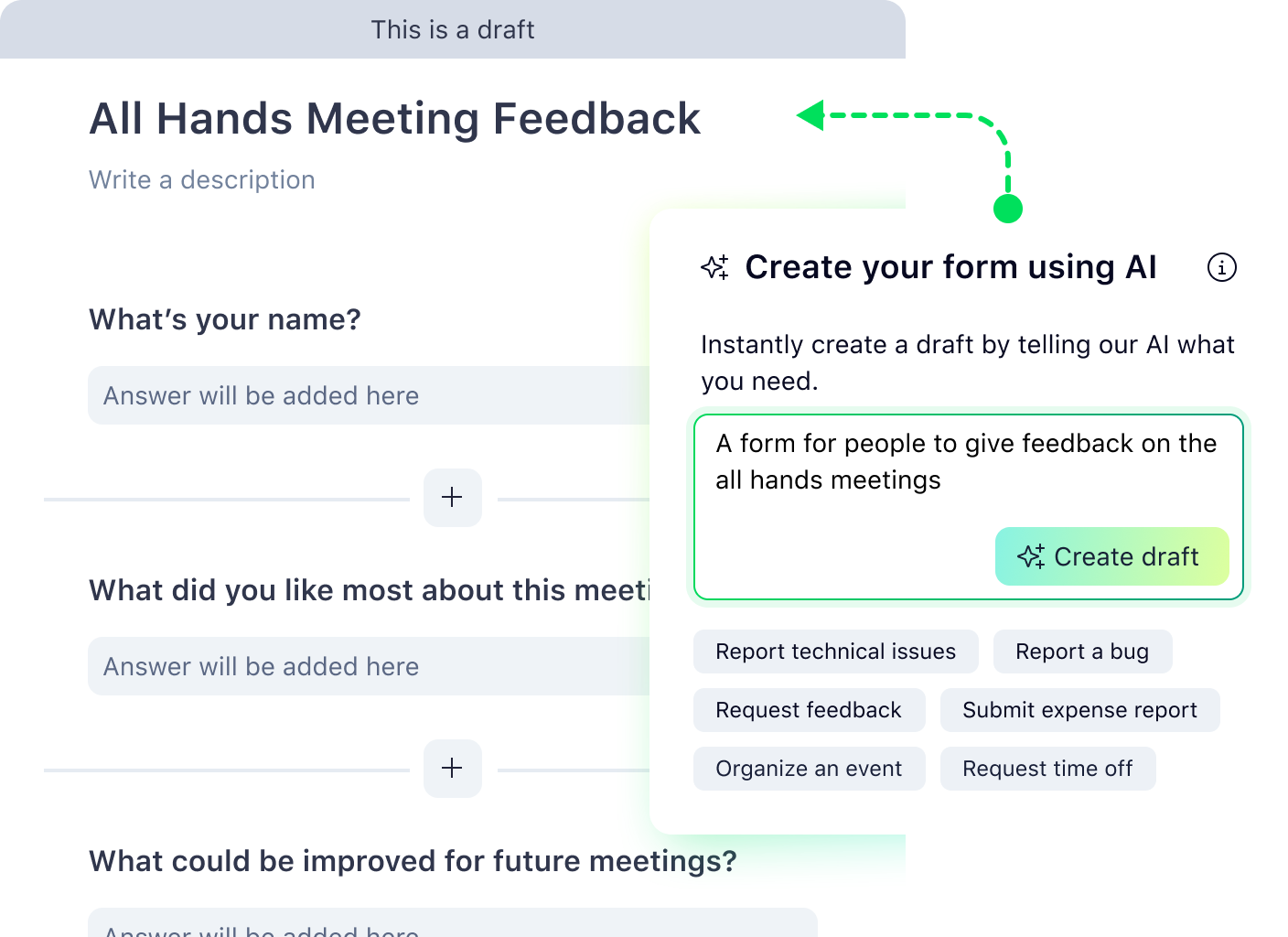
Wrike is worth evaluating when teams want requests, work items and delivery processes in a shared project-management environment. Its AI features support work around those records, including drafting content, summarizing comments and generating forms or rules from natural language.
Wrike separates AI Essentials from AI Elite. Essentials includes features such as content editing, comment summaries and natural-language rule generation. Copilot, agents and certain other capabilities fall into Elite. This distinction matters when a team expects AI to take actions throughout a workflow rather than help an individual prepare an update.
Pricing and AI access: The pricing page lists Team at $10 per user/month and Business at $25. Team includes AI Essentials; Business adds an allowance for Elite features. Elite usage is pooled and depends on plan and Full User licenses. The help page's example for a 100-user account is not the allowance for every customer. Business and higher subscriptions are annual, and purchasing uses seat groups.
Trade-off: AI access, resource planning and integration requirements can lead to different tiers or add-ons. Ask the vendor to demonstrate the exact configuration and show what happens when its Elite allowance is exhausted.
Sources: Wrike plans, AI pricing and usage, AI features.
5. Asana for request routing and AI-assisted project reporting
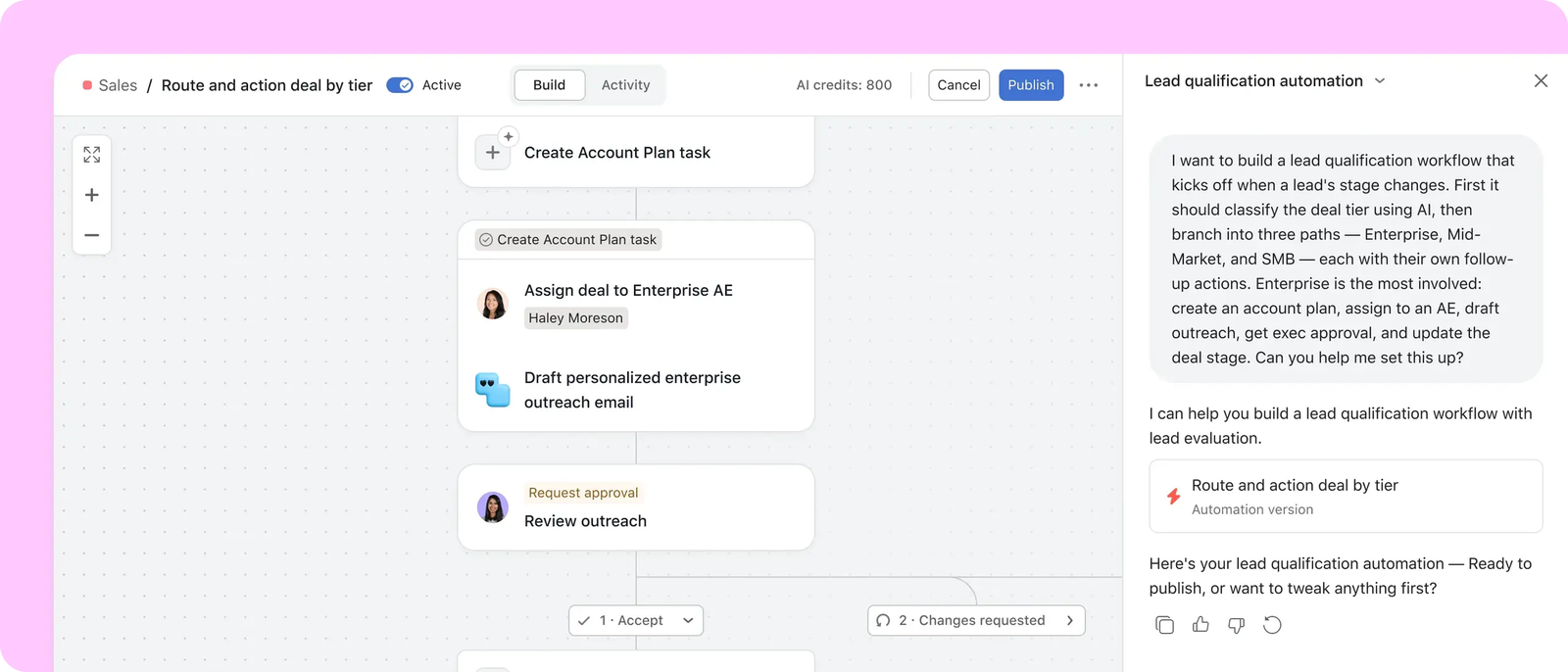
Asana is a useful candidate for cross-functional teams coordinating requests, owners and status across ongoing work. Smart summaries help users catch up with activity, and smart status prepares a draft that a person can edit before posting.
AI Studio adds configurable workflows for work such as intake, classification and routing. Build the review step into the process when an AI output determines where a request goes or what happens next. A generated status update remains dependent on the accuracy of the underlying project records.
Pricing and AI access: Starter costs $10.99 per user/month billed annually, or $13.49 billed monthly. It includes 50,000 AI Studio credits per billing account per month. Advanced costs $24.99 per user/month annually and includes 75,000 credits. The credit pool is account-level, not a separate allowance for every seat. Additional AI Studio options have their own terms.
Trade-off: Capability scope changes by tier. Project smart status is documented on Starter, while portfolio and goal smart status require Advanced or higher. Include that distinction in the purchase if the PMO needs a consolidated portfolio update.
Sources: Asana pricing, AI Studio, smart status scope and review.
6. Smartsheet for AI assistance with structured project data
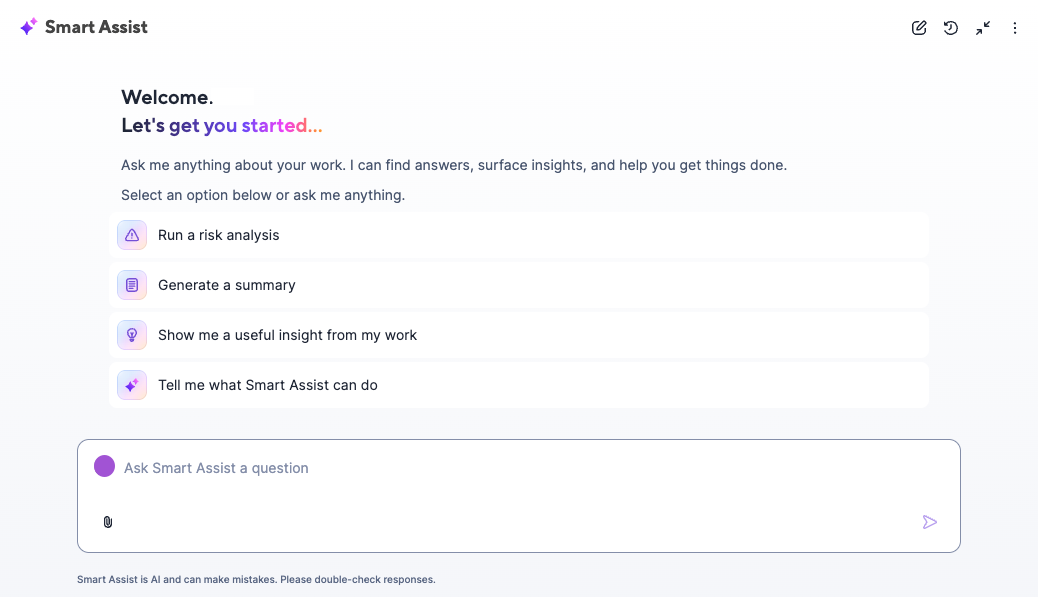
Smartsheet fits teams already managing project information through sheets, reports and dashboards. AI can help users interact with that information through Smart Assist, classify or summarize fields with Smart Columns, and create a starting dashboard from a prompt.
The specific feature matters more than the general label Smartsheet AI. Current administration documentation lists several capabilities across Pro, Business and Enterprise. Formula generation, Analyze data, and the separately named Text and summaries tool have Enterprise requirements. The presence of a summary capability in Smart Assist does not mean every AI panel tool has the same entitlement.
Pricing and AI access: Pro starts at $9 per member/month billed annually, or $12 monthly. Business starts at $19 annually or $24 monthly, with a three-member minimum. Enterprise is quoted. Check the plan for the exact AI operation you need and whether your administrator has enabled it.
Trade-off: Generated output needs maintenance as well as review. The formula and text tool documentation states that generated text is plain output; changing its source values does not automatically regenerate it. Include that behavior in the workflow design.
Sources: Smartsheet pricing, AI capability availability, formula and text tool limitations.
7. monday.com for AI actions on configurable boards
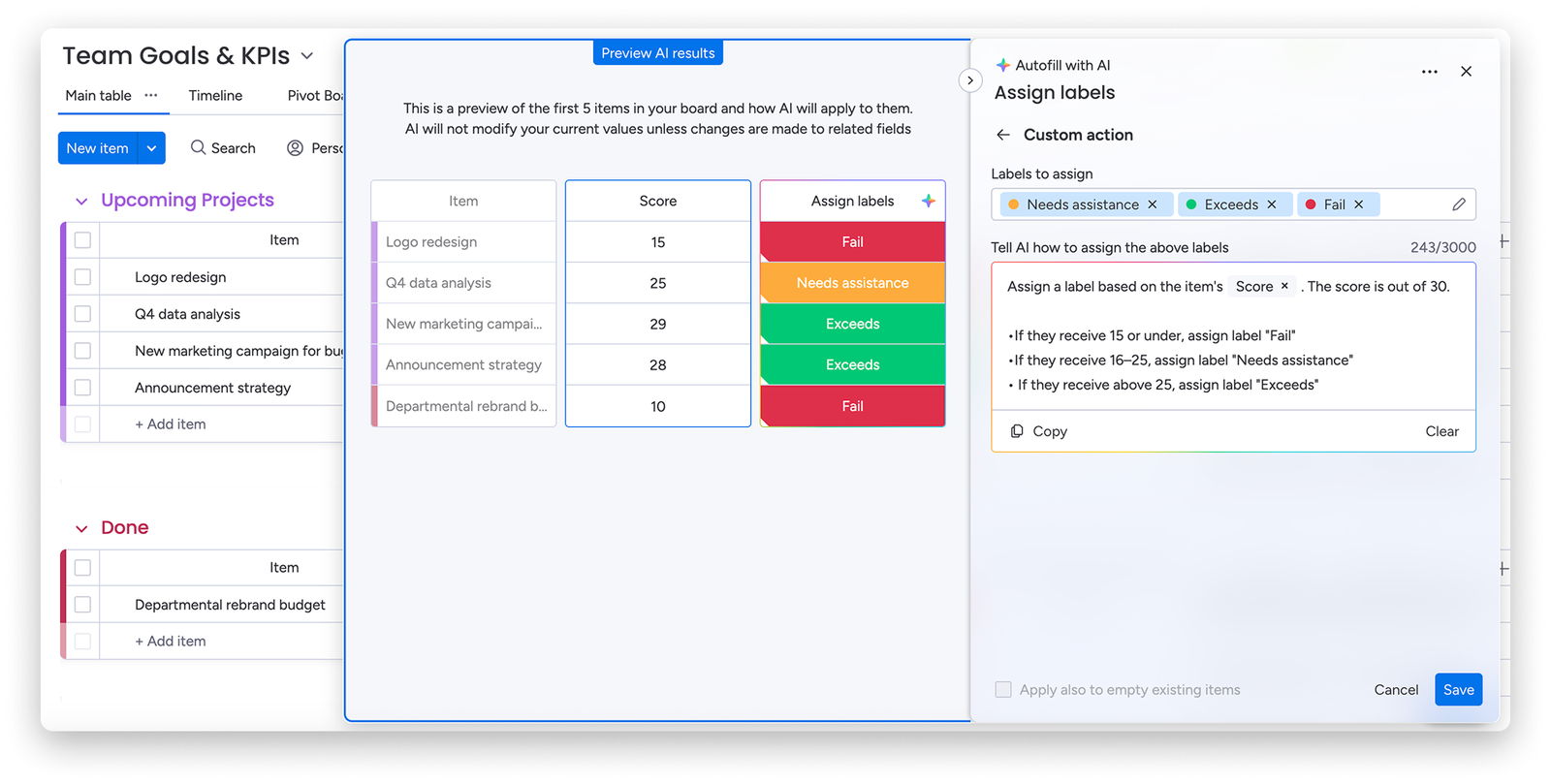
monday.com is a practical candidate when teams organize delivery around configurable boards and want to reduce manual work on incoming items. AI blocks can extract information, assign labels, summarize or improve text, and generate documents. Sidekick and the workflow builder cover additional interactions and processes.
Choose a workflow first: which field changes, what triggers the action, and who checks the result. Then verify both feature availability and credit consumption. Ordinary automation actions and AI credits are separate quantities, so a large automation allowance does not imply the same volume of AI work.
Pricing and AI access: Published annual seat rates start at $9 for Basic and $12 for Standard; plans start at three users. For new customers on the AI work platform pricing model introduced from 6 May 2026, seats and AI credits are both required purchase components. Minimum monthly credit quantities are 1,000 on Basic, 2,000 on Standard and 3,000 on Pro. AI blocks currently consume eight credits per action under the documented model. Introductory credit discounts and account offers affect the total.
Trade-off: Confirm that the offer is for the AI work platform and the exact workflow tier. The same purchasing model does not automatically apply to monday CRM, dev or service.
Sources: monday.com pricing, AI purchase and credit rules, AI blocks.
8. Ayanza for AI-supported ideas and team knowledge
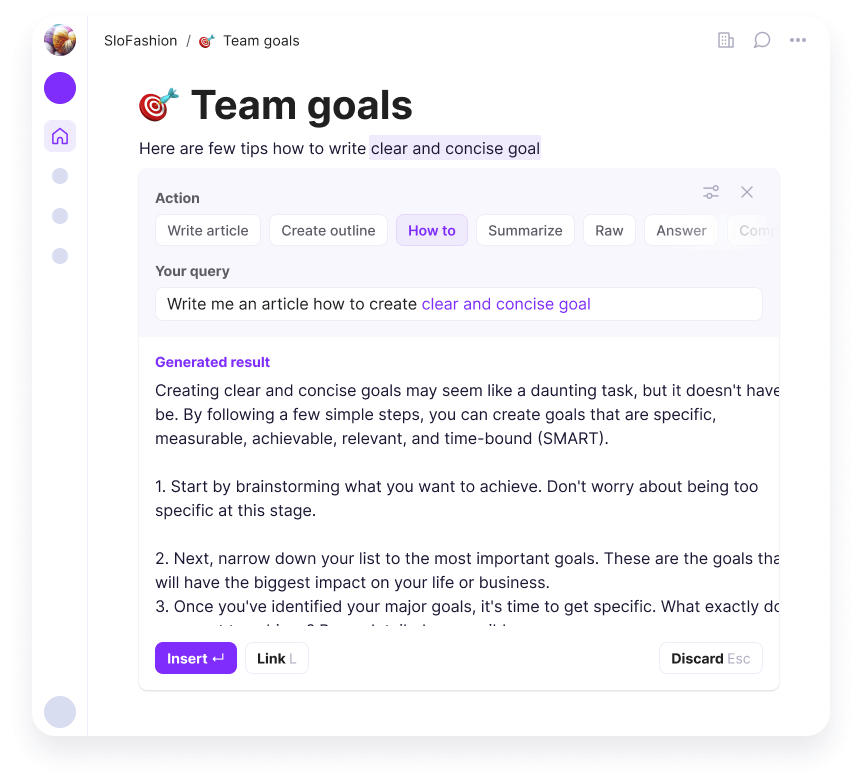
Ayanza brings objectives, tasks, notes and team discussion into one workspace. Its documented AI capabilities emphasize brainstorming, writing and conversational assistance. It is a relevant option when a team needs help developing an idea, preparing an outline or turning discussion into clearer project material.
Evaluate the quality of that assistance using your own terminology and source material. For decisions about resource capacity or delivery commitments, ask for a demonstration of the specific planning behavior you require; writing a convincing project outline does not establish that a schedule has been calculated against available people.
Pricing and AI access: The dedicated pricing page lists Free for up to five users and 200 documents, Premium at $6 per user/month and Ultra at $15. Premium lists a GPT-3.5 assistant; Ultra lists GPT-4 and advanced workflows. Annual discounts are mentioned without a universal published discounted rate. The homepage and dedicated pricing page describe the free AI scope differently, so confirm free AI access if that is central to your choice.
Trade-off: Use the paid assistant's stated entitlement as the buying baseline. Do not infer unlimited AI usage or current model variants from a general product description.
Sources: Ayanza pricing, AI collaboration capabilities.
9. Taskade for agents connected to project work
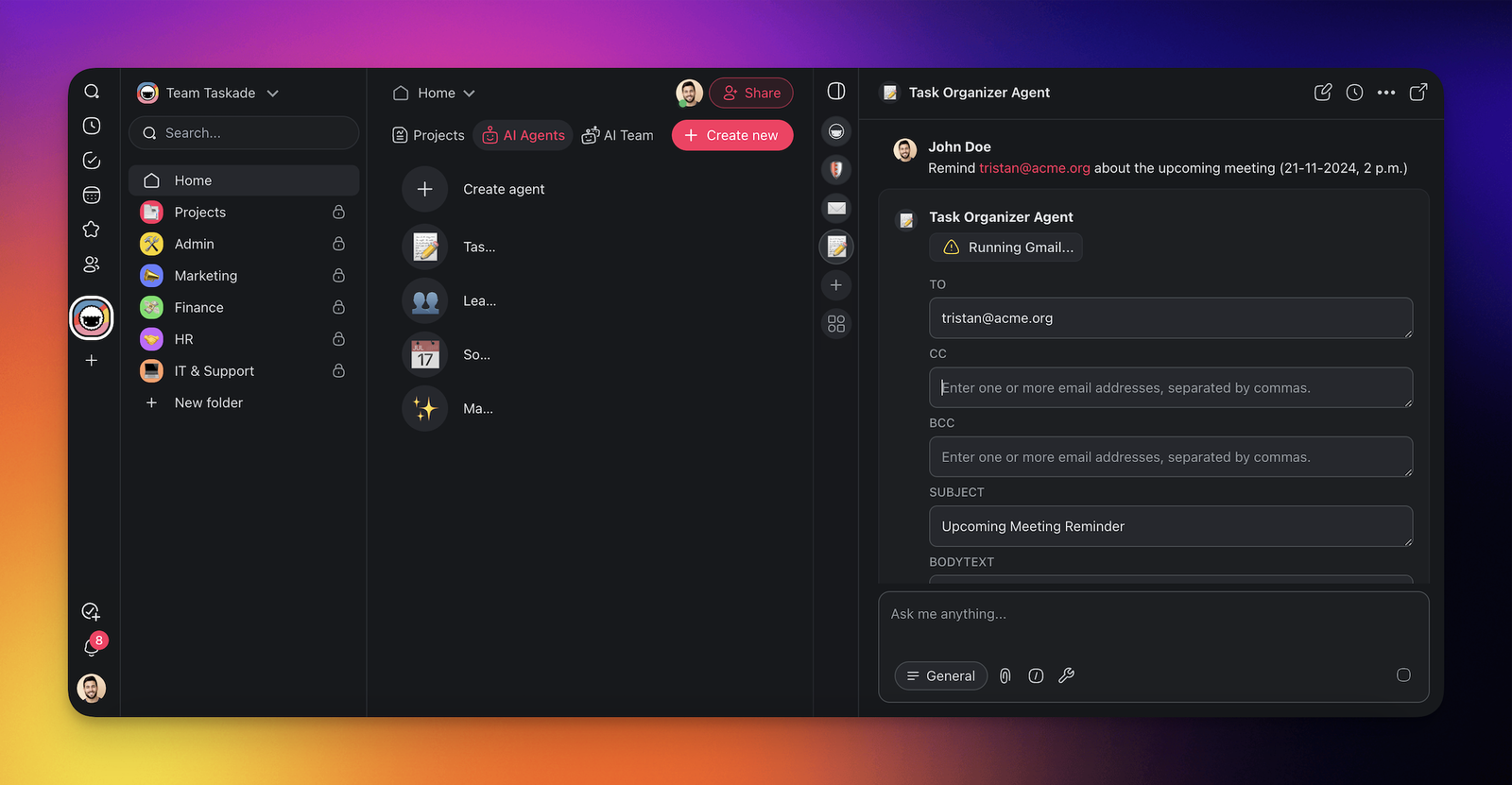
Taskade combines projects, agents and automations in an AI-oriented workspace. Teams can use it to create a project structure, give an agent relevant files, and connect that agent to tools and triggered workflows. Its current product scope also includes creating apps from prompts.
For project work, a useful evaluation is whether an agent can work with the right project information and produce a usable task or structured result. Configure the tools a custom agent is allowed to use, then inspect the actions and review step. An agent's access to a tool is different from a promise that its decisions will always be correct.
Pricing and AI access: The current pricing page lists Pro at $10/month billed as $120/year. It includes 50,000 AI credits per month, 1,000 automation runs and up to ten people. Business is $25/month billed annually and lists three times Pro's AI credits. The current Free plan has pay-as-you-go AI and ten automation runs per month. These offers differ from older Starter and Pro tables in help content; use the current checkout offer.
Trade-off: Estimate credits and automation runs separately. A workspace subscription covering several people should not be compared directly with another product's per-seat rate.
Sources: current Taskade plans, agent tools and configuration.
10. Trello for AI-assisted boards and task organization
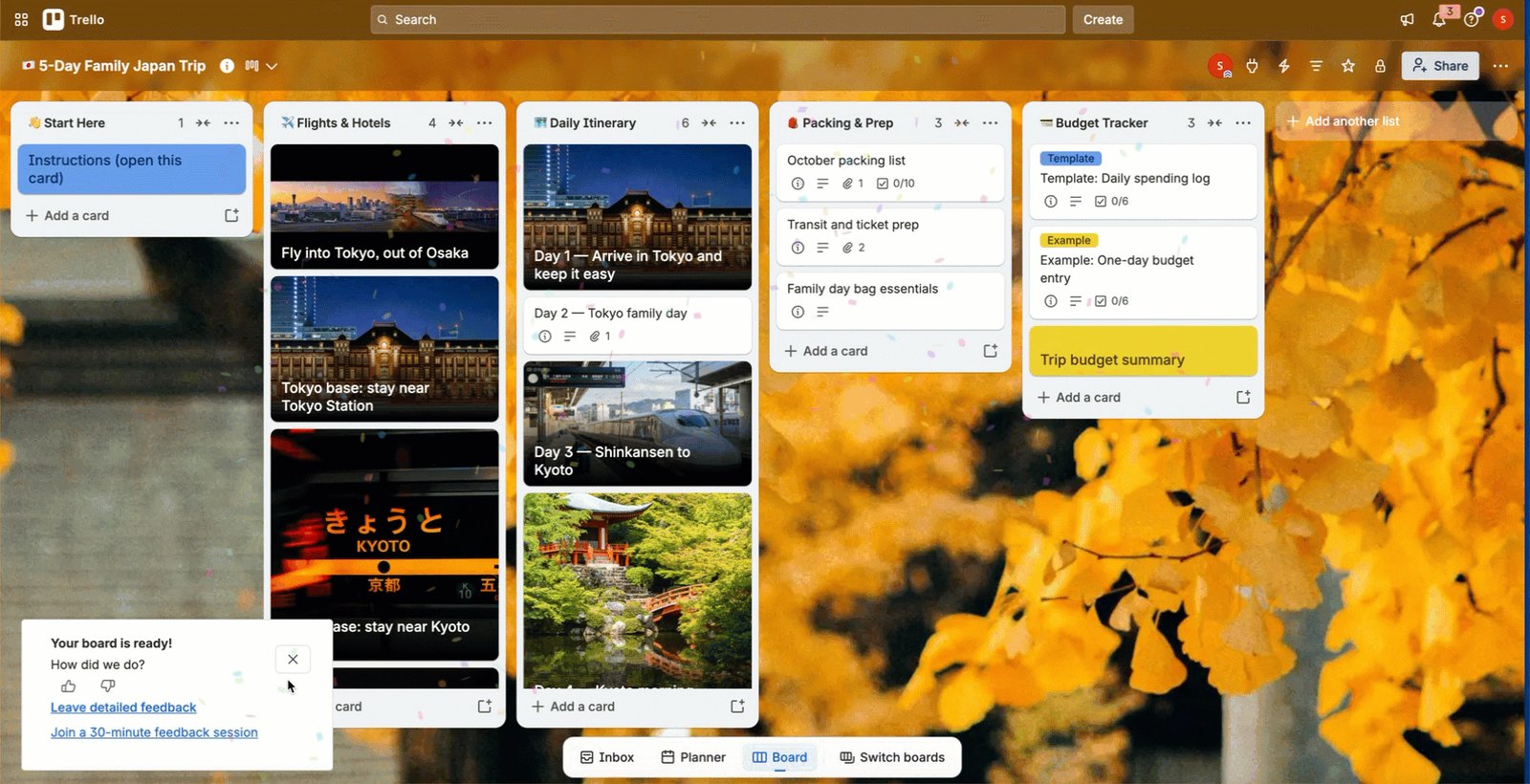
Trello is a sensible option for teams that prefer cards and lists. Its AI board builder can turn a prompt into a board with lists, cards and checklists, providing a structure the team can edit. Other documented capabilities include merging related cards, generating checklists and suggesting focus time when a calendar is connected.
This is useful for getting a workflow organized quickly. Teams should still review the generated tasks, owners and dates against their actual commitments. A generated due date or a calendar focus block is a different operation from analyzing shared specialist capacity across a portfolio.
Pricing and AI access: Standard is $5 per user/month billed annually, or $6 monthly. Premium is $10 annually, or $12.50 monthly. The current pricing page and AI board-builder documentation include AI on Standard and higher plans. Feature-specific writing documentation still describes Premium and Enterprise access, while the broader AI overview describes a wider paid-plan rollout. Confirm writing access in your workspace if that feature drives the purchase.
Trade-off: Evaluate the exact AI feature on the interface you use. The AI board builder is documented for web and desktop; its mobile support is not yet listed as available.
Sources: Trello pricing, AI board builder, AI feature overview, writing feature entitlement.
How to Choose AI Project Management Software
Begin with a recurring decision or handoff, then choose two or three candidates for that job. If the team spends too long preparing updates, examine how an assistant uses current project records. If information is lost between applications, test the handoff and its error handling. If projects compete for the same specialists, require a capacity-based explanation of the resulting dates.
Use the same inputs for each candidate. Record the configuration, subscription tier, source data, generated output, human corrections and usage cost. That gives you a practical basis for comparison without treating every feature called AI as equivalent.
Use one shared-resource example during evaluation
Suppose a specialist has 32 hours available next week. Project A requires 24 hours and Project B requires 20. Both need that person, and there is no substitute or overtime in the example. Demand is 44 hours, leaving a 12-hour capacity gap. Add one more input: each week of delay costs Project A $15,000 and Project B $5,000.
Ask the vendor to demonstrate what happens when both projects enter the system. Does it produce a summary, flag a conflict, propose another assignment, calculate changed delivery dates, or show which project should wait and what the wait costs? Then reduce the specialist's availability and repeat the exercise. Check which outputs change and which decisions stay with a person.
The 12-hour gap alone does not determine a delivery delay or which project should take priority. The cost of delay narrows the choice. If Project B waits, its remaining 12 hours slip about a day and a half, roughly $1,500. If Project A waits, the same slip costs roughly $4,500. Same specialist, same week, a $3,000 difference. Dependencies, commitments and other work still matter. If the proposed solution uses an AI agent, include preparation, review and rework in the human effort estimate.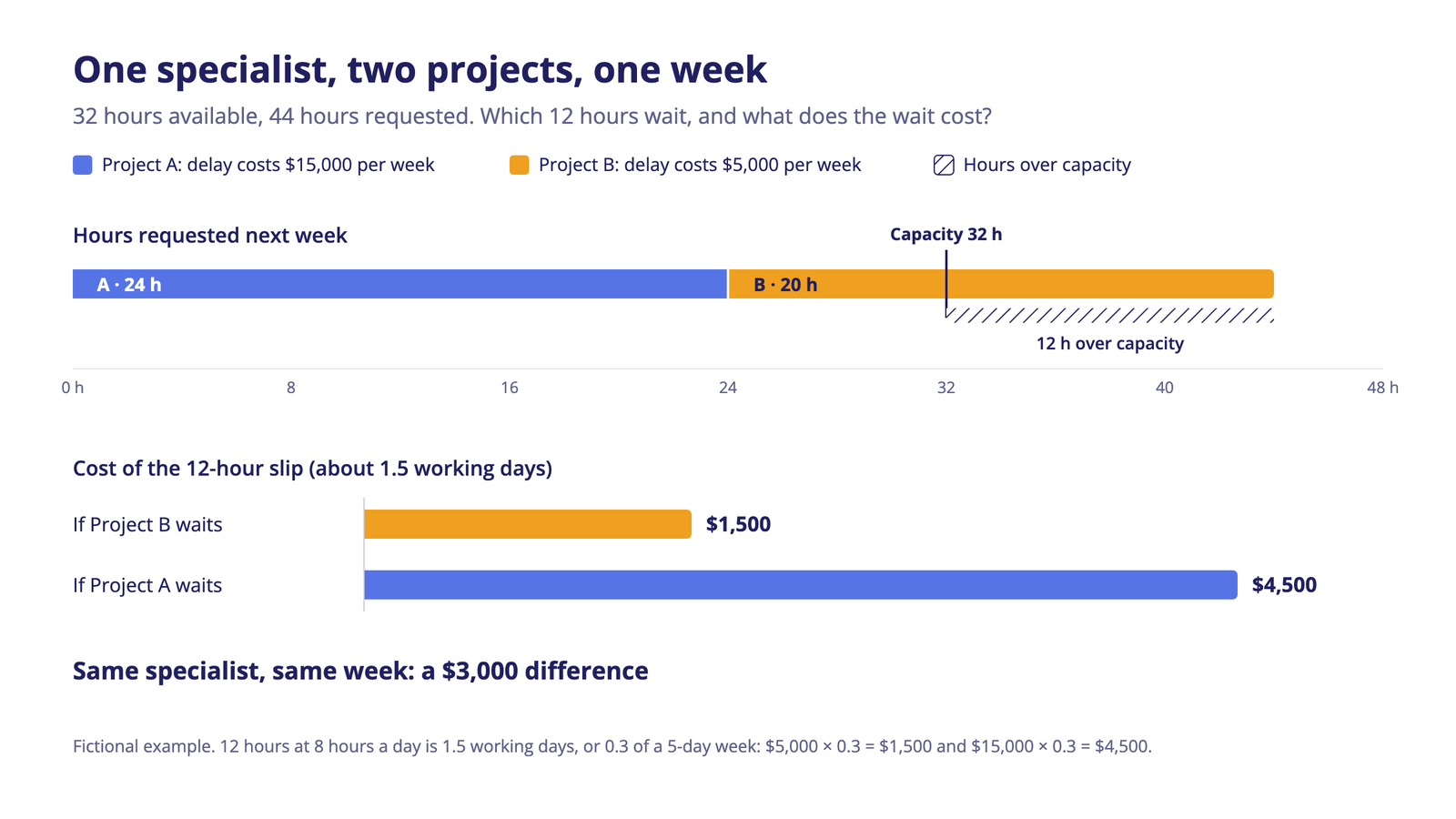
Compare the full operating cost
Build a monthly scenario using the people who need access and the volume of work you expect. Add the required product tier, AI package, credits or task allowance, and any separately purchased integration. Include the time needed to maintain source data and correct outputs.
Track three results in a pilot: whether the output helps the intended decision, how much human work remains, and what the complete workflow costs. A lower entry price is useful only if it includes the capability your team needs.
For the underlying process, see our guides to resource management tools and scenario planning tools.
Frequently Asked Questions
What is AI project management software?
AI project management tool is software that uses AI within project work, such as interpreting requests, preparing task structures, summarizing records, answering questions or recommending planning changes. The phrase covers different product types. Check the exact operation and its required data rather than assuming every tool calculates a complete project plan.
How is AI used in a PMO?
A PMO uses AI to prepare portfolio status reports, summarize risks and changes across projects, triage incoming project requests and test how a priority or staffing change affects other projects. The highest-value uses work across the portfolio rather than inside a single project. Keep a review step for any output that reaches executives or changes a delivery commitment.
What are the best AI tools for project management?
The best AI tool for project management depends on the job. For summaries across tasks and documents, compare ClickUp, Wrike and Asana. For connecting existing applications, start with Zapier. For sheet-based project data, look at Smartsheet; for configurable boards, monday.com or Trello. Ayanza focuses on ideas and team knowledge, and Taskade on agents connected to project work. When shared specialists limit delivery, compare tools that calculate dates against available capacity. The comparison table above maps each tool to its best fit.
Which AI project management tools are free?
Start with the exact AI feature. Zapier Free includes Copilot with a daily message limit and 100 tasks per month, making it an option for trying AI-assisted workflow building. It is not a full project-management system. Taskade has a free workspace, but its current Free AI offer is pay-as-you-go. Trello documents AI board generation on paid plans. Ayanza's official pages differ on free AI scope, so confirm it before relying on the free tier.
A free base product, a limited AI allowance and a time-limited trial are different offers. Ask what continues after the trial, which actions consume the allowance and whether the team can keep using the needed AI feature without upgrading.
Can AI automatically assign resources and reschedule projects?
Some tools make assignment recommendations or support planning changes, but the mechanism varies. During a demo, change one person's availability and inspect the effect on assignments, dependencies and dates. Establish which changes happen automatically and which need review. For the process behind these decisions, see resource allocation.
Which AI project management tools integrate with Jira?
Many project management and portfolio tools connect to Jira, but the depth varies: a one-way import, a two-way sync of selected fields, or an automation built in a tool such as Zapier. Ask which fields sync and how often, which system owns each record, and whether the AI features can read Jira data or only data stored natively in the tool.
How do AI agents differ from AI project management tools?
An AI assistant commonly responds to a request; an agent can use configured tools to carry out a sequence of actions. A project-management platform can contain either or both. A portfolio plan must still account for the human work needed to prepare and check agent output. Our guide to AI agents for project management examines that distinction further.
How should a PMO evaluate AI-generated reports?
Check whether statements can be traced to current project records, whether permissions are respected, and whether a manager can correct the draft before it is shared. A useful summary should make uncertainty and missing information visible. It should not turn an incomplete task record into a confident delivery commitment.
Is it secure to use AI project management tools for managing projects?
It can be, if the vendor's controls fit your data. Check where prompts and project data are processed, whether customer data is used to train models, how permissions apply to AI answers, which certifications cover the hosting and the AI service, and whether administrators can switch AI features off by workspace or group. Regulated organizations should also confirm data residency and audit logging.
What are the common challenges when implementing AI project management tools?
Most problems start with the data. Outdated task records produce confident but wrong summaries, and missing effort estimates or calendars make schedule recommendations unreliable. Usage-based AI pricing can also grow faster than expected once automations run at volume. Start with one workflow, measure how many human corrections it still needs, and expand once the output is trusted.
Which option fits a complex multi-project environment?
Start with the constraint. When several projects share scarce specialists, test resource availability, dependencies, remaining work and alternative portfolio sequences together. Epicflow is designed for that setting. When the main need is reporting, collaboration or connecting applications, evaluate the relevant assistants and workflow tools in this comparison against that narrower task.
If shared specialist capacity is limiting your delivery, explore Epicflow's Portfolio Optimizer and use your own project data to examine the effect of different plans.