Best Enterprise Project Management Software for 2026 (Full Comparison)
 Victoria Sokolova
.
June 14, 2026
.
Project Management
.
38 mins READ
Victoria Sokolova
.
June 14, 2026
.
Project Management
.
38 mins READ

The diversity of software tools that help organizations manage and deliver their projects successfully is really huge: project management software, resource management tools, project portfolio management and PMO tools, and the list goes on.
In this article, we’d like to get you acquainted with enterprise project management software. We’ve evaluated 20+ solutions, analyzed customer reviews across industries, and selected the top 10 tools mostly suitable for project management on the enterprise level.
Read further to learn more about this kind of project management software and discover the best solutions in this category.
Key Takeaways:
- Enterprise project management software is a platform that assists with planning, executing, and monitoring projects across the entire organization.
- Key features of this software cover the management of projects, portfolios, resources, financials, risks as well reporting and analytics.
- To choose the most appropriate enterprise PM software, companies should define their goals, match the tool’s functionality with them, and test the software before company-wide adoption.
- The key benefits of enterprise PM software is improved visibility and control over all projects running in a company, improved decision making, and more predictable project delivery.
Best Enterprise Project Management Tools’ Shortlist
Epicflow: AI-powered multi-project resource management solution for balancing workloads, preventing bottlenecks, achieving resource efficiency, and ensuring successful delivery of every project despite resource constraints and uncertainty.
ClickUp: A comprehensive platform uniting tasks, documents, and collaboration tools for managing workflows and projects on the enterprise level.
OneSuite: A business management platform embracing project management, CRM, collaboration, and communication tools.
Celoxis: A project and portfolio management software with scheduling, resource management, financial tracking, and custom reporting functionality.
Wrike: A comprehensive work management system focused on providing enterprise visibility, streamlining workflows, and promoting collaboration for distributed teams.
Smartsheet: A collaborative work platform styled as spreadsheets, which supports project planning and execution, has automation and reporting functionality.
Asana: A work management platform that connects everyday team members’ work with organizational goals.
Zoho Projects: A simple and affordable project management tool as part of other Zoho business applications.
Scoro: A business management system for project management, time tracking, billing, and CRM.
Planisware: A strategic portfolio management tool enabling planning, scenario modelling, and investment tracking, which is suitable for large enterprises.
What Is Enterprise Project Management Software?
Before we answer the question “What is the best enterprise project management software?”, let’s dive a little deeper into these tools’ purpose and functionality.
Enterprise project management software is a centralized solution that helps companies plan, execute, and monitor projects across the entire organization. In contrast to traditional project management, it focuses on projects of the entire enterprise, not just managing individual projects. Ok, but we know that multi-project management or portfolio management solutions are also suitable for managing multiple projects across the organization. Yes, that’s true, but all these solutions differ from each other. Let’s take a quick look at how E software is different from other tools for managing multiple projects.
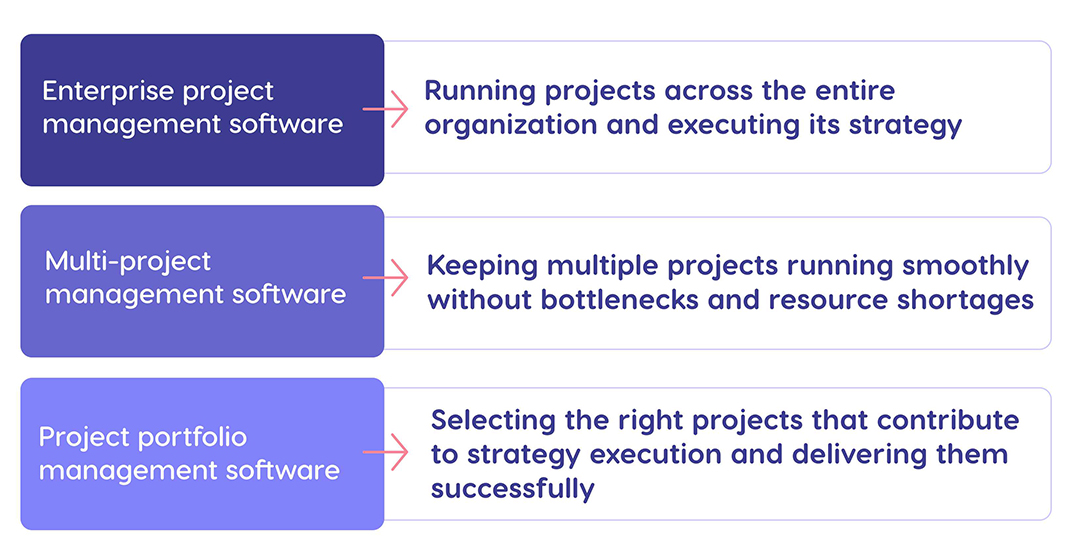
Therefore, it is a tool that embraces all projects running in a company, facilitates portfolio planning and program management, collaboration, and informed decision-making.
Now that we understand the main purpose of enterprise project management software, let’s review what features it should possess.
What Features Should Enterprise Project Management Software Include?
The capabilities of enterprise project management software may vary in different solutions, but there are some must-have features you should look for when selecting this kind of tools.
Project management
As part of project management functionality, EPM tools should provide multi-project planning and scheduling capabilities. They should provide visibility into all projects running in a company with their dependencies, milestones, and timelines. It’s good when there are also program management features that help unite projects into programs and manage their interdependencies.
Portfolio management
Portfolio management functionality should include features for project prioritization based on different parameters (ROI, risks, resource constraints, etc.) and scenario analysis and modelling for optimum decision making.
Resource management
Robust resource management features are a must for companies that run multiple projects with shared resources. Project management software for enterprises should provide enterprise-wide visibility into all types of resources available in a company (people, equipment, tools, facilities) with all essential data about them (availability, capacity, location, attributes, skills for people, etc.). The other essential capability is capacity planning and demand management, which helps avoid bottlenecks in the workflow. Also, resource management capabilities should include resource allocation based on essential parameters like availability, capacity, and other essential attributes.
Financial management
Financial management is no less important part of project management. EPM tools should have capabilities for budget monitoring, allocating funds to projects, forecasting future costs, and benefits realization tracking.
Reporting and analytics
Effective enterprise project management is impossible without analyzing insights, making decisions, and stakeholder involvement. This is where reporting and analytics becomes indispensable. So, your ideal tool should have dashboards and provide real-time updates (e.g., KPIs, progress, risk indicators, etc.).
Risk management
Risk management functionality required by enterprise PM software includes the opportunity to create risk registers, track issues and risk, as well as running simulations to predict possible risks and test responses to them.
Integrations
The essential tools that EPM should integrate with include CRM, ERP, HRM, financial systems, and business intelligence systems.
Therefore, the functionality of EPM tools should provide users with important insights, comprehensive visibility and control, and features for intelligent resource management and seamless execution of projects.
Let’s now proceed to the list of best enterprise project management software 2026.
Top Enterprise Project Management Software in 2026
1. Epicflow
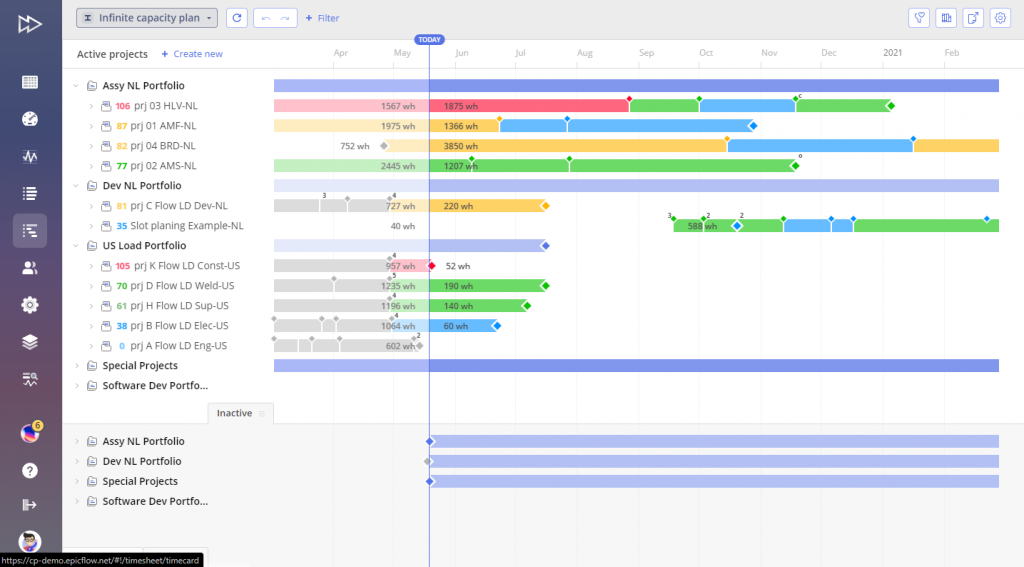
Epicflow is one of the best enteprise project management tools for global organizations. It’s an AI-powered resource-centered multi-project management system that helps enterprises complete more projects, increase resource efficiency, reduce bottlenecks, and optimize decision-making. The tool helps companies manage complex projects in engineering-driven industries: automotive, manufacturing, defense and aerospace, pharmaceutical, telecom, software development as well as for government organizations. Epicflow’s data security standards make it suitable for executing projects in mission-critical environments.
Best for
Epicflow is a perfect choice for organizations running multiple interconnected projects with shared and distributed resources as well as for dynamic multi-project environments full of uncertainties.
Key features
- Multi-project visibility and control: Epicflow provides opportunities to track the state of your project environment from different sides.
- Prioritization: Epicflow prioritizes projects depending on their state so that you always know which of them requires attention; task prioritization capabilities let every team member focus on the most important work.
- Epicflow Portfolio Optimizer: Epicflow uses AI to help enterprises maximize the business value of their projects by eliminating bottlenecks, prioritizing highest-value projects and directing limited resources to them.
- Resource allocation: Epicflow helps assign resources to tasks based on their skills, capacity, availability, location, experience, or other characteristics; its resource allocation advisor suggests a perfectly matching person to assign to a task.
- Capacity planning: Epicflow’s predictive capabilities forecast resources’ capacity and workloads, so you can plan future projects and their staffing accordingly.
- AI-powered scenario analysis: Epicflow’s What-if Analysis feature lets you analyze different scenarios, compare their outcomes, and make the most reasonable decisions.
- Performance analysis: Epicflow has capabilities providing performance insights on the level of resources, projects, and the entire portfolio.
- AI virtual assistant: Epica is Epicflow’s virtual assistant that performs a myriad of functions: gives early warnings of upcoming bottlenecks, sends notifications, answers questions in the field of project management and gives prompts on how to use Epicflow, etc.
Integrations
Epicflow integrates with Jira, MS Project, Oracle Primavera, HRM systems. Custom integrations on a client’s request are also possible.
Deployment options
Epicflow offers cloud (SaaS solution), on-premises, and hybrid deployment options. The platform can be integrated into existing enterprise technology ecosystems and scaled to support multiple teams, department, and project portfolios.
Pros and cons
Pros:
- Focus on achieving resource efficiency across multiple projects;
- Powerful AI-driven features;
- Scenario analysis for problem detection and mitigation;
- Portfolio optimization capabilities;
- AI virtual assistant that helps interact with the tool most effectively;
- Enterprise-grade security
Cons:
- Less suitable for single-project management;
- Requires training and onboarding, especially for teams not familiar with resource-focused project management.
Pricing model
This enterprise project management software pricing starts from €22.5 per user per month but depends on the organization’s size, number of users, and integration needs. Custom pricing for the enterprise version.
Official sources
The information presented in review is based on Epicflow’s official product website, integration documentation, customer case studies, pricing information, and available product information.
2. ClickUp
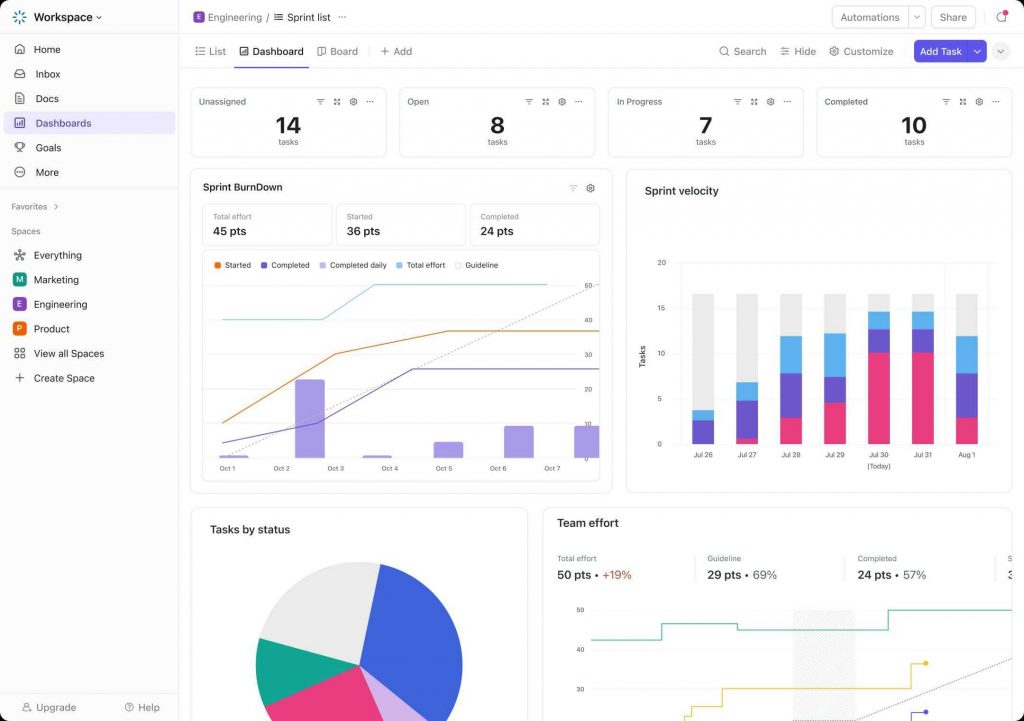
ClickUp is an all-in-one platform that combines project management, documents, collaboration tools, and goal tracking.
Best for
ClickUp is a good choice for organizations striving to bring together their productivity and collaboration tools under one roof. ClickUp is suitable for teams working in marketing, IT, human resources, and sales.
Key Features
- Project management;
- Product development;
- Knowledge management (documents);
- Resource management;
- Collaboration;
- Workflow optimization.
Integrations
The tool integrates with Slack, Zoom, Microsoft Teams, GitHub, Outlook, Hubspot, Jira, Zapier, Power BI, Open API.
Deployment options
ClickUp is a cloud-based platform delivered as a SaaS solution. It supports teams ranging from small businesses to large enterprises.
Pros and cons
Pros: high customization, wide integration options, which allows companies to replace multiple tools.
Cons: can be overwhelming for new users due to large amounts of data.
Pricing model
ClickUp uses a tiered subscription model that includes a free plan with limited functionality. Paid plans start from $7 per user per month, while advanced enterprise features are available through high-tier plans. Enterprise pricing is available on request.
Official sources
- Official website
- Pricing page
- Product documentation and help center
3. OneSuite
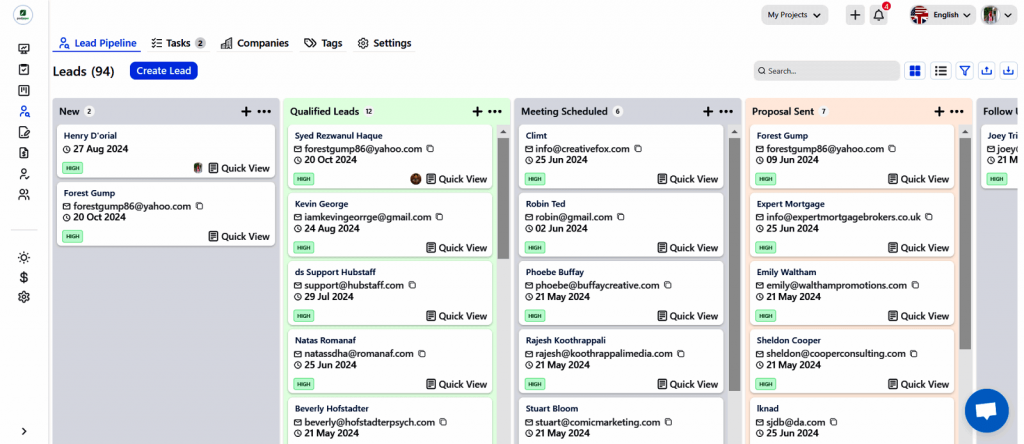
OneSuite is a business management platform that embraces project tracking, document management, CRM, invoice and payments, and communication tools.
Best for
This solution is a good fit for service-based businesses (agencies, consultancies, small-to-mid-sized teams) looking for a unified platform for their project workflows and work with clients.
Key features
- Project management;
- Unified CRM;
- Document storage and sharing;
- Communication tools;
- Time tracking;
- Resource planning;
- Reporting.
Integrations
OneSuite integrates with Google Workspace, Microsoft 365, accounting software, and Open API for custom integrations.
Deployment options
OneSuite is a cloud-based SaaS platform accessible through a web browser. It supports distributed collaboration for agencies, freelancers, and service-based businesses.
Pros and cons
Pros: combining multiple business tools into one single solution.
Cons: a lack of advanced project and resource management capabilities for complex multi-project management in the entire organization.
Pricing model
The vendor offers a tiered subscription pricing model based on team size and feature requirements. Entry-level plans start at $29 per user / month. 14-day free trial is available for all plans.
Official sources
- Official website and product pages
- Feature and solution descriptions
- Pricing pages
4. Celoxis
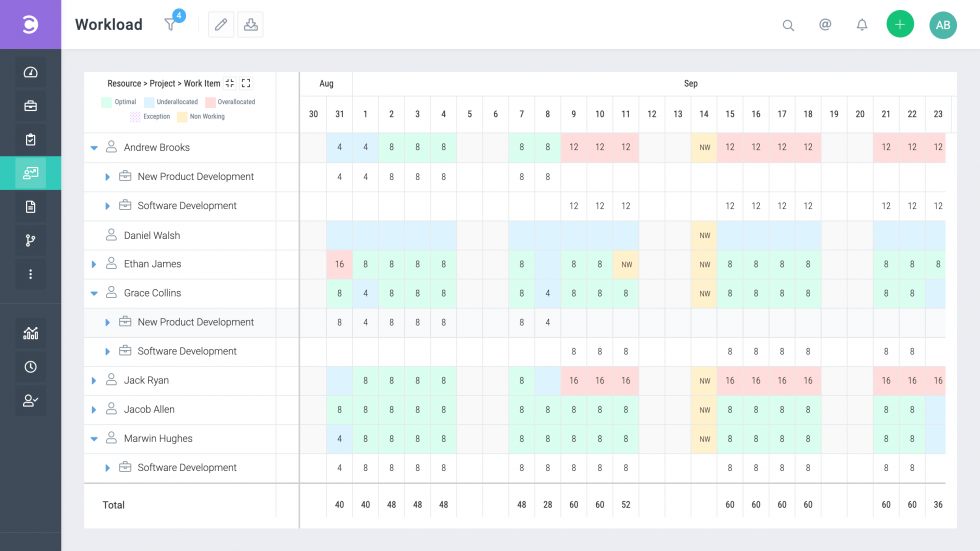
Celoxis is an AI-powered project management system with project portfolio management capabilities equipped with analytics capabilities and providing data-driven insights.
Best for
The tool is mostly suitable for mid-sized and large companies that require structured project portfolio management with strong analytics and reporting capabilities to improve decision making.
Key features
- Project portfolio management;
- Resource management;
- Dynamic dashboards and reporting;
- Team and client collaboration;
- Time and cost tracking.
Integrations
Celoxis integrates with Jira, Azure DevOps, Google Drive, Microsoft Project and Excel, iCal, QuickBooks Online, Zapier, Salesforce, Google Authentication, Slack, Trello, GitHub, and other tools.
Deployment options
Celoxis is available as a cloud-based SaaS solution with additional deployment flexibility depending on organizational requirement. It supports both centralized and distributed teams.
Pros and cons
Pros: data-driven approach to project portfolio management.
Cons: Arather complicated, especially for new users.
Pricing model
Celoxis uses a subscription-based pricing model, starting from $25 per user / month. Pricing varies depending on the number of users and functionality provided. Enterprise pricing is available on request. A free trial is available.
Official sources
- Official website
- Pricing page
- Product documentation
5. Wrike
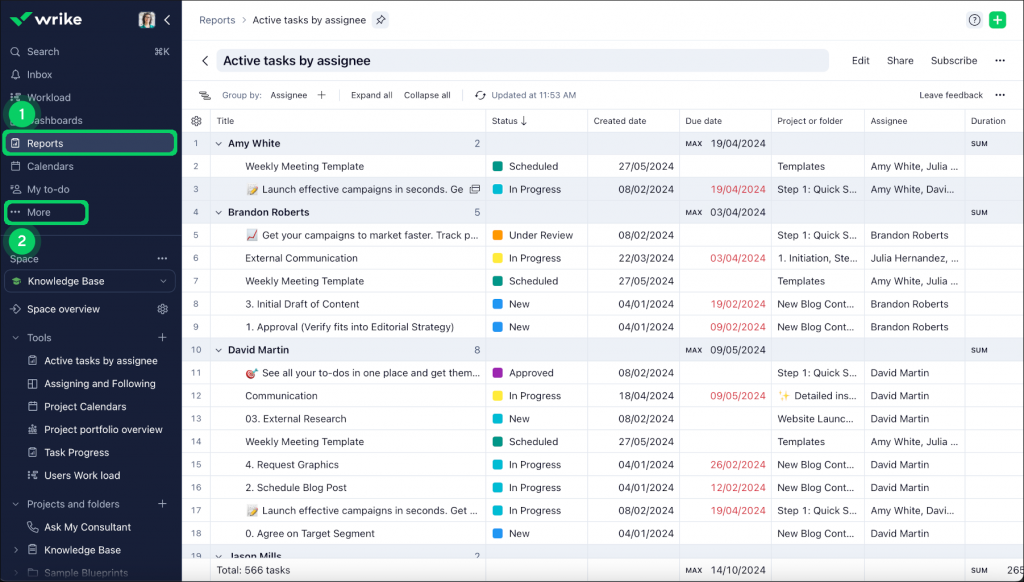
Wrike is an AI-driven enterprise work and project management software focused on uniting distributed teams, streamlining workflows, and providing collaboration opportunities through structured planning and automation.
Best for
The tool is mostly suitable for mid-sized to large organizations consisting of distributed departments or teams, which strive to bring together their resources and unify workflows.
Key features
- Dashboards;
- Work intelligence (AI and automation);
- Gantt Charts;
- Proofing and collaboration;
- Project resource planning;
- Project views;
- Kanban boards;
- Advanced analytics and BI;
- Reporting.
Integrations
Wrike integrates with more than 400 applications, including Salesforce, Miro, Zoom, Zendesk, Jira, MS Project, Slack, and more.
Deployment options
Wrike is a cloud-based SaaS platform designed for enterprise scalability. It supports distributed teams with secure access, role-based permissions, and enterprise-grade security controls.
Pros and cons
Pros: uniting distributed resources and streamlining workflows.
Cons: Steep learning curve, high cost, access role limitations.
Pricing model
Wrike offers a tiered subscription model, including a free plan for basic use. Paid plans start from $9.80 per user per month, with advanced enterprise features available in higher tiers. Enterprise pricing is custom.
Official sources
- Official website
- Pricing page
- Integration documentation
6. Smartsheet
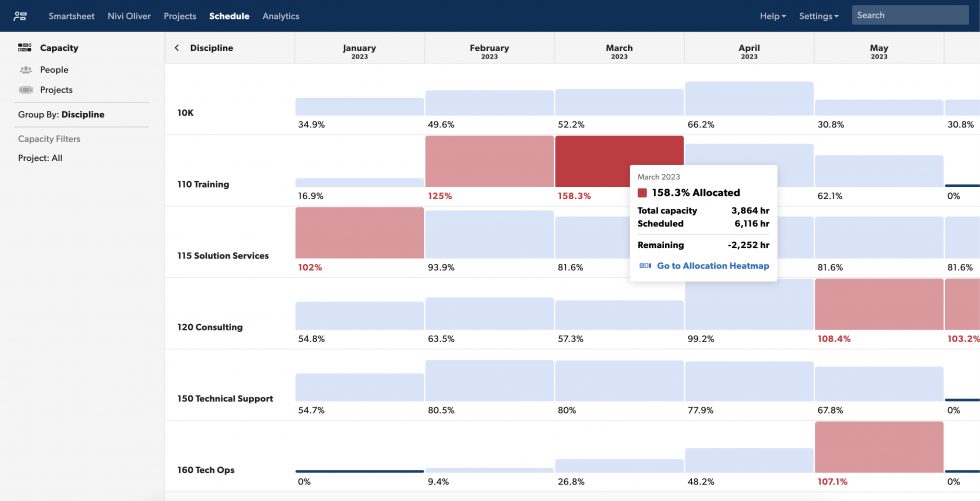
Smartsheet is an AI-driven, spreadsheet-styled work management platform suitable for project execution, collaboration, and portfolio-level visibility across enterprise environments through structured workflow and automation.
Best for
The tool is a good option for organizations that prefer a spreadsheet-based approach to project and portfolio management and at the same time require automation, reporting, and cross-functional collaboration at scale.
Key features
- Automation;
- Team collaboration;
- Dashboards and reporting;
- Digital asset management;
- Resource management;
- Portfolio management;
- Intelligent workflows.
Integrations
Smartsheet integrates with a wide variety of tools, including enterprise systems and operations, AI tools, messaging and communication tools, content and collaboration, workflow automation, as well as security and governance tools.
Deployment options
Smartsheet is a cloud-based SaaS platform designed for enterprise scalability. It supports secure collaboration across distributed teams with role-based access controls, governance features, and enterprise-grade security.
Pros and cons
Pros: familiar spreadsheet-like interface, diverse features, powerful integrations, AI-driven insights.
Cons: steep learning curve, spreadsheet style may be not very convenient for large data sets.
Pricing model
Smartsheet uses a tiered subscription model, which starts from €8 per user / month; pricing plans differ depending on available functionality. A free trial is available. Enterprise pricing is custom.
Official sources
- Official website
- Pricing page
- Integration pages
7. Asana
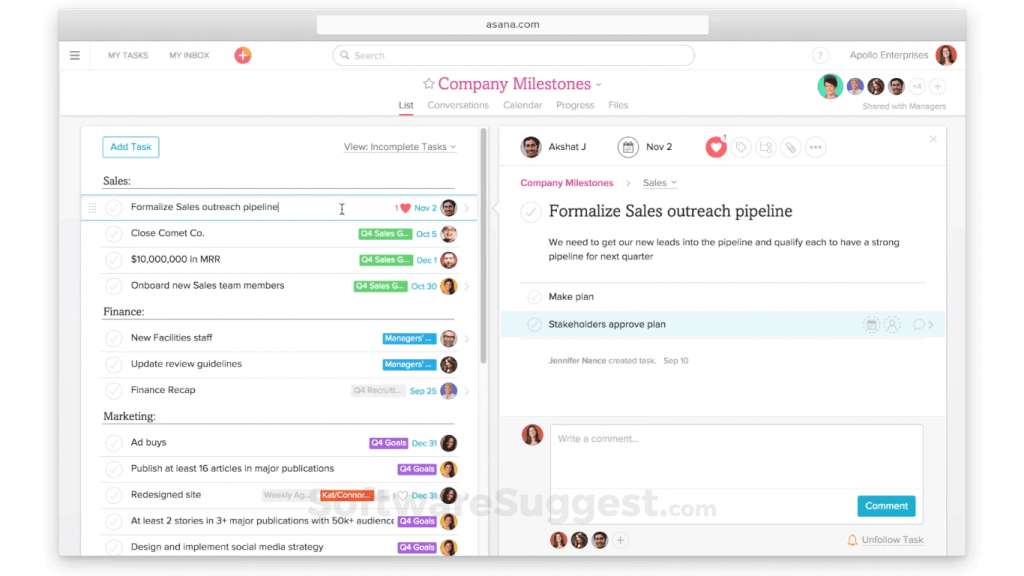
Asana is a comprehensive work management platform that helps organizations set goals, manage strategic plans, and get things done using a single system.
Best for
Asana is best for organizations that prioritize the alignment of work they are doing with a company’s strategy.
Key features
- Project management;
- Resource management;
- Goals and reporting;
- Workflows and automation;
- AI studio.
Integrations
Asans integrates with numerous tools and apps used in a company: communication tools, file management, finance and HR, time tracking, sales and services, IT and software development, product management, operations, and more.
Deployment options
Asana is a cloud-based SaaS platform for scalability across small teams and large enterprises. It provides centralized access, role-based permissions, and enterprise-grade security for distributed organizations.
Pros and cons
Pros: goal alignment capabilities, cross-functional collaboration, powerful integration opportunities, suitable for individual workers and large enterprises.
Cons: limited customization, learning curve can be steep, not quite suitable for complex technical projects.
Pricing model
Asana uses a tiered subscription model with pricing starting from €10.99 per user / month depending on functionality and plan level. A free plan is available for smaller teams. Enterprise pricing is custom.
Official sources
- Official website
- Pricing page
- Help center
8. Zoho Projects
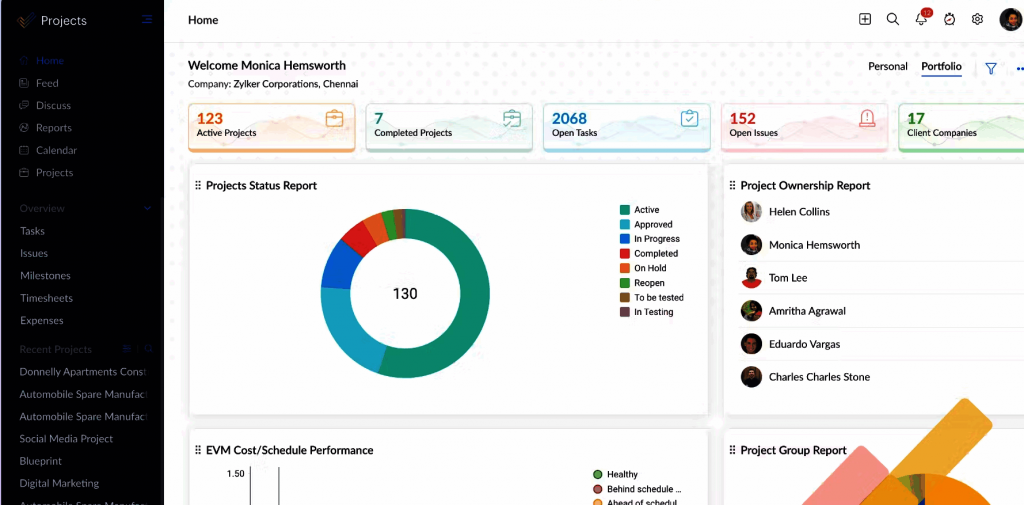
Zoho Projects is a project management tool designed for dynamic teams, which supports task execution, collaboration, and project tracking for teams of different sizes, especially within the Zoho ecosystem.
Best for
Zoho Projects is perfectly suitable for organizations that already use other Zoho tools or those that are looking for a budget-friendly project management tool with collaboration capabilities.
Key features
- Task management and automation;
- Gantt Charts;
- Time tracking;
- Resource management;
- Charts and reporting;
- Issue tracking;
- Team collaboration;
- Teamplates.
Integrations
Zoho Project integrates with Microsoft products, Google Drive, GitHub, GitLab, Slack, Zapier, Zendesk, and ServiceNow.
Deployment options
Zoho Projects is a cloud-based SaaS platform developed for scalable use across small teams and mid-sized organizations, with secure access and role-based permissions.
Pros and cons
Pros: affordable pricing, scalable and customizable.
Cons: Less suitable for complex multi-project environments, lacks robust AI functionality.
Pricing model
Zoho projects offers a tiered subscription model with enterprise plans starting around $4 per user per month. A 15-day free trial is available.
Official sources
- Official website
- Pricing page
- Zoho ecosystem documentation
9. Scoro
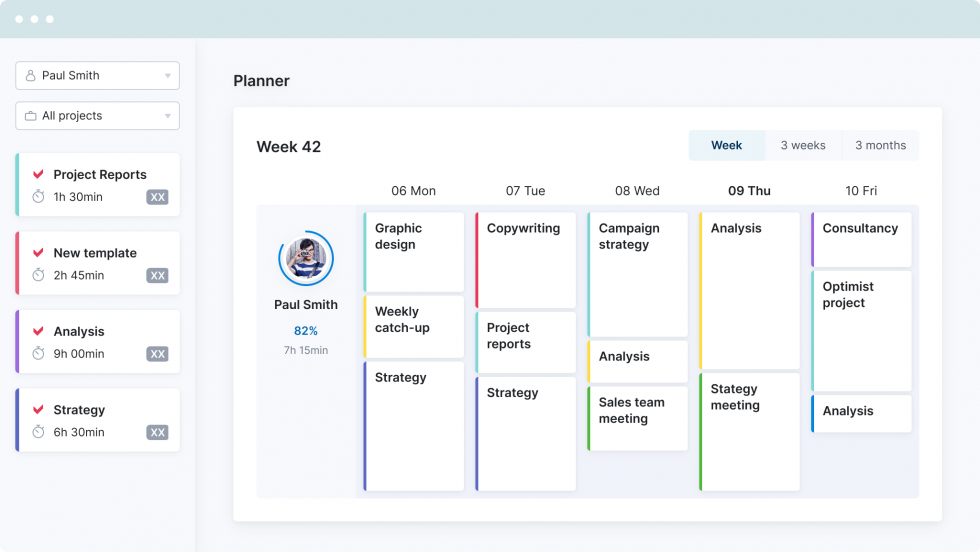
Scoro is a professional services automation (PSA) software that combines project management, resource planning, and financial management in a single tool for service-based businesses.
Best for
Scoro serves consultancies, agencies, and professional services organizations that strive to achieve comprehensive visibility across projects, finances, and resource utilization to improve profitability and operational efficiency.
Key features
- Project management;
- Quoting and budgeting;
- Sales and CRM;
- Resource and capacity management;
- Time tracking;
- Dashboards and reporting;
- Invoicing;
- Cost management;
- Collaboration;
- AI-driven insights.
Integrations
Scoro integrates with applications for accounting and finance, business intelligence, file management, HR and people management, marketing and sales, payments, time management and productivity.
Deployment options
Scoro is a cloud-based SaaS solution for mid-sized and growing organizations with scalable deployment across teams and departments.
Pros and cons
Pros: combining project management capabilities with financial management, comprehensive functionality.
Cons: less suitable for complex projects in engineering-driven industries; high costs.
Pricing model
Scoro uses a subscription-based pricing model, starting from €18.90 per user per month; with enterprise pricing available on request.
Official sources
- Official website
- Pricing page
- Feature and integration pages
10. Planisware
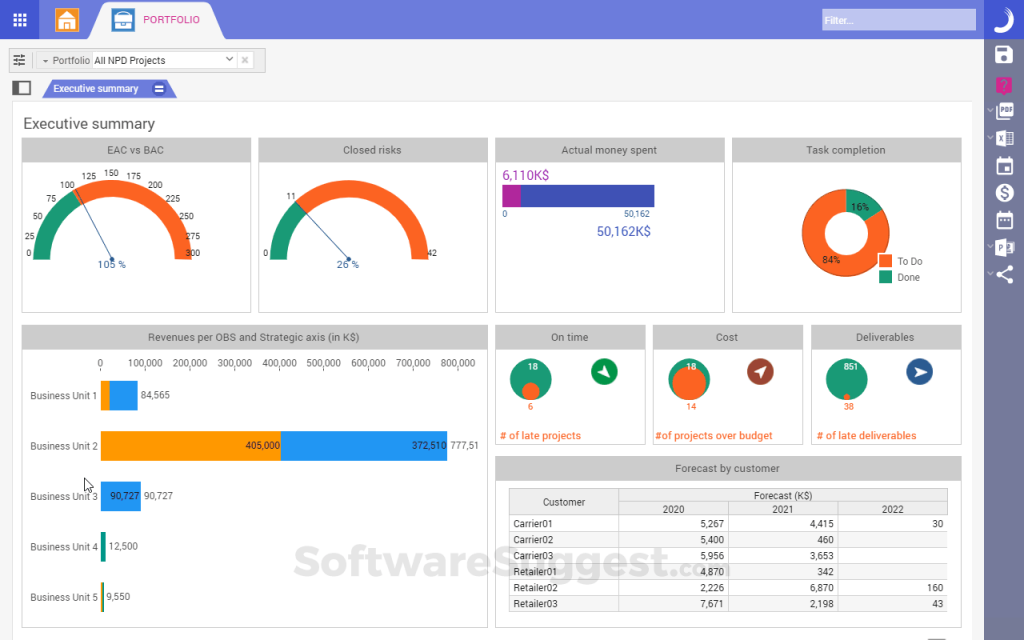
This will be the last solution in our enterprise project management software review. Planisware is a strategic portfolio management platform designed for enterprises that focus on investment tracking and prioritization, and long-term program management.
Best for
The solution is mostly suitable for enterprises that strive to bring together projects, budgets, forecasts, schedules, resources, and actuals.
Key features
- Roadmapping and budget prioritization
- Scenario comparison and optimization;
- Resource management;
- Financial management;
- Business intelligence and analytics;
- Project scheduling;
- Collaboration and communication.
Integrations
Planisware integrates with AI and productivity tools, financial systems, BI tools, HR information systems, CRM, Slack, document management tools, etc.
Deployment options
Planisware is available in cloud and enterprise deployment models for large-scale organizations requiring high levels of governance, security, and configurability.
Pros and cons
Pros: powerful functionality for comprehensive management of projects, financials, and strategic alignment.
Cons: steeper learning curve, not suitable for single-project management.
Pricing model
Planisware uses a custom enterprise pricing model, available on request, depending on organization size, configuration, and deployment scope.
Official sources
- Official website
- Enterprise solution pages
- Platform and integration documentation
Enterprise Project Management Software Comparison
Here’s a comparison of all tools on the list that you can use as a quick summary for convenience.
|
EPM Tool |
Best For |
Strengths |
Weaknesses |
|
Epicflow |
Organizations running multiple interconnected projects with shared and distributed resources in dynamic environments. |
AI-powered resource efficiency, scenario analysis, portfolio optimization, strong security (MOD-standard), virtual assistant. |
Less suitable for single-project management; requires onboarding and training. |
|
ClickUp |
Teams seeking an all-in-one productivity and collaboration platform (marketing, IT, HR, sales). |
Highly customizable, broad integrations, replaces multiple tools. |
Can feel overwhelming due to large data sets and feature richness. |
|
OneSuite |
Companies needing a unified platform for project workflows and client management. |
Combines project management, CRM, invoicing, and communication in one tool. |
Lacks advanced multi-project and resource management features. |
|
Celoxis |
Companies needing effective project portfolio management and data-driven insights. |
Strong analytics, dashboards, portfolio management, collaboration. |
Complicated for new users; requires time to master. |
|
Wrike |
Enterprises with distributed teams that need unified workflows and collaboration. |
Powerful collaboration features, 400+ integrations, workflow optimization. |
Steep learning curve, higher cost, limitations in role-based access. |
|
Smartsheet |
Organizations wanting a spreadsheet-like project management solution with AI-driven insights. |
Familiar spreadsheet style, automation, diverse integrations, intelligent workflows. |
Spreadsheet interface can be limiting for large data; steep learning curve. |
|
Asana |
Organizations focused on aligning work with strategic goals. |
Goal alignment, cross-functional collaboration, extensive integrations. |
Limited customization, less suitable for complex technical projects. |
|
Zoho |
Teams seeking an affordable collaborative PM tool, especially Zoho ecosystem users. |
Budget-friendly, scalable, customizable, good collaboration. |
Lacks strong AI functionality; not suited for complex multi-project management. |
|
Scoro |
Consultancies and agencies needing project, resource, and financial management in one. |
Combines PM with financials (CRM, invoicing, cost tracking), strong profitability focus. |
Less suited for engineering-driven projects; relatively expensive. |
|
Planisware |
Enterprises prioritizing strategic portfolio management, budgeting, and long-term programs. |
Strong financial and strategic alignment, scenario comparison, analytics. |
Complex setup, steep learning curve, not designed for single projects. |
How to Choose the Right Enterprise Project Management Software
Sometimes, selecting the right software is easier said than done. It requires conducting thorough analysis, attending demos, discussion, etc. To make this process a little easier, we’ve prepared some useful tips for selecting the right enterprise PM software.
Determine the goals
First things first; without understanding the why of enterprise PM software adoption, it will be impossible to select the required tool. So, before starting your research on available software, you should identify your strategic needs. For example, what processes do you need to optimize: streamline workflows, align projects with the strategy, or optimize resource utilization?
Match features with your needs
Now, it’s time to assess how the features offered by software vendors correspond to the goals you’re planning to achieve. Does the software you’re considering have strong resource or PPM management capabilities? Is it good at streamlining multi-project management?
Assess the essential parameters
Scalability
Scalability and customization are no less important parameters in the process of software selection. If this is relevant to your organization, you need to check whether the solution can handle the increasing number of projects and resources. Also, you should assess how the tool can be tailored to your organization’s processes.
User-friendliness
Obviously, this parameter has a direct impact on the success of EPM software implementation and how quickly you can get the desired results. So, check if the tool is intuitive and the vendor provides effective training and comprehensive support. Finally, it’s a good option when the software has role-based access so that every project participant can easily access the required information without being overwhelmed by unnecessary insights.
Integrations
Modern organizations use diverse software tools for running their processes. So, when adding one more solution to your ecosystem, you should be sure it can integrate with the rest of the tools. Why is it so important? Because it will minimize the need for manual data entry, reduce data silos, and provide a single source of truth across all software tools.
Test the software
The actual work with the tool can be different from what you discussed with the vendor. Request a trial period or a pilot project to see how the enterprise software project management works in real life, how your team members work with it, and how it addresses specific needs and challenges of your organization.
Read more: How to Choose the Right Project Management Software: Selection Guide
Let’s now consider what benefits companies get upon implementing project management software.
Benefits of Using Enterprise Project Management Software
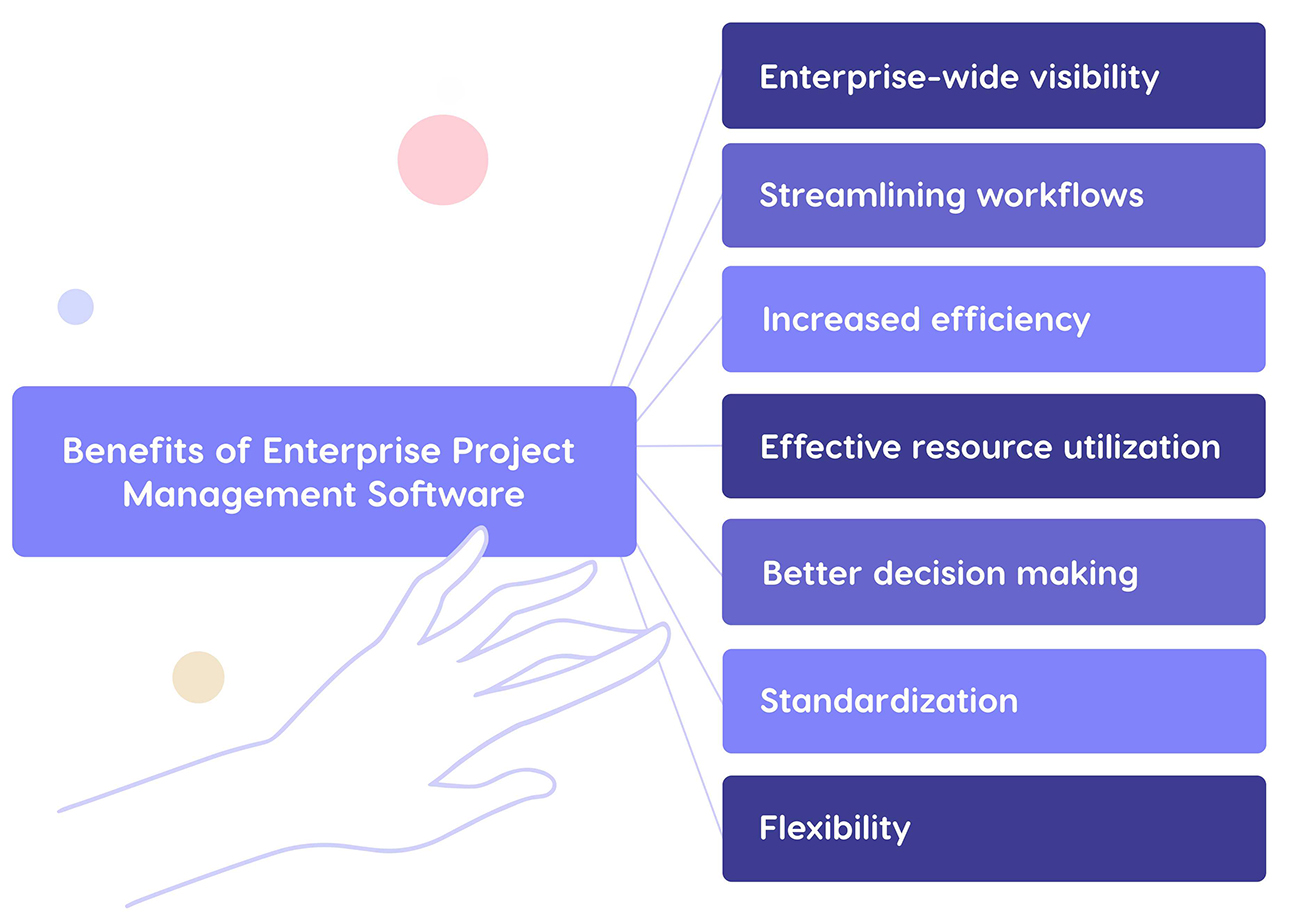
1. Enterprise-wide visibility.
EPM software becomes a single source of truth regarding projects, resources, budget, and processes. This visibility helps executives, PMOs, team members get real-time updates and stay on the same page.
2. Streamlined project flow.
EPM tools optimize various project processes and resource allocation; some of them help eliminate bottlenecks, which helps projects flow seamlessly.
3. Higher efficiency and productivity.
Enterprise PM software helps automate workflows and repetitive tasks. What is more, wise resource management facilitates high productivity of employees and increases their efficiency.
4. More effective resource utilization.
EPM software optimizes allocation of required resources across multiple projects, helps manage their capacity and workloads, prevents resource overload, and minimizes idle time. All these factors contribute to more efficient utilization of available resources.
5. Improved decision-making.
More and more tools are equipped with predictive analytics, scenario analysis capabilities, and provide diverse data analytics tools, all of which contribute to effective and data-driven decision-making. This is critically important in dynamic project environments of large enterprises.
6. Standardization.
EPM contributes to unifying project management methodologies, approaches, and templates used by an organization. Also, leveraging this kind of software ensures consistency in reporting and performance tracking.
7. Greater flexibility.
Using enterprise project management software facilitates faster response ot changes thanks to reprioritization, predictions and scenario analysis, reallocation of resources (if necessary). Some of the tools perform these actions automatically, so you need only to change essential parameters, and the rest of changes will be automatically displayed in the system for all participants.
As we see, EPM software is more than just a tool for tracking projects. It aims to improve project management processes, optimize resources, ensure smooth delivery, and help organizations achieve desired business outcomes.
Final Thoughts
Enterprise project management software provides you with wider opportunities than just task and progress tracking. This is a tool that allows you to achieve comprehensive visibility, align strategy with execution, optimize resources, make better decisions, and the list goes on. The choice of the software will depend on the unique needs and goals of your organization, the industry it’s operating in, the budget your company can allocate for adopting the solution, and its available functionality.
In our overviews, we’ve outlined the key points about each software tool, highlighting their strengths and weaknesses. Hopefully, this will help you make the right choice.
If you want to learn the details about Epicflow and its capabilities to drive project success for enterprises, don’t hesitate to contact us.
Frequently Asked Questions
What is enterprise project management (EPM) software?
EPM software is a centralized tool that allows organizations to plan, execute, and monitor projects across the entire enterprise and ensure their strategic alignment. As a rule, this software provides capabilities for planning, scheduling, resource allocation, budget management, collaboration, and reporting.
How does enterprise project management software differ from standard project management tools?
Standard project management tools focus on managing individual projects. Enterprise project management software helps manage multiple projects, integrates with other software systems used by enterprises, offers diverse insights on multi-project and portfolio levels, and facilitates informed decision-making.
What are the benefits of using enterprise project management software?
Companies adopting enterprise PM software improve resource utilization and collaboration, standardize project management processes, increase productivity and efficiency, improve reporting and decision-making, and achieve comprehensive visibility into all projects across an enterprise.
What are the top project management tools for enterprises?
The leading enterprise project management software list includes Epicflow, ClickUp, One Suite, Wrike, Celoxis, Smartsheet, Asana, Zoho Projects, Planisware, and Scoro.
Which enterprise tools work best for AI project management?
Not each of the above-listed tools supports AI project management. It’s mostly supported by Epicflow, Celoxis, Wrike, Smartsheet, and Scoro.
What is the difference between enterprise project management software and project portfolio management (PPM) tools?
Project management tools focus on day-to-day project execution and coordination of multiple projects. PPM tools are focused on strategic portfolio-level planning, prioritization, and decision-making. However, a great number of modern solutions combine both of these capabilities.
What types of companies use enterprise project management software?
Enterprise PM software is mostly suitable for mid-sized and large organizations, government agencies, and organizations running multiple concurrent projects with shared resources and complex dependencies.
Is EPM the same as ERP?
No, they are related by not the same. EPM (Enterprise Project Management) focuses on planning, executing, and monitoring projects across an organization. ERP (Enterprise Resource Planning) is a business management system that integrates key business processes: finances, human resource management, supply chain, inventory, procurement, and manufacturing.
What is the difference between PMO and enterprise project management?
A PMO (Project Management Office) is an organizational department that is responsible for setting standards and best practices for project management. Enterprise project management (EPM) refers to a methodology and software used to plan, execute, and monitor multiple projects running in an organization.
What skills are needed for EPM?
To be effective at using EPM tools, you will need to be knowledgeable in data integration and data analytics. A well-defined knowledge of project management and portfolio management framework is also needed.
Can small teams use EPM software?
EPM software is best used by enterprises. It’s tailored to managing dozens of projects simultaneously and analyzing performance across the whole portfolio. For smaller teams that don’t have to deal with multi-project environments, this type of software will only introduce unnecessary complications in their management workflows while not providing enough benefits.