Top 15 Portfolio Management Tools for Your Business in 2026
 Anna Balyuk
.
Updated
.
Project Portfolio Management
.
44 mins READ
Anna Balyuk
.
Updated
.
Project Portfolio Management
.
44 mins READ

Project portfolio management becomes hardest when several projects compete for the same people, skills, and capacity. PPM software helps organizations prioritize work, balance demand against real resource availability, optimize resources, and monitor delivery across the portfolio. Project portfolio management software, also known as a PPM tool, simplifies portfolio planning, execution, and monitoring.
This article compares 15 project portfolio management tools for 2026. Read our overview, and it will help you choose the right vendor and functionality that meets the needs of your organization.
Key Takeaways:
- PPM tools help organizations plan, prioritize, execute, and monitor multiple projects as one portfolio rather than managing each project in isolation.
- The strongest PPM platforms connect strategic priorities with real delivery capacity, helping leaders anticipate bottlenecks, resolve resource conflicts, and make portfolio-level trade-offs.
- Key capabilities to evaluate include portfolio prioritization, resource and capacity management, scenario analysis, financial controls, risk management, reporting, and integrations with existing delivery tools.
- The right choice depends on portfolio complexity, shared-resource constraints, industry requirements, integration needs, scalability, and implementation effort.
Best Project Portfolio Management Tools Shortlist
The tools listed below were selected based on their ability to support the portfolio-level management, not just project execution. Each of them offers strategic portfolio prioritization, resource capacity management across multiple projects, support for complex project environments, and decision making at the portfolio level.
Epicflow: Portfolio and resource management for shared-resource, complex project environments
Epicflow is project portfolio and resource management software for PMOs delivering complex, high-stakes projects with shared, constrained resources. Epicflow helps organizations deliver maximum value with resources they have thanks to prioritizing projects around business value and constraints, anticipating and eliminating bottlenecks, and improving delivery predictability while connecting portfolio decisions to the planning tools teams already use. It’s especially effective for complex environments where shared resource constraints impact delivery.
Planview: Enterprise planning and governance
Planview is a portfolio management system for organizations that require end-to-end visibility across portfolios, offering capabilities for financial planning, scenario modeling, and executive-level decision making.
Oracle Primavera: Strict planning and cost control
Oracle Primavera’s strengths involve advanced scheduling, cost control, and risk management. It offers a structured and plan-driven approach to organizations that need predictability, compliance, and detailed execution planning across programs.
What is Project Portfolio Management?
Project portfolio management is the strategic process of selecting, prioritizing, and overseeing a collection of projects to align with an organization’s objectives. It involves balancing resources and managing risks to ensure optimal outcomes across all initiatives.
Effective project portfolio management allows businesses to allocate resources efficiently, track performance, and make informed decisions about which projects to continue, adjust, or terminate based on their contribution to organizational goals.
“Project portfolio management aims to ensure that project outcomes are realized when they create the biggest value. Value is created through the deployment of project outcomes.” Jan Hindrik Knot, program manager.
What Are Project Portfolio Management Tools?
PPM tools are specialized software solutions designed to facilitate the planning, execution, and monitoring of multiple projects within a portfolio. These tools offer features for tracking performance metrics, managing resources, and ensuring alignment with strategic priorities.
Providing real-time insights and streamlining complex workflows – this is how project portfolio management tools empower organizations to handle diverse initiatives with precision and agility.
Why Is It Important to Have Portfolio Management Software for Your Business Success?
Project portfolio management software is vital for businesses aiming to thrive in competitive markets for a couple of reasons:
It streamlines project portfolio oversight
Managing multiple projects within a portfolio can be challenging without clear visibility. Project portfolio management software provides a centralized view of all ongoing projects, enabling businesses to track progress, prioritize tasks, and align efforts with strategic goals.
It improves resource allocation
Effective resource management is critical for project success. Project portfolio management solutions help allocate resources efficiently by analyzing availability, workload, and skill sets, ensuring that the right resources are allocated to the right projects.
It supports data-driven decision-making
Portfolio management software equips businesses with real-time data, analytics, and reporting capabilities. These insights allow leaders to identify risks, assess project performance, and make informed decisions that maximize ROI.
It enhances collaboration and communication
Modern portfolio monitoring tools foster collaboration across teams by centralizing communication channels, documents, and updates. This reduces silos, ensures transparency, and improves coordination among stakeholders.
It mitigates risks and predicts outcomes
Predictive analytics and scenario planning features in project portfolio management software help organizations anticipate potential challenges and evaluate the impact of different decisions. This proactive approach minimizes risks and boosts project success rates.
It aligns projects with strategic objectives
By linking projects to overarching business goals, PPM tools ensure that resources and efforts are directed toward initiatives that contribute the most value to the organization.
It drives cost-efficiency
Project portfolio management software tools help identify redundancies, prevent budget overruns, and optimize resource usage. This ensures projects are delivered within budget while maintaining quality.
Best PPM Tools’ Key Features
Modern PPM software comes equipped with a variety of features designed to streamline project oversight, improve resource allocation, and align initiatives with strategic objectives. Here are the key features:
Centralized Portfolio Overview
- Provides a unified dashboard for tracking multiple projects and their statuses.
- Offers real-time visibility into portfolio health, progress, and alignment with business goals.
Portfolio Optimization
- Automatically calculates project priorities based on the business value and resource constraints.
- Creates a combination of projects that will generate maximum business value with resources available.
Resource Management
- Optimizes resource allocation based on availability, skills, and workload.
- Prevents over- or under-utilization of resources, ensuring efficiency.
Strategic Alignment
- Links projects to organizational goals to prioritize initiatives with the highest value.
- Facilitates better decision-making by identifying projects that align with business strategy.
Budgeting and Cost Control
- Tracks financial data, including budgets, expenses, and forecasts.
- Helps identify and address cost overruns early to ensure financial efficiency.
Risk Management
- Identifies potential risks across projects.
- Provides tools for mitigation planning and real-time risk tracking.
Scenario Planning and What-If Analysis
- Simulates different scenarios to evaluate potential outcomes.
- Aids in decision-making for resource allocation, scheduling, and project prioritization.
Advanced Reporting and Analytics
- Delivers detailed reports on KPIs, project progress, and portfolio performance.
- Includes customizable dashboards and visualizations for better insight.
Collaboration Tools
- Enables team communication through shared workspaces, messaging, and file sharing.
- Improves transparency and fosters seamless collaboration across teams.
Integration Capabilities
- Integrates with existing tools like ERP, CRM, and task management systems.
- Ensures smooth workflows and data sharing across platforms.
Automation
- Automates repetitive tasks such as report generation, notifications, and updates.
- Enhances efficiency and reduces manual workload.
Time Tracking and Scheduling
- Monitors project timelines and tracks task progress.
- Includes Gantt charts, Kanban boards, and calendar views for easy scheduling.
AI and Predictive Analytics
- Utilizes AI for forecasting project outcomes, optimizing resources, and identifying risks.
- Enhances decision-making with data-driven predictions and actionable insights.
These features empower businesses to efficiently manage complex project portfolios, improve alignment with strategic objectives, and drive overall success.
Now that we know what features are essential for PPM tools, let’s consider the top 15 project portfolio solutions available on the market today.
How We Verified Each PPM Vendor
To create this comparison of project portfolio management software, we reviewed each platform using information from official product pages, feature documentation, pricing information, deployment and integration documentation, customer case studies, and reputable review or analyst sources where appropriate.
Each solution was evaluated against a set of criteria, including portfolio planning and prioritization, resource management, scenario modeling, reporting and analytics, financial management, integrations, AI capabilities, scalability, and overall usability. We also assessed the primary organizational fit of each platform to help readers identify solutions that best align with their business size, industry, portfolio complexity, and operational requirements.
Where possible, product capabilities were verified against official vendor sources rather than third-party summaries. Information reflects the data publicly available at the time of review and may change as vendors update their products, pricing structures, deployment options, or feature sets.
Last reviewed in May 2026.
In the next section, we’ll introduce a quick comparison of the best project portfolio management software of 2026.
Project Portfolio Management Software Comparison
| Tool | Best for | Key strength | Organizational fit |
| Epicflow | Portfolio and resource optimization under shared-resource constraints | Capacity-aware prioritization, bottleneck prediction, scenario analysis, and cross-project resource balancing | PMOs and engineering-intensive enterprises managing complex portfolios that compete for scarce specialist capacity |
| Planview | Enterprise portfolio strategy & governance | Strong strategic alignment, portfolio planning, and financial visibility across large organizations | Large enterprises with mature PMO structures |
| Oracle Primavera | Large-scale, capital-intensive projects | Advanced scheduling, cost control, and risk management for engineering and infrastructure portfolios | Organizations in engineering construction, infrastructure, and capital-intensive industries |
| Clarizen | Enterprise PPM with structured execution control | Portfolio governance, resource management, and real-time project financial tracking | Mid-to-large enterprises that need structured project and portfolio management |
| KeyedIn Enterprise | Enterprise portfolio governance | Strong financial oversight, reporting, and governance across portfolios | PMO-driven organizations that need configurable portfolio management |
| Smartsheet | Flexible portfolio tracking and collaboration | Easy adoption with spreadsheet-like interface, automation, and customizable dashboards | Cross-functional business teams and mid-market organizations |
| Wrike | Data-driven execution and reporting | Real-time dashboards, workload management, and advanced reporting capabilities | Cross-functional teams and mid-market organizations |
| Microsoft Project | Traditional project scheduling in Microsoft ecosystem | Strong integration with Microsoft tools and structured project planning | Organizations standardized on the Microsoft ecosystem |
| Aha! | Product-led portfolio planning | Strong strategic roadmapping and idea-to-execution alignment | Product-led organizations and product management teams |
| Adobe Workfront | Marketing and creative portfolio management | Deep workflow automation and Adobe ecosystem integration | Large enterprises, especially marketing and creative departments |
| Monday.com | Visual work management and lightweight portfolio tracking | Highly customizable workflows and strong team collaboration with simple UI | Small to mid-sized teams and fast-moving organizations |
| Asana | Task-centric portfolio coordination | Strong task visibility, goal tracking, and cross-team alignment | Teams of all sizes that need task and workflow coordination |
| ClickUp | All-in-one flexible work and task management | Highly customizable workspace with broad but lightweight portfolio features | Small to mid-sized teams seeking all-in-one work management solution |
| Jira | Agile portfolio delivery | Excellent for Scrum/Kanban-based portfolio tracking and software development | Software development and product engineering teams |
| Teamwork | Client-focused project portfolios | Strong collaboration, time tracking, and client delivery management | Client-service and agency-style organizations |
Best 15 Project Portfolio Management Tools to Consider in 2026
Here’s a list of the top enterpise PPM tools to elevate your portfolio management in 2026. The tools were ordered from enterprise-grade portfolio management systems to more flexible work management platforms with portfolio capabilities.
Epicflow: AI-driven project portfolio and resource management for constrained multi-project environments

We’ll start the list of best project portfolio management software with Epicflow. Epicflow is an AI-powered project portfolio and resource management platform built for complex multi-project environments where projects compete for shared specialist capacity. It helps PMOs prioritize work against real capacity, expose bottlenecks early, and improve delivery predictability across the portfolio.
Why Epicflow Stands Out As the Best PPM Software for Resource-Constrained Portfolios
Epicflow is designed for the point where project-by-project planning stops working: multiple initiatives need the same engineers, specialists, or other scarce resources at the same time. It gives PMOs a portfolio-wide view of demand versus capacity so they can resolve conflicts, sequence work more realistically, and keep critical commitments feasible.
Epicflow is JOSCAR-registered and has been penetration-tested against British MoD requirements, supporting its use in security-conscious aerospace and defence environments.
Epicflow redefines project portfolio management by integrating cutting-edge AI technology with practical tools to handle complex project environments. Rather than treating AI, resource management, and portfolio planning as separate layers, Epicflow uses capacity and workload data to support portfolio-level prioritization, forecasting, and scenario decisions. The result is a clearer link between what the business wants to deliver and what its shared resource pool can realistically execute.
Key Features of Epicflow
EPO supports portfolio prioritization and resource allocation using business value and real resource constraints. It helps management compare feasible project sequences, identify bottlenecks, and direct scarce capacity toward higher-value work.
- AI-driven resource optimization
Epicflow analyzes capacity, workload, and resource availability across projects to expose overload and underuse before they distort the portfolio plan.
- Real-time task and project prioritization
Priorities update as project conditions and resource availability change, helping teams focus scarce capacity on the work that matters most to portfolio flow.
- Scenario planning and predictive analytics
What-if analysis lets leaders test changes to priorities, capacity, timing, and resource allocation without disrupting the live plan, then compare their portfolio-wide consequences.
- Centralized portfolio overview
Epicflow combines project progress, priorities, workload, resource demand, and financial inteligence in a portfolio-level view designed for decisions across interdependent projects.
- Bottleneck detection, elimination, and prediction
Epicflow identifies current and emerging resource bottlenecks across the portfolio and shows where constrained specialist capacity can threaten delivery. It
- Real-time progress monitoring
Portfolio progress, resource performance, and milestones update as execution data changes, helping PMOs detect deviations early.
- Project staggering
When capacity is insufficient to start everything at once, Epicflow helps sequence project starts around business value and available resources rather than overloading the same specialists.
Benefits of using Epicflow for project portfolio management
- Better alignment between portfolio priorities and real resource capacity
- Earlier visibility into shared-resource bottlenecks
- More realistic delivery forecasts across competing projects
- Faster portfolio-level trade-off decisions
- Higher utilization of scarce specialist capacity without simply adding more work in progress
Integrations and scalability
Epicflow integrates with tools like Jira, Microsoft Project, Oracle Primavera, and other supported planning systems, allowing organizations to add portfolio-level capacity and prioritization without forcing delivery teams to replace the tools they already use.
Epicflow enterprise project software is designed to scale with increasingly complex portfolios and large shared resource pools; one published deployment includes a resource pool of 15,000 users.
Industries
Epicflow is especially relevant to engineering-intensive and mission-critical environments such as aerospace and defence, manufacturing, telecom, pharmaceuticals, automotive, and other organizations where concurrent projects depend on scarce specialist resources.
Planview
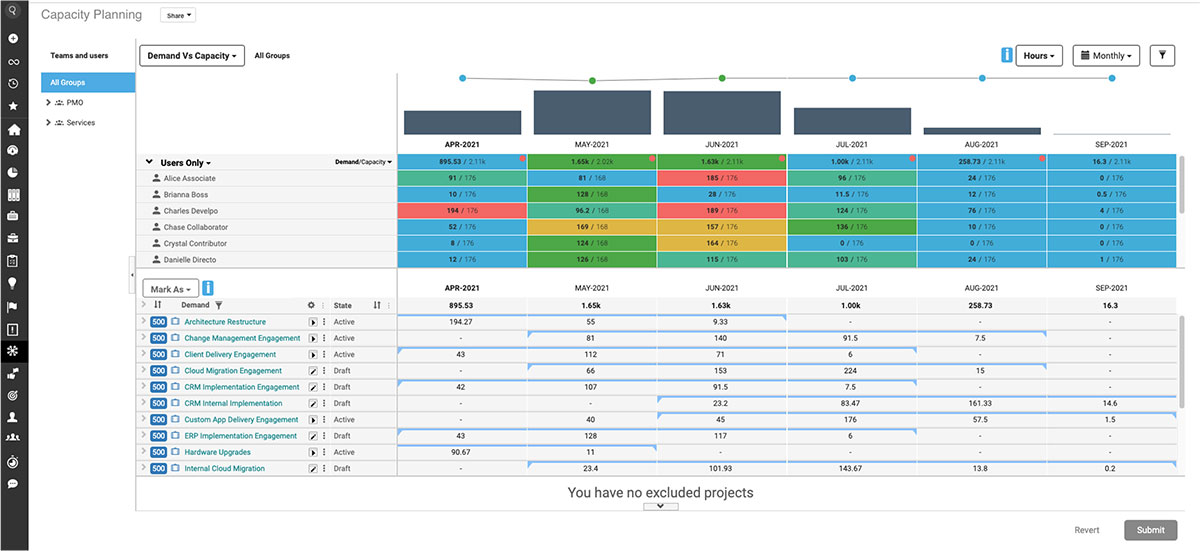
Planview is a PPM solution designed to empower organizations with the tools and insights they need to manage their portfolios effectively. It integrates advanced portfolio planning, resource management, and strategic alignment capabilities to ensure organizations achieve their objectives while adapting to changing business needs.
Planview provides a strategic overview of all projects, allowing businesses to prioritize initiatives that deliver the most value. Its intuitive design and scalability make it suitable for organizations of all sizes, from startups to large enterprises.
Key Features of Planview
- Strategic portfolio planning
- Resource management
- Scenario planning
- Integrated financial management
- Real-time analytics and reporting
- Collaboration tools
- Agile and hybrid methodologies
- Risk and issue management
- Integration capabilities
Oracle Primavera
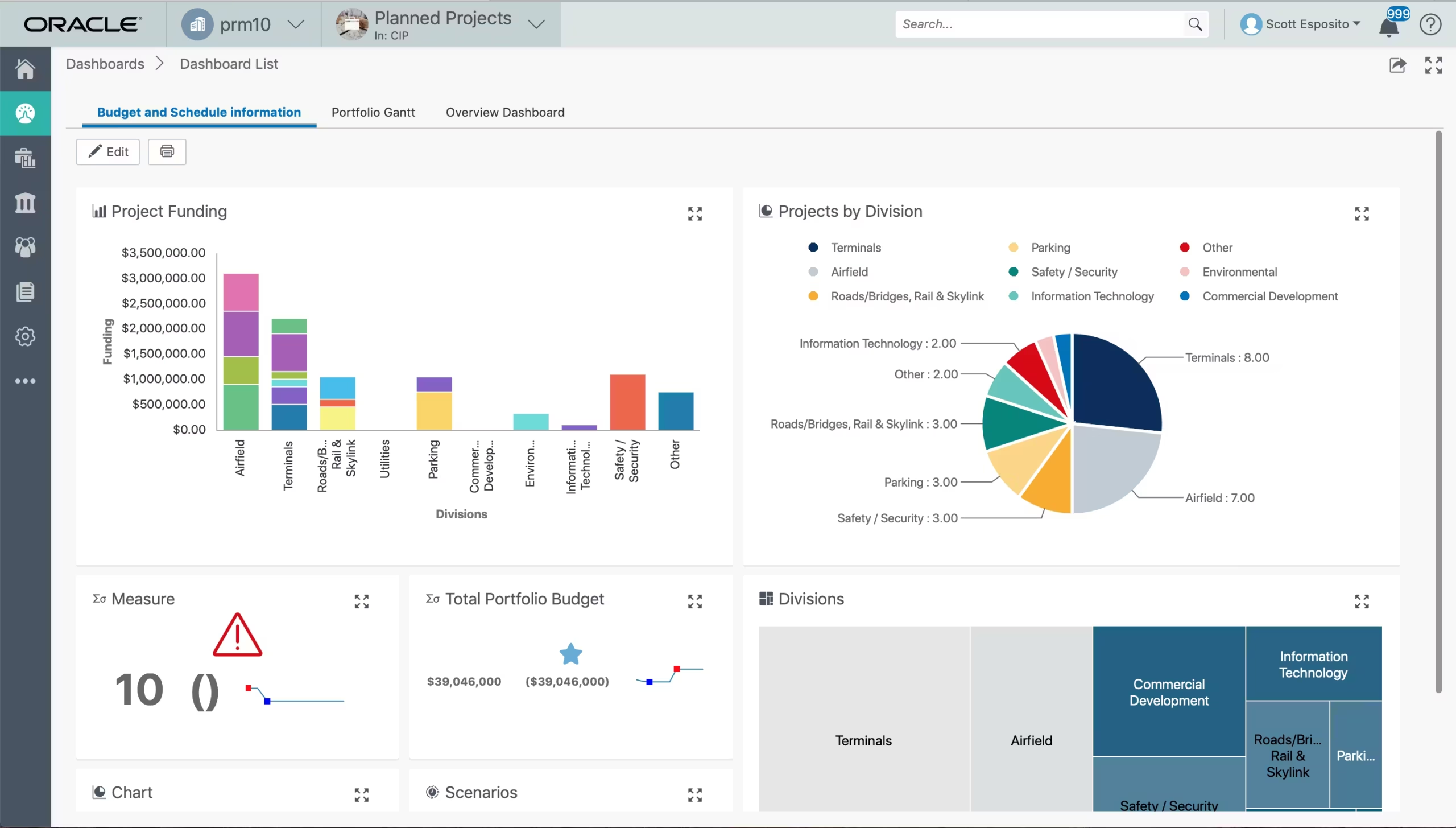
Oracle Primavera is a leading project portfolio management (PPM) tool designed for organizations managing large-scale, complex projects. Renowned for its robust capabilities, Primavera is tailored for industries like construction, engineering, manufacturing, and government, where precision, scalability, and risk management are critical.
This tool provides a comprehensive platform for planning, executing, and monitoring project portfolios while ensuring alignment with strategic goals. Its advanced analytics, resource management, and risk mitigation features empower decision-makers to optimize project outcomes and drive organizational success.
Key Features of Oracle Primavera
- Comprehensive project portfolio management
- Advanced scheduling and planning
- Resource management
- Risk management
- Budgeting and cost control
- Progress tracking
- Collaboration tools
- Dashboards and reporting
- Integration capabilities
- Mobile accessibility
Clarizen
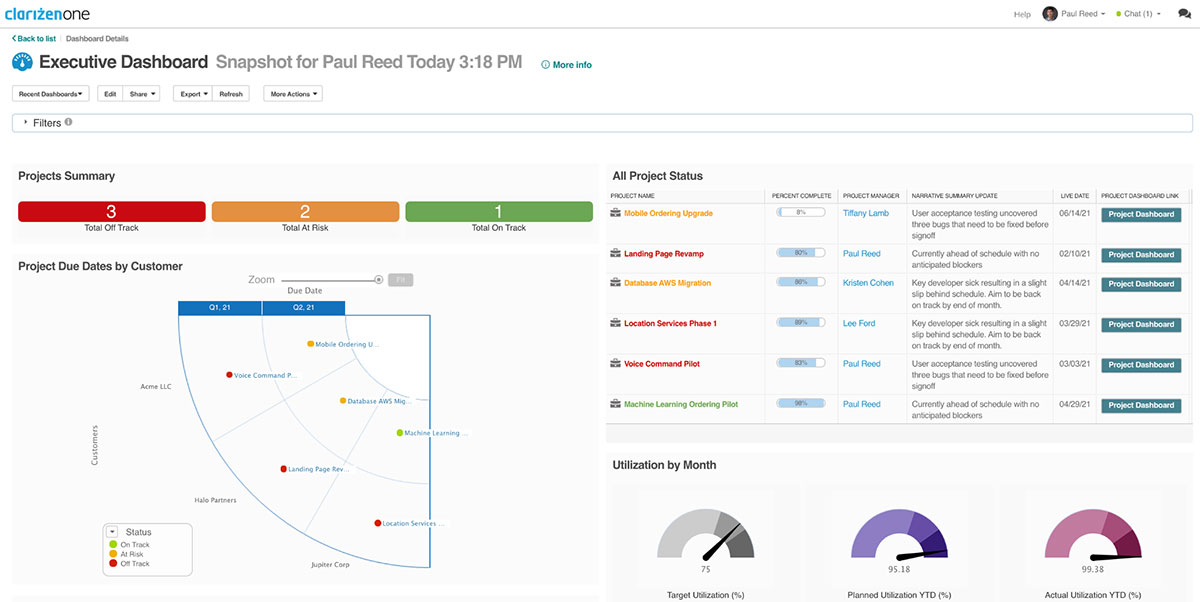
Clarizen is a leading project portfolio management (PPM) tool designed to empower organizations with advanced capabilities for managing projects, portfolios, and resources effectively. Built for agility, it combines robust project management functionalities with portfolio-level insights to ensure alignment with business goals and improve decision-making.
Clarizen provides a centralized platform for tracking projects, resources, and financials in real-time, enabling teams to stay aligned and achieve strategic objectives. It is particularly suited for businesses managing multiple complex portfolios, offering customization, automation, and collaboration tools that simplify workflow management. With its cloud-based architecture, Clarizen ensures accessibility and scalability for teams of all sizes.
Key Features of Clarizen
- Portfolio Management
- Resource Management
- Financial Planning
- Workflow Automation
- Collaboration Tools
- Project Scheduling
- Risk Management
- Customizable Dashboards
- Reporting and Analytics
- Integration Capabilities
KeyedIn Enterprise
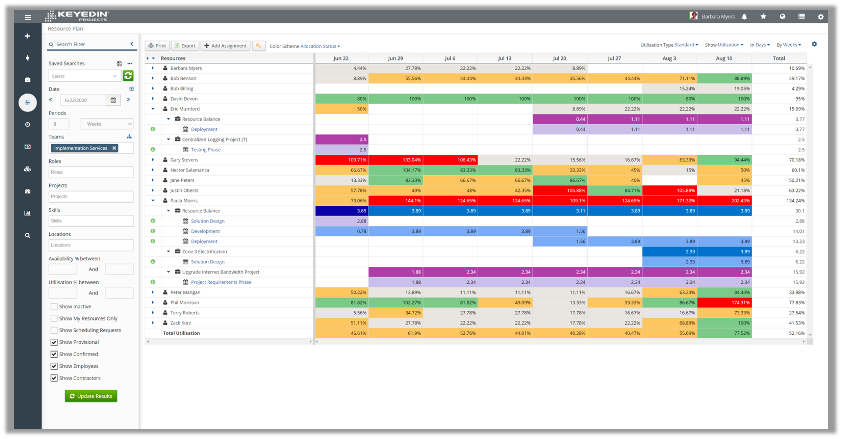
KeyedIn Enterprise is a powerful PPM software designed to help organizations manage complex projects and portfolios, optimize resources, and drive strategic alignment across all initiatives. It provides a robust suite of tools that focus on delivering visibility, control, and accountability across the entire project lifecycle, from planning and execution to performance analysis.
Key Features of KeyedIn Enterprise
- Project portfolio management
- Resource management
- Project planning & scheduling
- Financial management & budgeting
- Risk management
- Collaborative tools & communication
- Portfolio dashboards & reporting
- Project and portfolio analytics
- Workflow automation & customization
- Integration capabilities
- Governance & compliance
- Stakeholder & client collaboration
Smartsheet
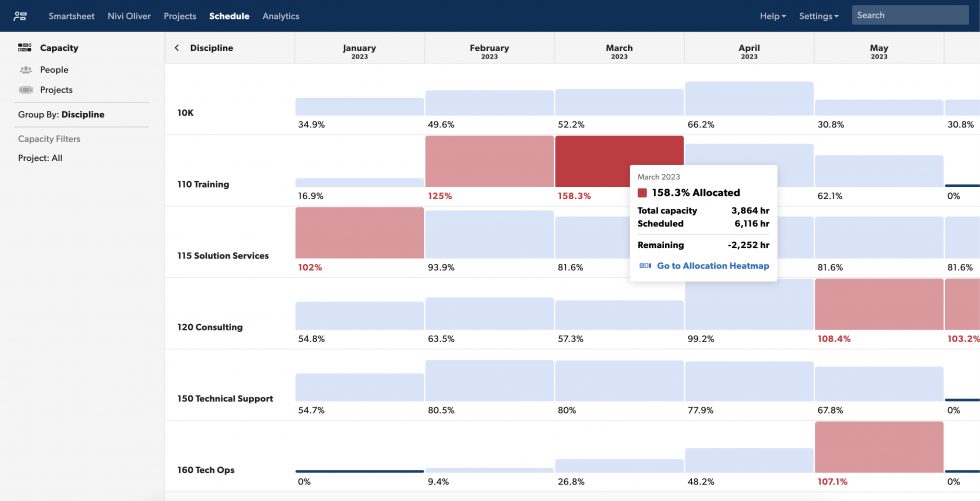
Smartsheet is a flexible and collaborative project portfolio management (PPM) tool designed to help organizations streamline workflows, enhance visibility, and drive better decision-making. Known for its user-friendly spreadsheet-like interface, Smartsheet is ideal for managing complex portfolios and aligning them with business goals. With its robust set of features, Smartsheet caters to a wide range of industries and project types, making it a reliable choice for modern businesses.
Smartsheet’s intuitive interface and comprehensive features make it a standout solution for PPM. It provides real-time insights into portfolio performance, supports collaboration, and offers powerful automation capabilities to optimize project workflows.
Key Features of Smartsheet
- Portfolio and program management
- Project tracking and visualization
- Resource management
- Workflow automation
- Collaboration tools
- Reporting and analytics
- Risk and Issue management
- Financial management
- Integration capabilities
- Scalability and customization
Wrike
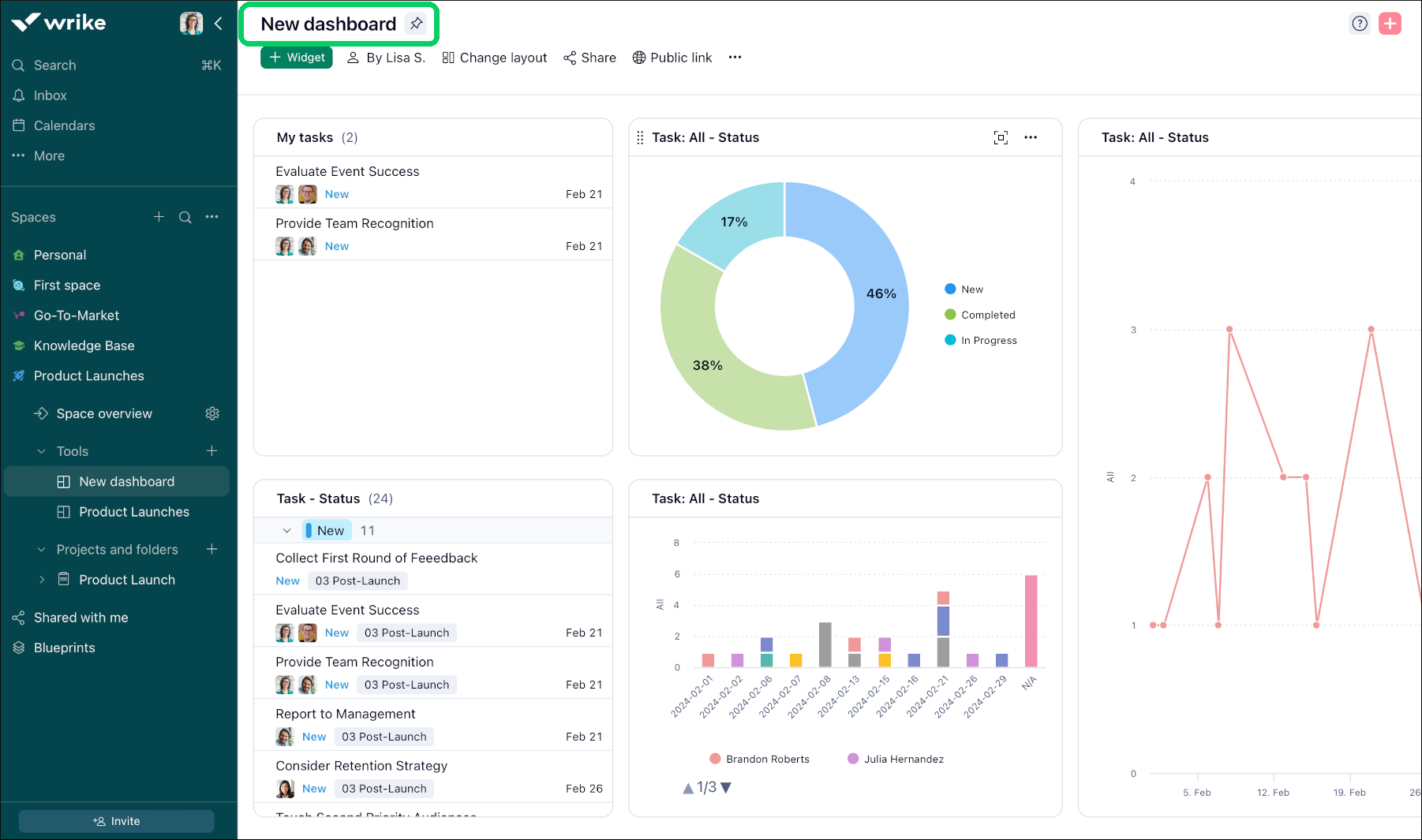
Wrike is a robust project portfolio management software designed to streamline processes, foster collaboration, and improve decision-making for organizations managing complex project portfolios. Its user-friendly interface and powerful features make it an excellent choice for businesses of all sizes, enabling them to plan, track, and manage their portfolios efficiently.
Wrike provides real-time visibility into project statuses, centralizes all portfolio data, and offers advanced tools for task prioritization and resource allocation. The platform is highly customizable, allowing users to tailor dashboards, workflows, and reports to fit their specific business needs. Additionally, Wrike's integrations with other tools enhance connectivity and create a seamless work environment.
Key Features of Wrike
- Customizable dashboards
- Gantt Charts
- Resource management
- Advanced reporting
- Collaboration tools
- Task automation
- Time tracking
- Integration options
- Risk management
- Mobile accessibility
Microsoft Project
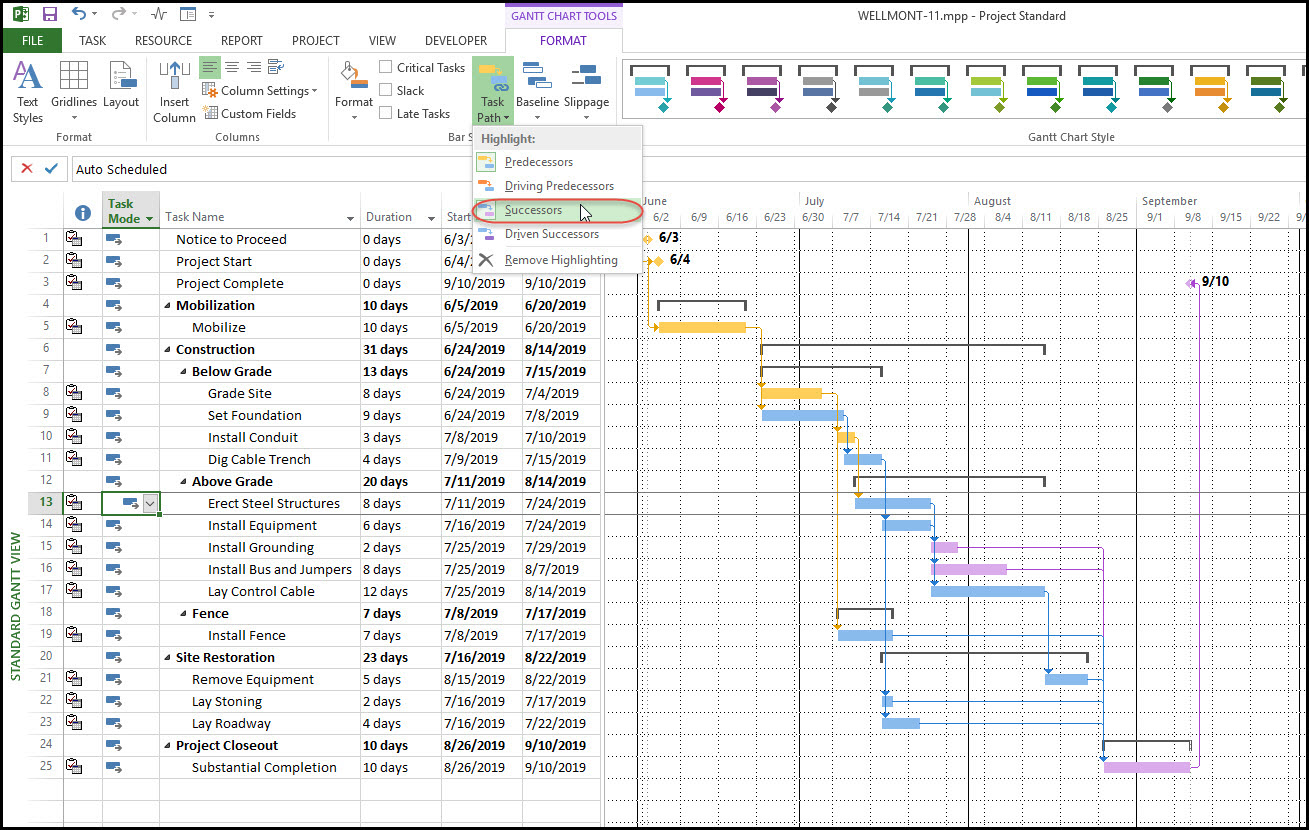
Microsoft Project (MS Project) is a powerful and versatile project portfolio management tool designed to help organizations plan, manage, and optimize their projects and portfolios. Developed by Microsoft, this tool provides a comprehensive suite of features that enable businesses to align their projects with strategic goals, manage resources effectively, and ensure the timely delivery of initiatives. Its integration with the Microsoft ecosystem, including tools like Microsoft Teams, Power BI, and Office 365, enhances collaboration and streamlines workflows.
Key Features of Microsoft Project
- Portfolio and program management
- Project planning and scheduling
- Resource management
- Financial management
- Risk and issue tracking
- Integration with Microsoft ecosystem
- Real-time reporting and analytics
- Support for multiple methodologies
- Collaboration tools
- Cloud-based accessibility
Aha!
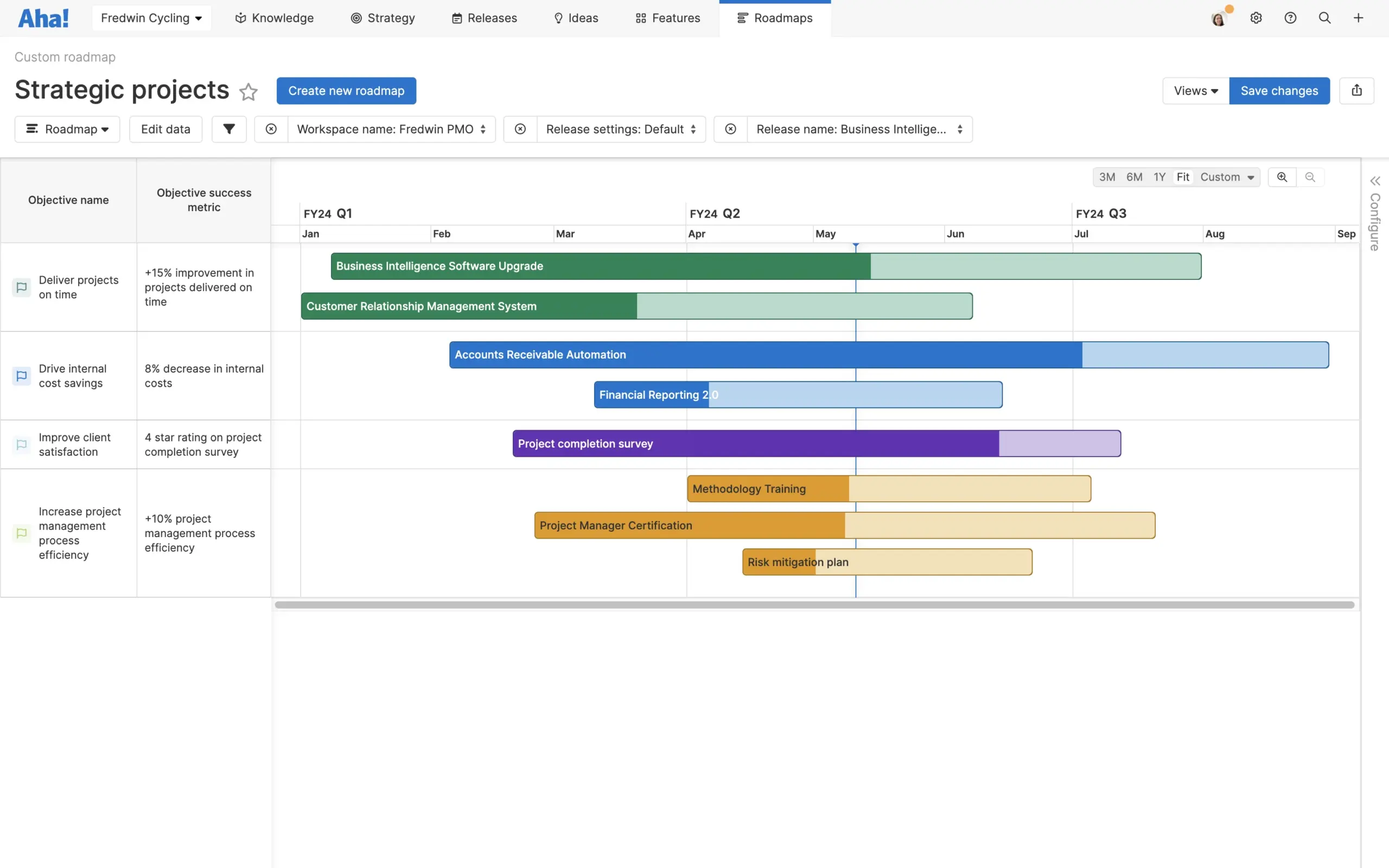
Aha! is a feature-rich portfolio management tool designed to help organizations drive strategy, manage projects, and deliver impactful outcomes. It is ideal for businesses looking to align their project portfolios with strategic goals, manage resources effectively, and foster cross-team collaboration.
Aha! places a strong emphasis on roadmapping and strategy, making it particularly well-suited for product development and innovation-focused teams. By centralizing project information, it enables organizations to plan, prioritize, and execute with clarity and confidence.
Key Features of Aha!
- Strategic roadmapping
- Portfolio visualization
- Prioritization frameworks
- Resource management
- Collaboration tools
- Workflow automation
- Customizable reports and dashboards
- Integration capabilities
- Roadmap sharing
- Idea management
- Goal tracking
- Agile and Waterfall support
Workfront (Adobe)
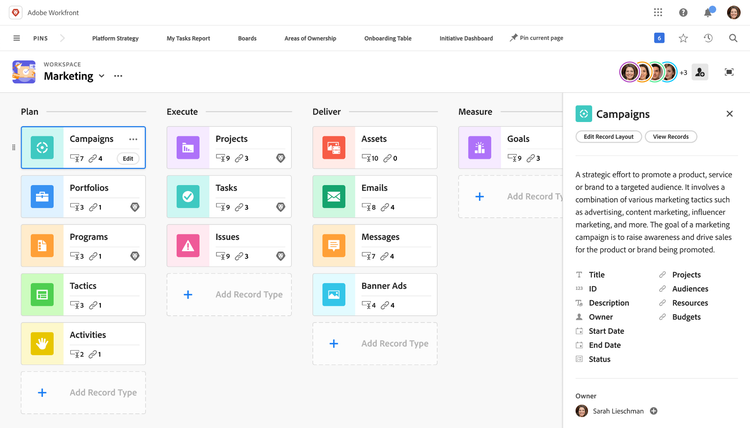
Adobe Workfront is a comprehensive project portfolio management (PPM) tool designed to help businesses streamline project execution, enhance collaboration, and align work with strategic objectives. Tailored for organizations of all sizes, Workfront enables teams to manage complex portfolios with real-time visibility into progress, resource allocation, and performance.
Its integration within the Adobe ecosystem makes it particularly valuable for creative and marketing teams, offering seamless workflows and collaboration. With robust reporting and workflow automation, Workfront ensures projects are completed on time and within budget, driving organizational success.
Key Features of Adobe Workfront
- Portfolio Management
- Resource Management
- Custom Workflows
- Collaboration Tools
- Advanced Reporting and Analytics
- Timeline and Task Management
- Integration Capabilities
- Document Management
- Agile and Waterfall Support
- Budgeting and Cost Tracking
- Mobile Accessibility
Monday.com
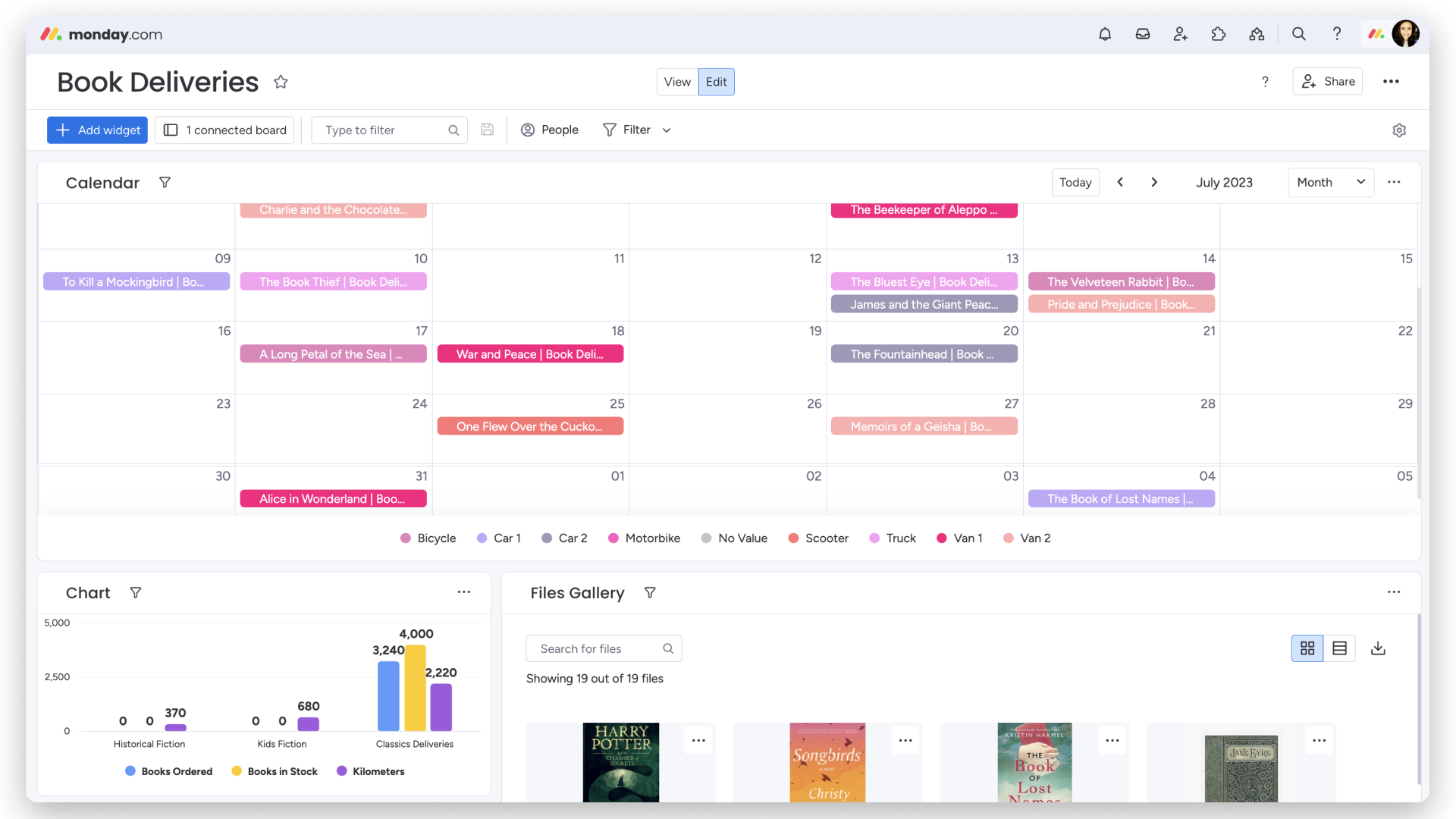
Monday.com is a versatile portfolio management software that combines intuitive design with robust functionality. It is an ideal choice for businesses looking to streamline their project portfolio management processes, enhance team collaboration, and gain visibility into project performance. With its customizable workflows and advanced visualization tools, Monday.com caters to the diverse needs of organizations managing multiple projects across different teams.
The platform empowers users to align portfolios with strategic goals, track progress in real-time, and optimize resource allocation for improved efficiency. Whether you’re a small business or a large enterprise, Monday.com’s scalability and integrations make it a reliable solution for managing complex portfolios.
Key Features of Monday.com
- Customizable dashboards
- Resource management
- Automations
- Collaboration tools
- Portfolio tracking and reporting
- Integration capabilities
- Goal alignment
- Time tracking
- Budget management
- Risk management
Asana
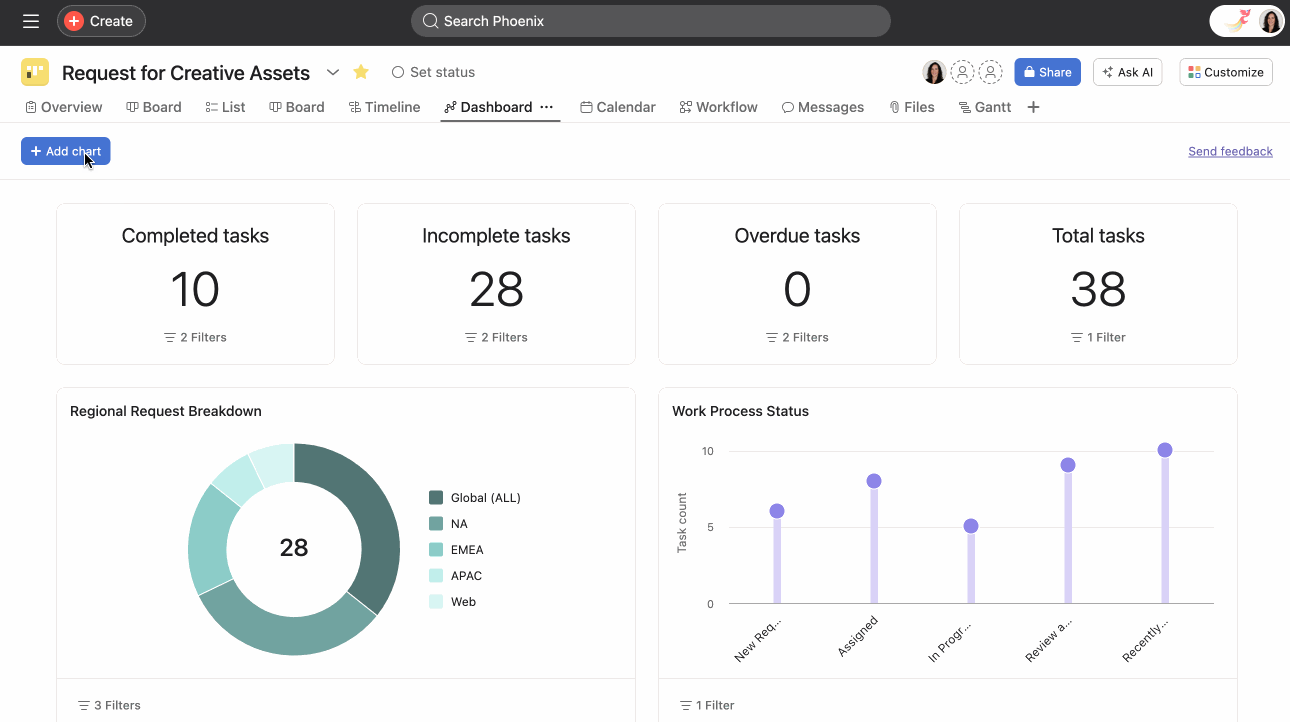
Asana is a leading project portfolio management (PPM) software that helps organizations streamline their workflows, optimize project alignment with business goals, and manage complex portfolios effectively. Known for its intuitive interface and robust functionality, Asana empowers teams to visualize, track, and manage projects across multiple portfolios in real time.
With Asana, users can ensure resource allocation, prioritize tasks, and maintain alignment with strategic objectives. It is an ideal solution for organizations looking to enhance collaboration, maintain transparency, and improve decision-making across teams.
Key Features of Asana
- Portfolio tracking and overview
- Task and project prioritization
- Customizable workflows
- Goal setting and alignment
- Team collaboration tools
- Workload management
- Timeline and Gantt chart views
- Reporting and analytics
- Integration capabilities
- Risk and budget management
- Mobile app support
ClickUp
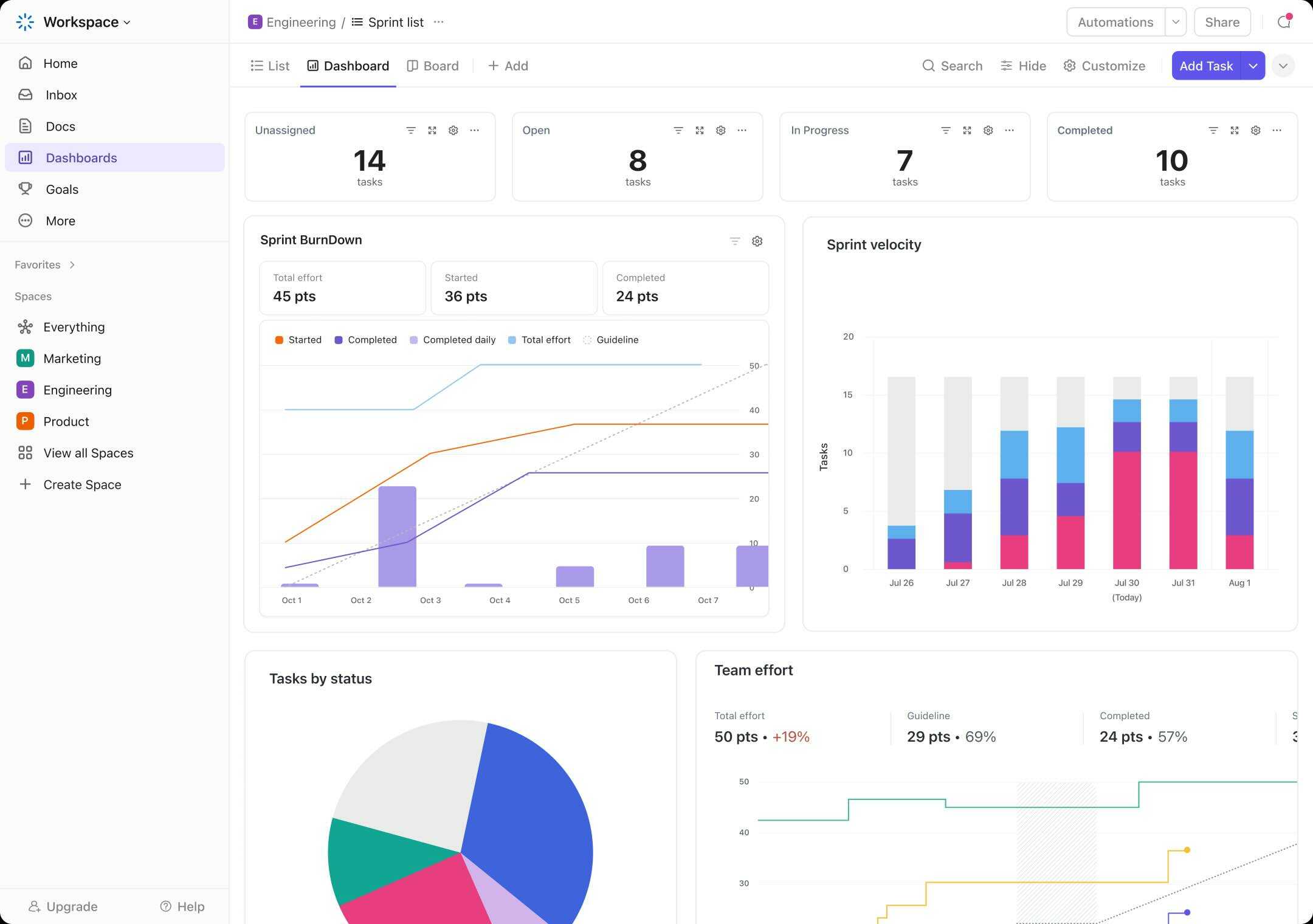
ClickUp is a versatile project portfolio management (PPM) tool designed to simplify and enhance the way organizations manage multiple projects and portfolios. Known for its highly customizable interface, ClickUp caters to businesses of all sizes and industries by providing a centralized platform for planning, tracking, and optimizing project portfolios.
As a PPM solution, ClickUp enables teams to align projects with organizational goals, allocate resources effectively, and monitor overall portfolio health. Its rich feature set, including task management, timeline views, and collaboration tools, helps organizations stay agile, make informed decisions, and drive project success.
Key Features of ClickUp
- Portfolio views
- Task and project management
- Customizable workspaces
- Resource management
- Goal tracking
- Collaboration tools
- Time tracking
- Automation
- Reporting and analytics
- Integrations
Jira
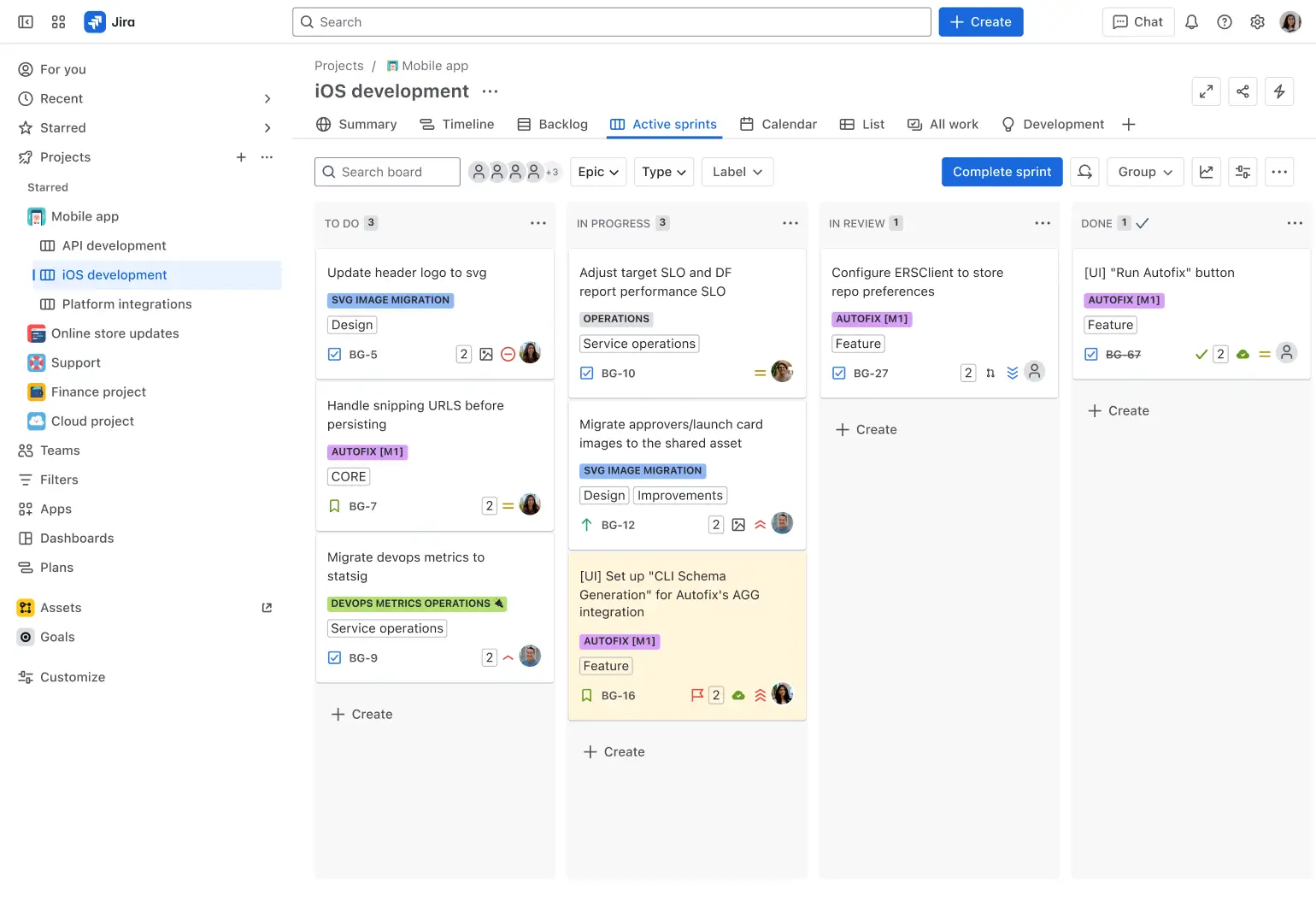
As a PPM tool, Jira provides features like project tracking, task prioritization, and progress monitoring, making it a valuable solution for teams managing complex portfolios. It supports Agile methodologies such as Scrum and Kanban, ensuring adaptability to different workflows. Jira also integrates seamlessly with other tools, enhancing collaboration and decision-making across departments.
Key Features of Jira
- Portfolio management
- Agile methodologies
- Custom workflows
- Issue and task tracking
- Roadmap visualization
- Resource allocation
- Integration with multiple tools
- Real-time reporting
- Repetitive tasks automation
- Scalability
Teamwork
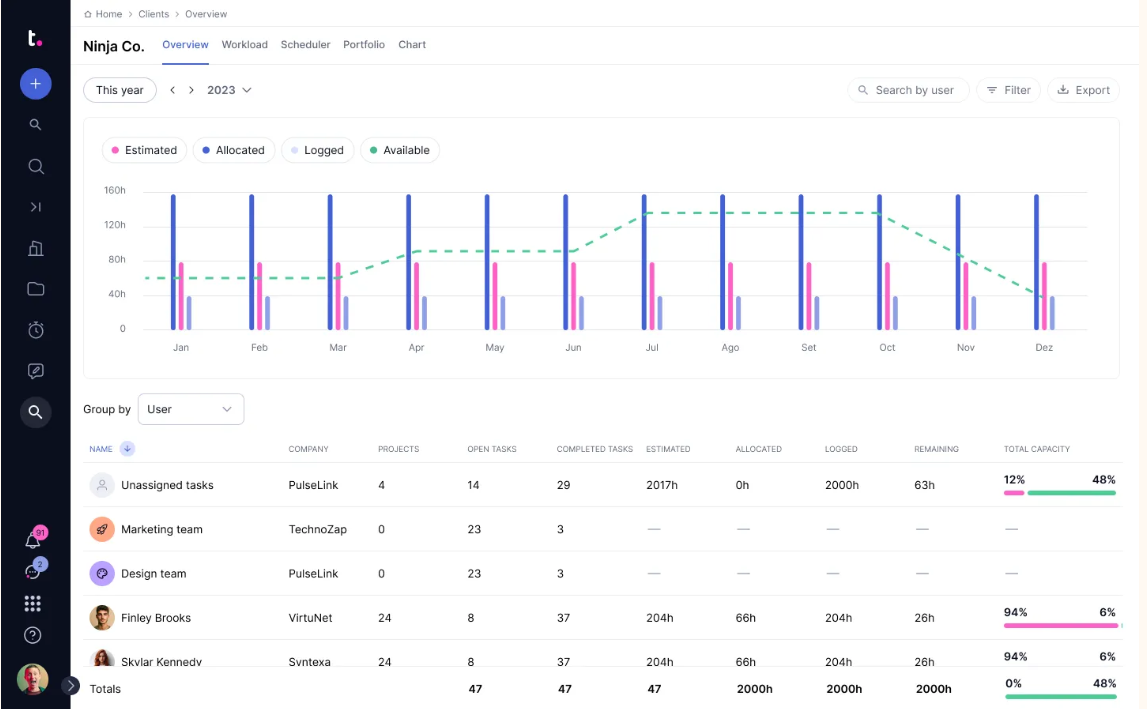
Teamwork is a project portfolio management (PPM) software designed to help businesses plan, manage, and deliver projects effectively. It provides a comprehensive suite of tools for collaboration, task management, reporting, and resource allocation, making it suitable for teams of all sizes. The platform is designed to streamline workflows, enhance communication, and improve project visibility, enabling better decision-making and resource management across multiple projects.
Key Features of Teamwork
- Project planning & task management
- Portfolio overview
- Time tracking & reporting
- Collaboration tools
- Resource management
- Customizable dashboards
- File management & document sharing
- Client access
- Integrations
- Automation
- Risk & issue management
- Custom fields & templates
How to Choose the Best Project Portfolio Software?
Selecting the right PPM software is critical to ensuring your business efficiently manages resources, aligns strategies, and achieves goals. Here's a step-by-step guide to help you make an informed decision:
1. Assess your business needs
- Identify the portfolio decisions your current process handles poorly: competing priorities, shared-resource conflicts, bottlenecks, schedule risk, or weak strategic alignment.
- Map which projects depend on the same scarce skills or specialist groups; if many initiatives compete for the same capacity, make cross-project resource optimization a core selection criterion.
- Determine the level of analytics, reporting, and automation required.
2. Analyze and prioritize project portfolio management tools features
Focus on project and portfolio management software that offers features relevant to your needs. Commonly sought features include:
- Portfolio optimization
- Resource management
- Project and capacity planning
- Portfolio visualization
- Collaboration tools
- Risk management
- Integration capabilities.
3. Consider scalability
Choose portfolio management solutions that can grow with your organization. Ensure they support:
- A growing number of projects and portfolios.
- Additional users and resource pools.
- Advanced features like AI-driven insights or predictive analytics.
4. Evaluate the ease of use
Look for user-friendly portfolio project management tools with an intuitive interface to minimize the learning curve. Ensure it offers:
- Customizable views and workflows.
- Easy onboarding for team members.
- Comprehensive user support and training resources.
5. Explore integration options
Ensure that the tools for portfolio management integrate with tools you already use, such as:
- Project management software like Jira, Asana, or Trello.
- Communication tools like Slack or Microsoft Teams.
- Resource management tools and accounting systems.
6. Budget considerations
- Define your budget for purchasing and maintaining the software.
- Check for hidden costs such as implementation, customization, or add-ons.
- Compare pricing models (subscription-based vs. one-time licensing).
7. Test the Software
Before committing, request a demo or a free trial. During this period, assess:
- How well portfolio monitoring tools meet your requirements.
- Its performance under realistic workloads.
- Feedback from team members and stakeholders.
8. Analyze vendor support
Choose a reliable vendor offering excellent customer support, including:
- 24/7 technical assistance.
- Regular updates and improvements.
- Comprehensive documentation and training materials.
9. Review case studies and testimonials
When selecting project and portfolio management tools, research user reviews, case studies, and industry recognition to assess:
- The software's effectiveness in real-world applications.
- The vendor’s reputation and reliability.
- Suitability for businesses similar to yours.
10. Align with Business Goals
Ensure the enterprise project portfolio management tools align with your company’s strategic goals by:
- Supporting long-term planning and performance tracking.
- Offering flexibility for agile or hybrid methodologies.
- Enhancing visibility and control over the entire portfolio.
By carefully considering these factors, you can select project portfolio management software that not only meets your current needs but also positions your organization for future growth and success.
Best Enterprise PPM Tools for Portfolio Management
Enterprise project portfolio management software supports organizations that manage multiple complex projects simultaneously, often across departments, geographies, and resource pools. These solutions are purpose-built for end-to-end portfolio management and enable organizations to prioritize investments, balance resource capacity, and align execution with strategic objectives. Leading enterprise PPM software vendors typically offer portfolio planning, project management, resource management, reporting, and enterprise integrations.
Among the above-mentioned ppm tools list, here are the top PPM tools for enterprises:
Epicflow: Project portfolio and resource management for enterprises where multiple projects compete for the same specialist capacity. It's the best enterprise project portfolio management software with integrated project and resource planning that combines dynamic prioritization, bottleneck prediction, resource balancing, and scenario analysis to improve delivery predictability without separating portfolio decisions from real capacity.
Planview: A widely adopted enterprise solution for strategic portfolio planning, governance, and financial management, supporting long-term alignment between execution and business strategy.
Oracle Primavera: A robust system designed for large-scale, capital-intensive environments where scheduling precision, cost control, and risk management are critical.
Clarizen: An enterprise-focused platform offering structured portfolio governance, resource management, and financial tracking across complex project environments.
KeyedIn Enterprise: A PPM solution emphasizing portfolio visibility, governance, and financial oversight for organizations managing multiple concurrent initiatives.
Selecting the right enterprise PPM tool depends on the organization’s level of portfolio maturity and strategic requirements:
- Consider Epicflow when shared-resource constraints, bottlenecks, and capacity-aware sequencing are central to delivery; consider broader enterprise suites when governance breadth and top-down strategic planning are the primary requirement.
- Choose Oracle Primavera as one of the best enterprise PPM tools for large organizations, especially for highly regulated, capital-intensive, or engineering-driven environments requiring precise scheduling and cost control.
- Choose Clarizen or KeyedIn Enterprise for structured governance, financial oversight, and enterprise portfolio visibility.
A frequent mistake organizations make is adopting a work management or collaboration tool and expecting it to deliver enterprise-grade portfolio optimization. While many platforms provide portfolio dashboards and reporting, only a subset support true capacity planning, prioritization based on business value, and cross-project resource balancing.
Adopting the right tool is only part of the equation. To get real results, organizations also need a clear approach to managing portfolios based on business value.
Download the free guide to see how it works in practice.
Conclusion
Selecting the right PPM tool means matching the platform to the way your portfolio actually fails. For some organizations, governance or collaboration is the main challenge; for others, delivery is constrained by the same scarce specialists being needed across too many projects. The right platform should fit that operating reality, your portfolio maturity, and the tools teams already use. A strong PPM system should turn strategic priorities into a plan that is feasible against real capacity, surface bottlenecks before they become delays, and give leaders a practical way to test trade-offs before committing.
Contact us to learn how Epicflow can maximize the potential of your project portfolio and ensure that it delivers business impact.
Frequently Asked Questions
What’s a project portfolio software tool?
A project portfolio software tool is a solution that helps organizations manage multiple projects collectively, ensuring alignment with strategic goals and efficient resource allocation. It provides insights, tracking, and decision-making capabilities across the portfolio.
What’s the difference between project management tools and project portfolio management software?
Project management tools focus on managing individual projects, including tasks, timelines, and team coordination. In contrast, project portfolio management software oversees a collection of projects, aligning them with strategic objectives, optimizing resources, and analyzing performance across the portfolio.
What are the best portfolio management software tools?
The best portfolio management tools are as follows:
- Epicflow
- Planview
- Microsoft Project
- Smartsheet
- Monday.com
- Asana
- Wrike
- Clarizen
- Jira
- ClickUp
- Oracle Primavera
- Workfront
- Aha!
- Teamwork
- KeyedIn Enterprise
These tools are renowned for their comprehensive features and ability to streamline complex workflows.
How to choose the best project portfolio management tool?
To select the best portfolio management software, consider factors such as ease of use, scalability, features, integration capabilities, cost, and customer support. Align the tool’s offerings with your business needs and long-term goals.
What is the best ppm tool?
There isn’t a single best PPM tool for every company. The right choice depends on portfolio complexity, industry, governance needs, and how strongly projects compete for shared capacity. The most useful tool is the one that addresses the operating constraint that most limits portfolio performance.
What features are most important in project portfolio management software?
The most critical features include centralized dashboards, resource allocation tools, risk analysis, budgeting and cost tracking, scenario planning, collaboration tools, and reporting capabilities. These features ensure effective management and alignment of projects with organizational priorities.
What are the benefits of using a PPM tool?
Using PPM tools empowers business organizations to improve portfolio oversight and resource allocation, enable data-driven decision-making, optimize risk and budget management, and align projects with business objectives.
Who should use project portfolio management software?
PPM tools are particularly valuable for organizations managing many concurrent projects, especially when those projects share specialist resources. They help PMOs, portfolio and program managers, and senior leaders connect priorities with capacity, resolve cross-project conflicts, and improve portfolio-level delivery.
Is Jira a PPM tool?
No, Jira isn’t a PPM tool by default but some of its versions support portfolio management (Jira Align) by providing such capabilities as strategic planning, roadmap visualization, and portfolio governance. However, this functionality isn’t enough for effective portfolio management. The best option can be the integration with more advanced portfolio management tools like Epicflow that offer a wider variety of features for comprehensive and value-driven project portfolio management.
What is enterprise portfolio management software?
Enterprise portfolio management tools help organizations plan, prioritize, and control multiple projects and programs across the business. It becomes especially important in resource-constrained environments, where starting or accelerating one initiative changes the capacity available to others.
How do enterprise project portfolio management tools differ from PPM tools?
Sometimes these terms can be used interchangeably, but there is a difference between the two. Enterprise portfolio management solutions typically help with portfolio management across the whole organization, which includes advanced analytical and governance features. Regular PPM tools can be used to manage portfolios of a specific department and might not have that company-wide strategic set of features.
What PPM software fits enterprise planning?
Enterprise portfolio planning tools help organizations evaluate initiatives, prioritize investments, allocate resources, and coordinate delivery across multiple projects. Look for a platform that can connect portfolio priorities with project schedules, resource capacity, dependencies, and financial considerations.
Where can you find enterprise-grade portfolio management tools?
Enterprise project software can range from tools focused on individual project execution to broader platforms designed for portfolio-level planning and resource management. Start with established PPM platforms that support complex portfolios, shared resources, integrations, and organization-wide governance. Cloud project management tools for enterprise portfolios make portfolio data accessible across teams while supporting centralized planning and governance.