12 Best Jira Alternatives for Portfolio and Multi-Project Management
 Mykhailo Kulakov
.
Updated
.
Project Portfolio Management
.
50 mins READ
Mykhailo Kulakov
.
Updated
.
Project Portfolio Management
.
50 mins READ

Jira is a leading tool for project management and issue tracking, but when it comes to advanced tasks required of a multi-project management tool, Jira has a number of limitations. For larger companies that run dozens or hundreds of projects simultaneously, an alternative to Jira is needed to handle the complexity required for planning.
Jira alternatives are project, portfolio, DevOps, and work-management tools that replace or extend Jira when teams need simpler adoption, lower cost, open-source control, stronger DevOps integration, or deeper resource management.
In this article, we’ll explore twelve best Jira alternatives, rank them, and explain which options are best for each type of use.
Key takeaways:
- Choose Epicflow when Jira tracks the work but cannot show whether your shared specialists can actually deliver the portfolio.
- Choose YouTrack, GitLab, or Azure DevOps Boards when the priority is a closer engineering or DevOps replacement.
- Choose monday.com, Asana, ClickUp, Wrike, or Smartsheet when business adoption and reporting matter more than constrained-resource economics.
- Choose OpenProject or Plane when open-source, self-hosted, or data-control requirements carry the decision.
- Do not pick a Jira alternative by feature count alone. Pick it by its ROI, the balance of investment cost and cost savings the tool can offer.
Quick picks: which Jira alternative fits your scenario?
| Buyer scenario | Best-fit tool |
|---|---|
| Best for constraint-driven portfolio orchestration and capacity optimization | Epicflow |
| Closest Jira-style issue tracking replacement | YouTrack |
| Best for DevOps-heavy teams | GitLab or Azure DevOps Boards |
| Best for cross-functional business teams | monday.com, Asana, or ClickUp |
| Best open-source or self-hosted options | OpenProject or Plane |
| Best budget-conscious ecosystem choice | Zoho Projects |
| Best for enterprise work-management reporting | Wrike or Smartsheet |
Why are companies moving away from Jira?
Jira is still widely used because it is good at what it was built to do: issue tracking, agile boards, backlog management, workflow configuration, and software-team coordination. That is not the same as portfolio control, as it doesn’t provide the necessary analytical capabilities to track and coordinate all resource needs and capabilities.
When a tool like Jira, designed around issues and boards, gets stretched into PMO reporting, resource planning, executive governance, dependency tracking, vendor delivery, and budget conversations, the result is often the same. Fields multiply, workflows harden, dashboards become political, and every team builds its own workaround.
The cost of using a good tool for the wrong task is senior management maintaining a weak system instead of managing delivery. It is resource managers reconciling capacity in spreadsheets. It is executives seeing “green” projects that are already competing for the same scarce engineers. It is a delivery date that looked credible because each team planned locally, while the shared-resource pool was already overcommitted.
Jira can make work visible without visualizing the resource constraint. For small software teams, that may be enough. For PMOs managing dozens of concurrent projects, that is far from ideal. The problems they’re facing change from tracking tickets to understanding which projects should run first, which should wait, and what happens to revenue if the company assigns the most qualified resources to the wrong work.
That is where many alternatives to Jira provide the necessary augmentation. Some reduce complexity. Some lower cost. Some give engineering teams a cleaner DevOps path. A smaller set helps PMOs manage portfolio capacity, resource conflicts, and delivery commitments.
Jira Data Center end-of-life and the migration trigger
Atlassian’s official Data Center end-of-life timeline gives many enterprises a forced decision window. Atlassian says impacted Data Center products wind down over three years beginning March 30, 2026, with end of life on March 28, 2029. New customers can no longer buy new Data Center subscriptions after March 30, 2026, while existing customers have limited purchasing options until March 30, 2028.
For some companies, Atlassian Cloud will be the obvious path.
For others, this is the moment to revisit the operating model. Regulated teams, defense contractors, manufacturers, and engineering organizations may not only need a new deployment path. They may need a different way to manage capacity, dependencies, and portfolio trade-offs.
Challenges Jira creates for portfolio-management specialists
The main problem Jira poses for portfolio managers is that its main functions revolve around team-level execution. Using it as the main management tool for a large portfolio can lead to multiple issues because it lacks:
- Cross-team resource visibility. This prevents higher management from seeing all projects resources are involved in and overbooking them as a result.
- Resource management capabilities. Lack of capacity planning, skill management, and other features prevents quality resource analytics.
- Decision-making support. Lack of analytical tools like scenario analysis leaves the higher management with little to no data to base their decisions on.
- Support for value per constrained hour. This concept is useful in portfolio management as it highlights what benefits a company can expect to receive from billable hours used on different projects. Tools like Jira only focus on finishing tasks instead of such a strategic level of planning.
If the core pain of a large organization is ticket hygiene, Jira may still be fine. If the core pain is scarce capacity being spent in the wrong order, leading to inefficiency and loss of revenue, the company needs a different class of decision support.
Read more: Jira Capacity Planning: Uses, Limitations & Best Practices
What benefits should Jira alternatives offer for large project portfolios?
There are multiple areas of portfolio management that Jira cannot cover and that should be supplemented. In general, the tools your company chooses should help leaders answer four questions quickly:
- Can we deliver the current portfolio with the capacity we actually have?
- Where are the bottlenecks forming before they hit the delivery date?
- Which work creates the highest value from constrained specialist hours?
- What should we stop, defer, or resequence before margin leaks further?
That is why the best Jira alternatives for enterprise portfolios tend to offer some mix of capacity planning, resource forecasting, scenario testing, reporting, security controls, migration paths, and integrations with Jira and other tools.
The right tool should also improve adoption outside engineering. Finance, operations, PMO, HR, procurement, and executive sponsors should not need to decode software-team rituals just to understand delivery risk.
What features should portfolio leaders look for in a Jira alternative?
Use this checklist before you shortlist vendors:
| Evaluation area | What to check | Why it matters |
|---|---|---|
| Portfolio capacity planning | Can the tool forecast demand against real resource capacity? | Prevents false commitments. |
| Resource leveling | Can it expose overload across shared specialists, not only local teams? | Protects critical experts from becoming hidden bottlenecks. |
| Bottleneck visibility | Can it show which resource groups or tasks are constraining delivery? | Turns firefighting into planned intervention. |
| Scenario testing | Can leaders test project changes before committing? | Reduces migration and delivery risk. |
| Economic prioritization | Can work be sequenced by business value and constrained capacity? | Moves prioritization away from politics. |
| Issue and agile fit | Can teams still manage tickets, sprints, boards, and backlog detail? | Preserves execution discipline. |
| Deployment and data control | Cloud, self-hosted, open-source, enterprise security, audit needs. | Critical for regulated and high-control environments. |
| Migration support | Jira import, CSV, API, field mapping, permissions, attachment handling. | Avoids recreating old complexity in a new system. |
| Integrations | GitHub, GitLab, Azure DevOps, Teams, Slack, MS Project, ERP, HRM. | Prevents another data silo. |
| Pricing clarity | Free tier, starting price, enterprise quotes, add-ons, support. | Stops procurement surprises late in the cycle. |
How did we select these Jira alternatives?
This list was built for PMOs, portfolio leaders, resource managers, and executives. It compares Jira alternatives for business-critical delivery environments.
The evaluation used four filters:
- Use-case fit. Does the tool solve a real reason companies leave or extend Jira?
- Portfolio relevance. Does it help with capacity, resources, multi-project control, or executive reporting?
- Adoption model. Is it better suited to engineering, PMO, business teams, open-source buyers, or Microsoft-heavy enterprises?
- Evidence quality. Official product pages, pricing pages, documentation, migration pages, and review-site signals were prioritized.
Quick comparison of 12 Jira alternatives
Here is a quick comparison of all 12 Jira alternatives covered in this article. Since there were too many data points that need to be covered, we've divided the comparison into two tables. The first table shows strategic fit.
| Tool | Best for | Portfolio/resource fit | Issue/agile fit | Key watch-out |
|---|---|---|---|---|
| Epicflow | Constraint-first project portfolio management | Strong | Moderate | Not a lightweight issue tracker |
| monday.com | Cross-functional work and PMO dashboards | Moderate | Moderate | Deep constraint control needs validation |
| Asana | Business-team coordination and goals | Moderate | Limited/moderate | Advanced portfolio needs paid tiers |
| ClickUp | Flexible workspace for mixed teams | Moderate | Moderate | Configuration sprawl |
| Wrike | Enterprise work management and reporting | Moderate/strong | Moderate | Portfolio economics need review |
| Smartsheet | Spreadsheet-like portfolio tracking | Moderate | Limited/moderate | Resource management may require add-ons |
| GitLab | DevOps teams needing issues plus CI/CD | Limited/moderate | Strong | Less natural for PMO economics |
| Azure DevOps Boards | Microsoft-heavy engineering teams | Limited/moderate | Strong | Business users may find it engineering-heavy |
| YouTrack | Jira-style issue tracking | Limited/moderate | Strong | Not primary PMO resource optimizer |
| OpenProject | Established open-source PM | Moderate | Moderate | Setup and admin effort |
| Plane | Modern open-source issue tracking | Limited/moderate | Strong | Enterprise maturity varies by need |
| Zoho Projects | Budget-conscious Zoho teams | Moderate | Moderate | Best inside Zoho ecosystem |
The second table separates pricing, free-tier, and deployment details so the comparison stays readable in WordPress, Google Docs, and mobile layouts.
| Tool | Free tier | Open source/self-hosted | Starting price checked 25 Jun 2026 | Best next step |
|---|---|---|---|---|
| Epicflow | No | No | Growth from €22.5/user/month billed annually; Enterprise custom | Book a demo |
| monday.com | Yes, limited seats | No | From $9/seat/month; varies by billing country | Evaluate PMO use case |
| Asana | Yes | No | Starter plan costs $13,49/user/month. Advanced is $30,49/user/month. | Validate workload depth |
| ClickUp | Yes | No | Unlimited plan is $10/user/month. Business plan is $19/user/month. | Pilot with governance |
| Wrike | Yes | No | Team $10/user/month. Business is at $25/user/month | Test reporting model |
| Smartsheet | Trial | No | Pro plan costs $12/member/month. The Business plan costs $24/member/month. | Map add-on cost |
| GitLab | Yes | Yes | Premium $29/user/month annually | Use for DevOps-first teams |
| Azure DevOps Boards | First 5 Basic users free | Server options exist | First 5 Basic users free, then $6/user/month | Evaluate Microsoft fit |
| YouTrack | Free up to 10 users | Cloud and Server | Annual subscriptions from $5.40/user/month | Test Jira import |
| OpenProject | Community edition | Yes | From $7.25/user/month with minimums | Validate hosting model |
| Plane | Yes | Yes | Pro is billed at $8/seat/month. Business costs $15/seat/month. | Pilot with engineering |
| Zoho Projects | Free up to 5 users | No | Premium, Enterprise, and Ultimate plans are €5, €10, €15 per user per month. | Compare ecosystem cost |
The 12 best Jira alternatives for portfolio leaders
1. Epicflow - best for constraint-based portfolio execution and margin protection
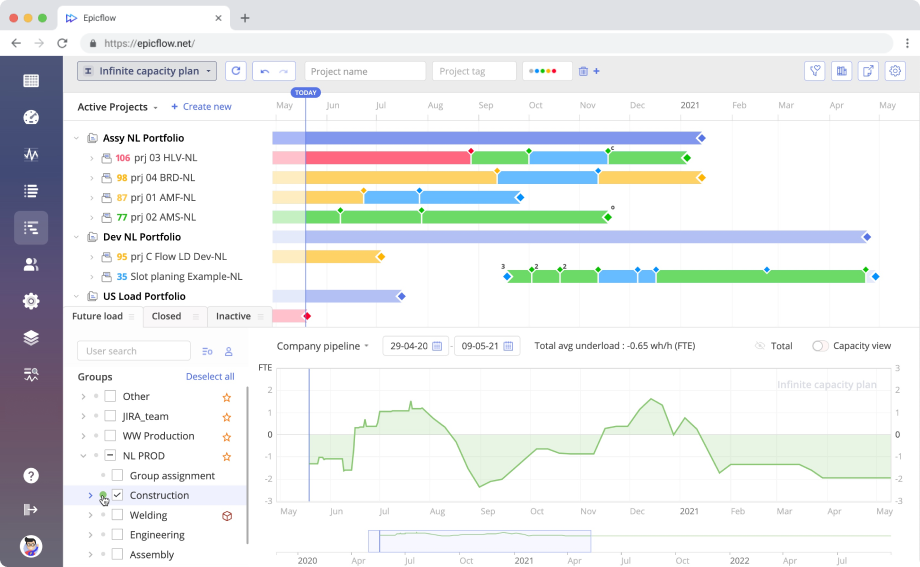
Verdict: Choose Epicflow when Jira tracks team-level task execution but cannot inform leadership whether the portfolio is feasible under real specialist constraints or what a delivery delay will cost in revenue, contract penalties, and margin.
Best for: PMOs, portfolio leaders, resource leaders, COOs, CFOs, and engineering-intensive organizations where shared specialist bottlenecks determine portfolio delivery.
Epicflow is an AI-powered portfolio orchestration platform for complex shared-resource environments. Its strongest fit is the operational challenge that Jira often exposes but cannot solve alone: too many projects competing for the same scarce experts, and no reliable way to determine which work should reach them first.
Rather than replacing Jira, Epicflow operates as a strategic intelligence layer above it. Delivery teams maintain their native Jira workflows while leadership gains top-down visibility into finite capacity, predictive bottleneck forecasting, and value-based portfolio sequencing.
Epicflow vs Jira at a glance
| Comparison point | Epicflow | Jira |
|---|---|---|
| Center of gravity | Constraint orchestration & portfolio economics | Issues, boards, workflows |
| Stronger when | Shared specialist bottlenecks dictate throughput & margin | Software teams need task execution control |
| Risk reduced | Unrealistic portfolio promises & unpriced delay drag | Untracked team work |
| Executive value | Value-optimized sequence backed by finite capacity | Status visibility and backlog discipline |
Key features
- Future Load Graph for forecasting demand-capacity gaps across shared specialist pools weeks and months in advance.
- What-If Analysis for testing alternative scenarios and trade-offs before changing live plans.
- Historical Load Graph for learning historical team output and capacity patterns to ground future commitments
- Epicflow Portfolio Optimizer (EPO) for sequencing projects by value per constrained hour and maximizing portfolio value.
- Integrations with Jira, Microsoft Project, Oracle Primavera P6, and ERP systems.
Pros
- Built for enterprises where critical expert pools dictate overall portfolio feasibility.
- Strong fit for engineering, manufacturing, defense, telecom, pharma, and other constraint-heavy environments.
- Quantifies the monetary impact of schedule slippage, preventing financial exposure.
- Operates as a decision overlay and extends Jira without workflow disruption.
Cons / watch-outs
- Not intended as a lightweight agile task board or single-project coordination tool.
- Analytics and finite-capacity calculations depend on task-level effort estimates and defined resource availability.
- Delivers maximum return when implemented as a transition to constraint-based portfolio governance rather than a simple software swap.
Pricing / status: Growth plan starts at €22.50 per user/month billed annually. Enterprise pricing is custom.
Portfolio/resource-management fit: Strong: Epicflow is the strongest option when the primary operational friction is constrained specialist capacity across concurrent projects.
Migration and integrations: Epicflow integrates with Jira natively. Production teams can continue working in Jira while leadership gets portfolio-level capacity, feasibility, and financial insights. It also supports ready-made integrations with Microsoft Project and Oracle Primavera, plus custom enterprise APIs.
2. Monday.com - best for cross-functional work management and PMO dashboards
Verdict: Choose monday.com when the goal is fast business adoption, flexible workflows, and PMO-friendly dashboards.
Best for: Operations teams, PMOs, marketing, HR, and cross-functional business groups.
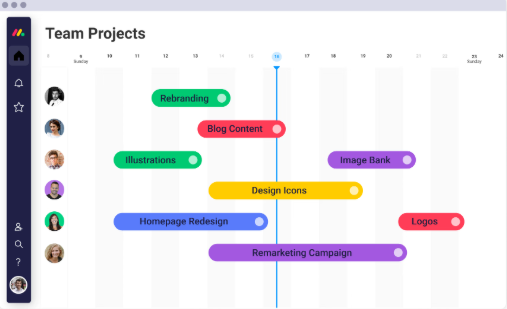
Monday.com is useful when Jira feels too engineering-heavy for the rest of the organization. It is built around configurable workspaces, dashboards, templates, and collaboration patterns that non-technical departments can understand quickly.
monday.com vs Jira at a glance
| Comparison point | monday.com | Jira |
|---|---|---|
| Center of gravity | Flexible work coordination | Agile issue tracking |
| Stronger when | Business teams need adoption speed | Software teams need workflow depth |
| Risk reduced | Tool rejection outside engineering | Poor ticket discipline |
| Watch-out | Deep capacity economics need validation | Can be complex for non-engineers |
Key features
- Portfolio and project views for PMO-style oversight.
- Dashboards and automations for operational reporting.
- Templates for business and cross-functional teams.
- Workload and resource views on higher tiers.
Pros: Strong UX, broad templates, executive dashboards, approachable for non-technical teams.
Cons / watch-outs: Not the strongest fit for deep constrained-resource orchestration. Portfolio leaders should test whether workload and resource views are enough for shared specialists.
Pricing / status: Free tier available for two users only. Pricing starts from $9 per seat/month, with the highest tier at $19 per seat/month. Enterprise plans have custom pricing. Pricing varies by billing country.
Portfolio/resource-management fit: Moderate.
3. Asana - best for business-team coordination and goals
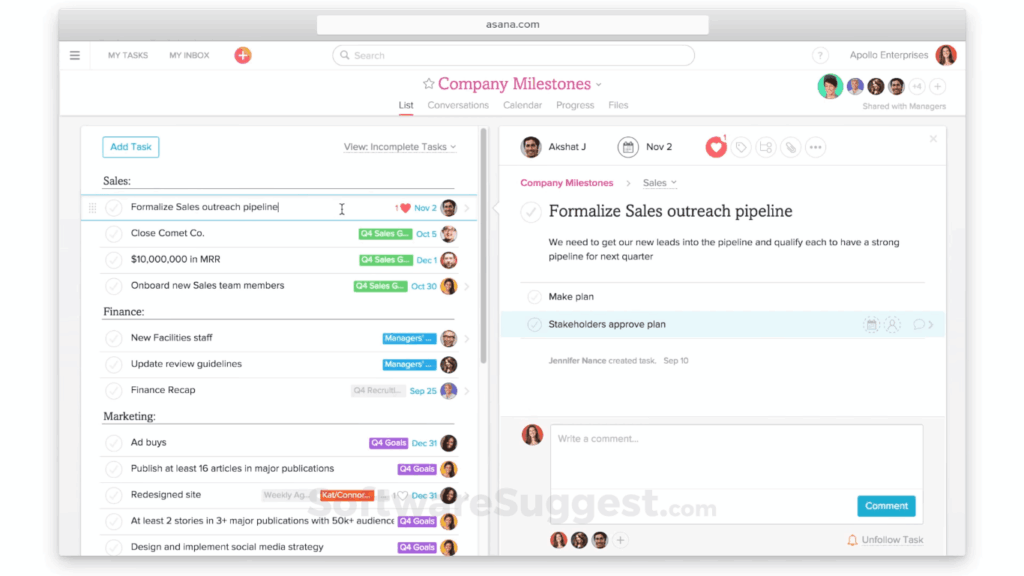
Verdict: Choose Asana when teams need clean task coordination, goals, portfolios, and status visibility without Jira’s engineering weight.
Best for: Business teams, PMOs with lighter resource needs, operations, creative, and cross-functional programs.
Asana gives non-technical teams a cleaner operating language than Jira. It is useful when work needs to move across departments, when leaders want goals and portfolios connected, and when the company wants fewer people maintaining complex workflows.
Asana vs Jira at a glance
| Comparison point | Asana | Jira |
|---|---|---|
| Center of gravity | Work coordination and goals | Issues and agile execution |
| Stronger when | Non-technical teams need clarity | Software teams need sprint discipline |
| Risk reduced | Status confusion | Unstructured engineering work |
| Watch-out | Portfolio workload depth must be tested | Adoption outside engineering can suffer |
Key features
- Portfolios and goals for cross-functional planning.
- Workload views on higher tiers.
- Project templates, approvals, proofing, and integrations.
- Reporting for leadership visibility.
Pros: Clean interface, strong adoption outside engineering, useful goal and portfolio language.
Cons / watch-outs: Complex multi-project capacity planning and value-per-constrained-hour decisions need careful validation.
Pricing / status: A limited free tier plan is available for two users. The Starter plan costs $13,49/user/month. Advanced is $30,49/user/month. Enterprise pricing available.
Portfolio/resource-management fit: Moderate.
4. ClickUp - best flexible workspace for mixed teams
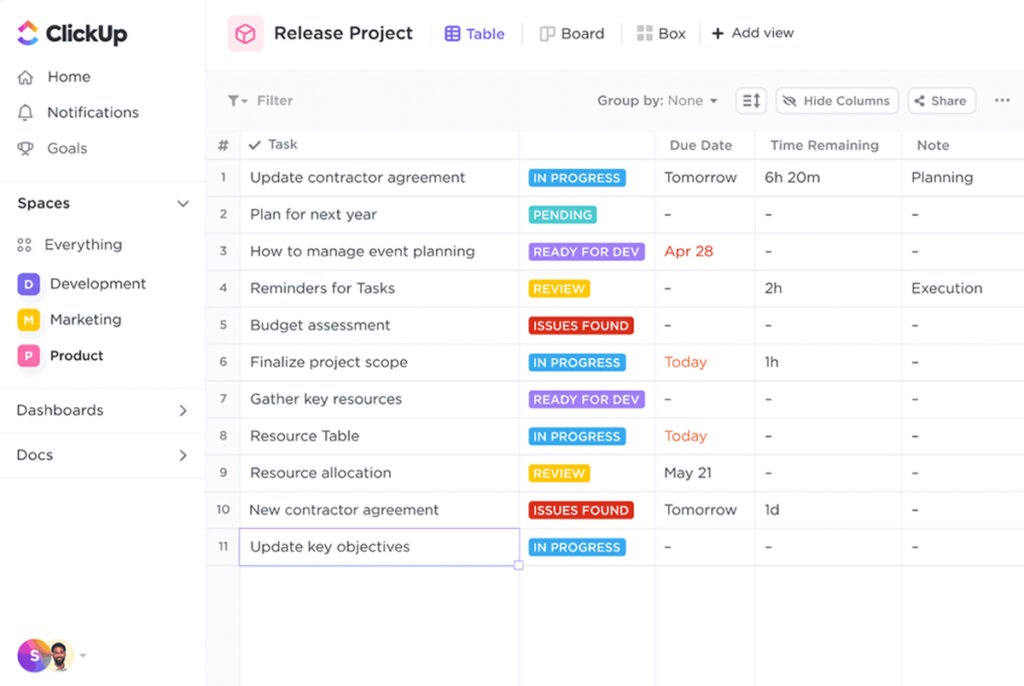
Verdict: Choose ClickUp when teams want broad work-management coverage and are prepared to govern configuration carefully.
Best for: Mixed teams that want tasks, docs, dashboards, goals, time tracking, workload views, and collaboration in one workspace.
ClickUp’s appeal is breadth. It can absorb many smaller workflows into one environment. That can reduce tool sprawl, but only if the rollout is governed. Without clear standards, the same flexibility that attracts teams can become another layer of operational tax.
ClickUp vs Jira at a glance
| Comparison point | ClickUp | Jira |
|---|---|---|
| Center of gravity | Configurable work hub | Agile issue tracking |
| Stronger when | Teams want one broad workspace | Engineering needs strict issue workflows |
| Risk reduced | App sprawl | Poor backlog control |
| Watch-out | Configuration can become its own tax | Jira can become admin-heavy |
Key features
- Tasks, docs, dashboards, goals, and time tracking.
- Gantt, workload, and portfolio-style views on paid tiers.
- Automations and custom fields.
- Broad integrations for mixed teams.
Pros: Broad feature set, strong flexibility, attractive for mixed departments.
Cons / watch-outs: Flexibility can produce inconsistent workspaces. Enterprise PMOs should define governance before rollout.
Pricing / status: Unlimited plan is $10/user/month. Business plan is $19/user/month. Custom enterprise pricing and a free forever plans are available.
Portfolio/resource-management fit: Moderate.
5. Wrike - best enterprise work management and reporting
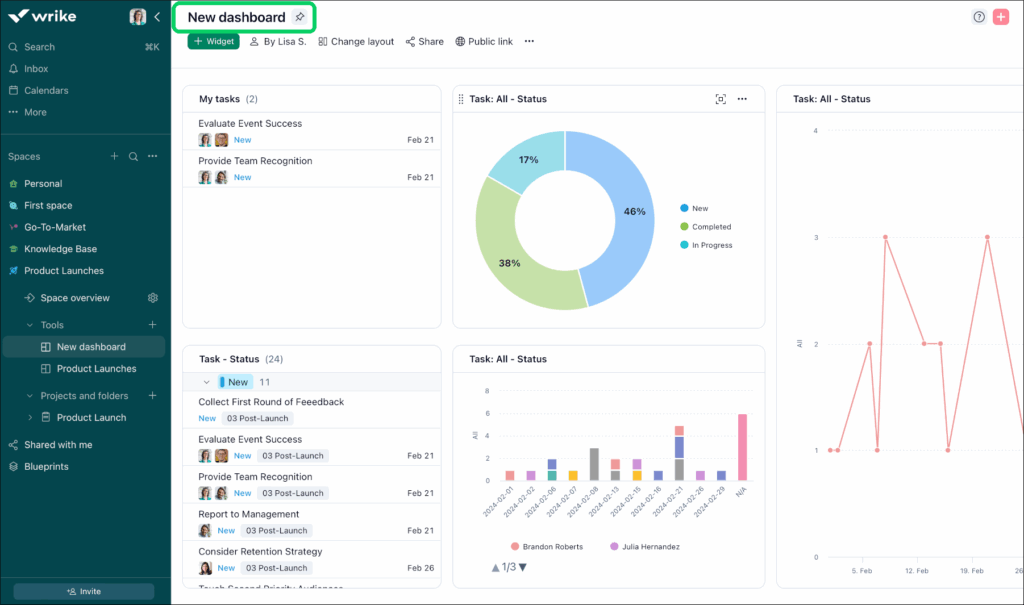
Verdict: Choose Wrike when enterprise reporting, controls, and structured work management are more important than replacing Jira with a developer-first tool.
Best for: PMOs, enterprise departments, marketing operations, professional services, and business delivery teams.
Wrike is a stronger fit when the organization needs structured work management and reporting across business teams. It can give executives more digestible visibility than Jira, especially where work is not purely software delivery.
Wrike vs Jira at a glance
| Comparison point | Wrike | Jira |
|---|---|---|
| Center of gravity | Enterprise work management | Software issue tracking |
| Stronger when | Reporting and cross-functional work matter | Development teams need agile depth |
| Risk reduced | Executive reporting gaps | Unmanaged engineering backlog |
| Watch-out | Capacity economics need proof in pilot | Jira may require add-ons for PMO needs |
Key features
- Dashboards, Gantt charts, request forms, and project templates.
- Enterprise permissions and reporting controls.
- Portfolio-management and resource-allocation support.
- Integrations for enterprise work ecosystems.
Pros: Strong reporting, enterprise-friendly controls, useful for structured PMO workflows.
Cons / watch-outs: Validate how resource planning, financials, and migration needs map to your portfolio model.
Pricing / status: Free plan available. Team plan is priced at $10/user/month, Business is at $25/user/month. Two options for custom pricing are available, Pinnacle and Apex plans.
Portfolio/resource-management fit: Moderate to strong.
6. Smartsheet - best spreadsheet-like portfolio tracking and automation
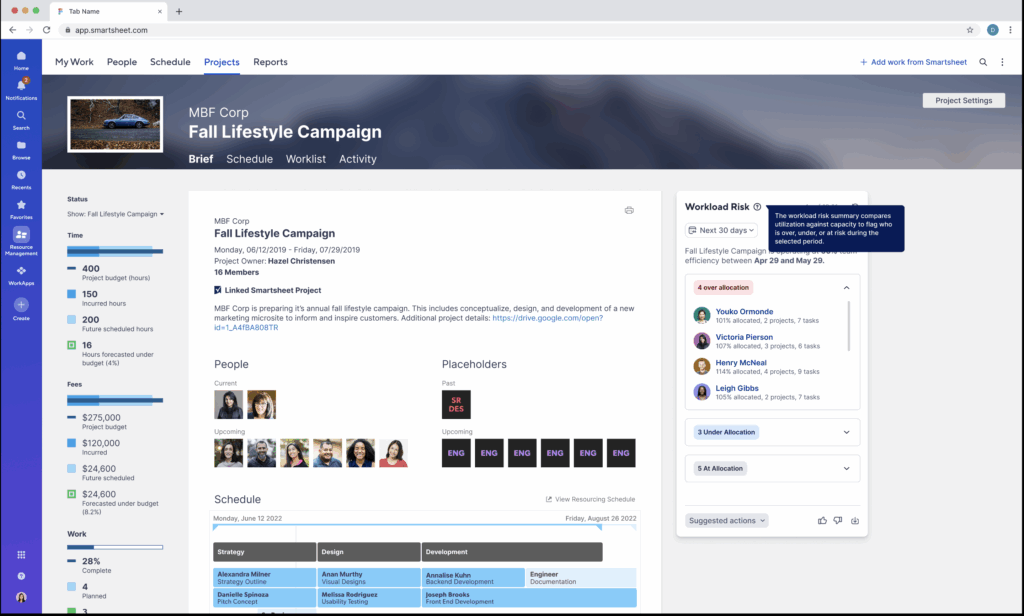
Verdict: Choose Smartsheet when stakeholders want spreadsheet familiarity with portfolio reporting, automation, and enterprise controls.
Best for: PMOs, operations teams, business units, and organizations already managing plans in spreadsheets.
Smartsheet integrates in workflows well because it does not ask spreadsheet-heavy organizations to change mental models overnight. It gives PMOs a familiar grid-based control surface with automation, reporting, and portfolio add-ons.
Smartsheet vs Jira at a glance
| Comparison point | Smartsheet | Jira |
|---|---|---|
| Center of gravity | Spreadsheet-style portfolio control | Agile issue tracking |
| Stronger when | Business users live in grids and reports | Developers need tickets and sprints |
| Risk reduced | Manual spreadsheet sprawl | Engineering work ambiguity |
| Watch-out | Advanced resource orchestration may require add-ons | Jira may require portfolio plugins |
Key features
- Grid, Gantt, card, calendar, and report views.
- Automation, forms, dashboards, and enterprise controls.
- Portfolio and resource-management capabilities through higher tiers and add-ons.
- Connectors for Jira and other systems.
Pros: Familiar model, strong reporting, useful add-ons for larger portfolio processes.
Cons / watch-outs: Resource management and portfolio control may require add-ons or careful solution design.
Pricing / status: Pro plan costs $12/member/month. The Business plan costs $24/member/month. Advanced Work Management and Enterprise plans require custom pricing.
Portfolio/resource-management fit: Moderate.
7. GitLab - best for DevOps teams needing issues plus repositories and CI/CD
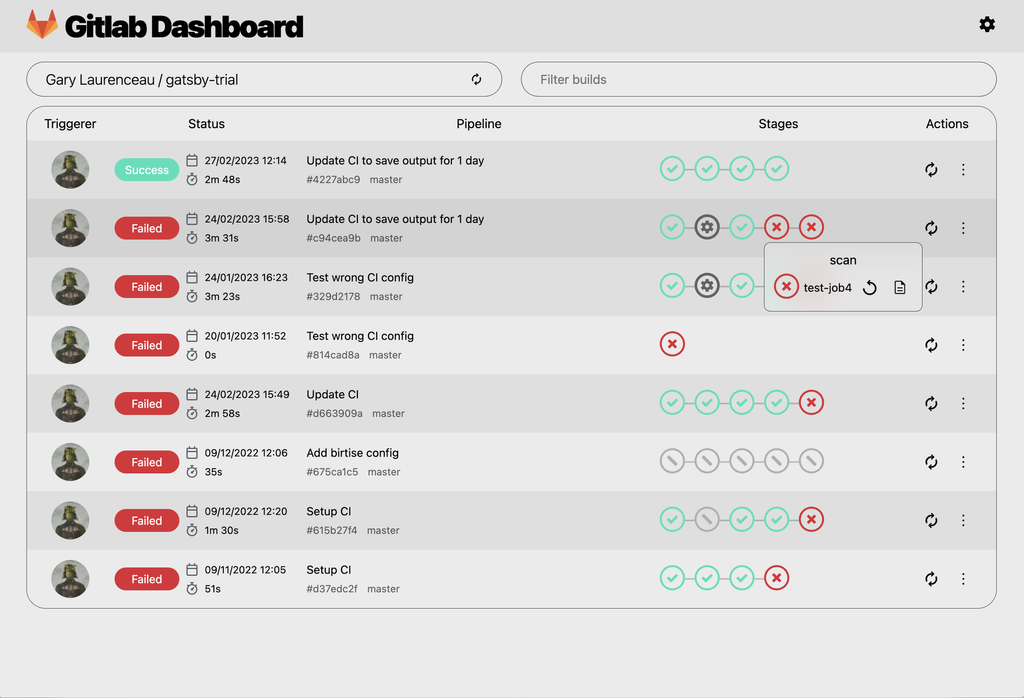
Verdict: Choose GitLab when the Jira replacement decision is tied to source control, CI/CD, DevSecOps, and engineering workflow consolidation.
Best for: Software engineering teams, platform teams, DevOps leaders, and security-conscious engineering organizations.
GitLab is not trying to be a broad PMO platform first. Its strength is that engineering work, code, pipelines, and security can live closer together. That matters when Jira has become a coordination layer sitting beside the real delivery system.
GitLab vs Jira at a glance
| Comparison point | GitLab | Jira |
|---|---|---|
| Center of gravity | DevSecOps platform | Issue tracking and agile boards |
| Stronger when | Code, CI/CD, security, and issues should sit together | Teams need Jira’s workflow ecosystem |
| Risk reduced | Tool fragmentation in engineering | Weak issue governance |
| Watch-out | Less natural for non-software PMO economics | May need integrations for DevOps depth |
Key features
- Issues, boards, milestones, epics, and merge requests.
- Repository management and CI/CD pipelines.
- Security and compliance capabilities on higher tiers.
- DevOps reporting and planning features.
Pros: Excellent for software delivery teams, strong CI/CD connection, useful if engineering wants fewer separate tools.
Cons / watch-outs: PMOs managing non-software portfolios may find GitLab too engineering-centered.
Pricing / status: Free plan available. Premium plan costs $29/user/month billed annually. Ultimate plan is custom pricing. Additional features are available for purchase.
Portfolio/resource-management fit: Limited to moderate.
8. Azure DevOps Boards - best for Microsoft-heavy engineering environments
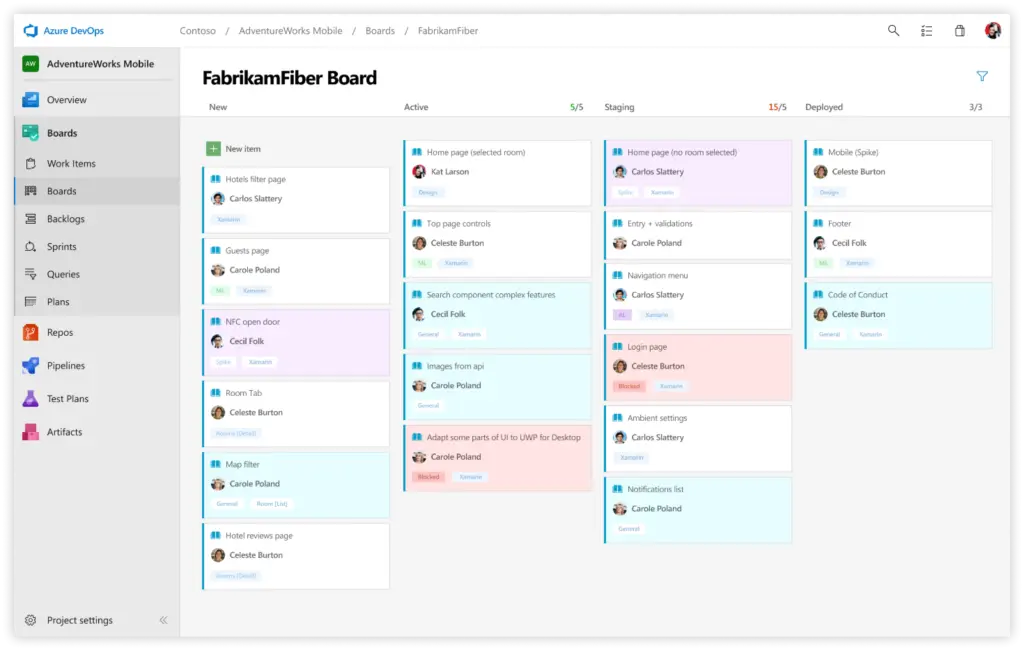
Verdict: Choose Azure DevOps Boards when engineering already works inside Microsoft’s development stack.
Best for: Microsoft-heavy software teams, enterprise engineering organizations, and teams using Azure Repos, Pipelines, and Test Plans.
Azure DevOps Boards is a practical Jira alternative when the software delivery organization already depends on Microsoft tools. It keeps planning close to repositories, pipelines, test management, and Azure identity controls.
Azure DevOps Boards vs Jira at a glance
| Comparison point | Azure DevOps Boards | Jira |
|---|---|---|
| Center of gravity | Microsoft engineering workflow | Atlassian agile workflow |
| Stronger when | Azure Repos and Pipelines are core | Atlassian ecosystem is already standard |
| Risk reduced | Engineering tool fragmentation | Loss of Jira familiarity |
| Watch-out | Business PMO adoption may be weaker | Jira may need DevOps integrations |
Key features
- Boards, backlogs, sprints, and work items.
- Connection to Azure Repos, Pipelines, Test Plans, and Artifacts.
- Microsoft identity and Azure ecosystem fit.
- Affordable Basic user pricing.
Pros: Strong Microsoft ecosystem fit, affordable Basic pricing, good engineering work tracking.
Cons / watch-outs: Less intuitive for business stakeholders and portfolio resource managers.
Pricing / status: First five Basic users come free. Additional Basic users are billed at $6/user/month. For Basic and Test plans, the pricing is at $52/user/month.
Portfolio/resource-management fit: Limited to moderate.
9. YouTrack - closest Jira-style issue tracker for engineering teams
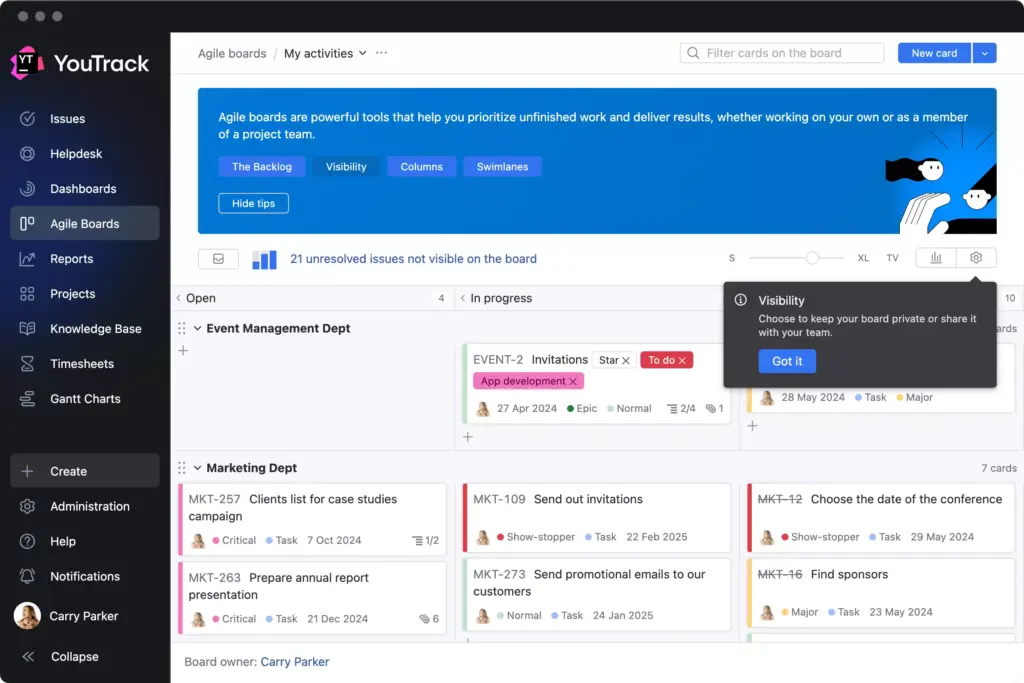
Verdict: Choose YouTrack when engineering teams want Jira-like issue tracking, agile boards, Gantt planning, and a direct migration path.
Best for: Software teams, product teams, and engineering managers who want a focused Jira replacement.
YouTrack is one of the more natural Jira-style replacements. It keeps the conversation close to issues, boards, planning, and engineering execution rather than trying to become a broad work-management layer for every department.
YouTrack vs Jira at a glance
| Comparison point | YouTrack | Jira |
|---|---|---|
| Center of gravity | Agile issue tracking and project planning | Agile issue tracking with broad marketplace |
| Stronger when | Teams want a focused alternative | Atlassian ecosystem depth matters |
| Risk reduced | Jira complexity and cost | Switching friction |
| Watch-out | Not the top PMO resource optimizer | Can be complex at scale |
Key features
- Agile boards for Scrum, Kanban, and mixed workflows.
- Issues, custom fields, reports, and dashboards.
- Gantt planning capabilities.
- Jira import support.
Pros: Close Jira replacement, good engineering fit, Jira import support.
Cons / watch-outs: Not the primary choice for portfolio-level capacity economics.
Pricing / status: Free for up to 10 users. Monthly subscriptions start from $5.40/user/month with savings based on how many users are needed.
Portfolio/resource-management fit: Limited to moderate.
10. OpenProject - best established open-source project management option
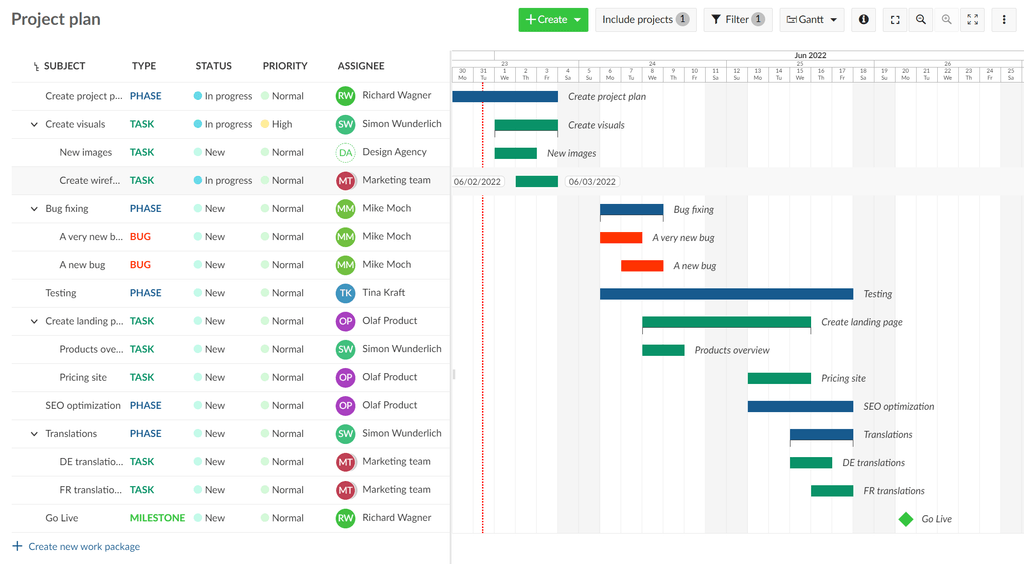
Verdict: Choose OpenProject when open-source, self-hosting, and data control matter as much as project management.
Best for: Public sector, regulated organizations, privacy-sensitive teams, and buyers avoiding SaaS lock-in.
OpenProject’s strongest argument is control. For organizations that cannot move all planning data into a commercial SaaS platform, a self-managed open-source option can remove a major procurement blocker.
OpenProject vs Jira at a glance
| Comparison point | OpenProject | Jira |
|---|---|---|
| Center of gravity | Open-source project management | Commercial issue tracking ecosystem |
| Stronger when | Data control and self-hosting matter | Marketplace and agile familiarity matter |
| Risk reduced | Vendor lock-in | Self-managed operational burden |
| Watch-out | Setup and admin effort | Cloud/Data Center strategy pressure |
Key features
- Work packages, project plans, Gantt charts, boards, and time tracking.
- Community edition for self-managed use.
- Enterprise editions with support and additional controls.
- Open-source positioning for data-control buyers.
Pros: Open-source, self-hosted option, broad PM features, strong data-control story.
Cons / watch-outs: Implementation and administration require ownership. Enterprise support and feature packaging should be checked carefully.
Pricing / status: Community edition is free for up to 25 users. Paid tiers start at $7.25/user/month, each has a minimum number of users.
Portfolio/resource-management fit: Moderate.
11. Plane - best modern self-hosted or open-source issue tracking
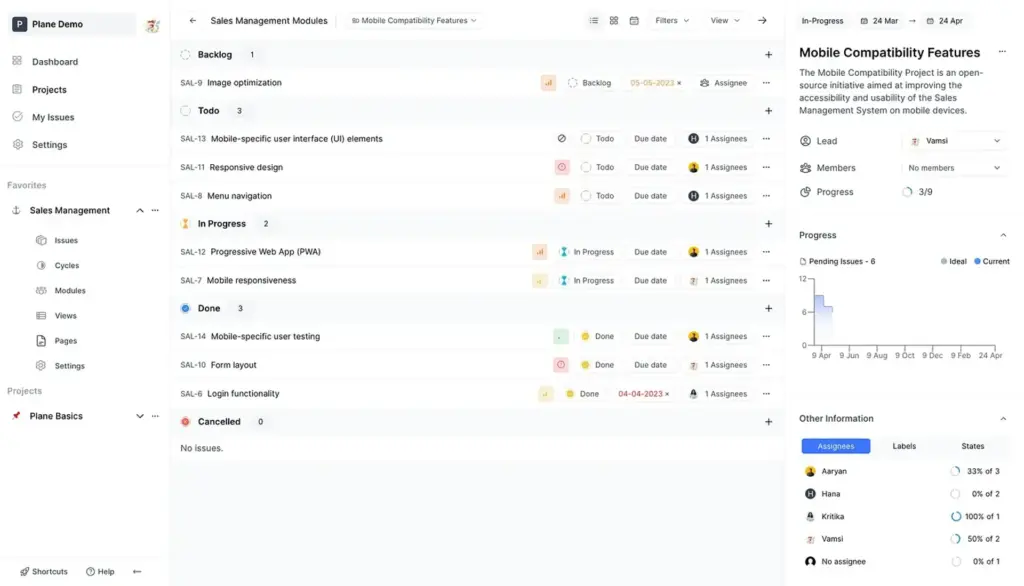
Verdict: Choose Plane when a modern, open-source, self-hostable Jira alternative is more important than mature enterprise PPM depth.
Best for: Product and engineering teams wanting issues, cycles, modules, wiki, AI-assisted workflows, and self-hosting.
Plane gives teams a cleaner issue-tracking experience with open-source and self-hosting appeal. That makes it attractive for engineering teams that want control without inheriting a heavyweight enterprise stack.
Plane vs Jira at a glance
| Comparison point | Plane | Jira |
|---|---|---|
| Center of gravity | Modern open-source issue tracking | Mature commercial issue tracking |
| Stronger when | Self-hosting and simplicity matter | Enterprise marketplace depth matters |
| Risk reduced | Data-control concerns | Tool maturity concerns |
| Watch-out | Enterprise fit must be tested | Atlassian migration pressure remains |
Key features
- Issues, cycles, modules, views, pages, and project planning.
- Cloud, self-hosted, and air-gapped deployment options.
- Integrations with GitHub, GitLab, Slack, Discord, and related tools.
- Free, Pro, Business, and Enterprise tiers.
Pros: Open-source orientation, self-hosted option, clean modern issue-tracking experience.
Cons / watch-outs: Integration depth, governance, and enterprise support should be validated in a pilot.
Pricing / status: Free tier available. Pro is billed at $8/seat/month. Business costs $15/seat/month. Enterprise tier has custom pricing.
Portfolio/resource-management fit: Limited to moderate.
12. Zoho Projects - best budget-conscious teams in the Zoho ecosystem
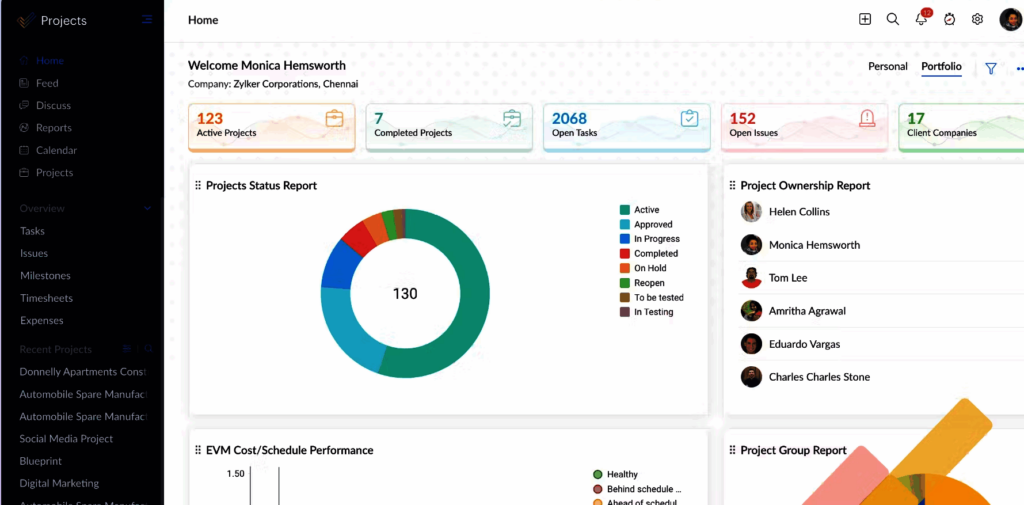
Verdict: Choose Zoho Projects when cost control and Zoho ecosystem integration matter more than specialist portfolio orchestration.
Best for: SMBs, services teams, and companies already using Zoho apps.
Zoho Projects is the pragmatic option for teams that want decent project-management coverage at a controlled price, especially if Zoho already sits inside the business stack.
Zoho Projects vs Jira at a glance
| Comparison point | Zoho Projects | Jira |
|---|---|---|
| Center of gravity | Affordable project management in Zoho stack | Agile issue tracking |
| Stronger when | Budget and Zoho integration matter | Software teams need deep agile configuration |
| Risk reduced | Tool cost creep | Weak engineering workflows |
| Watch-out | Portfolio depth needs validation | PMO resource planning may require add-ons |
Key features
- Tasks, milestones, Gantt charts, issue tracking, and reporting.
- Workload reports and project dashboards.
- Zoho ecosystem integrations.
- Free plan for small teams.
Pros: Cost-conscious, useful project features, strong if Zoho is already part of the operating stack.
Cons / watch-outs: Best fit is budget-conscious project management, not high-stakes constrained-resource portfolio control.
Pricing / status: Free plan available with up to five users. Premium, Enterprise, and Ultimate plans are €5, €10, €15 per user per month. Zoho Project Plus, a hybrid solution, comes with custom pricing.
Portfolio/resource-management fit: Moderate.
How do you choose the right Jira alternative for your needs?
The path to choosing the Jira alternative that would fit your company starts with constraints Jira currently places on the company and what features can alleviate that.
If engineering teams are the primary users and the backlog is the center of gravity, consider YouTrack, GitLab, Azure DevOps Boards, Plane, and OpenProject first.
If business adoption is the problem, consider monday.com, Asana, ClickUp, Wrike, and Smartsheet. They will usually be easier for non-technical teams to accept than a developer-centric system.
If the board asks why delivery dates keep slipping despite “green” dashboards, start with Epicflow.
A mature PMO should score each option against five questions:
- What decision will this tool improve? Status reporting, sprint execution, capacity planning, value prioritization, compliance, or migration cost?
- Who owns the data? Engineering, PMO, resource managers, finance, or operations?
- Where does the bottleneck live? In tickets, in people, in approvals, in dependencies, or in portfolio sequencing?
- How much migration risk can we absorb? Big-bang replacement and portfolio-layer extension carry very different risk profiles.
- What will procurement discover late? Add-ons, premium support, security tiers, automation limits, and minimum user counts.
For portfolio leaders, the decisive question is this:
Will the alternative help us stop committing scarce people to lower-value work?
If not, it may still be a useful project tool. It is not the portfolio operating layer.
How do you migrate from Jira to an alternative without breaking delivery?
A migration from one environment to another is not just a matter of creating technical connections. Teams have built rituals around fields, boards, reports, automations, permissions, and add-ons. Some of those rituals are useful. Some are scar tissue. The mistake is moving all of it into a new system and calling the migration successful.
Use this short list of steps to plan your migration.
1. Audit the current Jira setup. List projects, boards, workflows, custom fields, automations, permissions, reports, integrations, Marketplace apps, archived projects, and owners. Identify what is active, what is noise, and what is kept only because nobody wants to delete it.
2. Separate issue tracking from portfolio management. Some processes should stay at the issue level. Some belong in portfolio capacity, resource planning, or executive decision workflows. Do not force one tool to solve both if the economics say otherwise.
3. Clean the data before export. Decide which projects migrate, which remain read-only, which fields map forward, and which attachments, comments, histories, and permissions are worth preserving.
4. Map workflows and fields. Resist cloning Jira complexity. Every copied workflow should earn its place.
5. Pilot with a real portfolio. Pick a team or portfolio with genuine dependencies and shared-resource pressure. A clean pilot with simple tasks tells you little.
6. Integrate with source systems. Check Jira imports, APIs, GitHub, GitLab, Azure DevOps, Slack, Teams, ERP, HRM, BI, and finance systems. Epicflow, for example, can integrate with Jira as a portfolio decision layer rather than demanding an immediate full replacement.
7. Train staff by persona. PMO teams need portfolio controls. Resource managers need load and capacity logic. Executives need decision views. Delivery teams need a low-friction way to keep work current.
8. Roll out in phases. Move low-risk teams first. Leave high-risk portfolios until the data model, permissions, and reporting are proven.
9. Measure outcomes. Track adoption, reporting accuracy, resource overload, cycle time, on-time delivery, and whether leadership decisions change. If behavior does not change, the tool has not done its job.
Read more: Jira Portfolio Management Tool for Advanced Project Control
Conclusion: which Jira alternative should portfolio leaders choose?
The best Jira alternative depends on what is broken in the current system of portfolio management.
If Jira is too complex for business teams, monday.com, Asana, ClickUp, Wrike, or Smartsheet may be the better fit.
If engineering wants a tighter DevOps or issue-tracking replacement, consider YouTrack, GitLab, Azure DevOps Boards, OpenProject, and Plane.
If the real issue is feasible delivery when too many projects compete for the same scarce experts, Epicflow should be first on the shortlist.
Jira can show work. Epicflow helps leaders decide which work deserves constrained capacity first.
Book a call with our team to learn more about how supplementing Jira with Epicflow can help your company achieve strategic goals faster.
FAQs about Jira alternatives
What are the best Jira alternatives?
The best Jira alternatives depend on the use case. Epicflow is best for constraint-based portfolio orchestration. YouTrack is closest to Jira-style issue tracking. GitLab and Azure DevOps Boards fit DevOps-heavy teams. Monday.com, Asana, ClickUp, Wrike, and Smartsheet fit business work management. OpenProject and Plane fit open-source or self-hosted needs.
What is the best Jira alternative for portfolio management?
Epicflow excels when complex portfolios depend on shared specialist pools and traditional tools fail to predict capacity bottlenecks. Designed around constraint economics, it combines predictive load forecasting, risk-free scenario modeling, and value-based sequencing to transform competing project demands into an executable, profit-optimized portfolio plan.
Can Epicflow replace Jira?
Epicflow provides full portfolio-level planning and capacity governance, it does not require a disruptive tool swap. Organizations can maintain Jira for team-level issue tracking while deploying Epicflow as an overlay intelligence layer above it—bridging the gap between native agile execution and executive capacity control without operational friction.
What will replace Jira Data Center?
Atlassian Cloud is Atlassian’s stated migration path for many customers. Some organizations will also evaluate alternatives if they need self-hosted control, open-source options, different pricing, or stronger portfolio resource management. Atlassian says impacted Data Center products reach end of life on March 28, 2029.
What is the disadvantage of Jira?
Jira can become complex at scale. Common issues include configuration overhead, non-engineering adoption friction, cost and add-on management, and limited native fit for complex multi-project resource capacity planning. The issue is not that Jira cannot track work; it is that portfolio leaders need constraint-aware decisions.
What is the difference between Jira and Atlassian?
Atlassian is the company. Jira is one of Atlassian’s product families. Jira is used for issue tracking, agile project management, service workflows, and related work-management use cases.
Why is Jira so widely used?
Jira is widely used because it supports issue tracking, agile workflows, backlog management, boards, integrations, and software-team operating habits. It also has a large ecosystem and long enterprise history.
Is there a free version of Jira?
Yes. Jira Cloud has a free plan for small teams, subject to product-specific limits. Always check Atlassian’s current pricing page before purchasing.
What are the best free Jira alternatives?
Good free Jira alternatives include OpenProject Community Edition, Plane’s, and GitLab’s free plans. YouTrack’s free plan is offered for up to ten users, Azure DevOps Boards serves the first five Basic users for free, Zoho Projects has a free plan for up to five users.
What are the best open-source Jira alternatives?
OpenProject and Plane are the strongest open-source options in this list. OpenProject is more established for broad project management and self-hosted control. Plane is a modern issue-tracking and project-management option with cloud, self-hosted, and air-gapped positioning.
Can Trello replace Jira?
Trello can replace Jira for lightweight Kanban and simple task tracking. It is usually not enough for complex software delivery, multi-team dependency management, or portfolio resource planning.
Is Kanban similar to Jira?
Kanban is a workflow method. Jira supports Kanban boards, but Jira is not the same as Kanban. Jira is a software product with issue tracking, workflows, permissions, reports, and integrations.
How do I migrate from Jira to another tool?
Audit your Jira setup, separate issue-tracking needs from portfolio-management needs, clean export data, map workflows and fields, run a pilot, integrate source systems, train users by persona, roll out in phases, and measure adoption, delivery reliability, and resource overload.
Is Jira good for resource capacity planning?
Jira can support some planning workflows, especially with Marketplace apps and structured processes. Complex multi-project capacity planning usually needs specialized portfolio and resource-management functionality, especially when shared specialists decide delivery outcomes.