Best Microsoft Project Alternatives in 2026: Tools for Optimizing Delivery and Maximizing Business Value
 Victoria Sokolova
.
Updated
.
Project Portfolio Management
.
39 mins READ
Victoria Sokolova
.
Updated
.
Project Portfolio Management
.
39 mins READ

Microsoft’s decision to retire Project Online has left many organizations searching for Microsoft Project alternatives. But what if we look at this not only as a forced migration but as an opportunity to rethink how projects are managed and delivered?
Across industries, organizations face the same reality: too many parallel projects competing for the same scarce specialists, constantly shifting priorities, and mounting commercial pressure to deliver faster. Simply replacing Project Online with a similar scheduling tool – a Microsoft Project substitute – will reproduce the same constraints: overloaded experts, late commitments, and decisions made without a clear economic logic.
"For organisations moving away from Microsoft Project Online, the real opportunity is not just to choose a new tool. It is to modernise how portfolio decisions are made, and to give the teams making those decisions something that finally treats capacity, value, and delay as the same conversation."
Ben Rawson, project portfolio management expert, implementation partner at Epicflow.
This guide compares the most relevant Microsoft Project alternatives in 2026: by use case, by buyer type, and by what they actually optimize for. Among them, Epicflow stands apart because it addresses what traditional PPM tools miss: hidden bottlenecks, the economic cost of delay, and how to sequence finite capacity to maximize business value across the entire portfolio.
Read more: Don’t Just Replace Project Online – Use This Moment to Upgrade How Value Is Delivered
Why Look for a Microsoft Project Alternative in 2026?
Microsoft Project Online will be retired after September 30, 2026, and Plan 5 is no longer available for new purchase. Microsoft is redirecting users toward Project for the web and Microsoft Planner (Plan 1 and Project Plan 3). They are lighter and more task-oriented tools that serve a different purpose than the full PPM suite. Do people still use MS Project? Yes, but the product they've been using is being discontinued, and the MS Project Online alternative Microsoft offers doesn’t replicate it feature-for-feature.
This lifecycle pressure creates a decision window. The question is whether you use it to find a similar scheduling tool and reproduce the same delivery problems or fix what was actually broken.
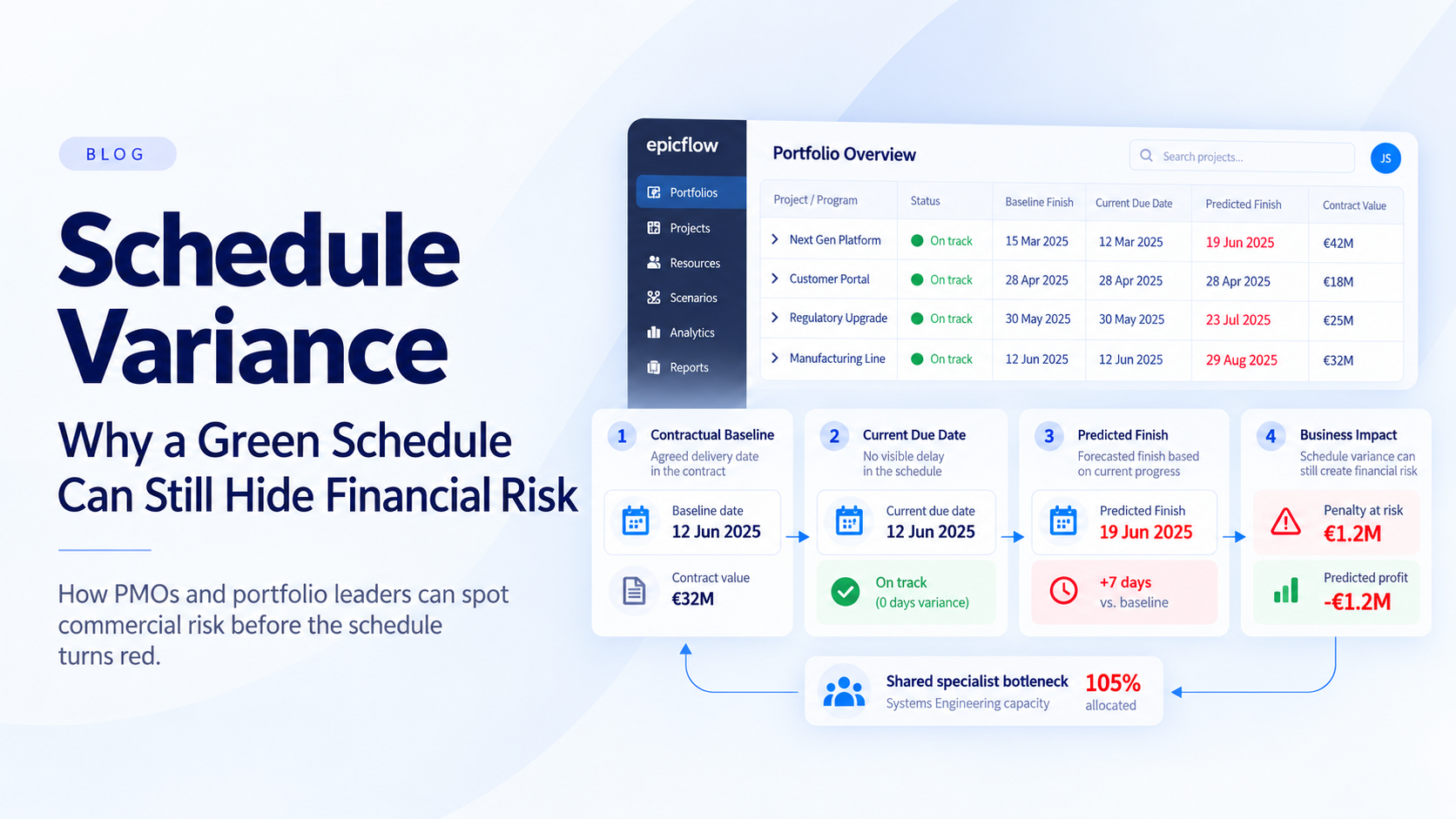
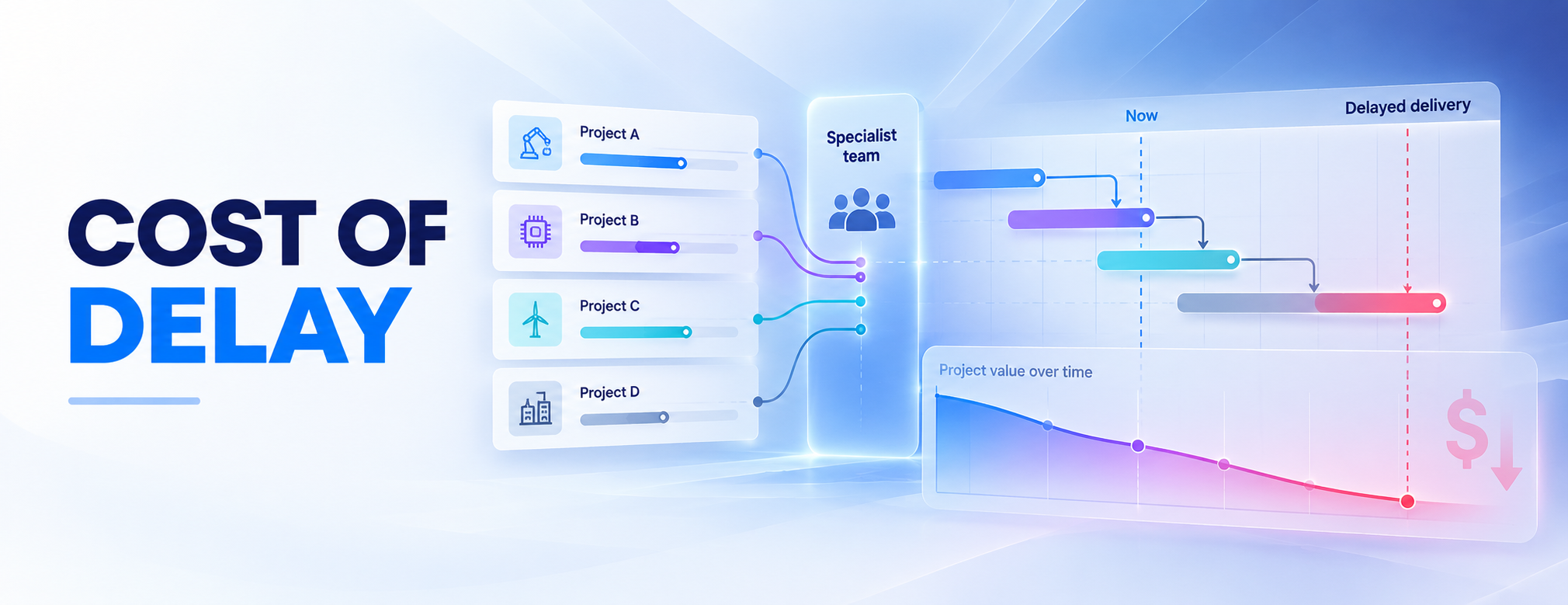
Here’s what was broken: traditional scheduling tools, including MS Project, assume that resources are available whenever a plan requires them. In multi-project environments with shared specialists, that assumption is false. The result isn’t just overload, but invisible drag. Every day a critical deliverable waits in the wrong queue because the right specialist is assigned to a lower-value project. That drag doesn’t appear in a Gantt chart. It accumulates silently in slipped commitments, delayed revenues, and portfolio returns that never match the business case.
The organizations seeking delivery gains in 2026 should reframe the question entirely: not “How do we plan projects?” but “How to extract maximum value from finite specialist capacity?” This shift from schedule management to value-per-constrained-hour optimization is what separates a tool migration from a performance step-change.
Let’s summarize the five reasons why organizations are actively seeking an alternative to Microsoft Project:
- Project Online retirement: September 2026 creates a hard deadline for migration decisions.
- Lack of resource-constrained portfolio logic: Most scheduling tools have no mechanism for balancing shared specialists across competing projects.
- No economic prioritization across projects: Without ranking projects by business value per constrained resource hour, organizations default to whoever shout loudest.
- No real-time bottleneck detection: Overloaded teams stay invisible until deadlines are already at risk and commercial cost has compounded.
- Scenario testing without economic anchoring: Simulating schedule changes is useless if the tool can’t tell you what a slipped date is commercially worth.
If the last four points describe how your portfolio operates today, a Microsoft Project replacement won’t fix them. The section below explains why you need a value-optimized portfolio engine instead.
Selecting MS Project Online Alternatives: Key Reasons to Choose Epicflow
Epicflow is an AI-driven multi-project and resource orchestration platform built for environments where the same scarce specialists, approvals, and commitments drive delivery across dozens or hundreds of parallel projects. It identifies hidden constraints, quantifies what delay is costing, and sequences work by value per constrained hour, so leaders can stop firefighting and start running the portfolio as an economic system. Below are six reasons mission-critical organizations choose Epicflow for manufacturing, engineering, pharma, telecoms as well as aerospace and defense delivery as Microsoft Project alternatives online.
1. Portfolio-level visibility for overall control.
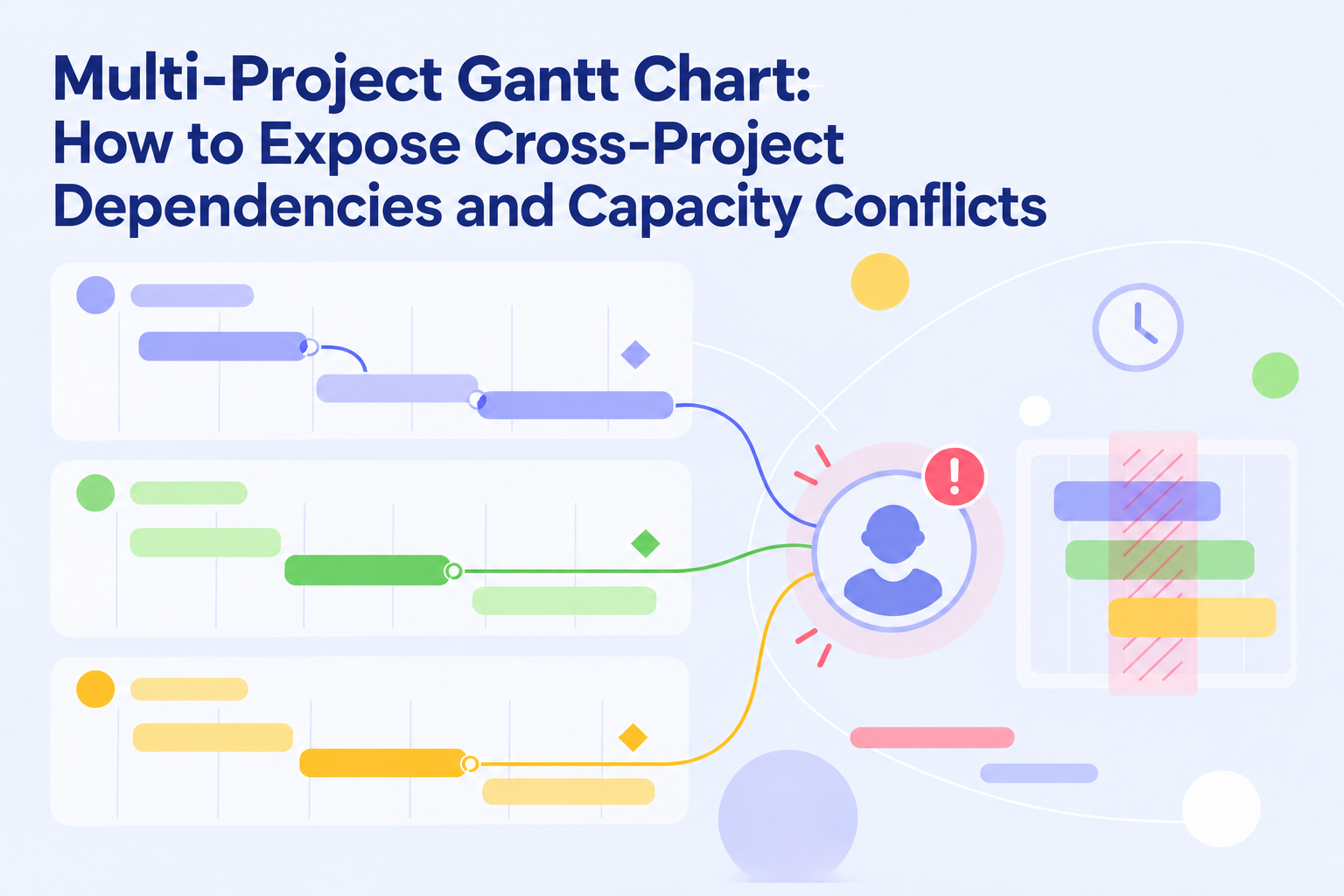
MS Project Online treats every project as a self-constrained plan. But in multi-project environments, the limit on delivery is rarely a single project, it’s a shared pool of specialists and dependencies that every project draws on. Epicflow was developed specifically for this reality. Instead of stacking individual Gantt charts, it gives portfolio leaders a single live view of every project, shared resource group, and constraint.
2. Portfolio optimization for increasing throughput and profitability.
Most portfolios are still selected on deadlines and budgets, not on whether the organization has enough capacity to deliver them profitably. As a result, companies have too many projects competing for the same people, face late delivery, and lose throughput. Epicflow’s AI Portfolio Optimizer (EPO) helps organizations optimize portfolio management: it plans the portfolio around value per constrained hour, modelling real capacity limits, identifying the projects with the highest strategic return, and dynamically reordering execution so that the same teams deliver more value, faster, without adding headcount.
3. Eliminating hidden bottlenecks for timely project completion.
In a multi-project environment, the most expensive bottlenecks are usually invisible: e.g., a senior system engineer everyone needs at week 9, an approval that quietly slips by three days, or a test rig booked across two programs. MS Project Online cannot see them because they live across projects, not inside one. But Epicflow does. Its Future Load Graph and Historical Load Graph reveal current and future overload at the resource-group level, predict where the next bottleneck will appear, and let teams resolve it before it turns into a missed commitment.
4. Prediction-based planning for consistent delivery.
Static Gantt charts age the moment they are saved. In a real portfolio, priorities shift, scope changes, people move between projects, and the plan written on Monday no longer matches the reality of Friday. Epicflow continuously recalculates delivery dates using live data: current workload, capacity, dependencies, and priorities, so the forecast you see is the forecast of what the organization can actually deliver.
5. AI-powered scenario analysis for confident decisions.
Adding a project, accepting a deadline change, pulling an engineer onto a high-priority program – these are economic decisions, not just scheduling ones. Epicflow’s What-if analysis lets leaders test any change against the full portfolio before committing, showing the impact on bottlenecks, throughput, lead times, and delivery dates across every running project. Combined with EPO, it turns “What should we do next?” into the question with a measurable answer.
6. Seamless transition to Epicflow.
For MS Project Online customers, the transition does not have to mean one single migration path. Some organizations may choose to fully replace Project Online with Epicflow. Others may want to keep MS Project Desktop for project managers who still rely on it for detailed scheduling, while using Epicflow as the resource-flow and portfolio orchestration layer on top.
That gives PMOs a more flexible path forward: keep familiar scheduling workflows where they still work, but replace the retiring Project Online/PWA portfolio layer with better visibility into resource capacity, bottlenecks, what-if scenarios, and value-based prioritization.
To summarize, here’s the table comparing MS Project Online, Microsoft Planner Premium, and Epicflow’s portfolio management capabilities;
|
Capability |
Epicflow |
MS Project Online |
Microsoft Planner Premium |
|
Best fit |
Multi-project portfolio and resource-flow orchestration |
Centralized project and portfolio management in the Microsoft ecosystem |
Team and project planning inside Microsoft 365 |
|
Project Online transition role |
Full Project Online replacement or overlay above existing planning tools |
Retiring portfolio/PWA layer |
Microsoft-native path for simpler plans and premium work management |
|
Portfolio management |
Portfolio-level control across projects, resources, bottlenecks, and priorities |
Portfolio views, reporting, and governance through PWA |
Portfolios for premium plans, but not a direct continuation of Project Online projects |
|
Resource capacity planning |
Cross-project capacity planning, overload detection, and bottleneck prediction |
Resource management inside the Project Online/PWA environment |
Team workload and resource assignment features |
|
Scenario planning |
What-if analysis across portfolio scope, deadlines, capacity, and priorities |
Possible, but often dependent on setup and reporting maturity |
Useful for plan-level work management; Microsoft documents limits such as 3,000 tasks, 300 resources, 2,000 successor links, and 10 custom fields per project |
|
Decision logic |
Helps leaders decide which work should move first when resources are finite |
Helps PMOs manage projects and portfolio reporting |
Helps teams organize and track work |
The Epicflow Portfolio Performance Guarantee
Guarantee measurable portfolio gains
within 12 months of go-live
We've measured the impact of Epicflow across more than a decade of deployments in aerospace, defense, manufacturing, and pharmaceutical organizations. We're confident enough in the outcomes to put them in writing.
No other PPM vendor offers this commitment. We can because we've measured it.
resource efficiency
project lead time
in on-time delivery
All achieved without increasing headcount
How the guarantee works:
You commit to an executive sponsor, a named portfolio owner, and the recommended implementation cadence.
In the first 30 days, we establish baseline metrics together — before any configuration begins.
Quarterly performance reviews track progress, with full visibility into the data.
At month 12, we run a formal performance readout against baseline.
Epicflow’s Microsoft PPM Tool Success Stories & Case Studies

Defense Sector:
Optimizing Portfolio Performance
A $1B+ defense program struggled with too many parallel projects, no clear prioritization, and overloaded teams. Despite significant budgets, completing projects on time was a constant challenge. After implementing Epicflow:
- Reducing work in progress and balancing capacity across projects
- Lead times reduced by 30%+
- Due date performance improved by up to 300%
- No increase in headcount required
The key shift: Managing resource constraints instead of just budgets

Pharmaceutical Case:
Scaling Software Delivery
A large US pharmaceutical company struggled with a growing backlog, overloaded development teams, lack of prioritization, and limited visibility into resource capacity. Their workflow didn’t provide insights needed to coordinate projects and teams effectively. After implementing Epicflow:
- The management has visibility into all projects and resources
- Workloads matches to actual capacity, eliminating bottlenecks
- Decisions are made based on predictive insights
- Team output has increased without extra resources
The key shift: Bridging the gap between team execution and executive decision making

A&D Company: Completing More Projects With the Same Resources
A UK defense organization was struggling with missed due dates, overloaded teams, scattered resource pools, and limited real‑time visibility into its project environment. Leadership needed a way to grow the business and deliver more projects, but lacked the data and tools to coordinate distributed teams and make informed decisions. After implementing Epicflow:
- Identifying and eliminating bottlenecks
- Unifying distributed teams under a single view
- Revealing the potential to deliver 10% more work with the same resources
- Improved decision making with real‑time analytics and simulation testing
The key shift: Reorganizing work around actual resource capacity and predictive insights
Other Alternatives for MS Project in 2026: Quick Comparison
Here’s a brief comparison of Microsoft Project competitors so that you can select the best MS Project alternative that fits your portfolio reality.
| Alternative | Best for | Why it is a good MS Project replacement | Watch-outs |
| Epicflow | Engineering-intensive multi-project environments with shared specialists | Value-per-constrained-hour prioritization, predictive bottleneck detection, AI portfolio optimizer, native MS Project Integration | Best fit when portfolio complexity and resource constraints are the real problem – not for single-team task tracking |
| Jira | Agile teams and software development | Issue tracking, sprint planning, Advanced Roadmaps for cross-team planning | Limited cross-project resource management; no portfolio optimization or bottleneck logic |
| Asana | Team coordination, marketing and operations | Intuitive interface, strong collaboration, portfolios and goals, AI teammates | Work-management first; weak on resource constraints and predictive analytics |
| Businessmap | Kanban / Lean teams | Workflow visualization, WIP limits, flow optimization | No cross-project resource optimization; no portfolio-level economic prioritization |
| GanttPRO | Simple Gantt scheduling for small teams | Easy onboarding, friendly interface, clear timelines and dependencies | Same plan-first logic as MS Project; no portfolio optimization or constraint management |
| Smartsheet | PMOs that want spreadsheet familiarity with portfolio features | Gantt with dependencies, portfolios, scenario planning, AI and automation | Strong for standardization and reporting, weaker for finite-capacity portfolio orchestration |
| monday.com | Cross-functional teams that need broad adoption | Workload views, dependencies, automations, PMO AI agents | Collaborative work management first; not designed for shared-specialist engineering portfolios |
| OpenProject | Open-source, self-histed needs | Gantt, WBS, agile boards; on-premise deployment for privacy-conscious orgs | Smaller ecosystem; lacks AI-driven portfolio optimization and predictive analytics |
| ProjectLibre | Free, lightweight alternative to MS Project for individuals | Gantt, network diagrams, WBS - closest free clone of Project desktop | Single-project tool; no portfolio, resource, or AI capabilities |
| Oracle Primavera P6 | Construction, engineering, capital projects | CPM scheduling, large-program management, resource optimization, what-if analysis | Heavyweight, steep learning curve, expensive, not designed for cross-domain portfolios |
| Planview Adaptive Work | Enterprise SPM / EPMO | Strategic portfolio management, capacity planning scenario modeling, OKRs | Governance-led narrative; lacks the named economic doctrine of value-per-constrained hour |
Let’s consider the top alternatives MS Project users can consider for better delivery.
Jira: Best for Agile teams and software development
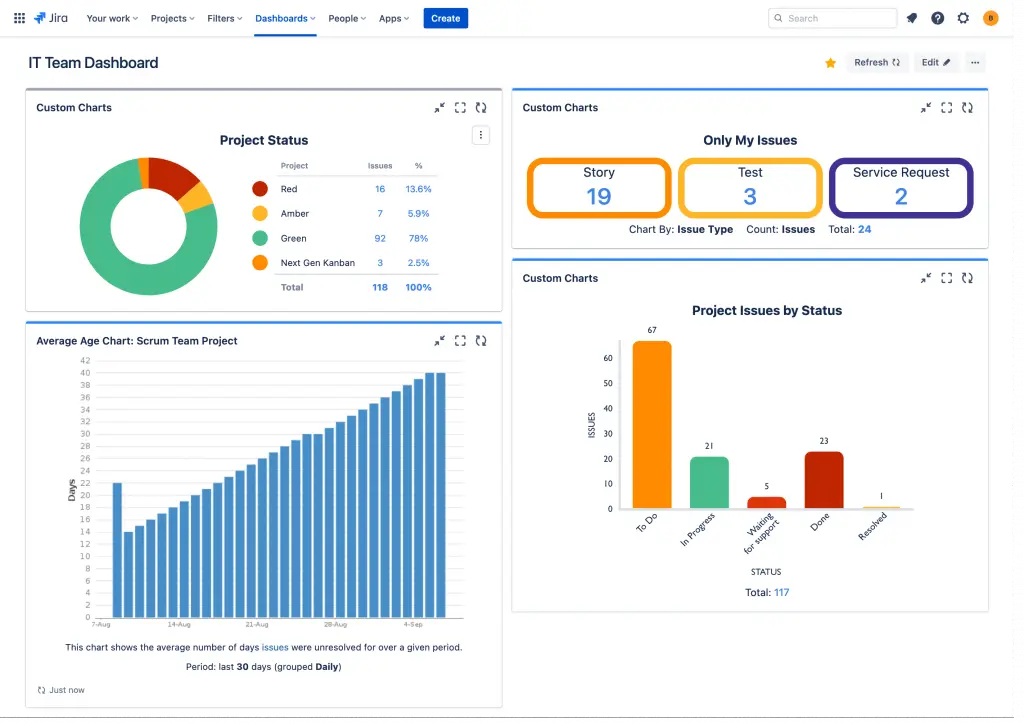
Jira is one of the most widely-known Microsoft Project alternatives. It’s a popular project management tool like MS Project for software development environments. It provides issue tracking, sprint planning, and team collaboration features. However, it’s not designed for resource-constrained portfolio environments, and doesn’t have advanced capabilities for portfolio optimization and decision making.
Benefits over MS Project
- Support of Agile workflows
- Team-level visibility and collaboration
Pros
- Flexible and customizable
- Extensive ecosystem and integrations
- Suitability for tech environments
Cons
- Advanced features (capacity planning, analytics) require add-ons
- Limited resource management features, especially cross-project
- No portfolio optimization or bottleneck management
Benefits of integration with Epicflow
- Reroute engineering capacity to the highest-value project across the portfolio, without leaving Jira
- Surface the drag cost of misallocated specialists that sprint boards don’t show
- Sequence backlog by value per constrained engineering hour, not ticket age or team preference
- Bridging Agile execution and portfolio-level investment decisions in real time
- Ensure value-based Jira portfolio management
Asana: Best for team coordination
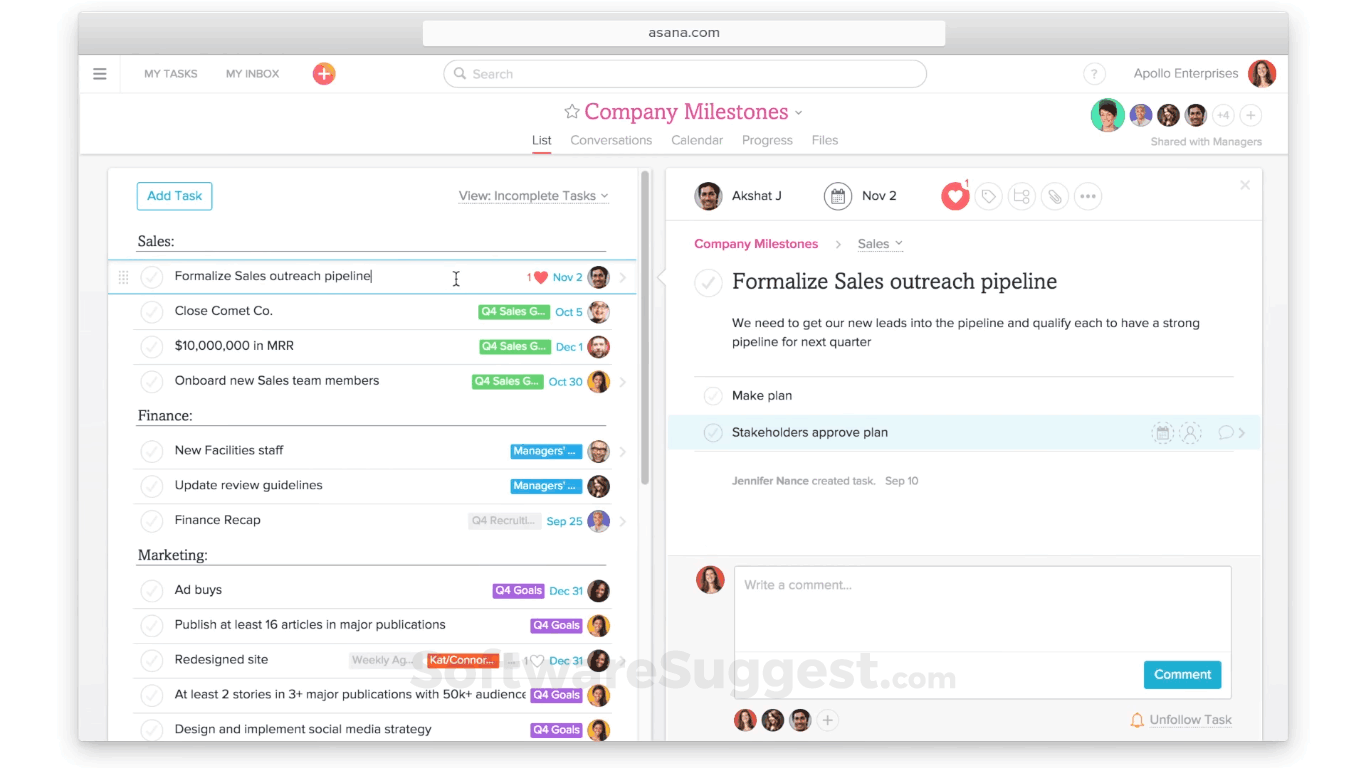
The next on the list of Microsoft Project alternatives is Asana. It is a collaborative work management platform focused on task coordination, visibility, and cross-functional alignment. This Microsoft Project competitor is suitable for marketing, operations, and business teams that need clarity and accountability.
Benefits over MS Project
- Intuitive interface and fast onboarding
- Strong collaboration and communication features
- Suitable for non-technical teams
Pros
- Easy to use and adopt across organization
- Good visibility of tasks, timelines, and responsibilities
- Strong integrations (Slack, Google Workspace, etc.)
Cons
- Limited dependency management
- No advanced resource planning and capacity planning
- Poor support for complex project environments
- No portfolio optimization and predictive analytics
Benefits of integration with Epicflow
- Convert task-level busyness into portfolio throughout by aligning work to accrual specialist capacity.
- Expose which projects are starving for constrained resources while others overconsume them
- Make delivery commitments that reflect finite capacity, not optimistic task lists.
Businessmap: Best for Kanban approach
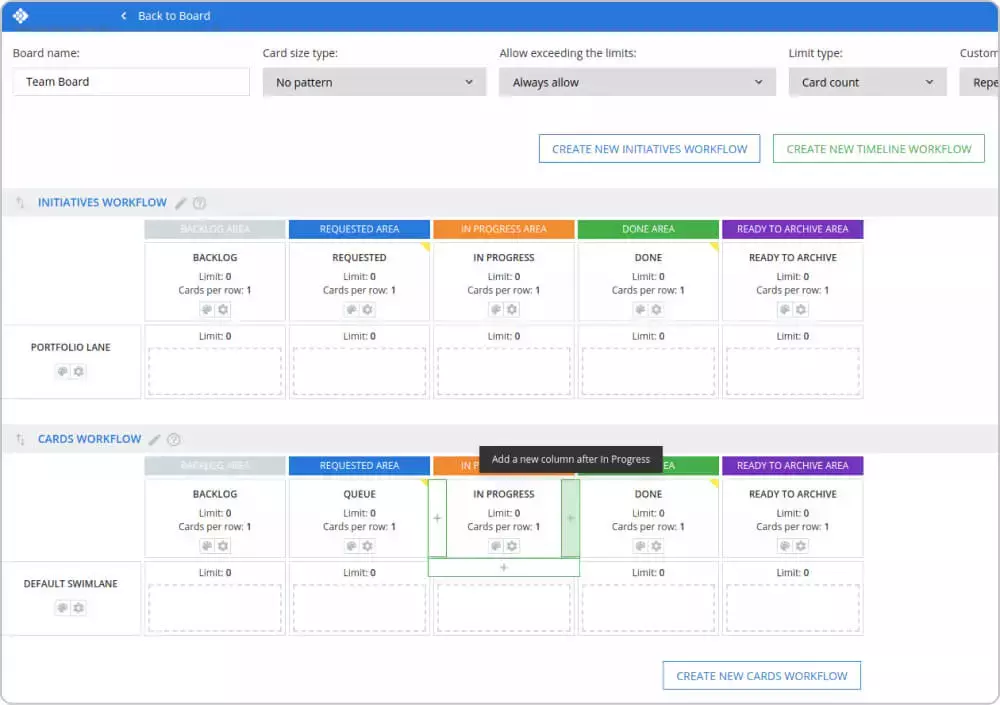
The next alternative for Microsoft Project is Businessmap – a tool that supports Lean and Kanban approaches to managing work. It visualizes workflows, limits work in progress, helps teams improve flow and reduce inefficiencies. However, it doesn’t have resource optimization capabilities and predictive analytics. Like MS Project, Businessmap is a single-project tool – useful, but not designed for the multi-project, shared resource reality that drives most enterprise delivery.
Benefits over MS Project
- Better visualization of workflows
- Limiting work in progress for flow optimization
- Supporting consistent project delivery
Pros
- Focus on flow efficiency and bottleneck identification (within workflows)
- Provides opportunities for process optimization
- Good for Kanaban teams
Cons
- Limited predictive capabilities at portfolio level
- No resource optimization across projects
- Not designed for complex resource allocation across projects.
Benefits of integration with Epicflow
- Extend flow discipline from the team board to the full portfolio, so WIP limits reflect constrained specialist capacity
- Quantify the commercial cost of flow blockers that Kanban surfaces but cannot resolve
- Prioritize which workflow bottlenecks to fix first based on their drag on portfolio value.
GanttPRO: Best for simple scheduling
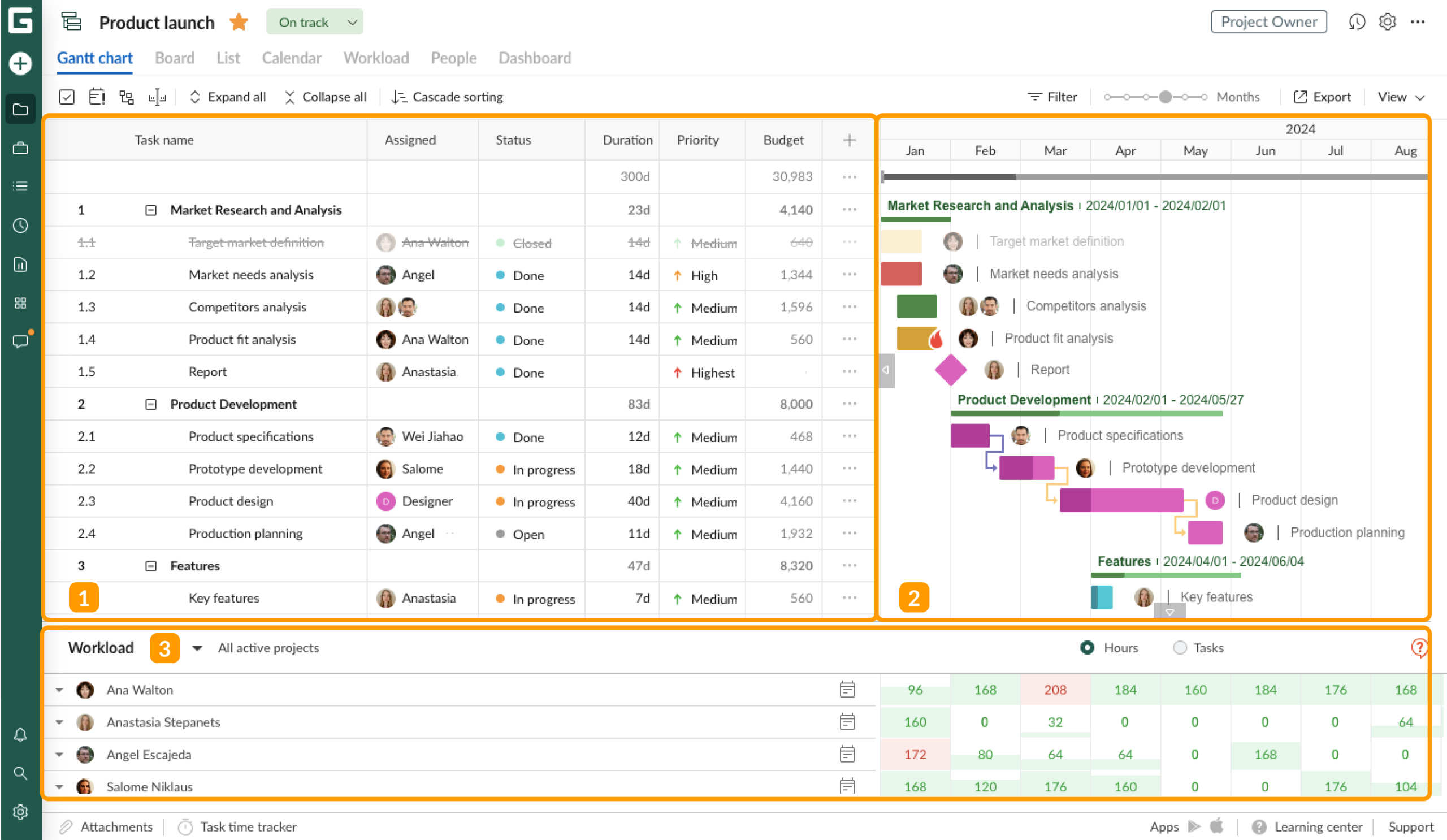
GanttPRO is a modern, user-friendly Microsoft Project similar software for teams that still prefer Gantt-Chart planning, but want something simpler than MS Project. It’s suitable for smaller teams and less complex project environments, however, it offers the same approach as MS Project – centering around planning without attention to resource constraints and portfolio-level optimization. As Microsoft Project similar software, it's a single-project tool rather than a solution for multi-project and resource-constrained reality.
Benefits over MS Project
- Ease of use, quick setup
- User-friendly interface
Pros
- Simplicity
- Low learning curve
- Clear visualization of timelines and dependencies
Cons
- Limited multi-project coordination
- No advanced resource management
- Not designed for bottleneck or constraints management
- No portfolio-level optimization or decision support.
Benefits of integration with Epicflow
- Turn a timeline view into a capacity-aware sequencing engine so dates reflect what specialists can actually deliver, not what the plan assumes
- Identify which projects are competing for the same constrained resources and sequences them by value per hour, not deadline pressure
- Give portfolio leaders the economic prioritization layer that Gantt charts structurally cannot provide
As we see, each of these MS Project alternatives have its own focus, from improving team collaboration to optimization of complex portfolios. So the choice of the tool will largely depend on your organization’s needs, the industry you’re working in, and the complexity of your project environment.
Microsoft Project Alternatives by Use Case
Not every organization switching away from MS Project has the same problem to solve. A software team running two-week sprints needs something fundamentally different from an aerospace PMO managing forty concurrent programs across shared engineering pools. The blocks below match the most common buyer scenarios to the MS Project competitors most likely to solve the actual constraint.
Best for multi-project, shared-resource portfolios
When the real bottleneck isn’t planning but sequencing work across specialists shared by numerous concurrent projects, most software like MS Project hit a structural ceiling. They optimize each project in isolation and leave the cross-portfolio bottlenecks invisible. Epicflow is built specifically for this environment: it prioritizes projects by value per constrained hour, surfaces bottleneck economics in real time, and recalculates priorities dynamically as conditions change.
The catch: It’s designed for engineering-intensive enterprises, not teams running a handful of independent projects.
Best for agile and software teams
Software teams that live inside sprint cycles, issues queues, and CI/CD pipelines need a tool that fits how engineers actually work; not one that imposes waterfall scheduling on top of it. Jira remains the default here: deep ecosystem, flexible workflow, and native agile support that no scheduling tool matches.
The catch: Jira has no portfolio-level resource logic, so once your engineering organization shows beyond a few teams competing for the same senior specialists, delivery predictability breaks down without an additional layer.
Best for team-wide adoption and coordination
When the priority is getting a broad, non-technical workforce (e.g., marketing, operations, client delivery) onto a shared work management platform quickly, scheduling depth matters less than usability. Monday.com and Asana both deliver fast onboarding, clean interfaces, and strong cross-functional visibility.
The catch: Neither is designed for resource-constrained portfolio environments; they are good for coordinating work but not for optimizing how finite capacity is allocated across competing priorities.
Best free or open-source alternative to Microsoft Project
For teams that need Gantt-style scheduling without a licensing budget, ProjectLibre is the most direct MS Project replacement. It’s desktop-based, with a familiar interface, and free. OpenProject adds web-based collaboration and basic portfolio features for teams that need shared access.
The catch: Both project management tools like MS Project reflect the sale plan-and-schedule paradigm as MS Project itself, with no capacity optimization or cross-project resource logic, so they inherit the same structural limitations they’re replacing.
Best for enterprise portfolio management
Large enterprises with complex governance requirements, program hierarchies, and regulatory reporting tend to evaluate Planview or Clarity for their breadth of portfolio controls. For engineering and operations-heavy enterprises where the primary constraint is the specialist capacity rather than governance overhead, Epicflow delivers faster decisions and clearer economic prioritization without the implementation weight of a full enterprise suite.
The catch: Planview and Clarity reward organizations with mature PMO governance structures; Epicflow helps organizations where delivery throughout and portfolio profitability are the primary performance metrics.
Best for construction, engineering and capital projects
Large-scale construction and capital programs with complex sequencing, resource leveling across thousands of tasks, and contractual schedule obligations have historically defaulted to Oracle Primavera 6; and for single-program depth, that reputation is earned. Where P6 reaches its limit is multi-program portfolio management: when an organization is running fifteen capital projects simultaneously and needs to sequence them by commercial return on constrained engineering capacity, Epicflow handles the portfolio layer that P6 wasn’t designed for.
The catch: P6 and Epicflow serve different levels of the hierarchy; they complement rather than replace each other in complex capital environments.
How to Migrate From Microsoft Project to a Better Alternative
The retirement of Project Online on September 30, 2026 means Microsoft Project replacement is no longer optional. But treating it as a forced software swap will simply recreate your current delivery problems. So, the migration decision is now a question about what kind of delivery performance you want to be able to achieve twelve months from now.
Let’s now review the migration process step-by-step.
Audit your current portfolio before you migrate
Inventory what you’re actually managing: how many concurrent projects, how many specialists are shared across them, where the recurring bottlenecks live, and, most importantly, what a typical one-week slip on your highest value program is commercially worth. The last number is the clearest signal of whether you need a scheduling replacement or a constrained based portfolio orchestration platform.
Choose a tool that first your portfolio complexity, not your team size
The market splits into three distinct tiers: single-team scheduling tools (GanttPRO, ProjectLibre), work-management platforms (Asana, monday.com), and constraint-based portfolio orchestration platforms (Epicflow). Choosing by team size or ease of implementation selects the wrong variable, and the right one is portfolio complexity and the cost of misallocating constrained specialist capacity.
Plan data migration and integration
Epicflow’s native MS Project integration transfers plans, resources, and dependencies without manual re-entry, so the cutover doesn’t create an operational gap. For organizations also running Jira, Epicflow sits above tools as the portfolio and capacity layer, creating no disruption to current execution.
Set baseline metrics before you cut over
Before go-live, lock in your starting numbers: on-time delivery rate, average project lead time, resource utilization across constrained specialists, and aggregate cost of delay. These baselines are what make improvement measurable, and they form the foundation of Epicflow’s portfolio performance guarantee at the twelve-month mark.
Pick a 90-day proof-of-value window
A focused 90-day window scoped to a defined set of projects and shared resources is enough to surface bottleneck economics and produce a before/after delivery comparison. If the value isn't visible in 90 days, the implementation approach needs fixing before the scale-up does.
Ready to Move From Traditional Planning to Real Value Delivery?
The retirement of Microsoft’s Project Online means the retirement of traditional approaches that are no longer enough for today’s complexity. So, when looking for an Microsoft Project alternative, the key question should not be “What tool is similar to MS Project?”, but “Which Microsoft Planner alternative will improve delivery performance in our organization?”
Switching to Epicflow will introduce a different approach, ensuring consistent value delivery under persisting uncertainty, complexity, and resource constraints. This is what you gain with Epicflow:
- Maximum value delivered per scarce specialist hour across the entire portfolio
- Predictable delivery on multiple projects, with bottlenecks resolved before they bite
- Real-time visibility into capacity, queue length, and cost of delay
- AI-supported prioritization, what-if modeling, and value-per-constrained-hour sequencing
- Less manual planning and firefighting, more confident delivery commitments
- Higher portfolio throughout and profitability with the same resources
Contact us to plan your migration from Ms Project Online and start running your portfolio on value-per-constrained-hour logic.
Frequently Asked Questions
Which are the best alternatives to MS Project?
The best alternative to Microsoft Project depends on portfolio complexity, not team size. Epicflow is the strongest fit for multi-project environments with shared specialist pools. Jira leads for agile and software teams. Asana and monday.com suit team coordination and cross-functional visibility. Businessmap works well for Kanban-driven workflows. GanttPRO covers simple Gantt scheduling. ProjectLibre and OpenProject are the leading open-source alternatives to Microsoft Project for smaller or budget-constrained teams.
Why do companies look for Microsoft Project alternatives?
Two drivers dominate. First, Project Online retires after September 30, 2026, forcing a migration decision. Second, traditional plan-and-schedule tools cannot manage shared-resource portfolios: they treat projects in isolation, leave bottlenecks invisible, and have no mechanism for qualifying the economic cost of delay across the portfolio.
What is replacing Microsoft Project?
Microsoft is redirecting customers towards Project for the web, Microsoft Planner Plan 1, and Project Plan 3. They are lighter, task-oriented tools that don’t replicate the full scheduling capability of Project Online. Many organizations are using the transition to move to Microsoft Project alternatives that beyond plan-and-schedule Microsoft Project similar tools entirely, switching to constrained-based portfolio orchestration platforms like Epicflow.
Do people still use MS Project?
Yes, but with a hard deadline. Project Online retires after September 30, 2026. Most enterprise users will need to migrate to Microsoft’s newer products or replace the tool with a Miscrosoft Project alternative. Organizations still on Project Online today have a narrowing window to make that decision deliberately rather than reactively.
Are there open source alternatives to MS Project?
Yes, some open-source tools exist: ProjectLibre, GanttProject, OpenProj, MyCollab, OpenProject are the main options. They handle single-project or small -team scheduling well and carry no licensing cost. They do not, however, offer AI-driven portfolio optimization, predictive resource management, or cross-project bottleneck detection – capabilities that become critical as portfolio complexity grows.
What is the best free MS alternative?
ProjectLibre is the closest free desktop equivalent to Ms Project. It has a familiar interface, Gantt scheduling, and is free. OpenProject offers a free community edition for teams that need web-based collaboration and self-hosted deployment. These tools like Microsoft Project hit their limits quickly in multi-project, shared-resource environments, where enterprise needs begin.
What is the difference between Microsoft Planner and Microsoft Project?
Microsoft Planner is a lightweight task and team coordination tool; Microsoft Projects is a full scheduling platform with Gantt Charts, dependency management, and resource leveling. They are now bundled into the same product family under Planner Pa 1 and Project Plan 3, but they serve fundamentally different levels of planning complexity.
Which Microsoft Project alternative is best for enterprise portfolio management?
It depends on the primary constraint. Epicflow is the strongest fit for engineering-intensive, shared-resource portfolios where delivery throughput and specialist capacity are the binding constraint. Planview AdaptiveWork and Broadcom Clarity suit governance-led EPMOs with complex reporting hierarchies. Oracle Primavera P6 leads for construction and capital program scheduling.
What features to look for in a Microsoft Project alternative?
For complex portfolios: cross-project resource capacity planning, real-time bottleneck detection, value-based prioritization across shared specialists, predictive delivery analytics, scenario simulation with economic anchoring, and native MS Project integration for clean data migration. For simple environments: Gantt scheduling, task tracking, and team collaboration are usually sufficient. Software like Microsoft Project that only offer the latter will struggle at portfolio scale.
How easy is it to import existing project data into alternative tools?
Most modern PPM tools accept MS Project files (.mpp) or XML exports. Epicflow has native MS Project integration that transfers plans, resources, and dependencies without manual data re-entry, which is designed specifically to remove the operational gap that typically slows enterprise migrations.
How do Microsoft Project alternatives handle scalability?
Single-project tools scale by adding users and projects as parallel containers. True portfolio platforms like Epicflow, Planview, Clarity, Primavera scale across hundreds of concurrent projects and thousands of shared resources, with the architecture to model finite specialist capacity at portfolio level and sequence work by commercial value, not just schedule logic. This is what makes them better than MS Project for enterprise environments.
What are the common challenges when switching from MS Project to an alternative?
The technical challenges like mapping data fields or migrating plans are usually straightforward. The harder ones are organizational: retraining schedulers, redefining what “a plan” means in a constrained-based system, and aligning leadership on a new prioritization logic where value per constrained hour replaces arbitrary deadlines and political sequencing.
Can MS Project alternatives handle multiple projects at once?
Microsoft can store multiple projects, but that is not the same as managing them as a system. Collaborative platforms like Jira, Asana, and monday.com treat concurrent projects as parallel containers. Constrained-based platforms like Epicflow treat them as a single shared-resource environment and sequence work across all of them simultaneously by value and capacity. That architectural difference is what drives portfolio throughput.
Which Microsoft Project alternative is best for migrating from Project Online?
For organizations that want to upgrade how value is delivered Epicflow is the strongest fit. Native MS Project integration handles the data migration cleanly. Mutli-project resource orchestration replaces the scheduling logic with something structurally better. And the portfolio performance guarantee provides measurable improvement floors within 12 months of go-live.