12 Best Jira Alternatives for Portfolio and Multi-Project Management
 Mykhailo Kulakov
.
Updated
.
Project Portfolio Management
.
73 mins READ
Mykhailo Kulakov
.
Updated
.
Project Portfolio Management
.
73 mins READ
Jira alternatives can replace issue tracking, coordinate business work, or add portfolio planning while Jira stays in place.
- For engineering issue tracking, compare YouTrack, GitLab, Azure DevOps Boards and Plane.
- For business-team coordination, compare monday.com, Asana, ClickUp, Wrike and Smartsheet. OpenProject and Zoho Projects address different hosting or ecosystem needs.
- Keep Jira if team tracking works. When projects compete for the same specialists, compare Jira's planning tools with a portfolio layer such as Epicflow. Ask which project should start, what can finish and what waiting costs.
- Check the plan, total cost and Jira data route together. An importer and an ongoing sync do different jobs; test access, files and working processes before committing.
This guide covers replacement and coexistence. Four of the twelve tools replace engineering issue tracking, five coordinate business work, one is a self-managed project system, one suits organizations already working in Zoho, and one is a portfolio layer that runs above Jira. Epicflow publishes this guide and sells that last tool, so weigh its entry with that in mind. The other eleven are described from their own product, pricing, integration and migration documentation, reviewed in October 2026. None of the twelve was tested hands-on, so treat every entry as a shortlist candidate for your own pilot, not as a ranking.
Keep Jira, Extend It, or Replace It
| Your situation | Start with | Rule it out if |
|---|---|---|
| Jira tracking works, but shared specialists are overcommitted | Jira's own capacity and scenario planning, then a portfolio layer such as Epicflow | The tool cannot explain the same cross-project conflict using your data |
| Engineering teams need a different issue tracker | YouTrack, GitLab, Azure DevOps Boards, Plane | Work types, development links or migration records cannot be preserved |
| Departments need shared task and project coordination, with or without Jira staying in place | monday.com, Asana, ClickUp, Wrike, Smartsheet | The planning view you need sits outside the plan you can afford, or the Jira connector does not carry the fields you need |
| Enterprise reporting and resource processes need standardizing | Wrike, Smartsheet | The resource or integration bundle does not match what you agreed to buy |
| Running the system on your own infrastructure is essential | OpenProject, Plane, YouTrack Server, GitLab Self-Managed, Azure DevOps Server | The edition, migration route or operating burden does not fit |
| Your organization already coordinates work in Zoho | Zoho Projects | Roles, automation or integrations cannot support the workflow |
Keep Jira if its current setup meets your requirements. Reconfigure it if a supported setting or plan closes the gap. Add an app, a connector or an external planning layer when the issue workflow should stay as it is. Replace it when the issue system itself, its deployment or its operating cost no longer fits.
Which Jira Are You Replacing?
For issue tracking, compare each candidate with the Jira Cloud plan and workflow you actually run. For the planning questions in this guide, the baseline is Jira Cloud Premium or Enterprise, not a Free or Standard board looked at in isolation.
As of 27 October 2026, Atlassian documents individual capacity planning across a site on those two plans. Plans use a fixed 40-hour work week and do not yet reflect custom working-day or time-tracking settings. Jira Plans also supports scenarios, which a person reviews and saves. Test both on your own data before concluding that you need another tool: see Atlassian's individual capacity documentation and Plans scenarios tutorial.
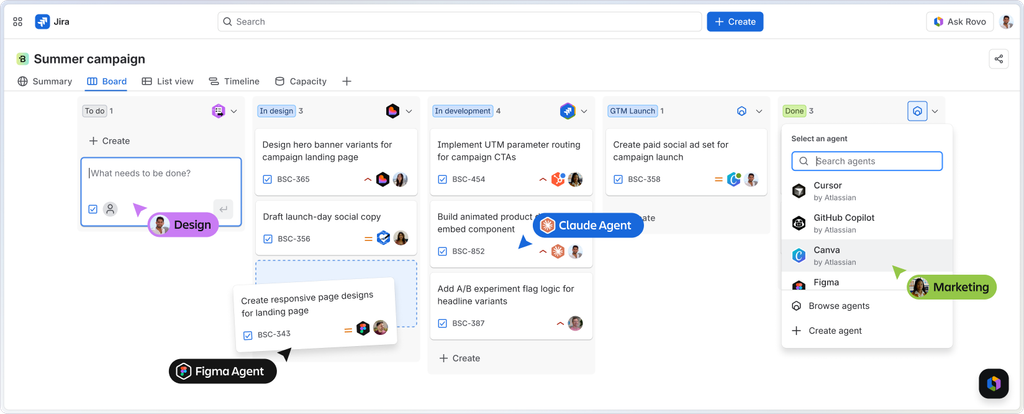
Jira Data Center is a separate decision
If you run Jira Data Center, Atlassian's lifecycle policy sets the deadline. As of 27 October 2026, affected Data Center products reach end of life on 28 March 2029 at 23:59 PST, when subscriptions and Marketplace apps become read-only. Since 30 March 2026, new customers can no longer buy Data Center subscriptions. Existing customers can keep buying subscriptions, apps and expansions until 30 March 2028. Atlassian also says it will offer extended maintenance by exception after the end-of-life date.
The policy has product-specific exceptions. Bitbucket and Bamboo Data Center do not reach end of life, and Jira Align Data Center is not included, so check the products you actually license instead of applying one deadline to everything Atlassian sells. The details are in Atlassian's Data Center end-of-life policy.
Third-party connectors keep their own schedules, which can be earlier than Atlassian's. Asana, for example, has announced the deprecation of its Jira Data Center integration for 31 December 2026, well before the 2029 product end of life.
Keeping Jira and adding a portfolio layer on top does not remove Jira's own hosting and lifecycle dependency.
How We Chose the Twelve
We grouped the tools by the job they do: engineering work tracking, business coordination, self-managed project work, Zoho-native project work and shared-resource portfolio planning. Each one either replaces part of what Jira does or connects to it through a documented route. Dedicated service desks, code hosts without work tracking and Jira Marketplace apps are outside the list, although a Jira-native app is a legitimate route to evaluate. Linear and Trello appear near the end as narrower options.
Every card answers the same seven questions in the same order: who the tool is best for, its key capabilities, its limitations, the plan and pricing that matter, where it runs, what it integrates with, and what happens to your Jira data. The questions are shared so you can compare. The tools are not equivalent, and a business-coordination tool is not expected to match an engineering tracker feature for feature. Prices are list prices from the vendors' own pages and they drift, so confirm the current figure for your user count and billing term. Integration entries name the kind of route: a connector the vendor builds, a partner or marketplace app, or API and custom work. They are examples of documented routes, not complete catalogs.
Compare 12 Jira Alternatives
The table is grouped by job and does not score anything. Pick by the job you need done.
| Tool | Job it does | Jira relationship | Plan that includes the compared capability | Decisive limit |
|---|---|---|---|---|
| YouTrack | Engineering issue tracking with Gantt | Replace via importer; the importer can also pull later Jira changes into imported projects | Cloud or Server | The documented import does not recreate boards, dashboards, roadmaps or reports |
| GitLab | Issues beside code and pipelines | Replace via importer, or keep Jira and connect it to GitLab | Ultimate for strategic portfolio management | Importer: unmapped metadata becomes description text. Integration: Jira issue lists inside GitLab need Premium or Ultimate |
| Azure DevOps Boards | Engineering work items, backlogs and sprints | Replace via CSV | Services Basic; Test Plans separate | Sprint-level capacity; up to 1,000 work items per CSV import; CSV is not ongoing sync |
| Plane | Product and engineering work items | Replace via importer; re-runs refresh imported issues | Cloud Pro or Business, or a self-hosted edition | Free Cloud caps at 12 users; unsupported field types are skipped |
| monday.com | Business work coordination | Replace, or connect through the Jira Cloud recipe or the separate two-way sync app (beta) | Enterprise for portfolio and resource management | Recipe: roughly 100–150 issue updates per five minutes. Beta app: no Jira comment sync; cannot adopt recipe items |
| Asana | Business projects connected to goals | Replace via CSV, or keep Jira Cloud and connect it | Advanced or Enterprise, depending on workload depth | Two-way Jira data sync needs Advanced or higher; first import covers the newest 150 issues; Jira subtasks do not sync |
| ClickUp | Consolidating tasks, documents and views | Replace via file importer, or connect through Jira Sync (beta) | Business (Portfolio Workload Management) | File importer: private Jira comments become public; priority and timestamps excluded. Jira Sync: beta on Business Plus and Enterprise, needs Jira Premium |
| Wrike | Enterprise project views and reporting | Replace via XLS, or connect through the Unito-powered Wrike Sync add-on | Pinnacle (advanced resource and capacity planning) | XLS needs a fixed file structure; the sync add-on is paid and does not sync dependencies or time tracking |
| Smartsheet | Table-first project work and reporting | Connect via paid Jira Connector | Enterprise plus Resource Management and the Jira Connector | The connector does not sync comments or attachments |
| OpenProject | Self-managed work packages | Replace via migrator (beta, test setups, Data Center 10.x and 11.x) | Community (free, self-managed) or Enterprise | You operate it; no vendor-built Jira sync |
| Zoho Projects | Project work inside the Zoho estate | Replace via importer | Enterprise for the global workload report and portfolio dashboard | Jira automation is not imported; roles collapse to Admin and Employee |
| Epicflow | Portfolio priority, delivery forecast and scenario testing above Jira | Coexist; Jira stays the issue system | Enterprise with the Jira integration | Built for shared-specialist portfolios; What-If is Enterprise only; Enterprise starts at 50 users |
What "capacity planning" means in these comparisons
Vendors use the phrase for four different things, and a portfolio dashboard is not automatically any of them.
Allocation or load compares planned assignments with available time. Jira Premium and Enterprise individual capacity, Azure Boards sprint capacity and the Zoho Projects workload report are examples. A resource forecast goes further and projects future load or delivery dates from capacity rather than from a list of dates; Epicflow forecasts from the capacity of the teams projects share, and YouTrack projects a Gantt schedule under concurrent-issue limits, which is a different input model from individual availability.
A scenario is an alternative you can compare before the live plan changes. Jira Plans scenarios, Smartsheet Enterprise scenario planning and Epicflow What-If all work this way. Optimization searches many alternatives against a target, which is different from a manager editing one scenario by hand. Epicflow's Portfolio Optimizer belongs here; Epicflow runs it for clients as a service.
Two examples of why the distinction matters. Asana keeps project capacity plans and task workload separate, so an allocation is not a forecast. OpenProject's Team planner shows who is assigned to work and when; a dated assignment alone does not establish when shared capacity can finish the work.
What each plan costs
These are different bundles, not equivalent enterprise quotes. A monthly equivalent billed annually means an annual commitment, and taxes, region, user rules and selected services change the final purchase.
| Tool | Price or purchase basis | Edition to price |
|---|---|---|
| YouTrack | Free up to ten users; larger Cloud or Server teams use the vendor's calculator | YouTrack Cloud or YouTrack Server |
| GitLab | Ultimate quoted on request; Premium at USD 29 per user per month billed annually is a different bundle | GitLab.com or GitLab Self-Managed, with Ultimate for the portfolio offer |
| Azure DevOps Boards | Services Basic: first five users free, then USD 6 per additional user per month; Server and Test Plans priced separately | Azure Boards in Azure DevOps Services Basic |
| Plane | Cloud billed annually: Pro USD 6 per seat per month, Business USD 13; Enterprise and self-hosted quoted separately | Plane Cloud, or a specifically chosen self-hosted edition |
| monday.com | Enterprise quoted on request; Free covers two seats; recipe-based integrations start at Standard with monthly action allowances | monday work management Cloud, Enterprise for the portfolio and resource features compared here |
| Asana | Advanced USD 24.99 per user per month billed annually; Enterprise quoted on request | Asana Cloud Advanced or Enterprise, depending on workload depth |
| ClickUp | Business USD 12 per user per month billed yearly, or USD 19 billed monthly; the upgrade covers the whole workspace; Jira Sync is documented for Business Plus and Enterprise | ClickUp Cloud Business, or Business Plus or Enterprise if you want Jira Sync |
| Wrike | Pinnacle quoted on request; Wrike Sync is a separate paid add-on | Wrike Cloud Pinnacle, plus the sync add-on if you keep Jira |
| Smartsheet | Enterprise on a custom quote for 10 or more Members; resource and connector components priced separately | Smartsheet Enterprise, plus the resource and Jira Connector add-ons you need |
| OpenProject | Community license free with unlimited users and projects; check the published Enterprise price, hosting and minimum for the offer you choose | OpenProject Community self-managed, or a separately purchased Enterprise edition |
| Zoho Projects | Enterprise priced through the regional quote or calculator; Free covers five users and three projects | Zoho Projects Cloud Enterprise |
| Epicflow | Enterprise quoted on request, from 50 users; confirm the Jira integration and any services in the quote. Growth is a smaller plan listed at €22.50 per person per month on annual billing (€25 paid monthly) | Epicflow Enterprise with Jira integration |
Add the license, retained Jira cost, connectors, implementation, migration, training, support and operation as separate lines. For self-managed systems, add hosting, backups, upgrades and administration, and keep internal staff hours apart from cash spend.
Read more: Jira Capacity Planning: Uses, Limitations & Best Practices
If You Need a Different Issue Tracker
For a team choosing a Jira alternative, these four tools cover the core job: tracking engineering work. What separates them is where the work lives next to code, how much of your Jira structure survives the move, and what you have to rebuild.
YouTrack
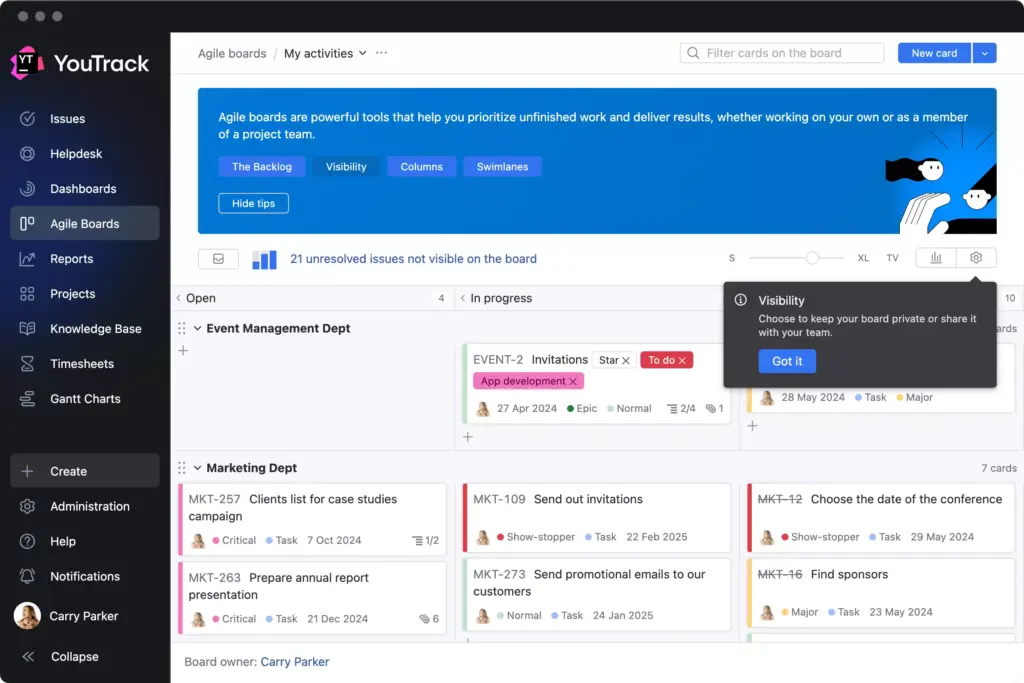
Best for: Engineering teams that want a Jira replacement with a documented importer and bugs, requests and project tasks in one system.
Key capabilities: Issue tracking with agile boards, native time and estimate reports, and Gantt scheduling that can enforce concurrent-issue limits, including one issue per assignee. That models work in progress, not each person's availability calendar. See the capacity-report use cases and Gantt scheduling and constraints.
Limitations: The importer does not recreate boards, dashboards, roadmaps or reports, and workflows and external integrations need re-creating too, so someone has to rebuild the management views before the old ones are retired. Imported users also count against the subscription's user limit.
Relevant plan and pricing: Teams of up to ten are free. Larger Cloud or Server teams should price their real user count and billing term in the vendor's calculator; helpdesk agent licensing is a separate matter.
Deployment: YouTrack Cloud, hosted by JetBrains, or YouTrack Server, which you run yourself. The two editions are priced and documented separately.
Integrations: YouTrack's version control integrations connect repositories on GitHub, GitLab, Bitbucket and Azure Repos to issues, so commits can be referenced from the issue they belong to.
Jira migration or coexistence: Replacement. The Jira importer can run again on an imported project and adds issues and changes made in Jira since the last import, which helps during a phased cutover. That is a one-directional pull from Jira, not a two-way sync. The migration guide lists what must be replicated by hand.
GitLab
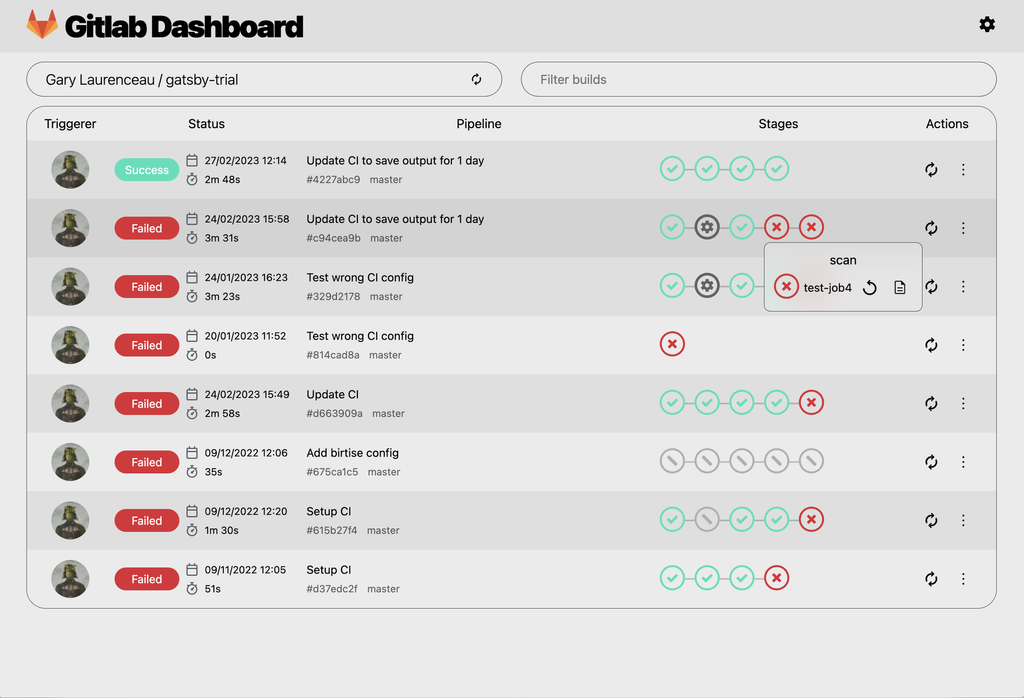
Best for: Teams whose decision covers issue tracking and the development platform together. It makes much less sense if you only want a new tracker.
Key capabilities: Issues and boards beside code repositories and build pipelines, so engineering teams track work where development already happens. Issue boards exist across tiers; portfolio-level planning belongs to Ultimate. The issue board documentation shows the daily workflow.
Limitations: Portfolio planning requires Ultimate, and a basic board is not that offer. Free allows one group issue board; higher tiers allow several. If you use the importer, metadata without a mapped GitLab field lands in the description as plain text and Jira formatting can change.
Relevant plan and pricing: Ultimate is priced on request. Premium lists USD 29 per user per month billed annually, a different bundle. Confirm GitLab.com versus Self-Managed, licensed users, compute, storage and extras before comparing totals.
Deployment: GitLab.com, GitLab Self-Managed and GitLab Dedicated. GitLab's Jira documentation covers all three, and on Self-Managed an administrator has to enable the integration.
Integrations: GitLab's Jira integration connects GitLab commits and merge requests to Jira issues. Jira Cloud uses an app GitLab develops and maintains; Jira Data Center and Server use Atlassian's DVCS connector for the development panel. Viewing and filtering Jira issues inside GitLab needs Premium or Ultimate, according to the configuration page; the base integration is listed for every tier. A native GitLab for Slack app supplies commands and notifications. None of these routes mirrors whole Jira records into GitLab.
Jira migration or coexistence: Either route. GitLab's documentation says you can import Jira issues or integrate Jira and use both platforms. To replace Jira, GitLab's migration options include the built-in importer, CSV, scripts and professional services; the built-in route brings titles, descriptions and labels with user mapping. To keep Jira for tracking, connect it to GitLab development. Choose by the objects you must keep, and inspect descriptions after a representative import.
Azure DevOps Boards
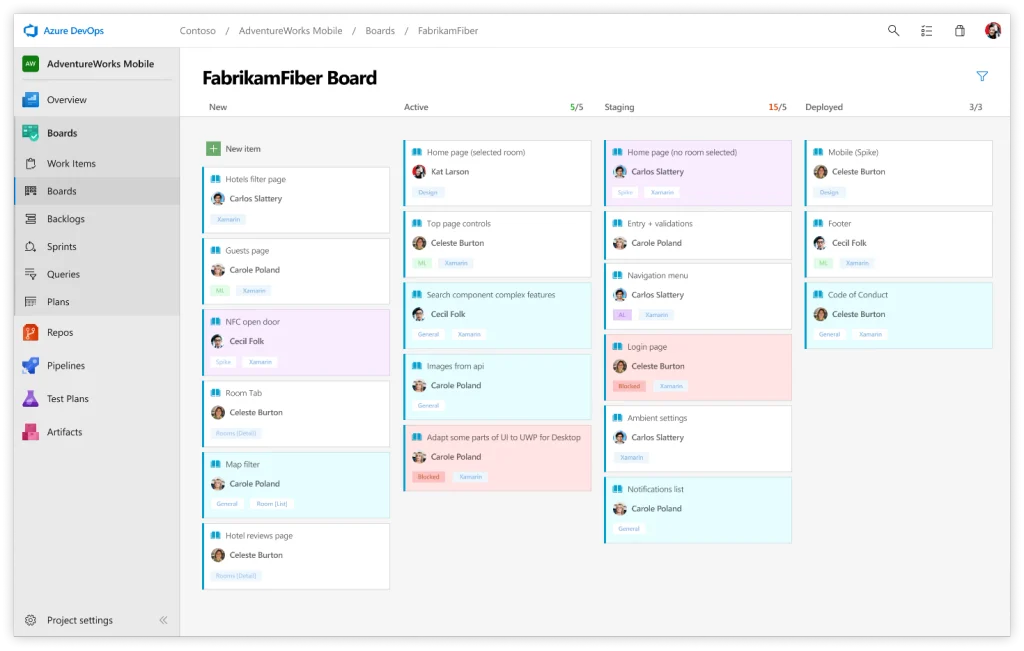
Best for: Teams that already use Microsoft tooling and want engineering planning close to it.
Key capabilities: Work items, backlogs, boards and sprints, alongside the wider Azure DevOps development and testing services. Basic access includes documented sprint capacity: each person's daily availability and days off, compared with remaining work in the same units as the estimates.
Limitations: Sprint capacity is a planning function inside a sprint, not a portfolio-wide forecast. Test Plans are extra, and the Basic price covers neither a Server license nor the full engineering platform. Microsoft's CSV import does not carry Jira history, files, permissions or automation, so plan those separately.
Relevant plan and pricing: On Azure DevOps Services the Basic plan gives the first five users free and then lists USD 6 per additional user per month. Server and Test Plans are priced separately.
Deployment: Azure DevOps Services is the cloud product; Azure DevOps Server is the on-premises one. Some integrations differ between the two, so name the edition before reading a setup guide.
Integrations: Microsoft documents a GitHub connection that links commits, branches and pull requests to work items, for GitHub.com and GitHub Enterprise Server on Services, with a separate setup for Azure DevOps Server. Repository admin or owner rights and Azure project permissions are needed. The Azure Boards app for Microsoft Teams creates and follows work items from channels and is available on Azure DevOps Services only. Both are Microsoft-published routes.
Jira migration or coexistence: Replacement through a mapped work-item CSV. Match Jira issue types and fields to your Azure process, and note that native CSV import accepts up to 1,000 work items at a time, so large projects need batches. The CSV route is a one-time load, not an ongoing Jira sync; a third-party coexistence tool would be a separate evaluation.
Plane
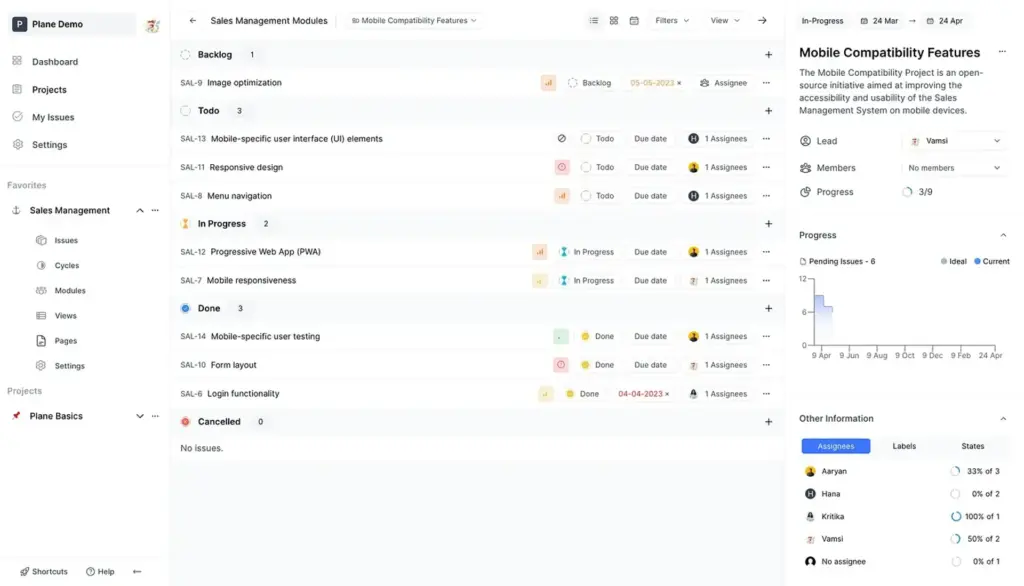
Best for: Product and engineering teams that want issue coordination and an explicit choice between cloud and self-hosted deployment.
Key capabilities: Work items, project pages and cycles, which are timeboxes for a set of work, and modules that group related work into a larger piece. Workflow controls depend on tier: the Cloud offer puts a single workflow in Business and multiple workflows with approvals in Enterprise Grid.
Limitations: Free Cloud is limited to twelve users. The Jira importer skips unsupported custom field types, imports Jira epics as a regular work item type rather than Plane's dedicated Epics feature, and, if Cloud user import is skipped, leaves assignees blank and shows the person running the migration on imported work and comments.
Relevant plan and pricing: On Cloud with annual billing, Pro lists USD 6 per seat per month and Business USD 13; Enterprise Grid is quoted on request. Self-hosted commercial licensing and implementation need their own quote, and a Cloud price should not be applied to a Community or self-hosted edition.
Deployment: Plane Cloud, or a self-hosted edition that you run yourself. Name the edition you intend to use, because features, support and the connector setup differ between them.
Integrations: Plane's GitHub integration is a vendor-built connector labelled Pro; it can run one-way or bidirectionally for issue updates and links pull requests to work items. The Slack integration, also labelled Pro, creates work items from messages and sends project notifications. Self-hosted installations need extra setup for both, such as a configured GitHub app.
Jira migration or coexistence: Replacement through the Jira importer, which covers Jira Cloud and Server or Data Center. A re-run is a full re-sync from Jira that updates and adds issues by their original identity, so it can refresh Plane during a transition; it does not make Plane a two-way partner for Jira. Cross-project links resolve once both projects are imported.
If You Need Business Teams Coordinated In One System
Five tools suit departments that want shared boards, portfolios and reports rather than an engineering tracker. They differ mostly in which plan unlocks the planning view, in how much Jira detail survives a migration and in whether a current connector lets Jira stay in place.
monday.com
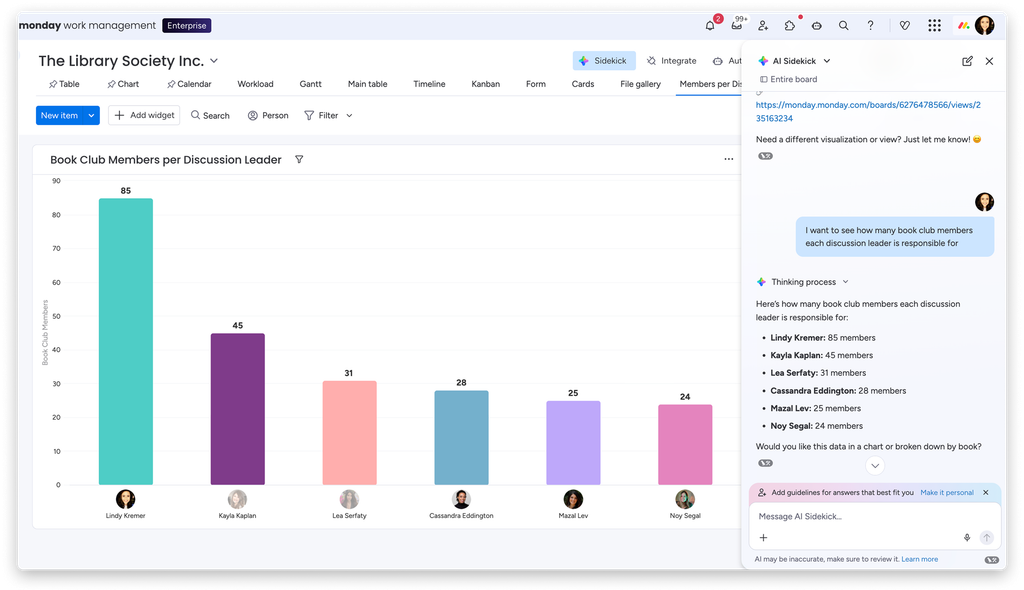
Best for: Business teams that want one way to coordinate work across functions, not an engineering-only tracker.
Key capabilities: Boards with owners, dates and status columns, so departments see what is due and who is responsible. In the Workload view you add people, dates and estimated hours, compare load with capacity and open an overloaded period to reassign eligible work.
Limitations: The portfolio and resource features compared here sit under Enterprise, so a Basic price does not describe this scope. Free supports two seats and does not include Enterprise features, and monday dev is a separate product.
Relevant plan and pricing: Enterprise is quoted on request. Recipe-based automations and integrations are available from Standard upward with monthly action allowances (250 on Standard, 25,000 on Pro, 250,000 on Enterprise), per monday's automations and integrations pricing. The separate Jira two-way sync app's plan entitlement is not stated on its own page, so ask which plan includes it.
Deployment: monday.com is a hosted service. Its documentation describes EU-hosted accounts, where some Slack shortcuts and personal notifications are not available, so confirm the data region you need.
Integrations: The Slack integration is listed for all plans; it posts board updates and creates or updates items from Slack messages. For Jira, monday.com offers two vendor-built routes described below. Choose the connector, supported fields and action allowance before buying.
Jira migration or coexistence: Replace, or connect Jira Cloud through one of two routes. The Jira Cloud recipe maps fields between Jira issues and board items, one-way or two-way, through OAuth. It does not work retroactively, so older issues sync only after an update, and monday notes a Jira-side limit of 100–150 issue updates per five minutes. The newer Jira Cloud Two-way sync app is in beta and polls every three minutes. It starts afresh and cannot adopt items created by the recipe, does not sync Jira comments or deletions, and maps Jira subtasks to items rather than subitems.
Asana
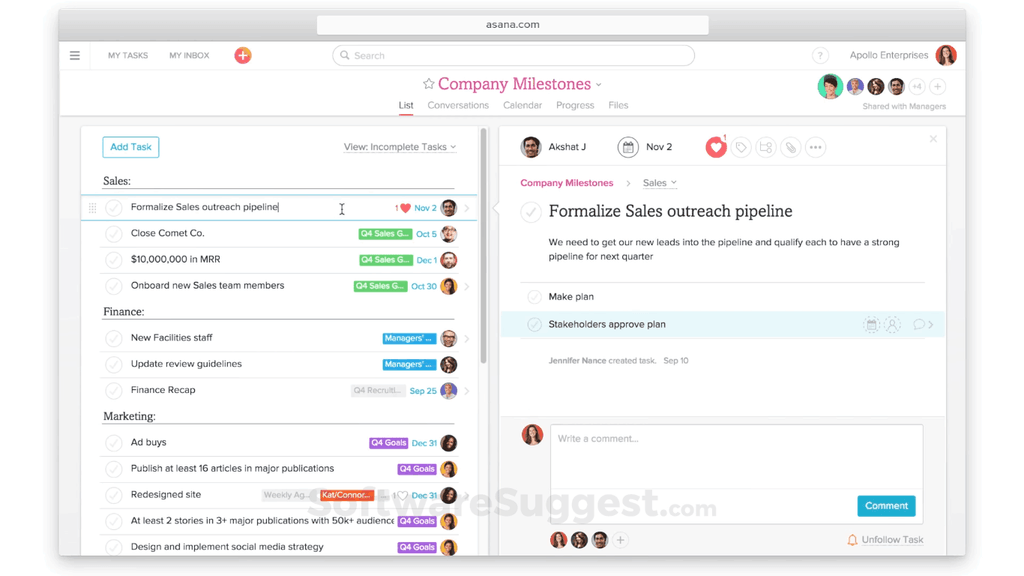
Best for: Teams coordinating business projects whose leaders need to tie delivery to goals and see workload across related projects.
Key capabilities: Tasks and projects connected with goals, and portfolios that let a manager follow progress across projects without reading every task. Advanced adds workload within one portfolio; Enterprise adds organization-wide workload and capacity plans, where you allocate people's time across projects and review staffing over time.
Limitations: Asana's documentation says capacity plans and task workload are not currently connected: a person can have a project allocation with no assigned tasks, or tasks with no allocation. Ask how the two views reconcile in the plan you are pricing.
Relevant plan and pricing: Advanced lists USD 24.99 per user per month billed annually and includes portfolios and workload within one portfolio. Enterprise is quoted on request and adds organization-wide workload and capacity plans. The Jira Cloud integration starts at Starter, but two-way data sync needs Advanced, Enterprise or Enterprise+ (or the legacy Business and Enterprise plans).
Deployment: Asana is a cloud service. Confirm the data-storage region available with the plan and options you choose.
Integrations: The Slack app turns messages into tasks and delivers notifications. The Microsoft Teams integration needs paid Asana and paid Microsoft Teams plans. Both are Asana-documented apps. Jira is covered below.
Jira migration or coexistence: Replace or coexist. To replace Jira, Asana documents a prepared CSV export and import. The CSV importer only adds tasks and does not update existing ones, parent tasks must precede subtasks, and custom fields created from a CSV start as local fields. To keep Jira Cloud, Asana for Jira Cloud syncs selected tasks, fields and, optionally, comments; the first import of existing issues covers the newest 150 matching issues, and Jira subtasks do not sync. Asana's Jira Data Center app is scheduled for deprecation on 31 December 2026, so do not plan a new Data Center deployment around it. Validate comments, files, history and permissions on a small sample that includes hierarchy and custom fields.
ClickUp
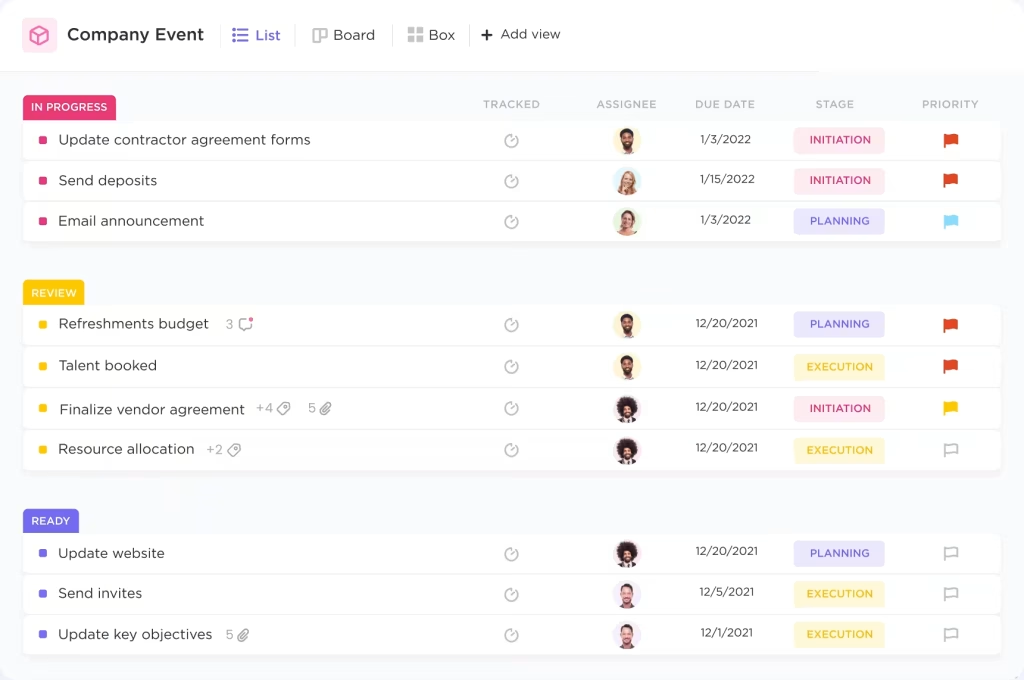
Best for: Teams consolidating several task and project processes into one place with configurable fields and views.
Key capabilities: Tasks, documents and several work views in one workspace, so the same work can appear as a list, a board or a dashboard. The Business plan lists Portfolio Workload Management, where you can spot assignments that need rebalancing.
Limitations: The plan upgrade applies to the whole workspace, so price the full membership and any extras. Each Jira route has its own gaps: the file importer leaves out priority, timestamps and recurring tasks and turns private comments into public ones, while Jira Sync is in beta and does not carry Jira descriptions or custom statuses.
Relevant plan and pricing: The Business plan is USD 12 per user per month billed yearly or USD 19 billed monthly. ClickUp documents Jira Sync for the Business Plus and Enterprise plans, which are priced separately, and it requires the connected Jira account to be on a Jira Premium plan.
Deployment: ClickUp is a cloud service. Its pricing page lists US, EU and APAC data residency among its security features, so confirm which plan includes the region you need. The on-premises Jira support mentioned below concerns where your Jira data comes from, not where ClickUp runs.
Integrations: The Slack integration sends selected ClickUp task activity to channels, a ClickUp-built connector. Jira is covered below.
Jira migration or coexistence: Choose between two separate routes. The Jira importer is a one-off load. The current file importer takes a backup file from Jira, including on-premises Jira, and maps statuses, custom fields and users; a separate legacy importer uses the Jira API. The file importer turns private Jira comments into public ones and leaves out priority, timestamps and recurring tasks, so check who can see imported material and what you need to re-enter. Jira Sync is a beta, two-way connector: workspace owners or admins set it up, ClickUp's beta form applies, and it needs a Jira admin account with global permissions.
Wrike
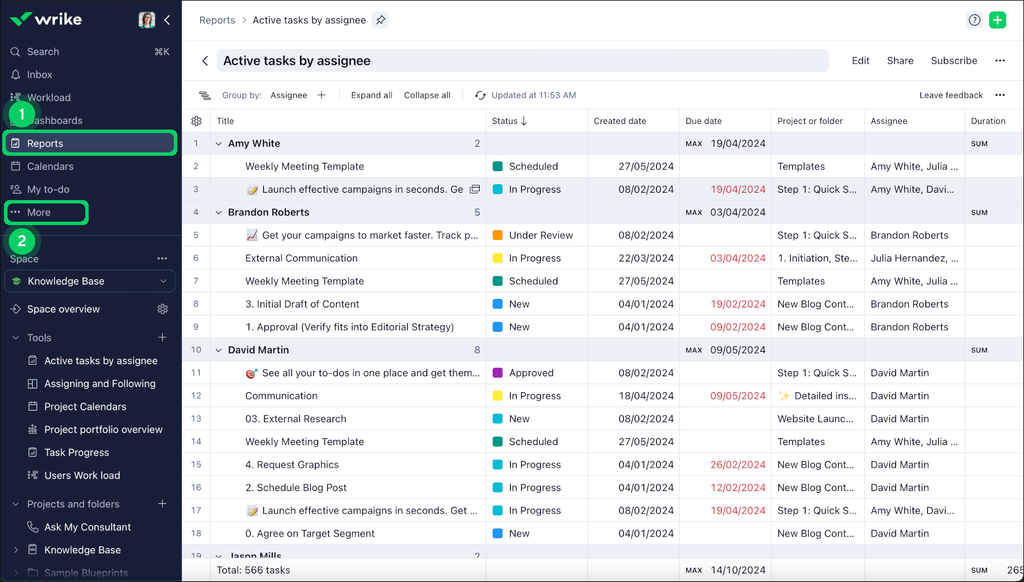
Best for: Organizations that need consistent project reporting and resource planning across departments.
Key capabilities: Project tasks in table and board views, with dashboards for reporting, so managers can follow responsibility, dates and progress across structured work. Pinnacle lists advanced resource and capacity planning, budgeting and reporting.
Limitations: The published entry price for a lower plan is not a quote for Pinnacle. The spreadsheet route needs a fixed file structure with specific headers, and the Jira sync add-on does not synchronize Wrike task dependencies, Wrike time tracking or Jira links and dependencies.
Relevant plan and pricing: Pinnacle is quoted on request, so ask for a quote covering your users, resource functions, integrations and services. Wrike's Jira sync is part of the paid Wrike Sync add-on; confirm that it is in the quote.
Deployment: Wrike is entirely cloud-based. Its pricing FAQ says an account's data location follows the region where it was registered: accounts created from Europe sit in a Paris data center and others in Santa Clara, California, and a change goes through Wrike's support or your representative.
Integrations: Wrike documents Slack routes for creating a task from Slack and for project notifications in Slack. Wrike's Jira sync is delivered with a partner, Unito, and is described below.
Jira migration or coexistence: Replace or coexist. The bulk route is an XLS import, available on paid plans only, which needs the documented headers, unique row keys and dependency mapping. It is a spreadsheet load, so Jira data must be exported and reshaped first. To keep Jira, Wrike and Jira Sync, powered by the partner Unito and part of the Wrike Sync add-on, creates one-way or two-way flows between mapped tasks and issues; connecting needs administrator access to Jira, and sync time depends on the Unito subscription (the default plan syncs within about five minutes).
Smartsheet
Best for: Teams that prefer planning in tables and need project reporting across a consistent sheet structure.
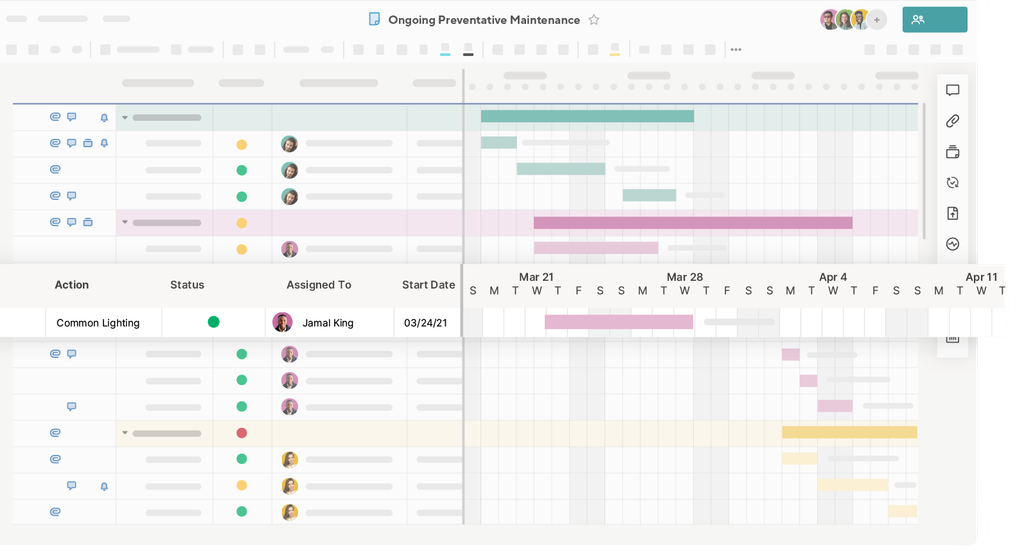
Key capabilities: Sheets with task rows, owners, dates and status fields, with grid and Gantt views and reports on top. Business workload tracking uses task assignments, dates and allocation percentages, and Enterprise Scenario Planning lets managers change timelines and staffing in a separate scenario and compare options with the plan of record.
Limitations: Resource Management is a premium add-on and the Jira Connector is a paid premium offering, so request the full bundle. The connector does not sync comments or attachments, so a connected sheet is not a full copy of the Jira record.
Relevant plan and pricing: Enterprise has custom pricing and requires 10 or more Members. Smartsheet states that the Jira Connector is included in Advanced Work Management; ask how that maps to the Enterprise quote you receive.
Deployment: Sold as a hosted service, and Smartsheet's Microsoft Teams listing offers a choice of data residency for hosted data. Confirm the region, and whether the connector runs in the same environment, before you buy.
Integrations: The Microsoft Teams app brings Smartsheet into Teams conversations. The Jira Connector keeps selected issue data connected, as described below. The Connector is a Smartsheet premium app.
Jira migration or coexistence: Coexist: Jira remains the issue system. The Jira Connector FAQ says it lets workflows pick specific fields and choose one-way or bidirectional sync per field, including the creation of new issues, either manually or automatically. It does not sync comments or attachments, so keep Jira access for what the connector leaves behind.
If You Need a Self-Managed Project System
Self-hosting is a deployment requirement more than a product category. Besides OpenProject below, the engineering tools above cover YouTrack Server, GitLab Self-Managed, Azure DevOps Server and Plane, and the edition matters as much as the hosting route.
OpenProject
Best for: Organizations that require a self-managed project system and can take responsibility for running it.
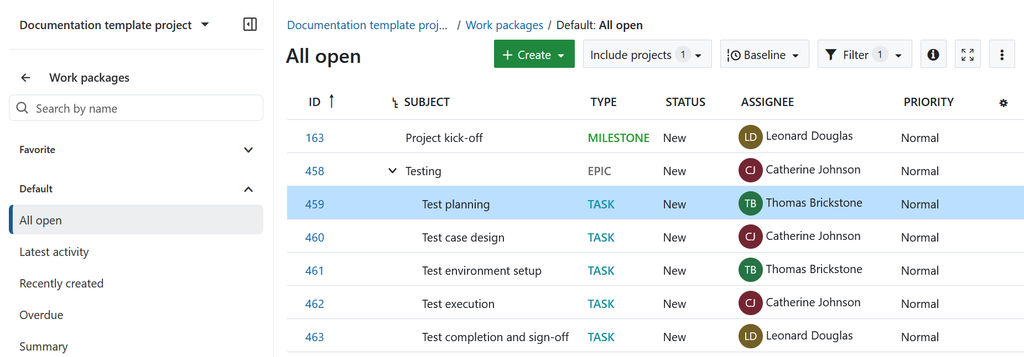
Key capabilities: Work packages, which are tasks or other pieces of project work, with owners, dates and status in tables and project-planning views. The Team planner shows dated work packages by assignee, including selected other projects, and lets a manager move or reassign them.
Limitations: You operate it, and infrastructure, administration and support still cost money. Community does not include every Enterprise capability. Dated Team planner assignments are not a delivery forecast, so test the planner with your effort estimates and availability calendars first.
Relevant plan and pricing: The Community edition is free and open source with unlimited users and projects. Check the published edition price, hosting option and minimum purchase for the offer you choose, using the Enterprise add-on guide.
Deployment: Self-managed, either Community on your own infrastructure or an Enterprise edition; OpenProject also lists enterprise cloud and on-premises options for its paid add-ons. Confirm the hosting offer you intend to buy.
Integrations: OpenProject documents a GitHub integration that shows pull requests and their status on the related work package, and a Nextcloud integration for project files and folders. Nextcloud file management is part of Community, while single sign-on through OpenID Connect is an Enterprise add-on. Both are vendor-documented integrations.
Jira migration or coexistence: Replacement, with a readiness check. The Jira Migrator documentation says the migrator is in beta, under active development and for test setups only. OpenProject's current FAQ lists support for Jira Data Center 10.x and 11.x, and says Jira Server and Jira Cloud are not yet supported; read the scope FAQ before planning. OpenProject states in its integrations overview that it does not provide a direct integration with Jira itself; that does not rule out a third-party or custom connection, which you would scope on its own. Treat Jira Cloud, app data and production cutover as separate confirmation points, and run a representative test migration first.
If You Already Run Your Business on Zoho
Zoho Projects
Best for: Organizations already using Zoho that want project coordination and a portfolio view without a separate project register.
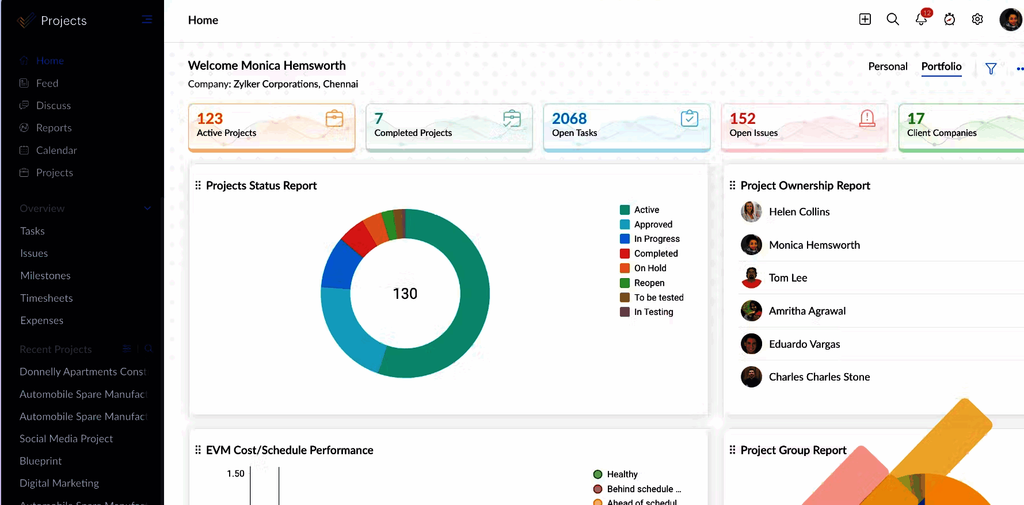
Key capabilities: Tasks, schedules and project controls inside the Zoho product environment. Premium has a project Workload Report, and Enterprise and Ultimate add a global report across projects that compares allocated hours with business-hour availability and holidays; Enterprise also lists a portfolio dashboard.
Limitations: Jira automation is not imported, Jira Admin users map to Admin while other roles map to Employee, and only supported custom field types come across, so the original role model is not reproduced one for one.
Relevant plan and pricing: Free covers five users and three projects. Paid amounts depend on the regional calculator or quote, and add-ons for other Zoho apps, integrations and implementation are priced on top. The pricing page is the place to confirm them for your region.
Deployment: Zoho Projects is a hosted service inside a Zoho portal. Ask about the data center region for your portal before shortlisting if residency matters.
Integrations: Zoho documents a Slack integration that posts project updates and supports commands for creating tasks from chat, and a Microsoft Teams integration that shows project task lists in a tab; only Teams users who belong to the Zoho Projects portal can open it. Both are Zoho-built.
Jira migration or coexistence: Replacement. Zoho's Jira import guide covers Jira Cloud and Jira Server and lists supported fields, comments and attachments; it is a migration route, not an ongoing Jira sync. Jira email visibility must be set to public for user data to import.
If Jira Works But the Portfolio Doesn't
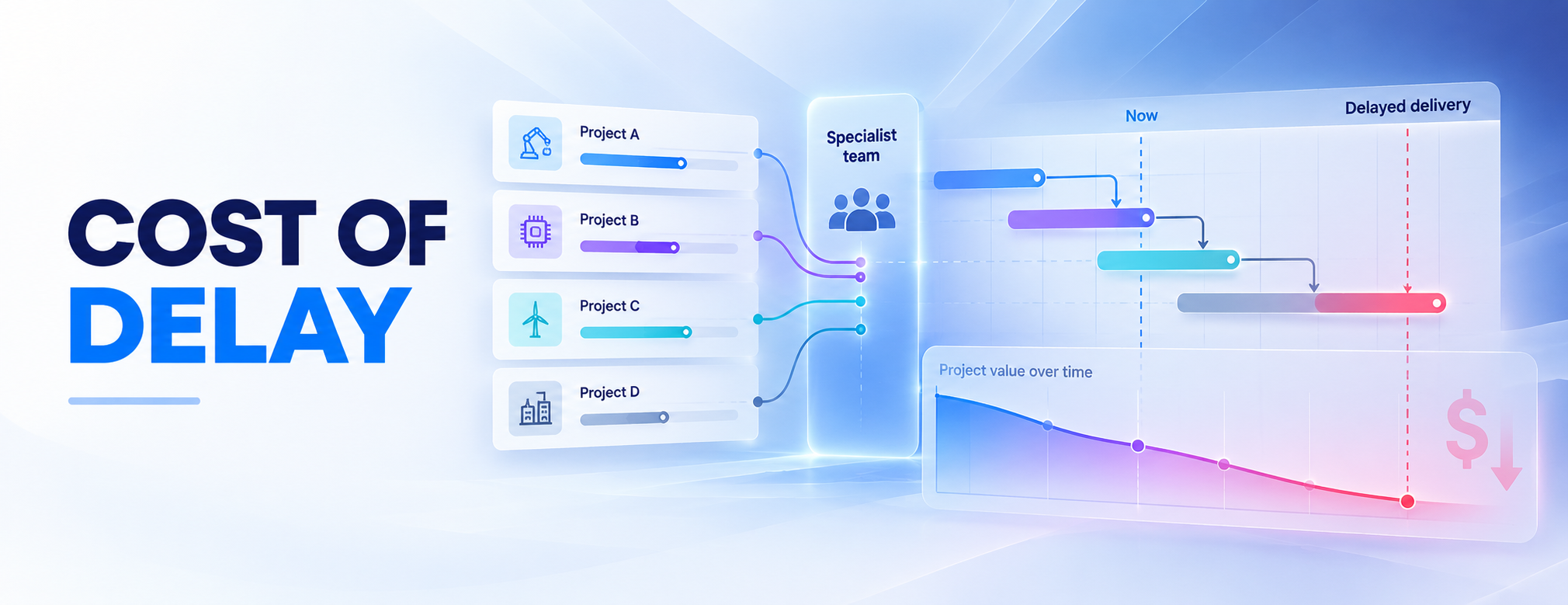
Picture three projects that all need the same test team between April and July. Each board can show green while the portfolio slips, because every project reports on itself and nobody reports on the queue they share. The cost is lopsided, too. A new hire shows up as a salary, but a project that waits a month usually shows up as nothing at all, unless someone is paying a penalty or waiting for an invoice.
That is a different question from which issue tracker to use. When the same few specialists are the limit, a portfolio leader has to decide which project gets their hours first, which one waits, what date can honestly be promised for each, and what the wait is worth. Jira Premium and Enterprise give you real tools for part of this, with site-wide individual capacity and scenarios in Plans, so test them first with your own people and dates. If projects still collide and you cannot see what each option does to every date, a portfolio layer is the next thing to compare.
Epicflow
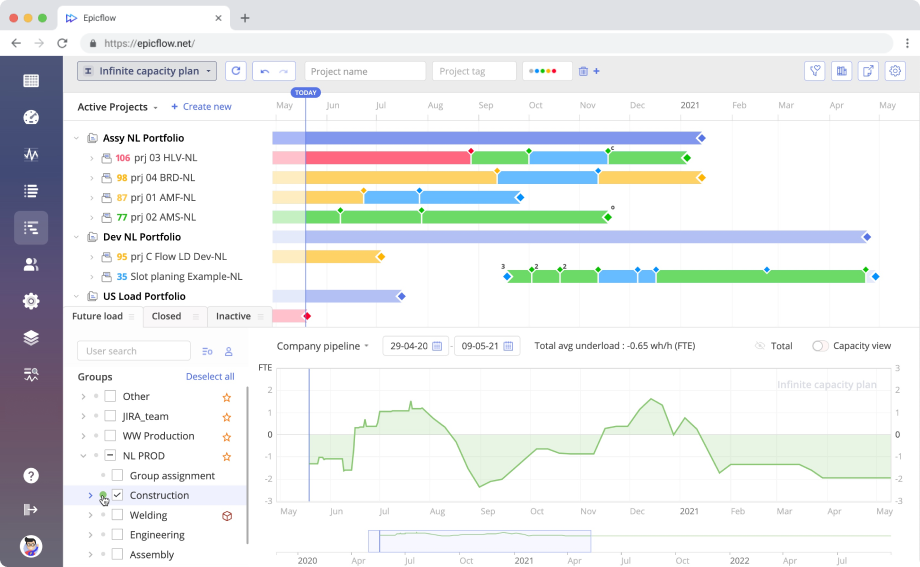
An older Epicflow interface showing the portfolio pipeline beside resource load, with sample dates from 2020–2021; current screens may differ. See the current product.
Best for: Heads of PMO, portfolio directors and engineering leaders who answer for delivery dates while many projects draw on the same specialist teams. If your teams rarely compete for the same people, or you run only a handful of projects, start with Jira's own planning or one of the tools above.
Key capabilities: A single priority order across every project and a predicted finish date for each, calculated from the capacity the projects share, shown in Pipeline. What-If Analysis tests a change, such as a new project or a specialist out for six weeks, on an isolated copy of the portfolio before anything live changes.
Limitations: Epicflow supports portfolio decisions while Jira keeps the issue workflow. Forecasts depend on maintained effort estimates, availability and calendars. Financial comparisons depend on the commercial figures you supply. The Portfolio Optimizer is delivered by Epicflow's team as PMO as a Service.
Relevant plan and pricing: Enterprise starts at 50 users and is quoted on request. The pricing matrix places portfolio ordering by business value, What-If and sync with tools such as Jira in Enterprise. Licenses are annual, with monthly payment available. Confirm the Jira connector and the Optimizer service's scope and price in the quote.
Deployment: A cloud service. The What-If page describes DataGuard keeping project data on your premises while Epicflow runs in the cloud; confirm this option in your quote.
Integrations: The integrations page names ready-made routes for Jira, Microsoft Project and Oracle Primavera, and offers custom integrations. SAP and Workfront also appear in Epicflow's pricing information; agree on the connector and implementation scope for either. HRM integrations can update resource availability through the HRM system's API; Hurma is one documented example.
Jira migration or coexistence: Coexist: teams keep working in Jira. The Jira integration page describes Epicflow reading Jira project data and building the portfolio view. Confirm the supported Jira edition, estimate and field mapping, any write-back, timing, permissions and conflict rules for your setup.
How Epicflow supports portfolio investment decisions
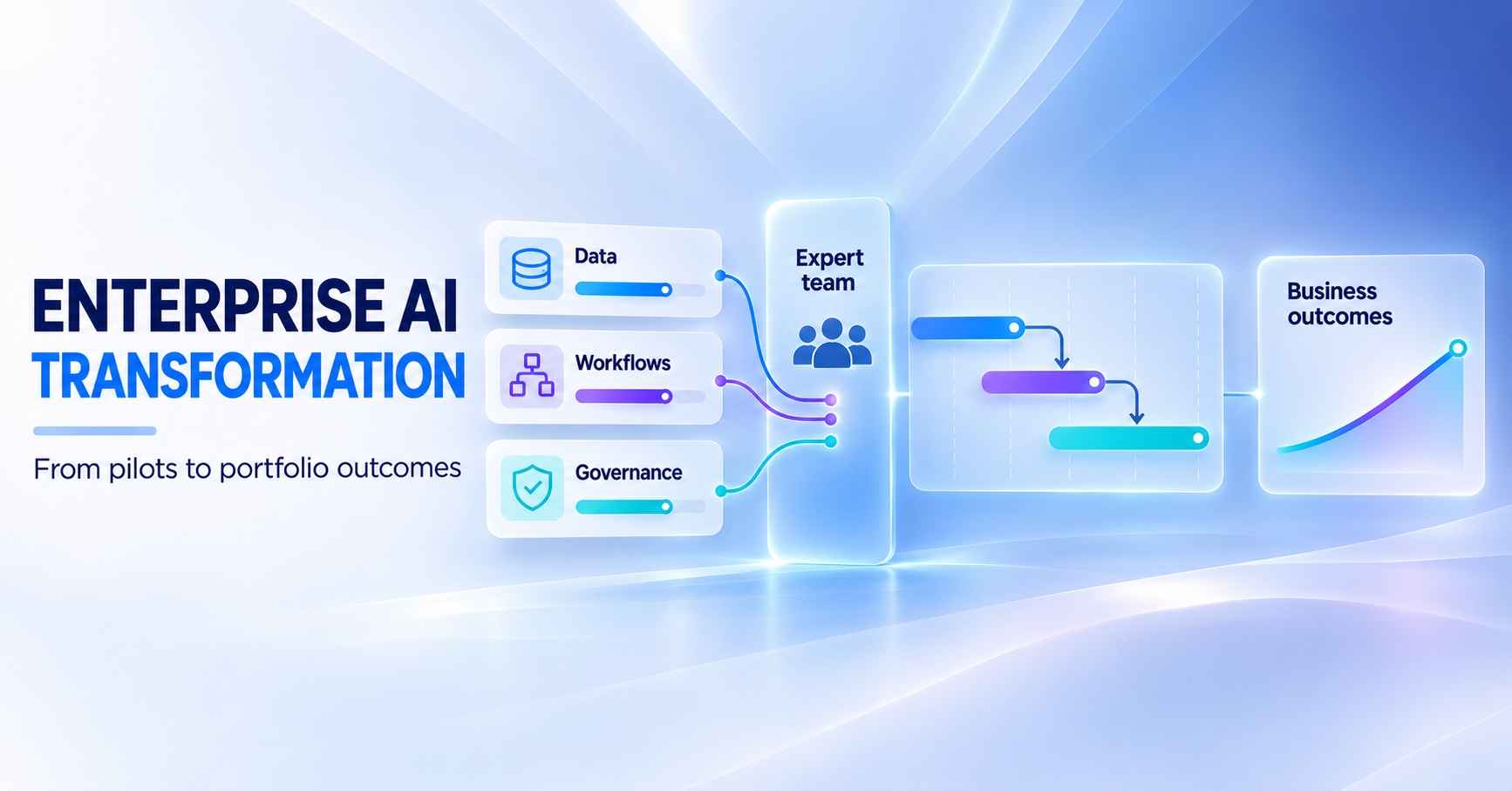
When projects compete for the same specialists, a portfolio leader needs to decide which starts first, which waits, what dates are feasible and what each week of delay costs. Epicflow combines a forecast based on shared capacity with the commercial figures you supply, so you can compare the options before approving a change.
Start with the shared specialists. Every project board can look healthy while the same two or three teams are booked beyond their capacity. Epicflow reads project data from Jira, plans against the capacity of the people those projects share, and shows the result across the portfolio rather than project by project.
Decide which projects start and which wait. In Pipeline, every project gets a row with its rank, its predicted finish date against the committed date and its cost of delay. Priority is calculated across the portfolio from the dependencies between projects and the safety time each one has left, following Critical Chain project management principles, with business value and cost of delay weighed in. You choose how far the ordering follows time pressure and how far it follows business value, and when options are too close to call, people decide. The point is to answer "when could a new project really land" before you say yes.
Commit to dates the capacity can support. A forecast from shared capacity is different from a list of requested dates. Epicflow recalculates priorities across all projects when one changes, so a slipping milestone shows up as a conflict for the whole portfolio instead of as one red card. The forecast is only as reliable as the effort estimates, availability and calendars behind it, which is why each needs a named owner.
Put your own numbers on the delay. Cost of delay, contract values and penalty terms are figures you supply. Epicflow works out what each option does to them; it does not invent them. Epicflow's financial planning page describes remaining cost, expected cash from payment milestones on the resource-constrained schedule, and a return on remaining investment per project, and it makes two points worth carrying over: earlier cash is not automatically extra profit, and actual receipts stay in your finance system while Epicflow shows when money is expected. Its worked two-project example is an illustration of the pattern, not a customer result.
Test the alternatives before anything live changes. What-If runs a new project, a long absence, a hire or a different order of work on an isolated copy of the whole portfolio. You see which projects move, which team overloads and, where commercial data is configured, what each option does to profit, penalties and cash. Epicflow describes the What-If prediction as deterministic: the same inputs give the same plan. The live plan changes only when someone applies a scenario.
Let the Portfolio Optimizer search, and keep the decision. Epicflow delivers the Portfolio Optimizer as PMO as a Service. Its What-If page describes a search across millions of combinations of project order and timing within the limits you set, with targets such as profit, mandatory dates or cash flow. Epicflow's team returns a proposed plan as a What-If beside the live plan; a manager decides whether to apply it. The sample financial results on that page illustrate a scenario rather than predict your result. Confirm the service's scope and price in the quote. Portfolio Optimizer overview.
Keep Jira's strengths in the picture. Jira Premium and Enterprise already offer individual capacity and scenarios in Plans, as described earlier. A portfolio layer earns its place when those cannot show the cross-project effect on each date for your shared specialists, or when you need dates and delay costs in one view. It does not change Jira's own hosting or lifecycle position, and it is less useful when teams rarely share people.
Bring one real conflict. Choose two or three projects that need the same specialist team next quarter. Ask Epicflow for the ranked order and the forecast date of each project, then a What-If for one alternative sequence. If delay cost matters to your decision, supply the penalty or revenue terms from your contracts and ask how each option is priced.
Build your own demo · See how Epicflow runs above Jira
Test the Same Constraint In Jira And In a Portfolio Layer
Use one small conflict to compare Jira with any portfolio tool. One test engineer has 40 usable hours next week. Project A needs 30 of them and Project B needs 30, so demand is 60 hours against 40 hours of capacity, a shortfall of 20 hours. The numbers are invented to illustrate the test and are not a customer result.
A workload view will show the engineer at 150% of capacity. Which project goes first, and why? When does the other one land? If Project A carries a late-delivery penalty and Project B does not, does the order change?
Ask each tool to show the conflict once across both projects, rank the work and forecast both dates. Then test one alternative before anything live changes: a different sequence, a qualified substitute or a moved date. The useful output explains the effect on the affected commitments, with the assumptions visible. A workload percentage alone does not show the date of a delay.
Use real leave, part-time work and other commitments in the pilot, and agree who supplies effort and availability and who can approve a different commitment. If cost of delay matters, supply it from your contracts, because a shortage of hours does not by itself prove a monetary loss. For the method behind this test, see Epicflow's guide to resource capacity planning.
How to Choose a Jira Alternative
Shortlist two or three tools for the job you need to improve. Keep your current Jira configuration in the test while it still supports team execution, and compare the plan, the decisive limit and the Jira data route together, not the entry price or a screenshot.
- Define the job. Specify what needs to change: issue tracking, business coordination, deployment, or portfolio planning. Keep the parts of Jira that already work.
- Set the requirements. List the workflows, development links, access rules, reports and hosting conditions you cannot lose. For portfolio planning, include effort, calendars and shared capacity.
- Price the actual setup. Include the relevant plan, retained Jira licenses, connectors, migration, training and administration. Check whether a beta integration is acceptable for your team.
- Run the same pilot. Give each candidate the same sample of work and the same reporting question. Record what works, what needs configuration and what must be rebuilt.
- Choose the route and owner. Decide whether to replace Jira or keep it connected. Agree which data must move or sync and who will own cutover, reconciliation and recovery.
What must be true before you cut over from Jira
Choose the boundary first: replace Jira, keep it with an app or connector, or connect a separate planning layer. Then inventory active projects, fields, workflows, permissions, files, reports and app dependencies, and name an owner for each function you need. The routes differ materially, and several vendors offer both a replacement route and a coexistence route with different limits.
| Product | Jira data route | What to validate |
|---|---|---|
| YouTrack | Replace: native importer, re-runnable to pull later Jira changes; management views need rebuilding | Recreated boards, dashboards, roadmaps and reports |
| GitLab | Replace: built-in importer and other routes; unmapped metadata becomes description text. Or coexist: Jira integration with commits and merge requests linked to Jira issues | Mapped versus plain-text metadata; or which Jira edition and which GitLab tier your view of Jira issues needs |
| Azure DevOps Boards | Replace: mapped CSV, up to 1,000 work items per import; not an ongoing sync | Batching, source-to-target work-item mapping, and a separate route for history, files, permissions and automation |
| Plane | Replace: native importer for Jira Cloud and Server or Data Center; re-runs refresh imported issues | User attribution, skipped field types, epic handling and linked projects |
| monday.com | Replace, or coexist through the Jira Cloud recipe (field mapping, 100–150 updates per five minutes) or the separate two-way sync app (beta; no comment sync) | Which route, mapped fields, first import, later updates, and which plan includes it |
| Asana | Replace: CSV adds tasks only. Or coexist: Asana for Jira Cloud (two-way sync on Advanced or higher; first import of the newest 150 issues; no subtask sync) | Repeat imports, hierarchy, custom-field reuse, comments, files and history; or Jira edition (the Data Center app ends 31 December 2026) |
| ClickUp | Replace: file importer (private comments become public; priority, timestamps and recurring tasks excluded). Or coexist: Jira Sync (beta; Business Plus or Enterprise; Jira Premium) | Private-comment visibility and excluded fields; or Jira admin account, mapped fields and beta access |
| Wrike | Replace: XLS file route. Or coexist: Wrike Sync add-on powered by Unito (one-way or two-way; no dependency or time-tracking sync) | File schema, users and dependency mapping; or add-on in the quote, mapped fields and flow direction |
| Smartsheet | Coexist: paid Jira Connector with per-field directions; no comment or attachment sync | Access to comments and files kept in Jira; connector entitlement in the quote |
| OpenProject | Replace: Jira Migrator, beta, test setups only, documented for Jira Data Center 10.x and 11.x; no vendor-built Jira sync | Current status, exact supported source edition and any third-party route |
| Zoho Projects | Replace: native importer for Cloud and Server; supported field types only, no Jira automation, simplified roles; not an ongoing sync | Rebuilt automation and revised target roles |
| Epicflow | Coexist: Epicflow's Jira integration; Jira remains the issue system | Source of truth and the agreed connector contract |
Run a representative pilot before choosing a cutover date. Include a restricted issue, a difficult custom field, a file, a dependency and a required report. Reconcile counts and sampled records, then test the working process separately.
| Acceptance area | Evidence to keep |
|---|---|
| Records and content | Agreed counts and samples; explicit exclusions for fields, comments, files and history |
| Relationships | Parent and child links, dependencies and cross-project references behave as intended |
| Access | Permitted users see the intended records; restricted users cannot |
| Working process | Status changes, notifications, automation and development links work as agreed |
| Planning | Effort, calendars and availability produce explainable results for your chosen scenario |
| Recovery | A recoverable source or export, a demonstrated restore or rollback, a cutover owner and stop conditions |
For an Epicflow connection, write down the Jira deployment, projects and objects, estimate fields, field ownership, direction and frequency, conflict handling, deletions, permissions and error reconciliation, and keep them as acceptance conditions until the implementation team confirms them. An integration page does not prove that every field moves both ways in real time. See the Epicflow Jira integration.
Two Narrower Options
Linear is an additional issue-tracking candidate for product and engineering work. Its Jira importer has route-specific conditions: custom fields are not imported, and non-image files stay as links back to Jira, which can mean keeping access to the source system.
Trello is worth a separate look when all you need is board-based task coordination. A board shows what is waiting, active and finished. Jira issue types, permission rules, history and development links need their own route and validation, so keep those requirements in the migration decision instead of assuming a similar-looking board is a complete replacement.
Screenshots in this guide come from each vendor's own site or documentation, accessed in October 2026, and show vendor samples, not our own test installations. Some interface builds are older than the current product, as noted in the captions.
Choose Your Next Step
If shared specialists are what hold your portfolio back, see your portfolio as it really is in Epicflow. See how available team capacity, project effort and milestones affect delivery dates and priorities. Try a different project sequence, simulate changes and compare the results. Find out which projects should start first, which can wait, and what delays could cost.
FAQs about Jira alternatives
What are the best Jira alternatives for different teams?
The right alternative to Jira depends on the job. YouTrack and Azure DevOps Boards are options for engineering issue tracking; Asana and monday.com suit business coordination; OpenProject offers a self-managed route. If Jira tracking works but projects compete for the same specialists, compare Jira's planning tools with a portfolio layer such as Epicflow. Use the comparison table to check the plan, limitations and migration route before you shortlist.
Which free Jira alternatives can a team evaluate?
YouTrack is free for teams of up to ten users. OpenProject Community has no license fee and supports unlimited users and projects, but you run it on your own infrastructure. A free plan can test a task workflow without showing the paid portfolio features you need. Match the trial to the decision: issue tracking, business coordination, or shared-resource portfolio planning.
Which open-source Jira alternatives can we self-host?
OpenProject Community and Plane Community are open-source options you can host on your own infrastructure. Check the edition before comparing features: community and commercial self-hosted offers can differ. Budget for hosting, backups, upgrades and administration, and test the Jira migration route separately. A self-hosted pipeline agent in Azure DevOps does not make the whole Azure DevOps application self-hosted.
Which alternative is closest to Jira for a Microsoft engineering team?
Azure DevOps Boards is the Microsoft option here, for work items, backlogs and sprints. The further choice is which Azure DevOps services and licensing you need around it, because Services Basic pricing does not cover every test, pipeline or Server requirement.
Can we retire Jira as soon as the issues are imported?
Only after the agreed records and working processes are accepted and any retention obligations are met. A successful import does not show that dashboards, automation, permissions and external links have been replaced. Linear's non-image file links and Smartsheet's missing comment and file sync are specific reasons to keep source access. If you are not ready to cut over, several vendors here document a connector that keeps Jira in place, each with different directions, plan requirements and beta status, so compare that route with the importer before you decide.
What is the difference between Jira and Atlassian?
Atlassian is the company. Jira is one of Atlassian’s product families. Jira is used for issue tracking, agile project management, service workflows, and related work-management use cases.
Can Jira permissions and automation move unchanged?
Do not assume so. Zoho documents a different role mapping and does not import Jira automation, and ClickUp's file importer documents that private comments become public. Test restricted records with both permitted and restricted users, then rebuild or retire the source rules deliberately, and record access behavior separately from a count of imported issues.
How do I migrate from Jira to another tool?
Audit your Jira setup, separate issue-tracking needs from portfolio-management needs, clean export data, map workflows and fields, run a pilot, integrate source systems, train users by persona, roll out in phases, and measure adoption, delivery reliability, and resource overload.