Best AI Project Management Tools in 2026: Comparison & Features
 Victoria Sokolova
.
January 15, 2026
.
Project Management
.
45 mins READ
Victoria Sokolova
.
January 15, 2026
.
Project Management
.
45 mins READ
The increasing impact of digitalization and big data requires new approaches to project management to increase project performance and improve resource utilization. In this regard, project management AI tools meet these needs by equipping companies with the right solutions to manage projects and resources most effectively.
But it’s very easy to get lost in the wide range of tools available on the market, isn’t it? That’s why we’ve prepared this article. We’ve evaluated more than 20 AI project management tools available on the market, analyzed their functionality and user reviews posted in forums and directories, and created a list of diverse project management tools with AI functionality that fit different purposes and workflows.
Read it to learn more about the advanced capabilities of project management tools with AI and get to know the top 10 AI tools used in project management.
Key takeaways:
- This list of AI-driven project management tools will be useful for program and project managers who want to automate internal processes with AI.
- We’ve reviewed these tools across six areas: best use case, key AI capabilities, integrations, industries the tool fits best, pros and cons, and pricing.
- There is no final score, you’re welcome to read the review and pick a tool that suits your needs best.
AI Project Management Tools Shortlist
Before we go deeper into the review, let’s take a quick glance at all the tools on the list.
- Epicflow. AI-powered project resource management tool for complex multi-project environments.
- ClickUp. All-in-one project management platform with task management, document management, goal tracking capabilities, and automation.
- Zapier. A workflow automation tool connecting thousands of other applications. It automates repetitive tasks and integrates PM tools.
- Wrike. A collaborative work management solution for mid-sized and large enterprises.
- Asana. A task and project tracking tool for team collaboration, timeline management, and goal alignment.
- Smartsheet. A project management tool that relies heavily on AI-based insight generation and agentic capabilities.
- Ayanza. A tool that unites project management, team collaboration, and knowledge sharing’ mostly suitable for small teams.
- Trello. A Kanban-based tool for managing tasks and small projects.
- Monday. A work operating system with customizable boards, automation, and integration for projects and operations.
- Taskade. A real-time collaboration tool for remote teams seeking an integrated workspace.
What Are AI Tools for Project Management?
Before we proceed to detailed overview of the best AI project management tools, let’s start from considering the main characteristics of these tools and describing what their superpowers are. Project management AI software is a project management platform with AI-driven capabilities that automate repetitive tasks, forecast risks and bottlenecks, and support effective decision-making. In contrast to traditional PM tools, project management software with AI can analyze large volumes of project data, detect specific patterns, forecast potential issues, suggest recommendations (e.g., proper resource allocation), and generate reports automatically.
Most AI-driven project management tools are offered as SaaS products with intuitive interfaces, so their adoption requires minimal effort.
AI project management tools’ features reduce manual work, improve planning, and provide real-time insights. This helps increase team efficiency and complete projects faster.
Key AI features of AI project management tools
As a rule, project management software with AI has the following AI-powered functions.
Predictive analytics
Predictive analytics is a really powerful tool that can analyze project data to forecast different types of project risks: project delays, budget overruns, resource shortages, etc. These insights help managers take timely action to prevent these risks and keep projects on the right track.
Running simulations
Also, you can use predictive capabilities to run scenarios and find the best ways of addressing risks. In particular, you can change different parameters (add more resources, move the due date, add or remove projects), run scenarios, and select the one that will be most advantageous for the project environment.
“AI cannot predict the illness of a key employee or any external event, but it can provide you with enough flexibility by trying multiple scenarios beforehand to be ready to switch to another plan if needed.”
Jan Willem Tromp, an AI researcher and a co-founder of Epicflow.
Intelligent task assignment
The other outstanding capability of AI is automatically assigning (or suggesting assignment options) tasks to perfectly matching team members. It analyzes people’s skills, capacity, availability, location, experience, or other attributes and assigns tasks correspondingly. As a result, team members work more efficiently, and project performance increases.
Adjusting resource allocations
AI analyzes people’s workloads and current resource allocation and suggests better options if the current situation will lead to overload and bottlenecks.
Automatic report generation
AI-powered features can generate real-time reports, project health summaries, performance dashboards, and other reporting materials. These insights allow managers to spot problem areas and pay closer attention to projects that require it. And what is no less important—this saves time you’d spend on collecting necessary data and collating reports manually.
Scheduling
Some solutions can automatically create project schedules, taking into account dependencies between project timelines and resource availability. Also, some tools can suggest rescheduling options if there are no available resources to deliver all projects in the portfolio on time.
Workflow automation
And last but not least: AI in project management tools helps automate routine tasks (e.g., updating project status), which not only saves managers’ and team members’ time but also provides a relevant picture of the project environment’s state.
Now that the main characteristics of AI project management tools are discussed, we can review the benefits of adopting these tools.
What Are the Benefits of Adopting AI Tools in Project Management?
Traditional PM tools often don’t have capabilities that would allow project managers to adapt to changing requirements and unforeseen challenges of modern project management, especially in a multi-project environment. So the main advantage of AI for project management tools is the ability to provide real-time analytics and data-driven insights. Want to know the other benefits of adopting AI-powered software in more detail? Here they are:
Powerful decision support: There’s hardly anyone who’d not dream about knowing the consequences of their decisions in advance. AI project management tools solve this problem. The insights provided by predictive analytics help managers make informed and reasonable decisions because they can forecast the consequences of their actions. This can refer to resource allocation, workload management, prioritization, timeline adjustment, etc.
More effective risk management: AI-powered features help forecast risks, but, what is more important, to find optimum ways to respond to them. As a result, you can mitigate the impact of negative risks and take advantage of opportunities provided by positive risks.
Optimized resource management: AI-driven resource allocation and workload management make it possible to utilize available resources most effectively across projects. Imagine that you not only have the database for all resources (skills, availability, and other info) but a personal advisor who tells you whom to assign to a task or indicates a person who is snowed under with tasks.
Flexibility: Predictive analytics and scenario simulations will help you respond to project changes and evolving external circumstances more effectively. Why? Because you can test different scenarios and know how to address changes.
Cost optimization: Making effective decisions, optimized resource utilization, and streamlined workflows reduce the chances for cost overruns. Also, this helps you utilize available project budget in more reasonable way. And one more unobvious thing: saving money will make stakeholders satisfied.
Improved project performance: Therefore, with better planning, real-time monitoring, early risk identification, and optimum resource utilization, projects are more likely to be delivered on time and budget.
These benefits look impressive, don’t they? Hopefully, now you understand the opportunities you can achieve when using project management tools with AI. But what should you pay attention to when selecting AI-powered project management tools, apart from the above-mentioned features? Jump into the next section to get the answer.
Best AI Project Management Tools Comparison Table
In our review, we’ve look at 10 best AI project management tools across six factors:
- What is the tool best for?
- What are its key AI-powered capabilities?
- What tools can it integrate with?
- What industries does it serve best?
- What are its pros and cons?
- What is its pricing?
There is no final score with the best tool, though. Instead, you’re welcome to read the full reviews and pick a tool that fits your needs best.
If you don’t have the time for this at the moment, here’s a quick comparison table of all tools in our list.
|
Key AI capability |
Pros |
Cons |
Pricing |
|
|
Epicflow |
AI-based portfolio optimization. |
AI-assisted resource and complex portfolio management. |
Can be too complex companies running small projects |
Starting from €22.5 per user per month. |
|
ClickUp |
AI-powered task management. |
AI-powered collaboration, multiple integrations |
Can be overwhelming to deal with large amounts of data. |
Starting at $7 per user per month, free plan available. |
|
Zapier |
AI workflow automation. |
Integration and automation capabilities. |
Task-based pricing ca be expensive. |
Limited free forever plan available, pricing starts at $29.99/month. |
|
Wrike |
Workflow automation. |
Streamlining workflows. |
Steep learning curve. |
Free plan available, pricing starts at $10/user/month. |
|
Asana |
Task and workflow automation. |
Goal alignment. |
Limited customization. |
Starts at €10.99 / user / month |
|
Smartsheet |
Agentic AI data interactions. |
Lower need for data analytics skills. |
Steep learning curve for elements that don’t rely on agentic AI. |
Starts at $9 per user per month. |
|
Monday |
AI-based task management. |
Customizable workflow automations. |
Complex onboarding. |
From €9 / user/ month, free plan available. |
|
Ayanza |
AI collaboration and brainstorming features. |
AI-assisted brainstorming. |
Lacks advanced functionality. |
Free plan available, pricing starts from $6 / user / month. |
|
Taskade |
AI-driven app creation, AI agents. |
Custom app creation. |
Usage restrictions. |
Free plan available, pricing starts at $8/month. |
|
Trello |
AI assistant. |
Intuitive and easy to use. |
Lacks advanced features. |
Free plan available, pricing starts at $5 per month. |
Top 10 AI Project Management Tools Comparison
Epicflow
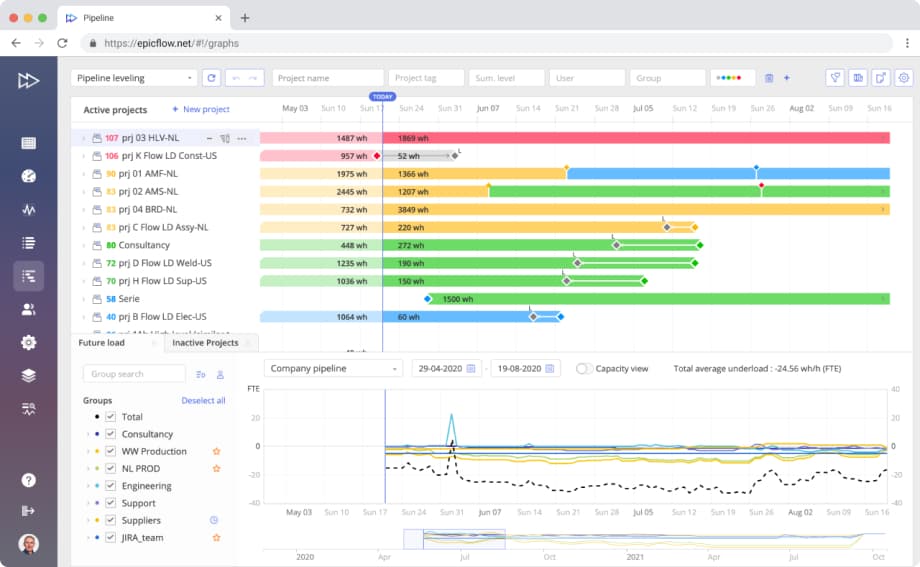
Epicflow heads the list of best AI project management tools. It’s an advanced project and resource management solution for organizations operating in complex multi-project environments. Epicflow’s functionality is based on research in the field of multi-project resource management and AI. Therefore, in contrast to traditional project management tools, Epicflow focuses on optimizing workflows across the entire project portfolio. How? It addresses the most critical constraint —resource availability. It helps organizations detect and address bottlenecks that hamper productivity. This means that project performance improves even under conditions of changes, uncertainty, and resource constraints. The other strong point of Epicflow is powerful decision support. Its AI-powered scenario analysis allows organizations to plan projects effectively, find best possible solutions to arising challenges, and properly address risks.
Epicflow meets the requirements for the highest data security standards. For example, it’s JOSCAR-registered and pen-tested by the British Ministry of Defense. It means that Epicflow is suitable for industries and organizations with high demands for data safety.
What about flexibility? Epicflow is a flexible AI project management software, so organizations of all sizes as well as growing businesses can consider it as an option.
Best for
Complex and dynamic multi-project environments with a shared resource pool.
Key AI-powered capabilities of Epicflow
- Predictive analytics: Epicflow uses AI to analyze historical and real-time project data to predict future outcomes. It forecasts potential delays, identifies emerging bottlenecks, and highlights projects at risk, which allows project teams to act before issues escalate.
- Task prioritization: Epicflow can adjust task priorities in response to changing resource availability, project status, and organizational goals. Instead of following static schedules, teams work on dynamically updated task lists without overload and multi-tasking.
- Load balancing: Epicflow’s AI analyzes resource workloads and recommends the optimal resource distribution to avoid overloads. It can reallocate resources based on their capacity and priorities and ensures that you use these resources efficiently. This approach contributes to preventing bottlenecks and reducing lead times.
- Bottleneck management: Epicflow’s algorithms can scan the portfolio to identify emerging and potential bottlenecks. The system flags where constraints are building and provides an opportunity to test practical solutions (resource reassignments, postponing projects, etc.) to prevent bottlenecks from affecting the overall project flow.
- Scenario simulation: Epicflow’s AI enables users to simulate different project and resource management scenarios. You can change variables like resource allocation, project priorities, or project deadlines and can see the potential impact before making changes. This reduces risk and supports smarter planning and decision-making.
- AI-based capacity planning: Epicflow predicts future resource capacity based on resource involvement in current projects. This helps organizations anticipate future staffing needs, balance resource demand and supply before starting a project, and avoid last-minute capacity shortages that typically derail projects.
- Recommendation for strategic decision-making: At the portfolio level, Epicflow’s AI provides recommendations on which projects to postpone based on their strategic value and resource constraints.
Therefore, companies adopting Epicflow optimize utilization of their available resources, streamline workflows and avoid bottlenecks, make informed decisions, and improve project performance.
Integrations
Epicflow has ready-made integrations with Jira, MS projects, and Oracle Primavera; our development team can also create custom integrations upon client’s requests. What is more, Epicflow integrates with human resource management systems for regular automatic updates of resource-related data.
Industries
Epicflow serves mostly engineering-driven industries (aerospace and defense, automotive, manufacturing, pharmaceutical, software development, telecommunications, etc.) and government organizations.
Pros and cons
Pros:
- Resource-centered approach to multi-project management;
- Powerful AI functionality;
- AI virtual assistant;
- High data security standards.
Cons:
- Can be too complex for work in single-project environments;
- Requires training and onboarding.
Pricing
Starts from €22.5 per user per month, but depends on the plan, organization’s size, and number of users.
ClickUp
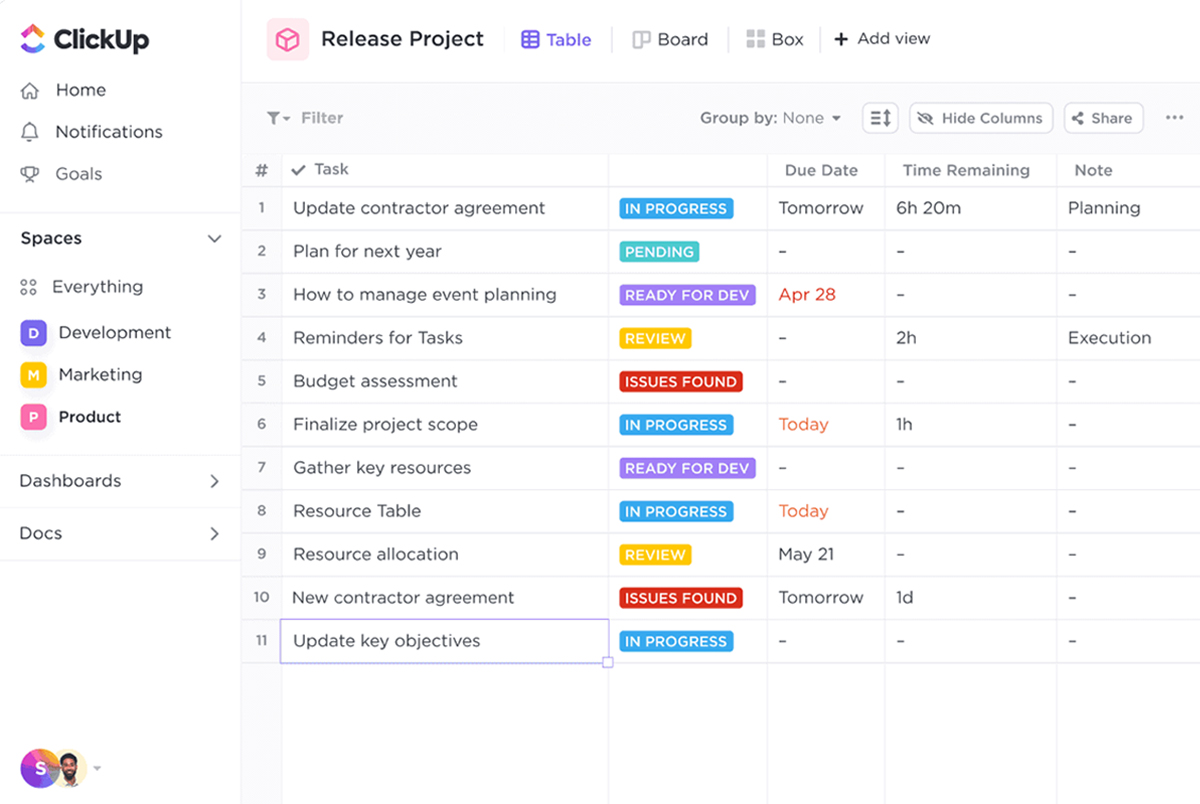
Among available project management AI tools, it’s an all-in-one solution with flexible pricing and robust customization. ClickUp provides all essential features for teams to consolidate their workflows through the platform’s utilities while offering several subscription tiers to meet the diverse needs of enterprises based on their scale of operations. The software has automated progress tracking and AI-powered workflows. It also offers task management, document collaboration, goal tracking, and time management, making it an ideal choice for small and medium-sized teams.
Best for
Organizations working in marketing, IT, HR, and sales; for those that strive to unite productivity and collaboration tools on a single platform.
Key AI features
- Automated project summaries and updates
- AI-powered task management
- Writing assistance
- Providing answers to project-related questions
Industries
Clickup is best for companies in HR, Sales, IT, and marketing.
Integrations
ClickUp has multiple native integrations with productivity tools and can be integrated with over 1,000 apps via Zapier.
Pros and Cons
Pros:
Powerful customization, diverse integration opportunities.
Cons:
New users will have to deal with large amounts of data, which can be overwhelming.
Pricing
Free plan with limited functionality. Unlimited plan from $7 / user / month.
Zapier
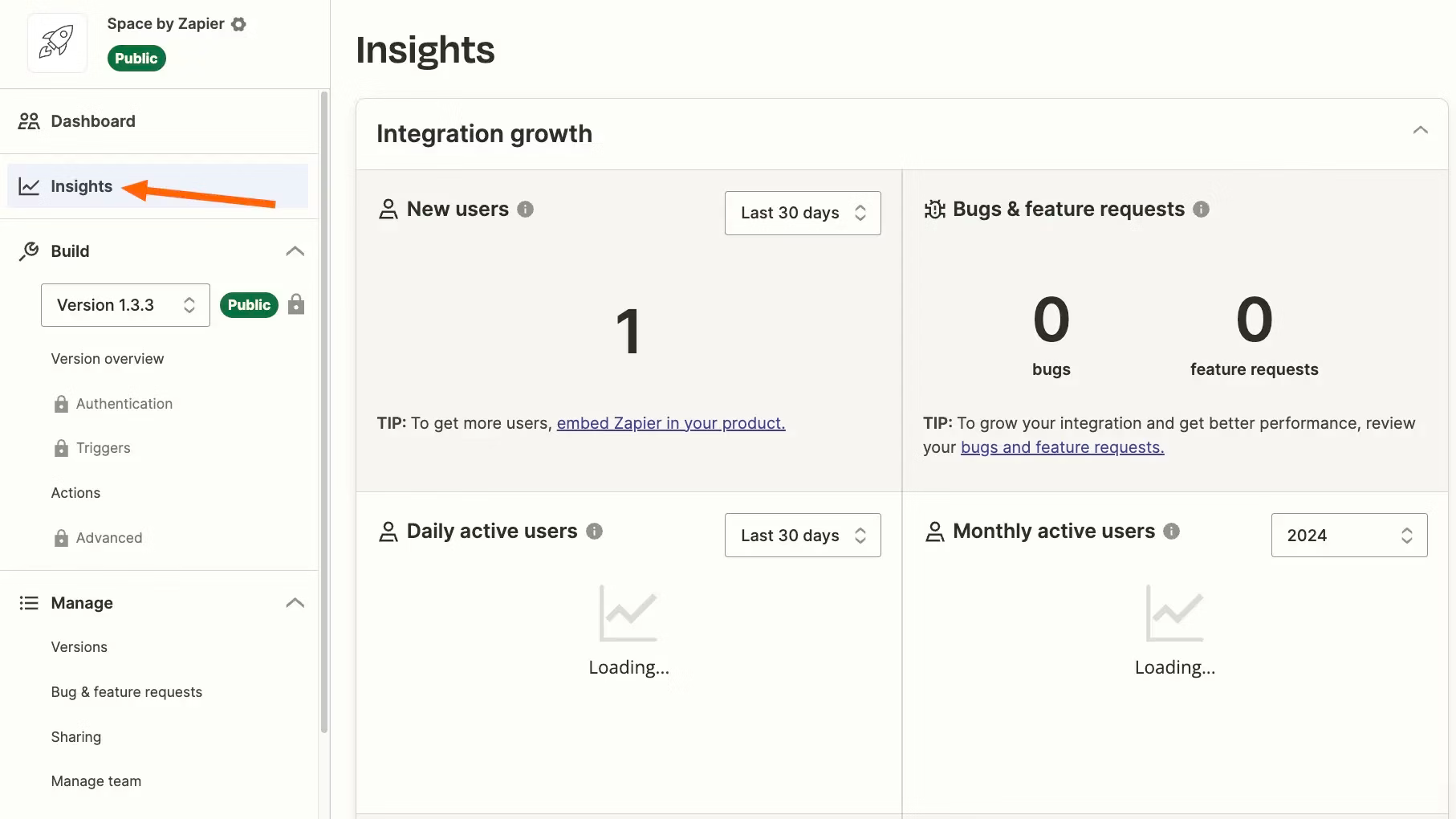
Compared to other products from the top AI-based project management tools’ list, Zapier will be a decent choice for medium and large organizations that plan dynamic expansion of operations. The company offers its branded AI solution, Zap, designed to reduce manual work and enhance team collaboration. Its pricing plans are based on the number of tasks executed per month. Additional strengths of the product include simplified business process integration, with Zapier enabling seamless data transfer between company platforms. This makes it a good choice for enterprises seeking to automate complex tasks across multiple applications.
Best for
Medium ad large organizations seeking a solution to automate complex cross-application processes.
Key AI features
- AI workflow automation
- AI diagramming tool
- Automated task management
Integrations
Zapier can be connected to over 8,000 web apps.
Industries
Zapier can be used with any industry, but works best for RevOps, marketing, IT, HR, and sales.
Pros and Cons
Pros:
Powerful automation capabilities across more than 8,000 apps.
Cons:
Can be overwhelming, especially for new users; task-based pricing can become too expensive.
Pricing
Free for basic functionality; other plans start from $29.99 / month.
Wrike
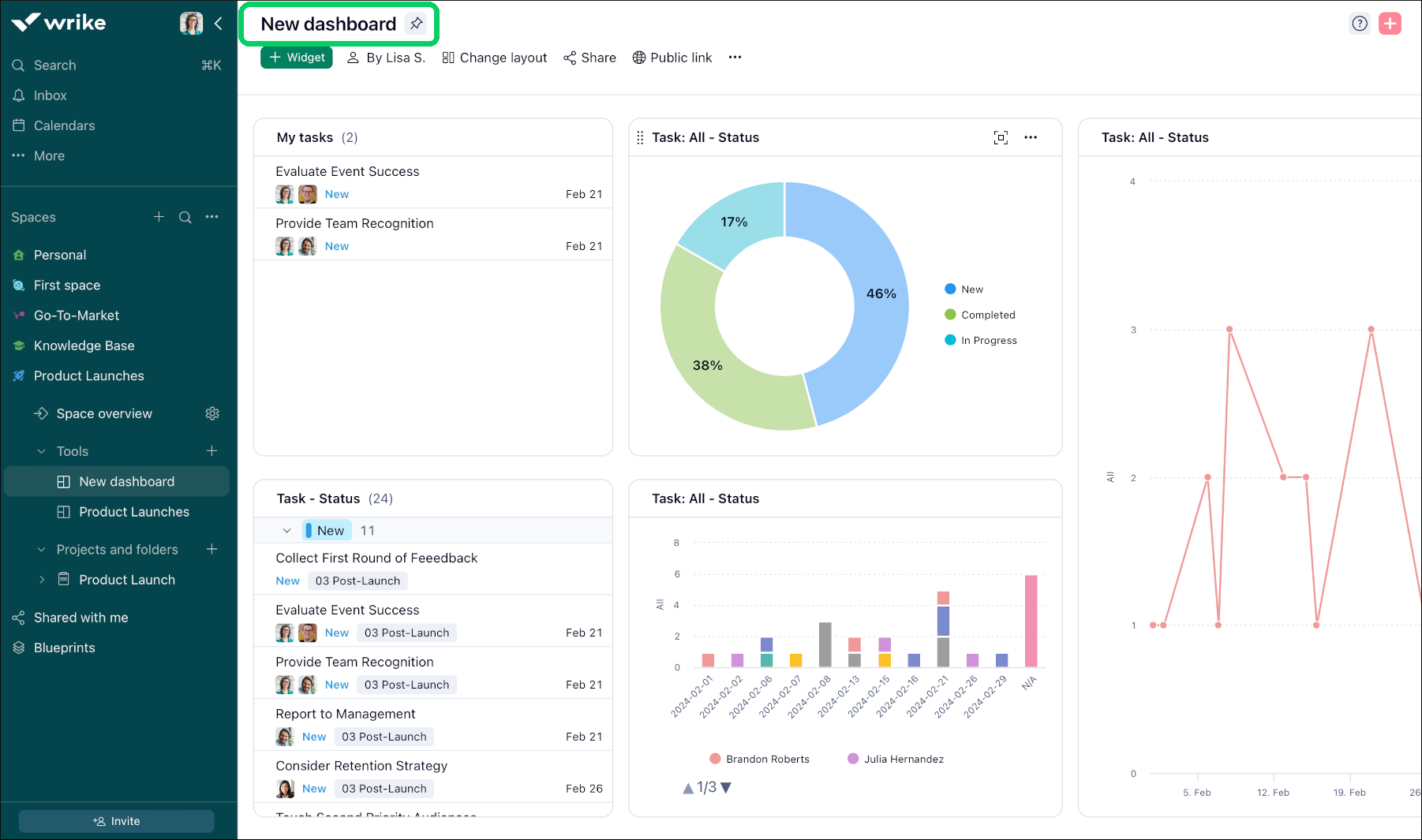
Wrike is the other solution in the list of top AI project management tools. It’s a versatile project management and collaboration platform that helps diverse teams plan, execute, and monitor projects more effectively. Wrike enables organizations to streamline their workflows and communications as well as improve visibility across projects and tasks. It leverages AI to automate workflows, enhance productivity, and improve decision-making.
Best for
This is one of the best AI project management software for managing projects by distributed teams; bringing together resources and unifying workflows.
Key AI features
- Task prioritization
- Risk forecasting
- Workload management
- Automation of repetitive tasks
Integrations
Write can be integrated with multiple collaboration and analytics tools. Additional integrations available with Unito.
Industries
Write can be a good choice for technology, marketing, creative, professional services, and product teams.
Pros and cons
Pros:
Streamlining workflows, bringing together distributed resources.
Cons:
High cost, steep learning curve.
Pricing
Has a free plan; other plans start from $10 / user / month.
Asana
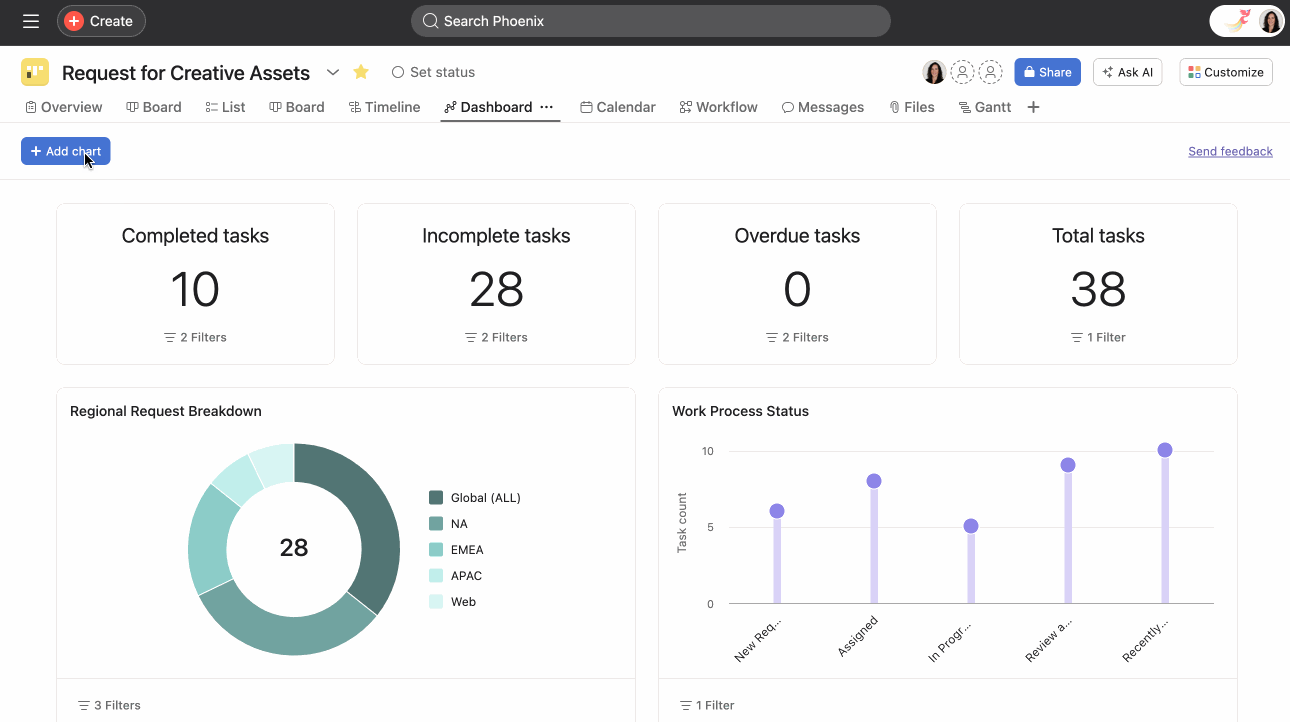
Asana is a project management and work collaboration platform that helps teams plan, organize, and track their work effectively. It provides a wide range of tools to manage projects, tasks, and workflows for organizations of all sizes. Its accountability and scalability help teams achieve their goals faster.
Best for
Organizations striving to achieve strategic alignment of their projects.
Key AI features
- Predictive workload management
- Task and workflow automation
- Natural Language Processing
- Insights and recommendations
- Generating project summaries
Integrations
Asana integrates with multiple data sharing apps like Dropbox, collaboration apps like Slack, and analytics apps like Looker Studio.
Industries
Asana covers a large range of industries including government, education, manufacturing, IT, marketing, retail, and healthcare.
Pros and cons
Pros:
Goal alignment opportunities, diverse integration opportunities.
Cons:
Limited customization capabilities, steep learning curve, not suitable for complex technical projects.
Pricing
Starting from €10.99 / user / month.
Smartsheet
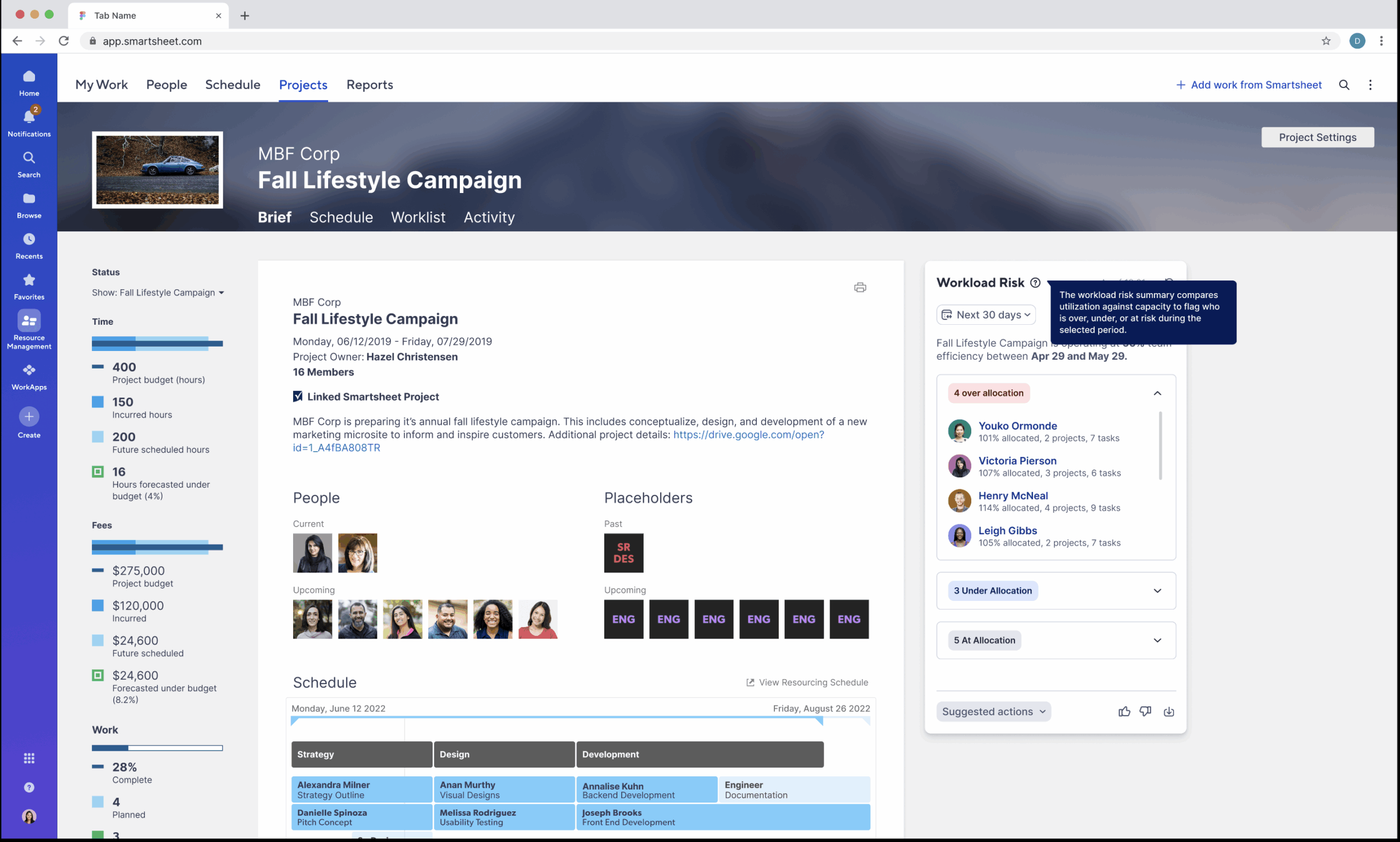
Smartsheet is a project management software that focuses on creating a clear view of a portfolio of projects and giving managers the tools to collaborate with the teams and manage portfolio performance. It uses AI for generating insights into how projects perform and what changes might be necessary. Smartsheet prides itself on enterprise-grade security of the application.
Best for
Companies that need AI capabilities to streamline portfolio management workflows.
Key AI features
- Generate actionable insights from data.
- Generate formulas for analytics.
- Use agentic AI to interact with data.
- Generate text and summaries.
Integrations
Smartsheet has multiple integrations with Google suite apps, enterprise apps, and more with Zapier connections.
Industries
Government, construction, tech, education, nonprofits.
Pros and Cons
Pros:
Lower requirements to data analytics thanks to AI-generated insights, improved workflow speed.
Cons:
Not very intuitive, the dashboard lacks interactivity.
Pricing
Pricing starts at $9 per user per month.
Monday
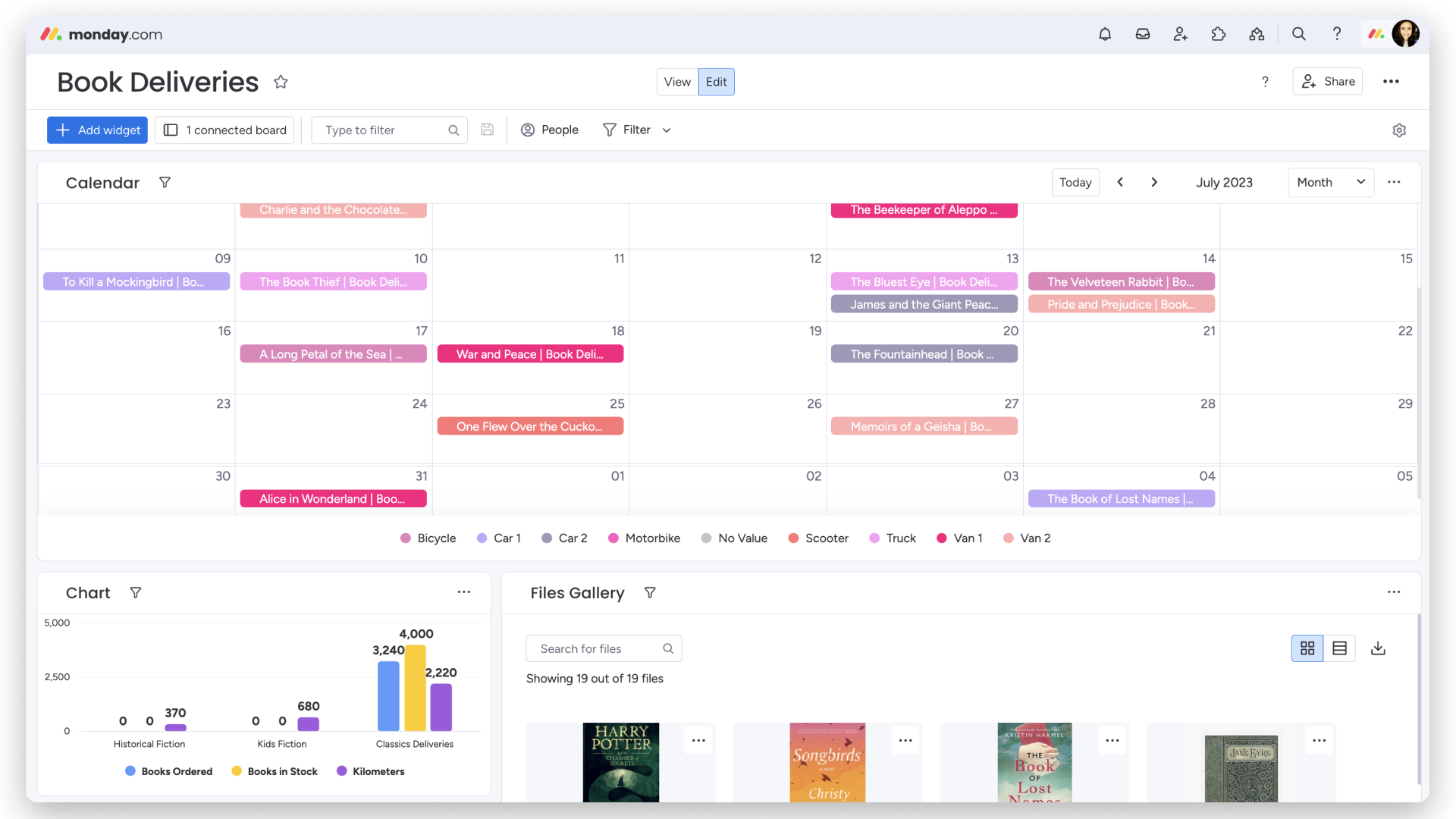
This is one of the most well-known AI tools for project management. Monday offers visual project tracking with extensive integration support. Moreover, Monday’s solutions are highly adaptable across various industries. For example, large-scale projects and manufacturing companies can benefit the most from its flexible project management and automation capabilities.
Best for
Teams that need a customizable work management platform with diverse functionality, automation, and collaboration capabilities.
Key AI features
- AI assistant
- AI blocks (project analyzer, sales advisor, campaign manager)
- Digital workforce
- AI task management
Integrations
Monday can be integrated with Slack, Gmail, MailChimp, DocuSign, and 200 other apps.
Industries
Monday is a good solution for marketing, IT, sales, and product development.
Pros and cons
Pros:
User-friendly tool, customizable workflows, diverse integrations, workflow automation.
Cons:
Complex onboarding, steep learning curve.
Pricing
Free plan available; other plans start from €9 / user/ month.
Ayanza
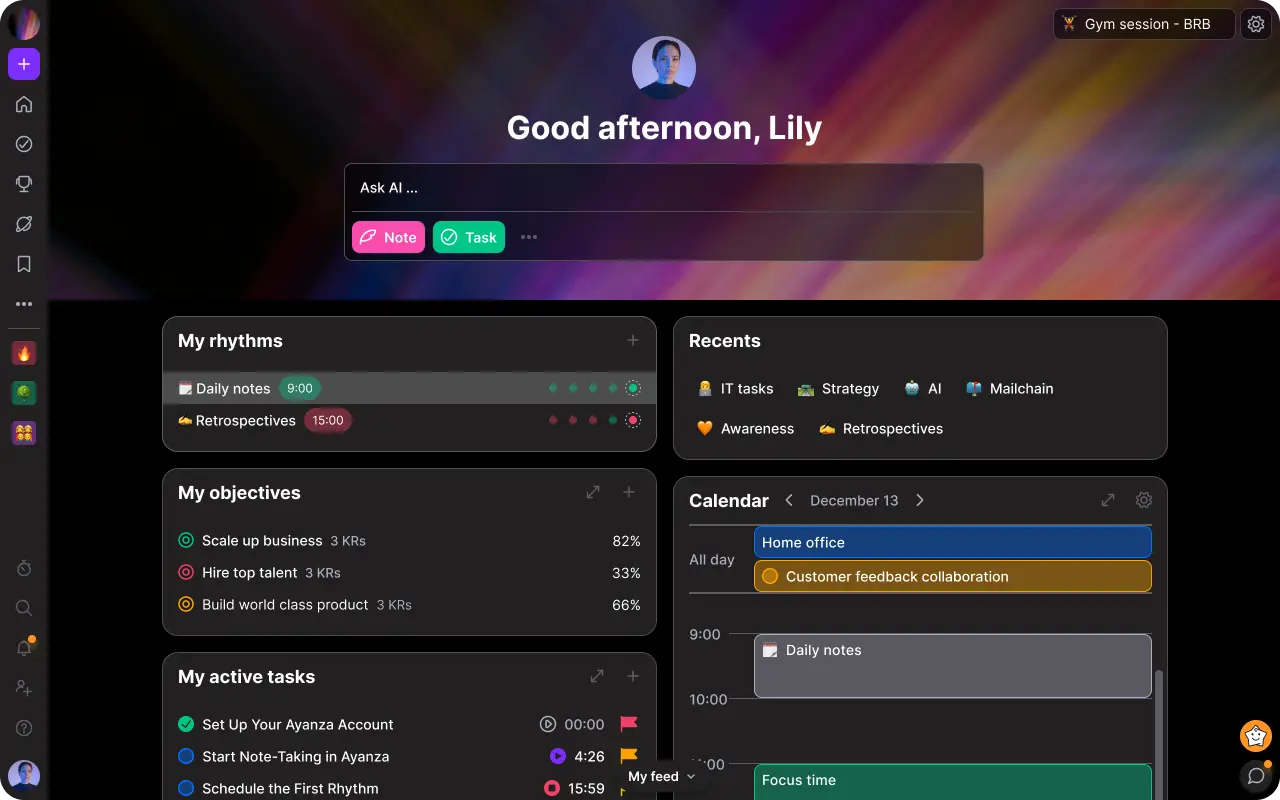
The next in the list of AI-driven project management tools is Ayanza. It is a robust AI-powered team management solution designed to enhance collaboration and productivity. It is a good choice for optimizing internal teamwork with all the essential tools for team management. This product helps boost productivity and align teams on goals, while users also benefit from its intuitive interface and visual features. The tool is designed for startups, creative teams, and enterprises.
Best for
Small teams looking for all-in-one workspace for project management, team collaboration, and knowledge sharing.
Key AI features
- AI brainstorming partner
- AI writing assistant
- AI Chatbot
- AI task management
- AI reporting
- AI collaborative workspaces
Integrations
Ayanza can be natively integrated with Notion, Asana, Trello, MS and Google calendar apps. More is available with Zapier.
Industries
Ayanza can be a good solution for IT, marketing, HR, and product development.
Pros and Cons
Pros:
Uniting task tracking with documentation tools; affordable tool.
Cons:
Less well-known vendor; lacks advanced functionality.
Pricing
Free plan available; other plans start from $6 / user / month.
Taskade
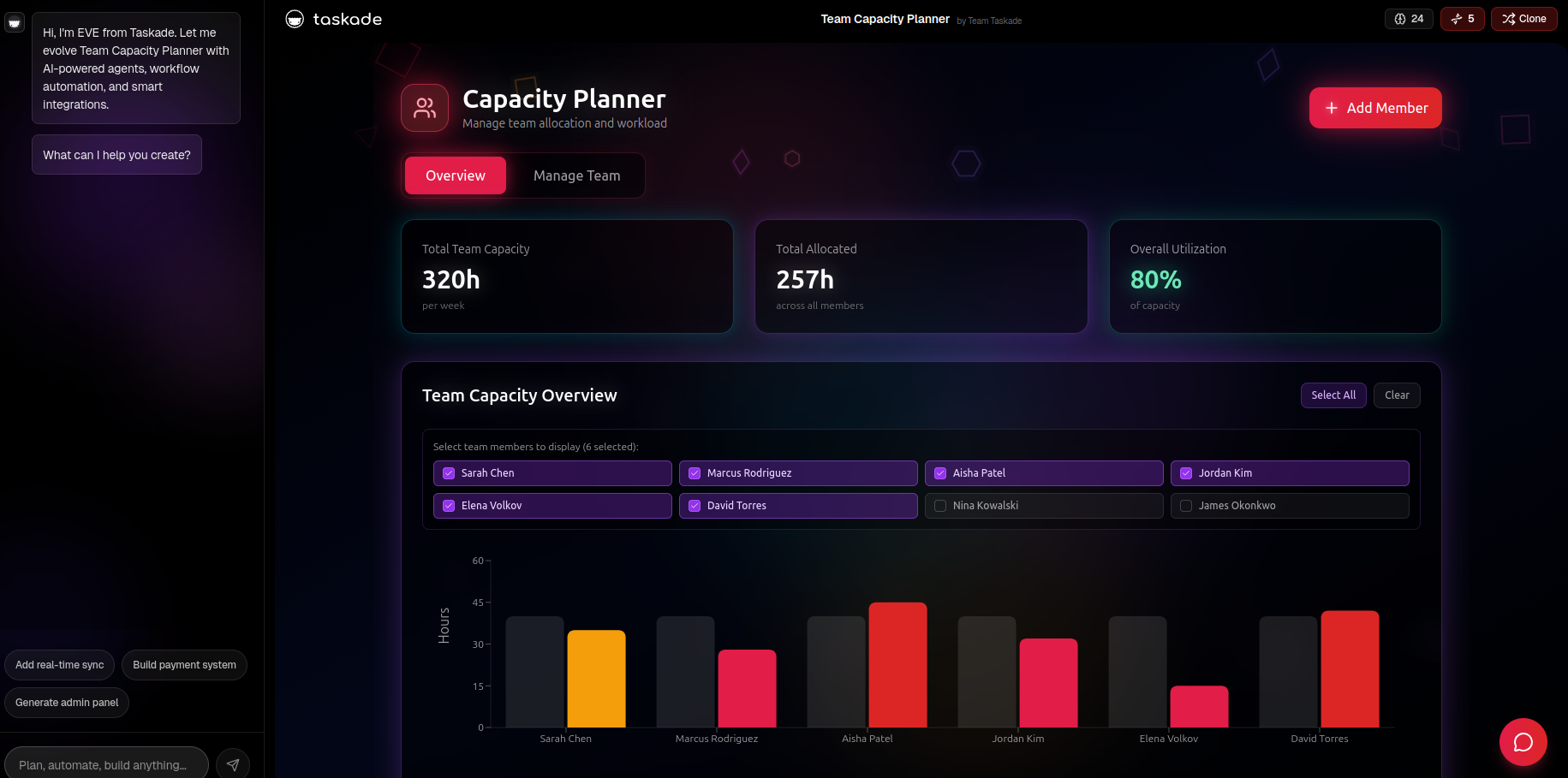
AI in project management tools introduces different opportunities and capabilities enhancing the project management process. Taskade, in turn, offers a unique AI solution featuring autonomous AI agents that handle tasks and research. These AI agents actively learn and adapt to evolving tasks, optimizing performance. AI-enhanced task management, combined with mind maps, task lists, and real-time collaboration, forms Taskade’s core strengths. These key features make it a good choice for teams seeking a straightforward tool for task management and collaboration.
Best for
Remote or distributed teams that need real-time outlines, collaboration, and structured workflows.
Key AI features
- AI assistant and commands
- AI agents
- AI project generator
- AI task management
- Workflow automation
- Document summarization
Integrations
Stripe, Google suite of tools, and 50 more apps.
Industries
Taskade is a good choice for startups, finance, and IT.
Pros and cons
Pros:
AI agents, custom workflow templates.
Cons:
Usage restrictions, insufficient data relationships management capabilities.
Pricing
Starting from $8 / month. Free plan with limited functionality is available.
Trello
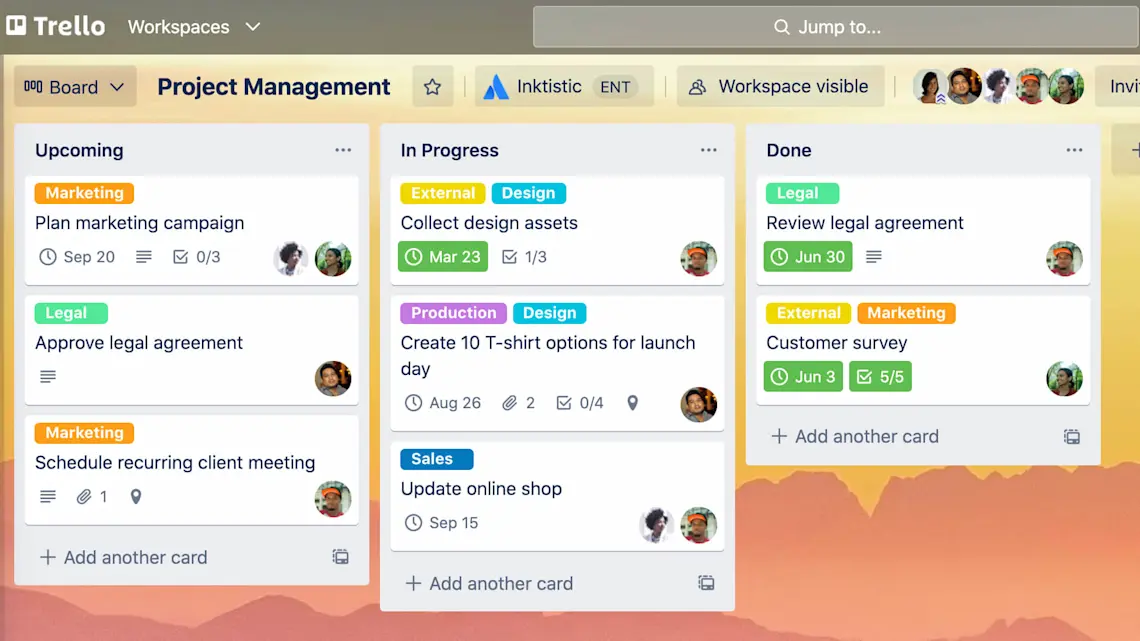
The final product from the best AI project management tools’ list describes itself as a productivity powerhouse, and Trello provides customizable and flexible solutions for small teams and enterprises. This brand also offers seamless integration with essential apps, while no-code automation simplifies task management. Additionally, Trello streamlines complex workflows and provides access to branded Atlassian Intelligence (AI). For full access to all AI tools, premium and enterprise subscription plans are recommended, though a free demo version is available.
Best for
Individuals and small teams that need a simple Kanban-style task manager.
Key AI features
- Trello AI assistant
- Suggesting recommendations
- Butler automation
Integrations
Trello can be integrated with over 200 collaboration and marketing apps.
Industries
Trello is best for startups, marketing, IT, design, engineering, and product teams.
Pros and cons
Pros:
Intuitive, free plan, effective mobile support.
Cons:
Lacks advanced functionality for managing project schedules, resources, reports, etc.
Pricing
Starting from $5 / month. Free plan available.
Read more: Top 15 PMO tools for your business in 2025
Pro tip: Remember that there’s no one-size-fits-all solution with AI. Decide what criteria will be most important for your organization and base your choice on them.
How to Select Appropriate Project Management Tools with AI
Ok, now you’re ready to act but as you look through the lists of AI solutions, you become overwhelmed with their diversity. Don’t worry, we’ve prepared the criteria to help you make your choice. Here’s what you should pay attention to when selecting project management software with AI for your organization. Just answer these questions.
1. What are your needs and goals?
In other words, what you’re planning to achieve with AI-powered project management tools? And what areas you’re planning to improve: resource allocation, task management, decision-making, etc. Also, you should take into account the nature of projects you’re managing: are they simple projects or large portfolios? These parameters are critically important for making the right choice.
2. What AI capabilities does the tool have?
Having identified your goals and needs, you should find the answer to the second question. Let’s say you’re considering a tool. Compare its AI capabilities with the goals you’d like to achieve. Opt for the tool whose AI powered features will perfectly meet your requirements.
3. Is it easy to use?
Follow the principle: the tool should streamline and simplify your workflows, not make the processes more complicated. A user-friendly solution will shorten the learning curve for your team members. What is also important—the PM solution should integrate with other tools you’re already using, this will make the adoption of the new software smooth and effective.
4. Is the tool flexible?
It’s a good idea to choose a project management tool that will adapt to your organization’s changing needs and grow with your business. So, check if it can handle the increasing complexity of projects, the growing number of users, and to customize workflows in line with these changes.
5. Does the tool follow data security standards?
As we know, AI tools handle large amounts of sensitive data, so data security is crucial for AI project management tools. So, when making your choice, check the solution’s adherence to data security standards (e.g., GDPR); review data ownership policies, user access control, encryption, and other security parameters.
6. Does the vendor provide effective customer support?
Effective customer support is critically important, especially when the solution offers complex advanced features powered by AI. So, it’s better to choose vendors that have diverse customer support channels (e.g., live chat, knowledge base, community forums, dedicated managers, etc). The more channels they offer, the better.
Read more: How to Choose the Right Project Management Software: Selection Guide
And finally, we’ve approached the most important section of the article—an overview of AI project management tools. The listing below introduces different tools that align with the latest business trends, increase efficiency, and help businesses to adapt to changing project management demands. Let’s get started.
Final Thoughts
Even the best AI project management tools won’t replace human project managers—the insights provided by these solutions should be interpreted correctly to get the expected outcomes.
Let’s finish this article with the thoughts of Paul Boudreau, AI project management researcher: “Project managers need to embrace AI and lead the change to the way projects are managed.”
Contact us to learn more about AI capabilities that transform the project management process and how Epicflow AI project management software can let these transformations happen.
Frequently Asked Questions
What is AI project management software?
AI project management tool is project management software with AI-driven functionality. These features help project managers automate repetitive tasks, make forecasts, and give grounds for informed decision-making. Compared to ordinary PM tools, project management tools with AI can analyze large volumes of project data, detect patterns, forecast issues, make recommendations, generate reports, etc.
How to choose the best project management AI tools?
The best project management AI tools are solutions that perfectly meet your organization’s needs.There cannot be a versatile solution suitable for any project environment. When choosing the right software, you should first analyze your needs and determine the goals you’d like to achieve. After that, consider AI-driven features available in the PM tool. Finally, pay attention to the solution’s usability, data security, and customer support options.
How is AI used in PMO?
Project management offices use AI for the following purposes: making forecasts (predicting bottlenecks and risks), optimizing resources, prioritizing projects within portfolios, creating reports automatically, and planning scenarios.
What are the best AI tools for project management?
The best AI tool for project management is the one that has robust AI functionality and meets the specific needs of your organization. You can choose from the following list: Epicflow, ClickUp, Zapier, Wrike, Asana, Height, Ayanza, Trello, Monday, and Taskade.
Which AI solutions integrate with project management tools like Jira?
All of the solutions mentioned in the article (Epicflow, ClickUp, Zapier, Wrike, Asana, Height, Ayanza, Trello, Monday, and Taskade) have interactions with project management tools like Jira, both native or via third-party tools.
What are the common challenges when implementing AI project management tools?
The key challenges that companies face when implementing AI project management tools include the following ones:
- Data quality: many organizations have siloed, incorrect, or inconsistent data;
- Change management: team members may resist leveraging AI, as they are afraid of being replaced by technology;
- Trusting AI insights: it may be challenging to rely on AI-driven insights in decision-making;
- Cost of AI project management tools: they are rather expensive, while it can be difficult to understand whether this investment was worth it;
- Data security concerns: project data often includes sensitive information;
- Excessive reliance of AI: overeliance on AI can be harmful for the decision-making process.
How do AI tools enhance project risk management?
AI project management tools make risk management more effective in several ways. First, they predict potential risks (e.g., delays, budget overruns, bottlenecks, etc.). Second, AI-driven scenario simulation (or What-if Analysis) helps find optimum ways to respond to potential risks or mitigate the existing threats.
Which industries benefit most from adopting AI project management tools?
Industries with complex projects prone to risks will see the greatest impact of AI-powered project management tools. These industries include aerospace and defense, manufacturing, IT, automotive, telecommunications, and healthcare.
Can AI help with resource allocation in multi-project environments?
Yes. AI can identify resource bottlenecks, forecast future capacity, and suggest optimal resource allocation across multiple projects. This will prevent teams from overload and contributes to efficient utilization of available resources.
Is it secure to use AI project management tools for managing projects?
Yes. You only need to select reliable vendors. Robust AI-powered tools follow strict data security standards, which protects your clients’ sensitive data.