Top 15 PMO Tools for Your Business in 2026
 Anna Balyuk
.
Updated
.
Project Management
.
40 mins READ
Anna Balyuk
.
Updated
.
Project Management
.
40 mins READ

An effective Project Management Office (PMO) helps standardize project management practices, ensure portfolio alignment with organizational strategy, and provide oversight to deliver projects successfully.
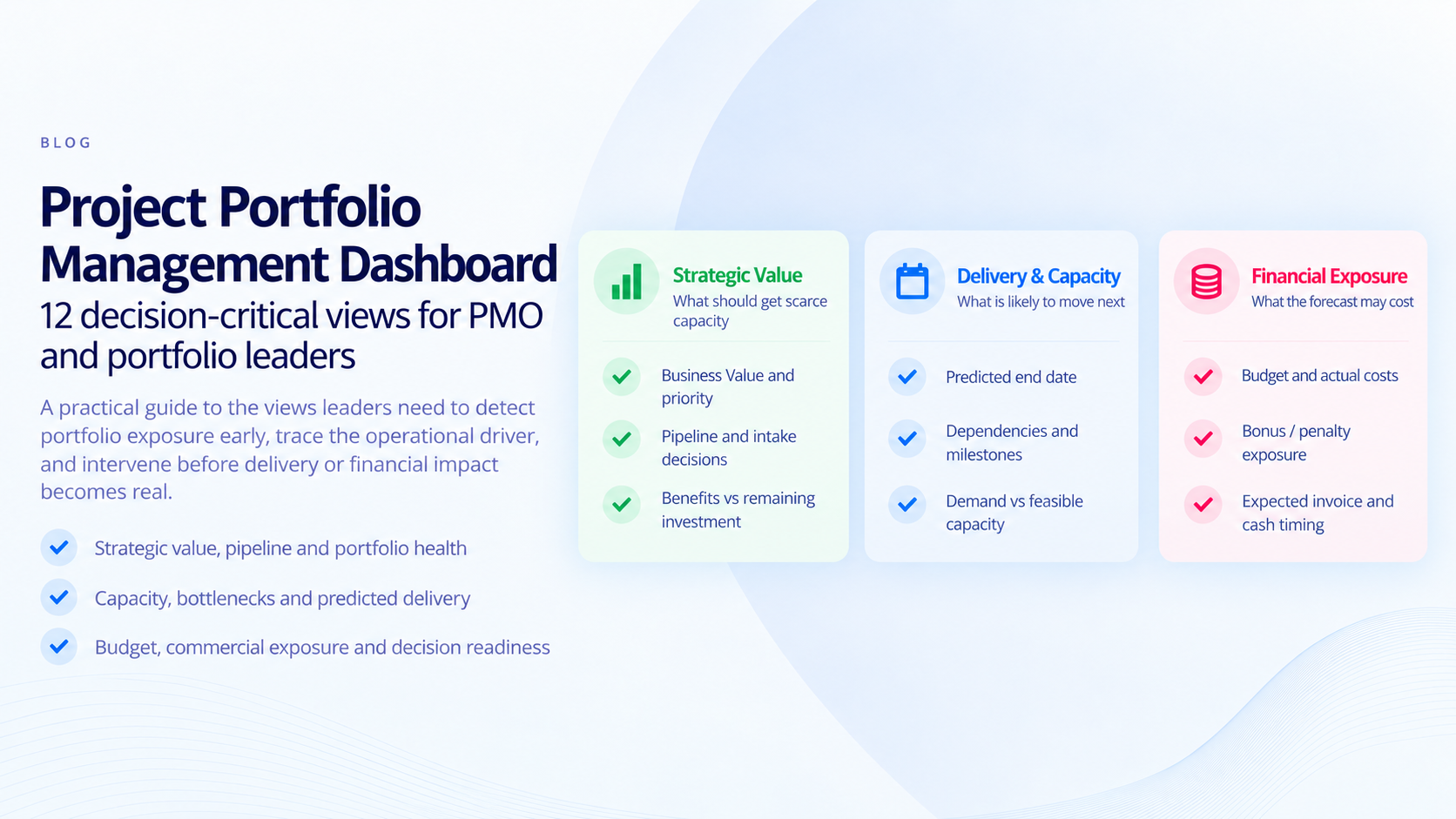
But modern PMOs need more than visibility and collaboration. When multiple projects depend on the same specialists, the harder problem is deciding what should move first, whether available capacity can support the plan, and where bottlenecks will threaten commitments. The right PMO software should help answer those questions without forcing delivery teams to abandon the tools they already use.
Therefore, we’ve compiled a list of 15 best PMO software tools. Read further to compare the leading options and understand which type of PMO each tool is best equipped to support.
Key Takeaways:
- PMO tools help project management offices oversee, manage, and optimize project portfolios. They support planning and execution, resource management, governance, reporting, and alignment with business priorities.
- For complex multi-project environments, the most important distinction is often how well a platform coordinates competing priorities around shared, constrained resources rather than how many dashboards or task-management features it provides.
- Organizations adopting PMO tools and processes improve delivery predictability, allocate scarce specialist capacity across projects, make decision making confident.
- To choose the right PMO software, analyze your portfolio complexity, resource constraints, integration requirements, usability, support model, security needs, and evidence from relevant customer cases.
Best PMO software by organizational need
| Organizational need | Key capabilities to prioritize | Recommended PMO software |
| Enterprise PMOs managing interdependent projects and shared specialist resources | Portfolio management, capacity forecasting, dynamic prioritization, bottleneck detection, executive reporting | Epicflow, Planview, Oracle Primavera |
| PMOs focused on portfolio governance and strategic planning | Strategic portfolio management, investment prioritization, scenario analysis, portfolio visibility | Epicflow, Planview, Oracle Primavera, Clarizen |
| PMOs seeking AI-assisted planning, decision making, and resource optimization | Resource allocation, workload balancing, bottleneck management, portfolio optimization, predictive insights, What-if analysis | Epicflow |
| PMOs supporting distributed teams and cross-functional collaboration | Workflow management, team collaboration, reporting, automation | Wrike, Smartsheet, Monday.com, Asana |
| PMOs managing software development portfolios | Agile planning, issue tracking, sprint management, DevOps integration | Jira |
| PMOs requiring flexible project planning and scheduling | Project scheduling, resource tracking, timeline management, reporting | Microsoft Project, Smartsheet |
| PMOs in fast-growing organizations seeking scalability | Workflow automation, project visibility, customizable processes | ClickUp, Monday.com, Wrike |
| PMOs looking for lightweight project coordination tools | Task management, team communication, project visibility | Trello, Basecamp, Zoho Projects |
| PMOs requiring configurable portfolio and resource management solutions | Resource capacity planning, portfolio analysis, scenario modeling | Fluid, Planview, Epicflow |
Organizations evaluating PMO software should prioritize solutions that match their portfolio complexity, resource-management requirements, and strategic objectives. In environments where many projects compete for the same specialists, the selection criteria should be based on value-based portfolio management: portfolio-wide capacity forecasting, bottleneck detection, scenario analysis, and the ability to translate priorities into executable plans.
Epicflow is particularly suited to PMOs operating under shared-resource constraints: it combines portfolio and resource management, dynamic prioritization, predictive bottleneck detection, and what-if analysis while connecting to supported planning and delivery tools.
What is a PMO?
A PMO, or Project Management Office, is a centralized organizational structure that standardizes project management practices, processes, and governance to ensure projects are executed efficiently and align with strategic business goals. There are various types of PMOs, and each has its role and functions: supportive PMOs that offer guidance, best practices, and tools but do not enforce methodologies; controlling PMOs that monitor compliance with project management processes and enforce standards; and directive PMOs that actively manage projects and take a hands-on role in execution.
A PMO has the following functions:
- Project governance includes establishing frameworks, methodologies, and policies to guide project execution.
- Resource allocation to optimize the use of resources across projects and avoid conflicts to ensure balanced workloads.
- Performance monitoring for tracking project progress, budgets, and risks to maintain alignment with timelines and objectives.
- Support and training – providing tools, templates, and training to project teams to enhance their productivity and adherence to standards.
- Strategic alignment: ensuring all projects contribute to the organization's strategic goals and priorities.
A PMO is crucial for organizations managing multiple projects, ensuring consistency, improving efficiency, and providing valuable insights for informed decision-making.
What are PMO tools?
PMO tools are software solutions designed to assist project management offices in overseeing, managing, and optimizing project portfolios. These tools provide features to streamline project planning, execution, tracking, and resource management, enabling organizations to align their projects with strategic business goals effectively.
Benefits PMO Tools Provide to Organizations
- Improved visibility into project statuses and resource utilization.
- Streamlined communication and collaboration among stakeholders.
- Enhanced risk management through predictive insights.
- Increased efficiency in managing project timelines and budgets.
Why is it important to have PMO software tools for your business’ success?
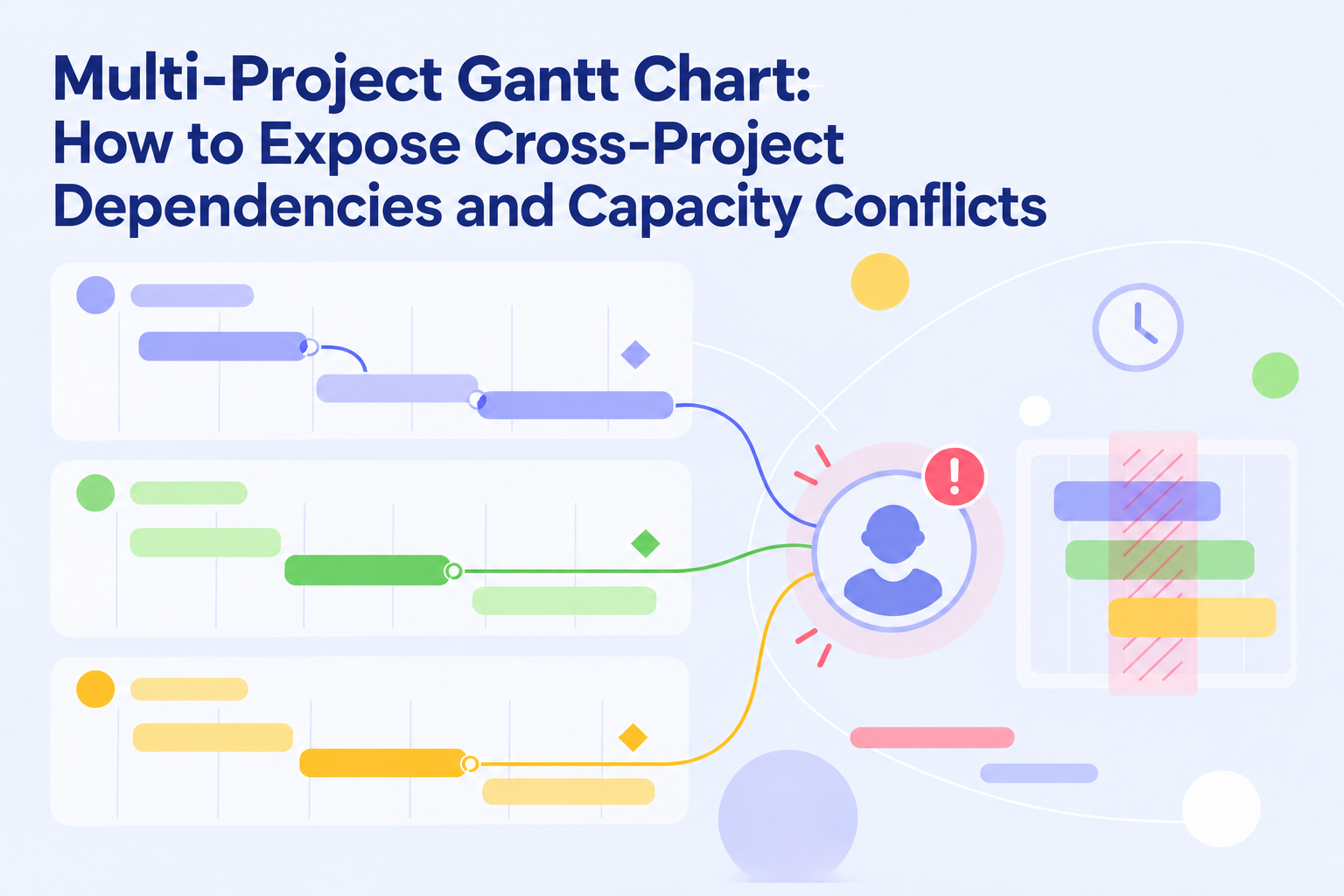
PMO software tools provide the structure, visibility, and decision support needed to manage multiple projects, align with strategic goals, and deliver consistent results. For resource-constrained PMOs, their value increases when they can expose cross-project dependencies and show where scarce capacity is limiting the portfolio.
Centralized Management
PMO tools serve as a central hub for managing projects, resources, and timelines. They provide real-time insights into project progress, enabling businesses to monitor performance, identify bottlenecks, and ensure projects stay aligned with organizational objectives.
Enhanced Decision-Making
With advanced analytics and reporting features, PMO software delivers actionable insights, empowering leaders to make data-driven decisions. By identifying risks, tracking KPIs, and forecasting project outcomes, businesses can adapt their strategies to achieve better results.
Improved Resource Allocation
Efficient resource allocation is not only about keeping people busy. In a multi-project environment, PMO tools and software allow businesses to understand which work should receive scarce specialist capacity first, where overload will form, and how allocation choices affect delivery across the portfolio.
Streamlined Processes
PMO tools standardize project workflows, making it easier to maintain consistency across teams and projects. Automation features eliminate repetitive tasks, such as updating project statuses or sending reminders, which saves time and reduces the risk of human error.
Better Collaboration and Communication
Effective collaboration is the cornerstone of successful projects. PMO software facilitates communication through shared workspaces, real-time updates, task assignments, and document sharing. This ensures that all stakeholders are on the same page and can work together seamlessly.
Risk Mitigation
PMO tools help identify and manage risks proactively by tracking potential issues and providing tools for mitigation planning. This capability ensures that problems are addressed before they escalate, reducing delays and cost overruns.
Alignment with Strategic Goals
PMO software helps connect strategic priorities with execution. Stronger platforms also test whether priority work can actually be delivered with available capacity, so strategic intent does not remain disconnected from resource reality.
Multi-Project Management
For businesses managing multiple projects simultaneously, PMO tools provide a unified view of ongoing initiatives. The most demanding environments also require portfolio-wide coordination of shared specialists, because optimizing one project in isolation can create queues and delays elsewhere.
Increased Efficiency and Productivity
PMO tools enhance overall efficiency by automating tasks, streamlining workflows, and providing a clear roadmap for project execution. Teams can focus on high-value activities while the software handles routine processes, leading to better productivity and faster project completion.
PMO management tools’ key features
PMO tools’ features are tailored to address the complexities of managing multiple projects while aligning with organizational goals. Let’s overview the key features of PMO management software:
Project Portfolio Management (PPM)
- Centralized dashboards to oversee all projects in real-time.
- Tools for prioritizing projects based on strategic value and urgency, and where relevant available portfolio capacity.
- Portfolio health metrics to track progress, budgets, risks, and delivery exposure across projects.
Resource Management
- Resource allocation and scheduling across projects to avoid chronic overload and idle capacity.
- Tracking resource availability and skill matching for project requirements.
- Forecasting demand, exposing shared-resource bottlenecks, and testing capacity trade-offs before they affect delivery.
Scheduling and Task Management
- Interactive Gantt charts and timelines for project planning.
- Task assignment, tracking, and dependencies to ensure project flow.
- Milestone setting and progress monitoring.
Risk and Issue Management
- Tools to identify, assess, and mitigate risks.
- Alerts and tracking systems for unresolved issues.
Reporting and Analytics
- Advanced reporting with customizable metrics for decision-making.
- Insights into KPIs such as project performance, resource utilization, and financial health.
- Predictive analytics for scenario planning and risk forecasting.
Budgeting and Cost Control
- Budget planning and tracking tools for all projects.
- Monitoring expenditures and ensuring alignment with forecasts.
- Cost optimization insights.
Collaboration and Communication
- Integrated communication platforms for team discussions and update sharing.
- Document sharing for easy access to project data.
- Stakeholder updates and notifications to ensure alignment.
Automation and Integration
- Automated workflows for approvals, reminders, and task updates.
- Integration with planning, delivery, ERP, CRM, and accounting systems where required.
- APIs to customize workflows and enhance functionality.
Compliance and Governance
- Tools to ensure projects adhere to organizational policies and regulatory standards.
- Audit trails for accountability and transparency.
Customization and Scalability
- Flexible features to adapt to organizational needs and methodologies (e.g., Agile, Waterfall, or Hybrid).
- Scalability to accommodate growing portfolios or enterprise-level requirements.
After considering the features of PMO software, let’s move on to an overview of the best tools for PMOs available on the market today.
Best 15 PMO tools to consider in 2026
Epicflow

Epicflow is project portfolio and resource management software for PMOs delivering complex, high-stakes projects with shared, constrained resources. It helps coordinate competing projects around real specialist capacity, anticipate bottlenecks, test delivery scenarios, and turn portfolio priorities into executable plans.
Its portfolio capabilities go beyond project-by-project scheduling. Epicflow dynamically prioritizes work across the portfolio, forecasts demand and capacity, identifies bottlenecks before they become delivery problems, and supports what-if analysis so PMOs can test resource or sequencing decisions before changing the live plan. The AI-powered Portfolio Optimizer adds value-based, capacity-aware portfolio optimization
Epicflow is particularly relevant for enterprise, engineering, R&D, aerospace, defense, manufacturing, telecom, healthcare, and other environments where several projects depend on the same scarce specialists. Its JOSCAR registration and British MOD penetration-testing experience add credibility for high-stakes environments; customer evidence should still be assessed against the scope and requirements of each organization.
Epicflow can serve as best PMO software for enterprises as it assists PMOs handling multiple projects with a shared resource pool, enabling them to achieve outstanding outcomes thanks to:
- Portfolio-wide task and project priority calculation;
- Capacity-aware portfolio optimization based on strategic value and real resource constraints;
- Prediction of project due dates and future bottlenecks from current portfolio conditions;
- Resource allocation support based on skills, availability, workload, and priority;
- What-if analysis for testing sequencing, staffing, and portfolio trade-offs without changing the live plan;
- Real-time bottleneck detection and mitigation across shared resource groups;
- Portfolio, project, resource, milestone, and workload visibility;
- Historical and future load analysis to improve planning and delivery predictability.
Epicflow connects with supported tools including Jira, Microsoft Project Desktop, and Oracle Primavera, allowing PMOs to add portfolio-level capacity and prioritization without necessarily replacing the delivery environments teams already use.
Epicflow also supports large-scale deployments; as with any enterprise platform, scalability should be validated against the organization’s architecture, integration, governance, and performance requirements.
Key features of Epicflow for PMOs
- Project portfolio management and optimization
- Multi-project management
- Resource and capacity management
- AI-assisted planning and decision-making
- Dynamic task and project prioritization
- Predictive analytics and what-if analysis
- Bottleneck detection and mitigation
- Competence and skill management
- Historical workload analysis
- Workload forecasting
- Budget and cost management
- Reporting and portfolio visibility
- AI virtual assistant
For PMOs, Epicflow’s core value is the ability to align priorities with actual capacity across the portfolio. That makes it especially relevant when the same constrained experts are needed by multiple projects and predictable delivery matters more than local project optimization.
Basecamp

Basecamp is a project management tool designed for small teams, offering features like task management, scheduling, team collaboration, and project progress tracking. Its intuitive interface and user-friendly design ensure a minimal learning curve, making it an accessible choice for PMO needs.
One of Basecamp’s standout advantages is its flexible pricing structure, which is based on project requirements rather than the number of users. This makes it particularly appealing to startups and growing businesses.
However, as team sizes grow and project complexities increase, Basecamp’s basic collaboration tools may not fully meet the demands of larger, cross-functional teams.
Key Features of Basecamp
- Message boards keeping all conversations organized and easy to access
- To-do lists: task creation, assignment, and tracking with deadlines and status updates
- Schedules: integrated calendar to track project milestones, events, and deadlines
- Document and file sharing
- Real-time group chat (Campfire)
- Automatic check-ins
- Real-time activity tracking
- Client access allowing clients to review progress and provide feedback
- Cross-platform accessibility.
Smartsheet
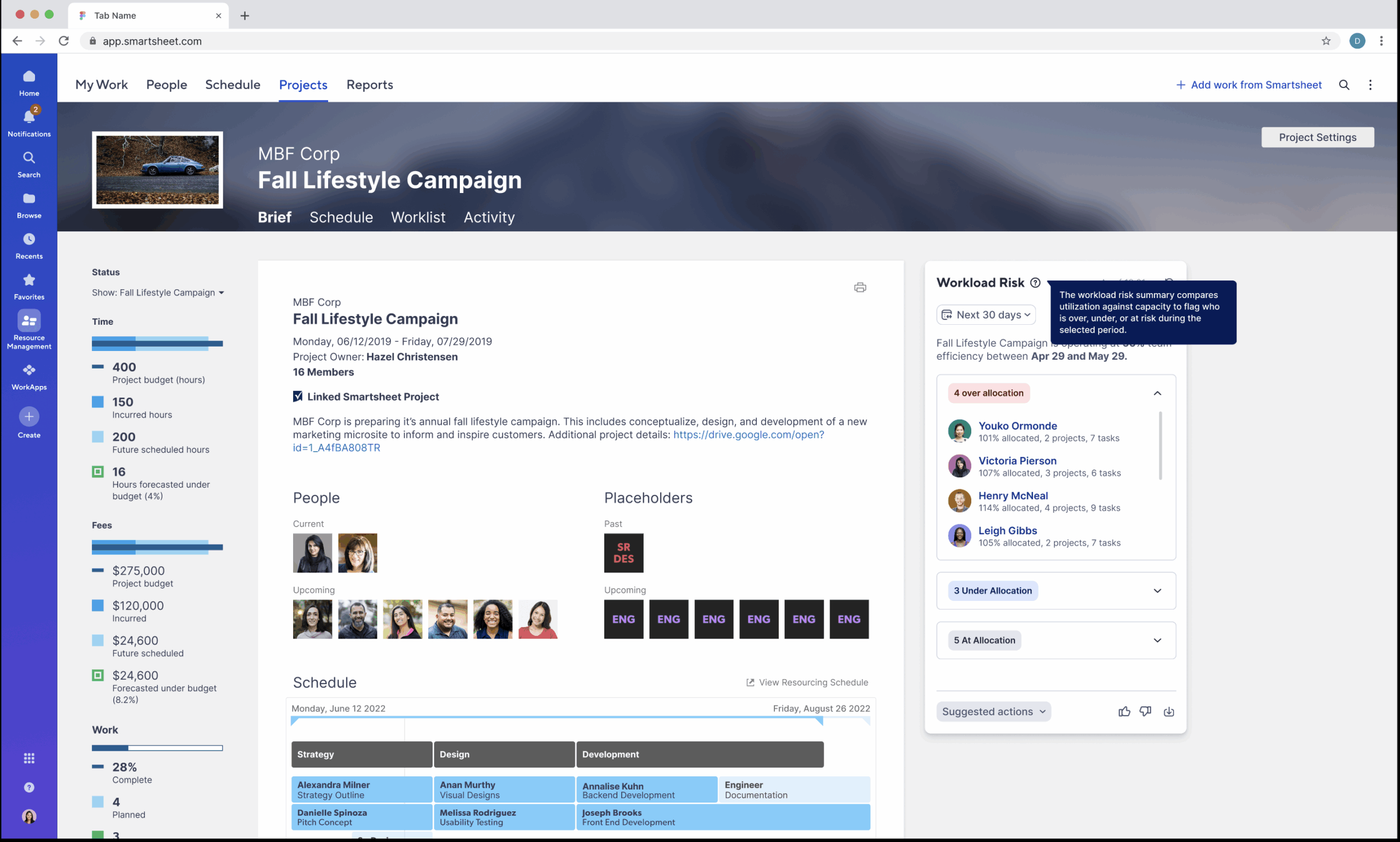
Smartsheet stands out as a top visual PMO tool, offering features like automated workflows and task management that cater to a wide range of project needs. Its features enable strategic planning, project execution, and process optimization. Smartsheet helps PMOs enhance efficiency, maintain transparency, and deliver projects that align with strategic goals.
However, some users find Smartsheet less intuitive, particularly when managing numerous projects, as its interface can quickly become cluttered. For those comfortable working with data and technical systems, Smartsheet provides robust project management capabilities.
Key Features of Smartsheet
- Dynamic project tracking
- Portfolio management with dashboards and reporting tools
- Resource management including workload balancing and resource allocation
- Automation with automated alerts, reminders, and task updates
- Collaboration tools
- Customizable templates
- Reporting and analytics
- Integrations with tools like Microsoft Teams, Slack, Salesforce, and Jira
Jira
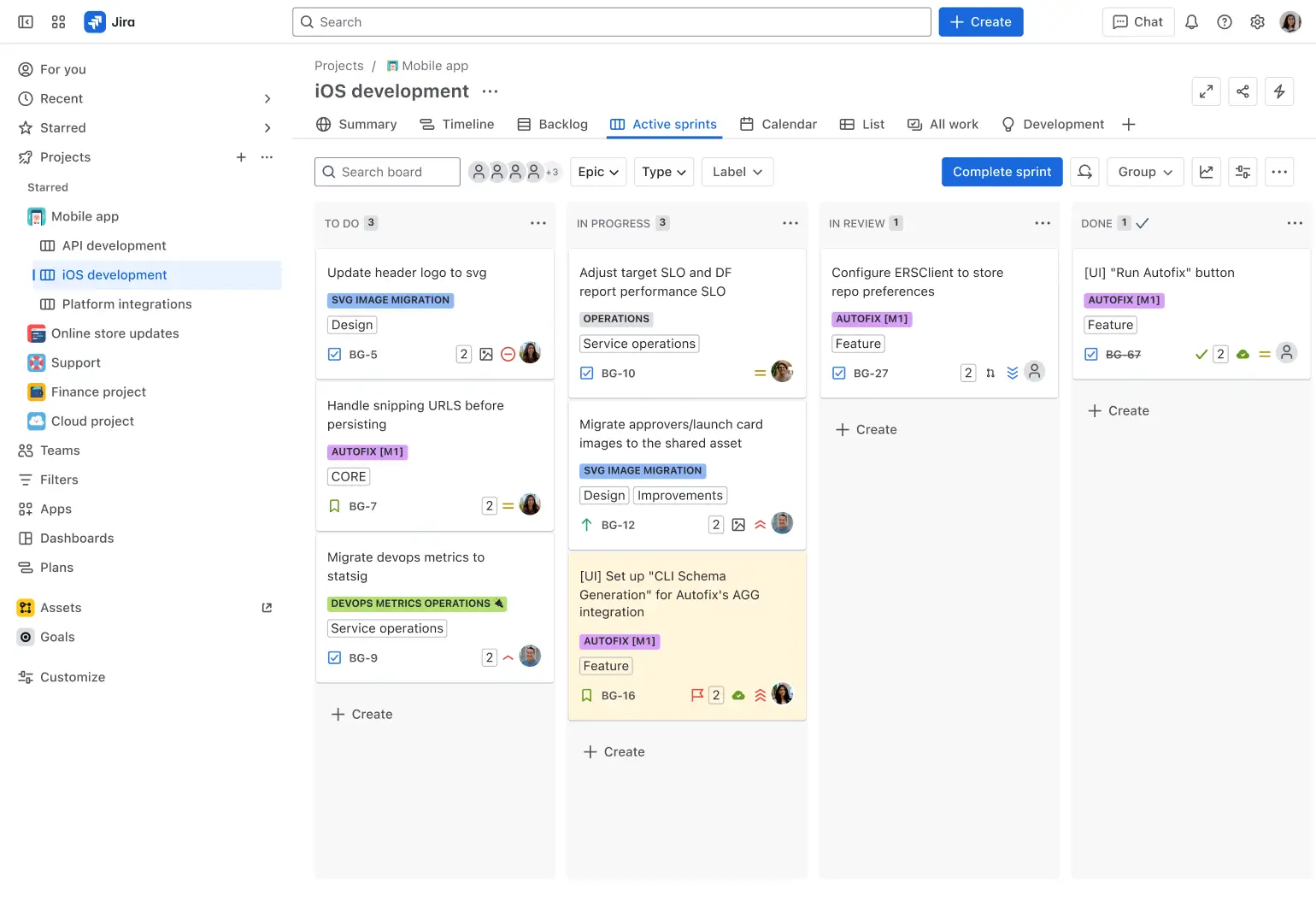
Jira is a widely used project management software, particularly well-suited for Agile teams in the IT sector. Designed with robust Scrum features for sprint planning and tracking development statuses, Jira supports efficient workflows tailored to software development projects.
With Jira, teams can create and manage unlimited tasks and projects while utilizing multiple visualization options, such as timelines, calendars, lists, and boards. The platform also offers a range of templates to help users get started quickly and efficiently.
While Jira excels at bug tracking, its usability for broader project management tasks or non-development use cases may present challenges. Additionally, the overall cost can increase significantly if additional plugins are required to expand its functionality.
Key Features of Jira
- Agile boards for sprint planning, task visualization, and workflow management
- Customizable workflows
- Advanced reporting
- Issue and task tracking
- Integrations with development tools like Bitbucket, GitHub, and CI/CD systems, as well as third-party apps
- Roadmaps to plan and visualize project timelines and dependencies
- Rule-based automation
- Collaboration tools.
With Jira-Epicflow integration, delivery teams can continue working in Jira while Epicflow provides the PMO with portfolio-level capacity, prioritization, bottleneck, and prediction insight across shared resources.
Microsoft Project
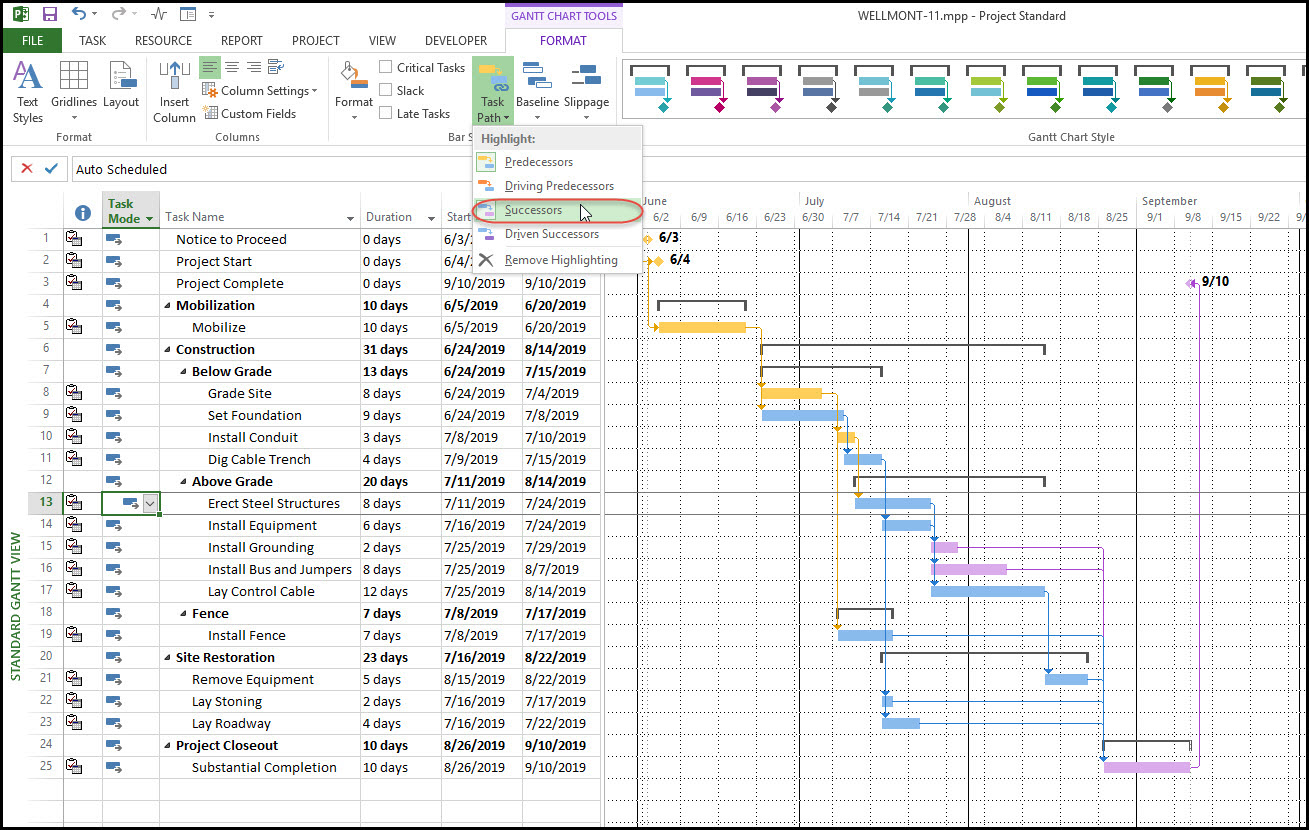
Microsoft Project is a powerful project management and PMO tool designed to help organizations plan, manage, and execute projects of different complexity. It provides robust capabilities for scheduling, resource allocation, progress tracking, and reporting, making it a popular choice among PMOs for aligning projects with strategic goals.
As a PMO tool, Microsoft Project enables centralized control over multiple projects, streamlining workflows, ensuring resource efficiency, and facilitating informed decision-making. Its integration with the Microsoft ecosystem ensures seamless collaboration and data management, making it a versatile tool for businesses of all sizes.
Key features of Microsoft Project
- Project scheduling and planning
- Resource management
- Portfolio management
- Collaboration tools
- Progress tracking
- Budget management
- Integration with Microsoft Ecosystem
- Advanced reporting and analytics
- Risk management
- Cloud and on-premise deployment
- Customizable templates
- Timeline visualization
- Task management
Organizations using supported Microsoft Project configurations can connect them with Epicflow to add portfolio-wide resource optimization, bottleneck forecasting, and dynamic prioritization while retaining established planning workflows.
Note: Microsoft Project Online retires in September, 2026. See how Epicflow can support your transition.
Wrike
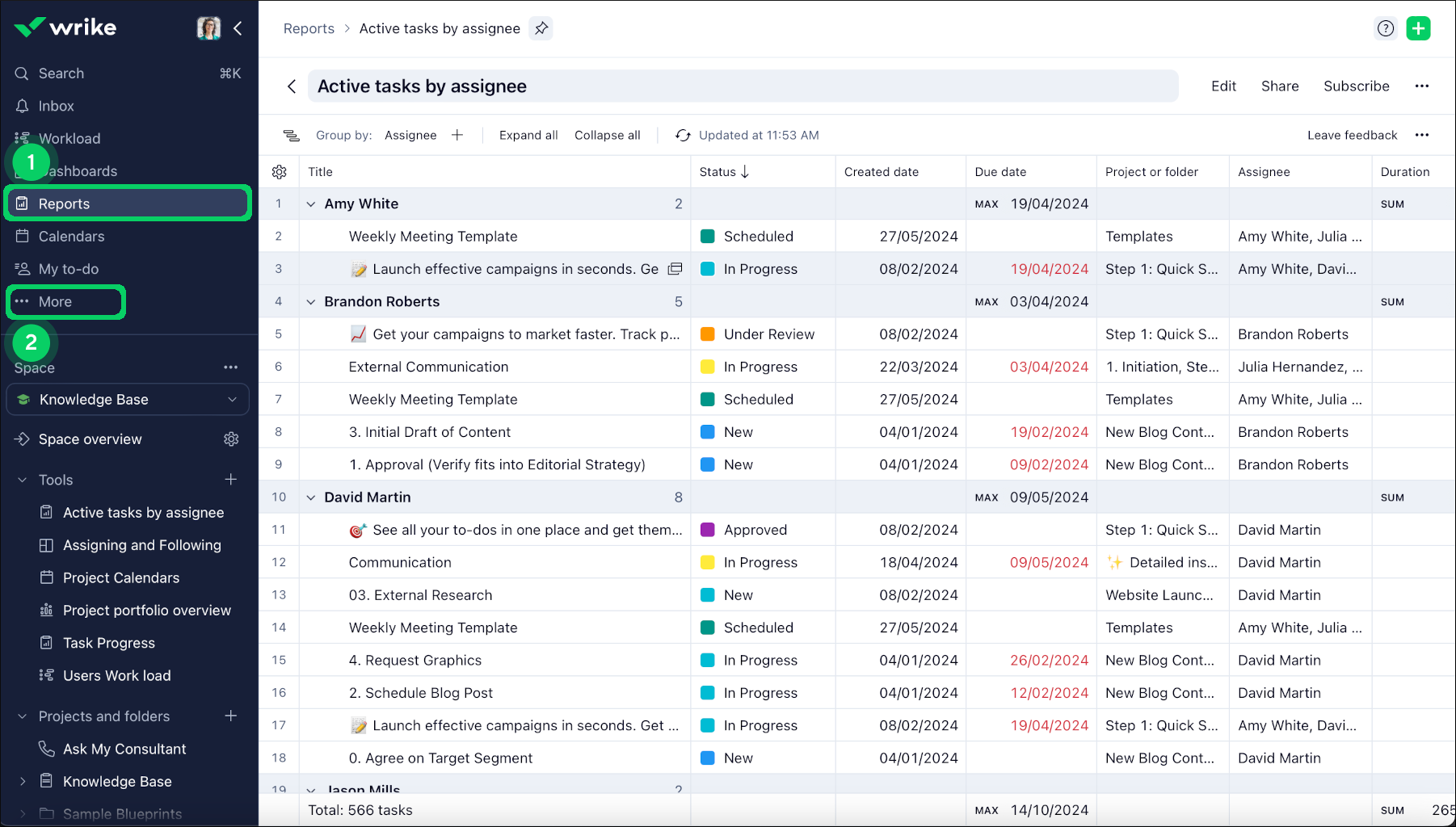
Wrike is a powerful PMO solution designed to optimize workflows, enhance collaboration, and support informed decision-making. With its user-friendly interface and a rich set of features, Wrike is widely recognized for its ability to drive productivity and ensure project success. It stands out as an excellent choice for PMOs due to its flexibility and collaborative capabilities. Its customizable dashboards, Gantt charts, and real-time collaboration tools create a centralized platform for managing project portfolios effectively. Wrike’s resource management, time tracking, and automation features simplify project planning and execution. Additionally, seamless integration with essential business tools boosts connectivity and streamlines operations, making it an indispensable asset for PMOs seeking a versatile and intuitive project management solution.
Key Features of Wrike
- Dynamic dashboards
- Portfolio management
- Resource management
- Collaboration tools through shared spaces, file attachments, and integrations with tools like Microsoft Teams and Slack
- Time tracking and reporting
- Automation with automatic task assignments, approvals, and status updates
- Templates for project plans, risk assessments, and timelines
- Risk and dependency management
- Advanced integrations with tools like Salesforce, Jira, and Google Workspace to enhance functionality.
ClickUp
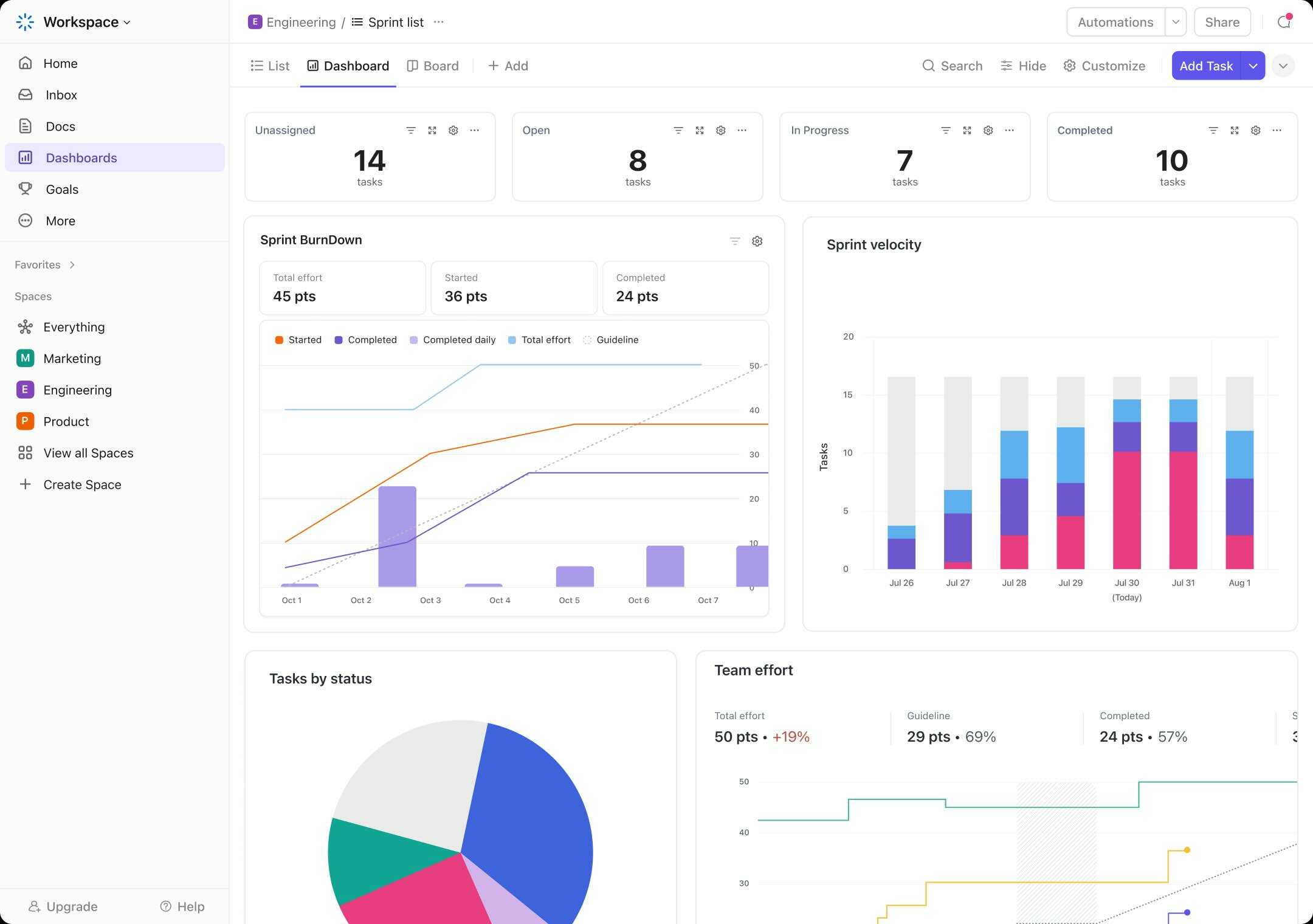
ClickUp is a flexible and highly customizable project management software tool that can be an invaluable asset for PMOs. Designed to streamline workflows, enhance team collaboration, and increase productivity, ClickUp provides a comprehensive solution to manage tasks, track project progress, and optimize resources across multiple projects. It is suited for PMOs seeking a centralized platform to oversee project portfolios, align team efforts, and maintain clear communication across departments. With its rich feature set, ClickUp enables PMOs to manage complex projects more efficiently, monitor progress in real time, and make data-driven decisions. The platform offers deep integration capabilities, making it easy to link with other tools used by teams, ensuring that PMOs maintain a unified view of project status, resources, and timelines.
Key Features of ClickUp
- Customizable dashboards
- Task and project management
- Resource management
- Time tracking
- Goal tracking
- Agile and scrum support
- Reporting and analytics
- Collaboration tools
- Risk management
- Document management
- Gantt charts
- Custom workflows
Oracle Primavera
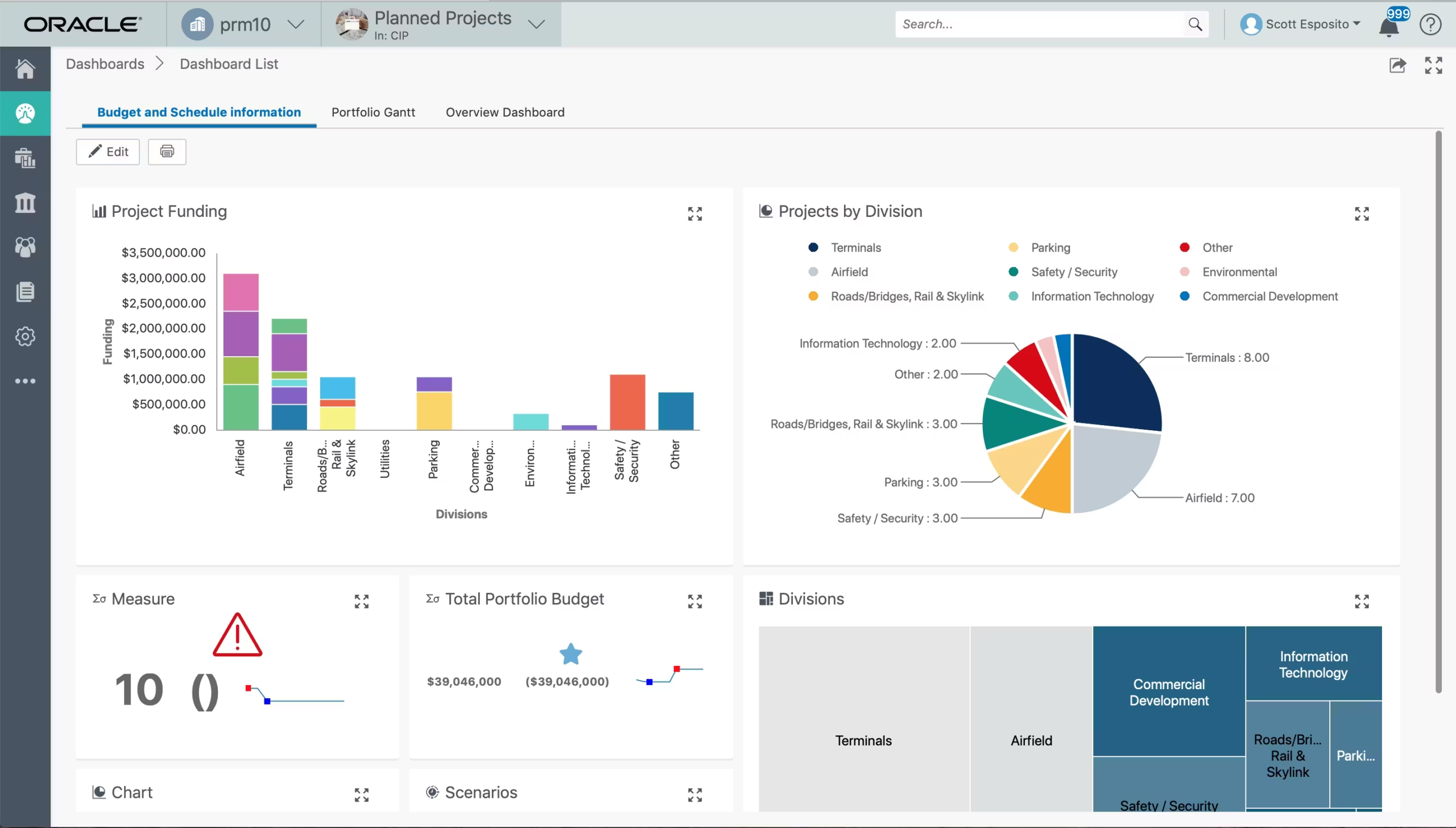
Oracle Primavera is a renowned solution for PMOs, designed to optimize processes, enhance collaboration, and support decision-making. Primavera offers real-time, centralized access to project data, which ensures team alignment and informed decision-making. Additionally, Primavera includes powerful reporting tools that enable you to track project performance and identify potential issues early. Its advanced scheduling capabilities are particularly useful for efficiently allocating resources and ensuring projects meet their deadlines.
Key Features of Oracle Primavera
- Robust project portfolio management features
- Advanced planning and scheduling tools for task management
- Risk analysis and mitigation capabilities
- Collaborative work environment with shared project documents
- Customizable reporting and analytics tools
Planview
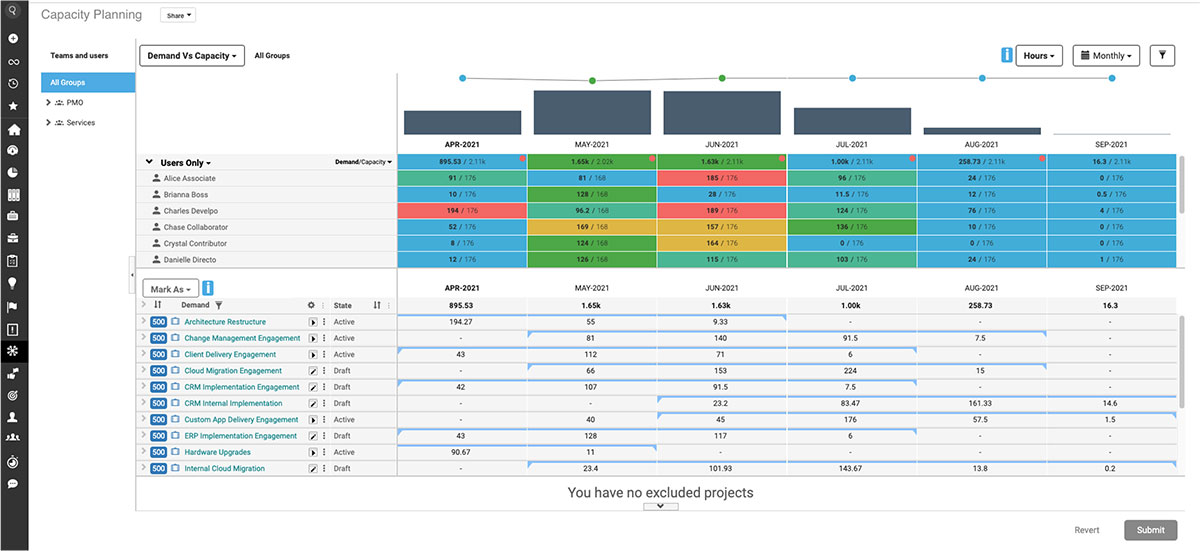
Planview is a comprehensive project portfolio management solution designed to help PMOs manage, prioritize, and track projects and resources across their organization. It is well-suited for PMOs that require advanced features for resource planning, project execution, and portfolio management. Planview’s robust functionality enables organizations to align their project portfolios with strategic objectives, manage resources efficiently, and make data-driven decisions to optimize performance. Planview offers a centralized platform for tracking project progress, managing resources, and ensuring that projects align with business goals. It provides end-to-end visibility into the project lifecycle, from planning to execution, making it easier for PMOs to manage multiple projects, identify risks, and ensure that projects are completed on time and within budget.
Key Features of Planview
- Portfolio management
- Resource management
- Project planning and scheduling
- Financial management
- Risk management
- Collaborative tools
- Reporting and analytics
- Workforce management
- Scenario planning
- Customizable dashboards
- Time tracking
- Work item management
- Strategic planning alignment
- Change management
Asana
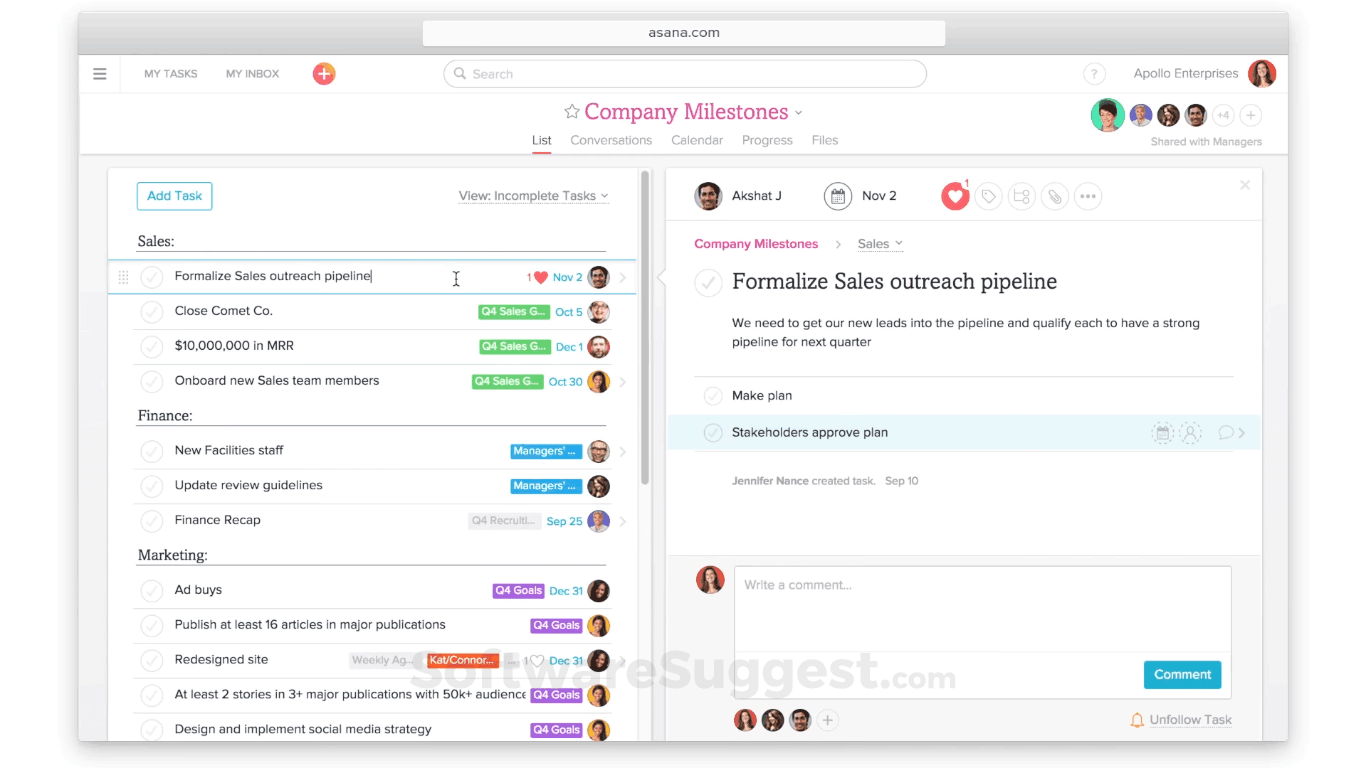
Asana is a widely used project management tool designed to help teams track, organize, and manage their work in an intuitive and collaborative environment. For Project Management Offices, Asana is an excellent tool to streamline workflows, ensure alignment across multiple projects, and manage resources effectively. It offers a flexible structure that adapts to the needs of different teams, whether for small projects or complex, multi-project portfolios. Asana’s intuitive interface, combined with powerful features for task management, reporting, and collaboration, makes it an ideal choice for PMOs looking to improve efficiency and decision-making. It provides visibility into project portfolios, aligns teams around strategic goals, and ensures timely project delivery. It simplifies communication, promotes accountability, and provides PMOs with tools to monitor progress across all project stages.
Key Features of Asana
- Task management
- Various project views
- Workload management
- Portfolio management
- Customizable dashboards
- Collaboration tools
- Advanced reporting & analytics
- Project templates
- Custom fields
- Time tracking
Clarizen
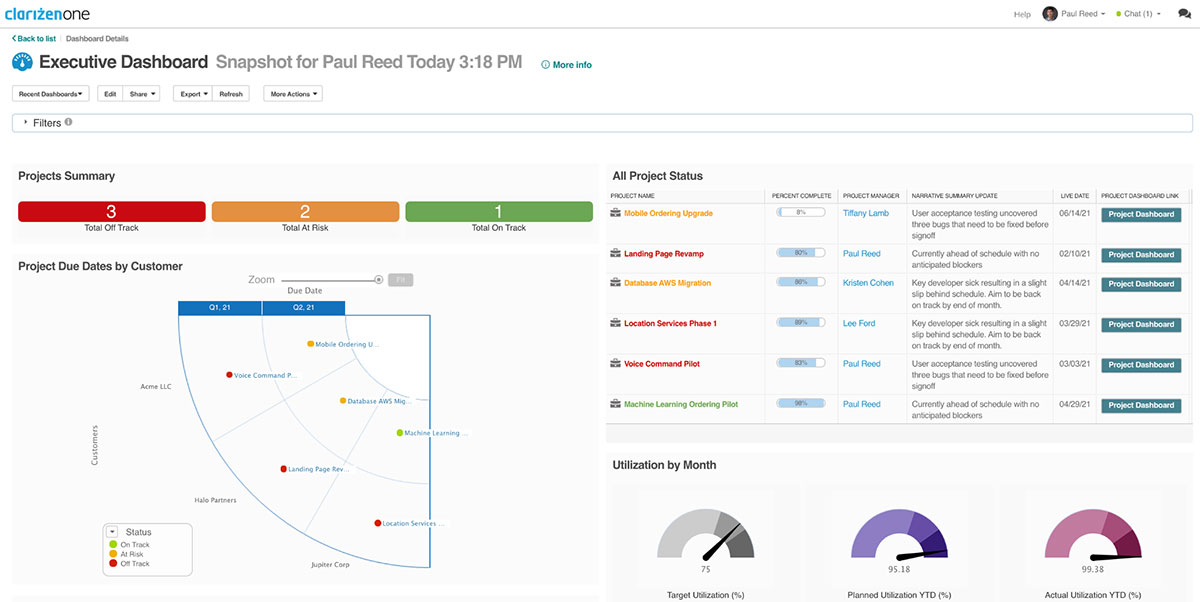
Clarizen is a cloud-based project management software designed to help PMOs manage complex projects, improve team collaboration, and streamline workflows. It offers an all-in-one platform for project planning, execution, and monitoring, making it an ideal tool for PMOs managing multiple projects across various teams and departments. Clarizen’s strong focus on customization, collaboration, and real-time data tracking helps PMOs ensure projects align with strategic goals and are completed on time and within budget. It combines project management, resource management, and financial tracking features in one unified tool, ensuring that PMOs can handle everything from task management to risk mitigation.
Key Features of Clarizen
- Project planning & scheduling
- Task management
- Collaboration tools
- Resource management
- Real-time reporting & analytics
- Budget & financial management
- Portfolio management
- Custom workflows
- Risk management
- Time tracking
Zoho Projects
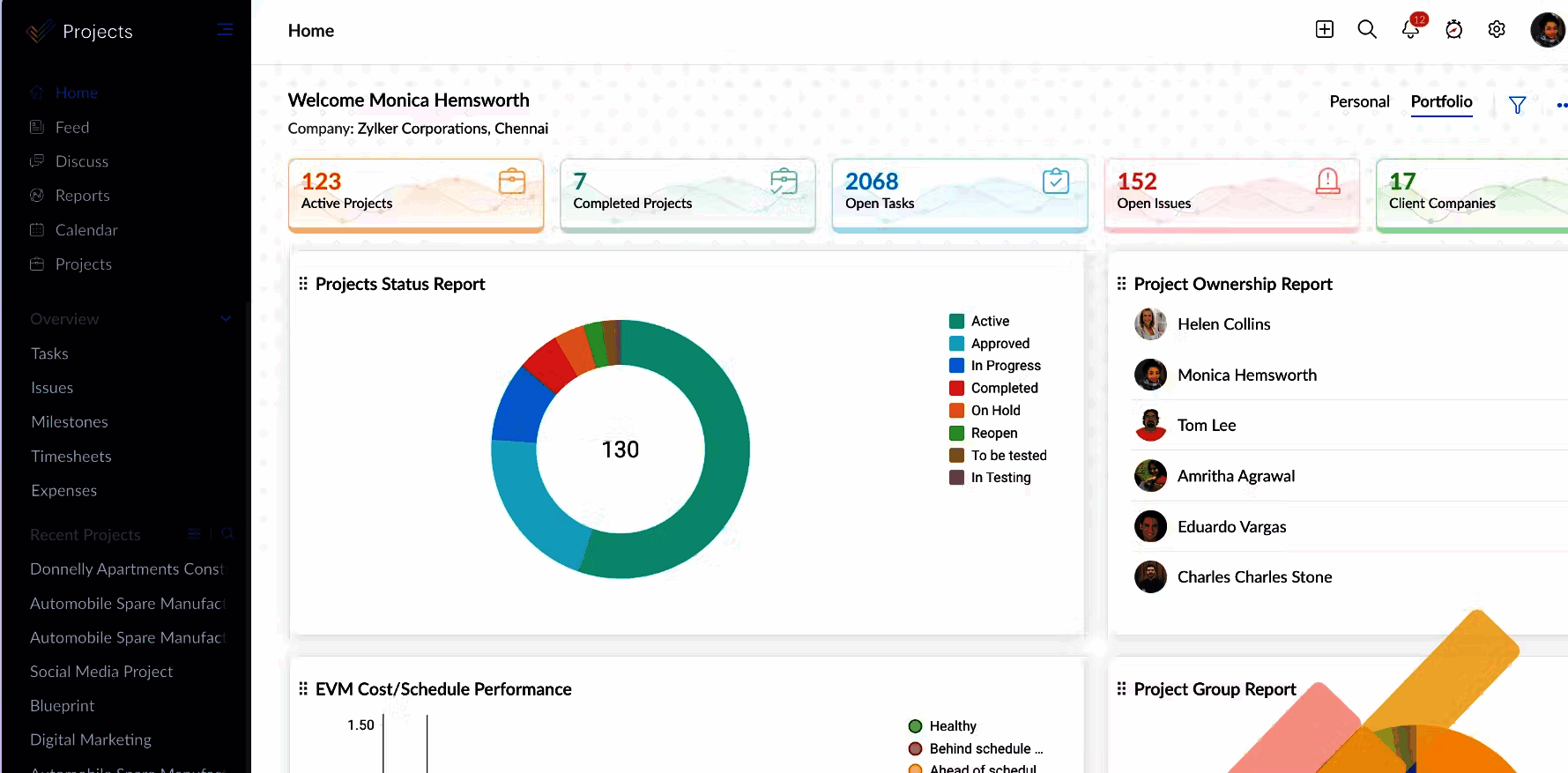
Zoho Projects is a comprehensive project management tool that can be effectively utilized by PMOs to streamline project planning, execution, and monitoring. It offers a wide array of features designed to enhance collaboration, improve project tracking, and provide better visibility across multiple projects, making it a suitable solution for PMOs managing both small and large project portfolios. It allows PMOs to manage projects efficiently, track team productivity, and ensure projects stay on schedule and within budget. Its key features, including task management, resource allocation, Gantt charts, and reporting, support PMOs in executing their strategic goals and improving overall project success.
Key Features of Zoho Projects
- Task Management
- Time Tracking
- Document Management
- Collaboration Tools
- Resource Management
- Customizable Workflows
- Budget Management
- Reporting and Analytics
- Risk Management
- Portfolio Management
Fluid
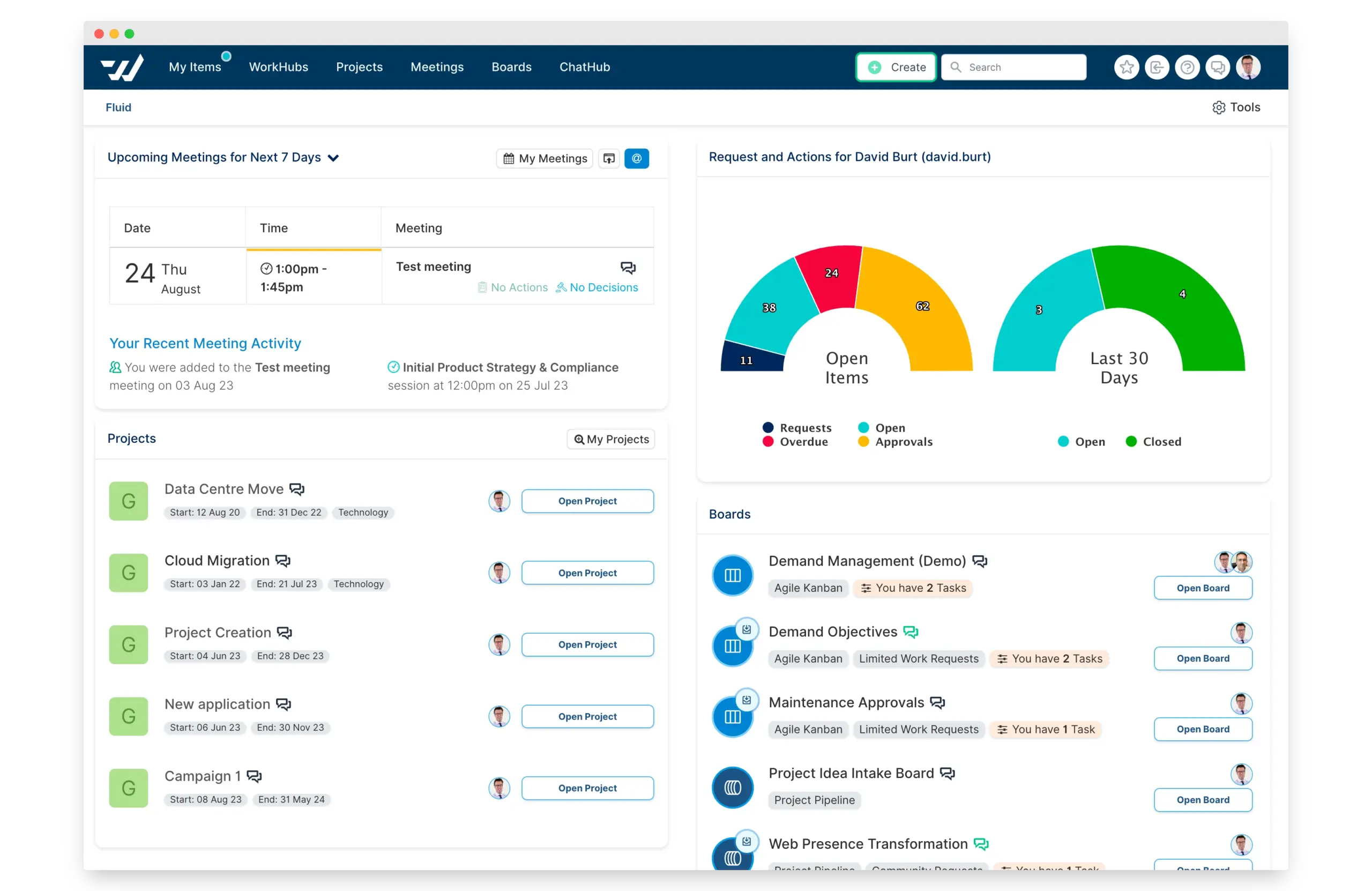
Fluid is an adaptable platform designed specifically for PMOs. It aims to streamline workflows, improve collaboration, and enhance decision-making. With its intuitive interface and comprehensive features, Fluid is a top choice for PMOs looking to boost efficiency and achieve better project outcomes. It provides centralized, real-time access to all project and portfolio data, keeping your team well-informed and aligned with project goals. This level of transparency helps reduce communication errors and ensures that everyone is focused on the same objectives.
Key Features of Fluid
- Comprehensive platform that centralizes all project data for improved transparency
- AI-driven governance, utilizing machine learning to highlight project exceptions
- Real-time updates and notifications
- Advanced reporting and analytics tools
- Task and resource management capabilities
- Collaboration features such as shared calendars and discussion boards
- Project intake functionality for prioritizing the right initiatives
- Advanced financial tracking tools for accurate project cost management
Monday.com
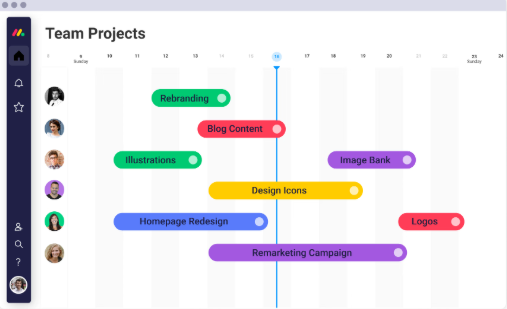
Monday.com is a popular work operating system that provides a flexible and visual platform for project and portfolio management. As a PMO tool, Monday.com is designed to help teams plan, manage, and track multiple projects and resources in a centralized and collaborative environment. With its intuitive interface, customizable workflows, and powerful automation, Monday.com streamlines project execution, enhances communication, and ensures that PMOs can effectively align projects with business goals.
Monday.com is well-suited for managing tasks, resources, timelines, and collaboration. Its ability to integrate with various third-party tools, along with its real-time reporting and dashboard features, makes it a comprehensive solution for PMOs of all sizes.
Key Features of Monday.com
- Customizable dashboards
- Task management
- Collaboration tools
- Time tracking
- Resource management
- Project planning & scheduling
- Portfolio management
- Document management
- Real-time reporting & analytics
- Customizable workflows
- Risk management
- Visual project management
Trello
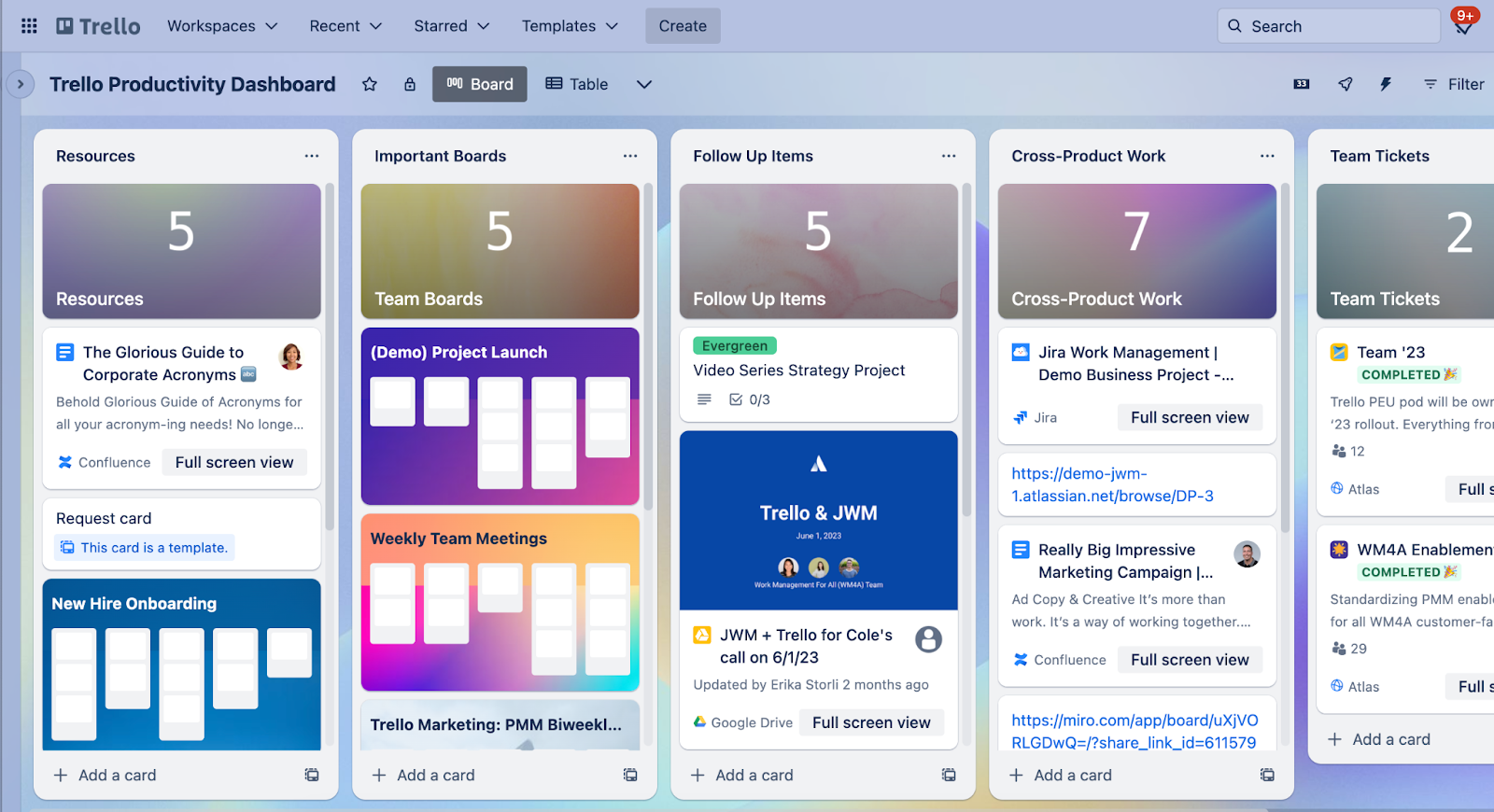
Trello is a widely used, visually intuitive project management tool that can be adapted for Project Management Offices. While it’s primarily known for its Kanban-style boards, Trello can be leveraged by PMOs to track project progress, manage tasks, and facilitate team collaboration. It offers a simple yet effective way to organize and prioritize work, making it an ideal choice for smaller PMOs or those in need of a flexible, low-cost solution. Trello’s visual approach helps teams clearly understand the status of tasks, deadlines, and dependencies, allowing for better coordination and transparency. Trello’s flexibility allows PMOs to customize boards for various project needs, from task management to team collaboration. It’s a great tool for smaller teams or organizations seeking basic project management capabilities, but it may lack some advanced features required for complex project portfolios.
Key Features of Trello
- Kanban boards
- Task cards
- Due dates and reminders
- Collaboration tools
- Customizable workflows
- Drag-and-drop interface
- Team collaboration
- Checklists
- Calendar view
How to choose the best software tool for PMOs?
When looking for the best software for your Project Management Office, evaluate your organization’s needs, objectives, project landscape, and operating model. In addition to team size and budget, consider how much work competes for the same specialist resources, whether priorities change frequently, and which existing delivery tools should remain in place.
Here’s a short roadmap for choosing the right software for your PMO:
Assess your PMO’s requirements
- Examine the number, size, interdependence, and complexity of the projects your PMO manages.
- Identify where projects compete for shared specialist resources and whether those constraints affect delivery commitments.
- Define the framework your PMO follows or seeks to follow: Agile, Waterfall, Hybrid, or another methodology.
- Identify the functionality your PMO needs: portfolio management, capacity planning, resource allocation, scenario analysis, risk management, AI predictions, reporting, and financial controls.
Dive deeper into features to understand how the solutions differ from one another
First and foremost, check if a software solution provides the following essential PMO capabilities:
- Portfolio management features to track project status, progress, dependencies, and portfolio priorities over time.
- Resource management for scheduling, allocation, capacity forecasting, and cross-project bottleneck detection.
- Reporting and analytics to assess project health and performance metrics.
- Risk management features for identifying, tracking, and mitigating risks.
- Capacity and workload management that connects project demand with available resource capacity and shows the consequences of overload.
- Collaboration tools for team communication and document sharing.
Examine scalability and customization aspects
- Choose software that grows with your organization and adapts to changing project demands: examine the maximum number of projects and resources a PMO software tool can maintain.
- Customization options to align with your processes, workflows, and branding.
Consider integration capabilities
- Learn if the PMO software solution integrates with the planning, delivery, ERP, CRM, or accounting systems your organization already relies on.
- Clarify what data is exchanged, which user workflows remain in existing tools, and what changes for project teams after implementation.
Analyze usability and accessibility
- Opt for user-friendly interfaces and a clearly scoped implementation path so adoption requirements are understood before rollout.
- Consider whether you need cloud, on-premises, or hybrid deployment and how that affects remote access, governance, and integration.
Examine security measures and compliance
- Ensure the software adheres to industry-standard security protocols to protect sensitive data.
- Check if a PMO tool has customizable access to features and project data.
- Examine compliance with legal and regulatory requirements relevant to your industry.
Compare pricing options
- Examine the pricing policy: the cost of software licenses, subscriptions, implementation, integrations, and additional features.
Read reviews and case studies
- Look for feedback from organizations with a similar project environment, industry, portfolio complexity, and resource model.
- Analyze case studies carefully: distinguish vendor claims, the scope of the implementation, and measured outcomes.
Final Words
Modern PMOs are dealing with more than a growing number of projects. In many organizations, the real constraint is that several important initiatives depend on the same limited pool of specialists. Under these conditions, PMO software should do more than centralize status reporting: it should help leaders align priorities with actual capacity, anticipate bottlenecks, test trade-offs, and improve delivery predictability.
The right platform depends on the PMO’s operating model. Collaboration-first tools can be a strong fit for broad work coordination, while resource-constrained multi-project organizations may require deeper portfolio, capacity, and scenario-management capabilities.
If you’d like to learn how Epicflow supports PMOs managing complex portfolios with shared resources, contact us for a tailored demonstration.
Frequently Asked Questions
1. What’s a PMO tool?
PMO software tools are the instruments used by Project Management Offices in various organizations to plan, control, and optimize project portfolios within companies.
What is better a PMO tool or a project management tool?
The choice between a project management tool and PMO software depends on your organization's needs and the scale of project management activities.
- Choose a PMO tool if you manage a portfolio of projects, require centralized control and visibility across projects, and seek advanced features for resource planning, risk management, and reporting.
- Choose a project management tool if you focus on individual project execution, have a smaller team or simpler project requirements, and need a lightweight, easy-to-use solution.
What are the best PMO software tools?
The best PMO tools examples to choose in 2026 are:
- Epicflow
- Jira
- Microsoft Project
- Basecamp
- Smartsheet
- Wrike
- ClickUp
- Planview
- Asana
- Monday.com
- Clarizen
- Zoho
- Fluid
- Oracle Primavera
- Trello
The best fit depends on your PMO’s requirements, portfolio complexity, resource constraints, integration landscape, and implementation needs.
How to choose the best PMO tool?
Focus on the following factors when comparing PMO software:
- Portfolio and resource-management requirements
- Shared-resource constraints and capacity planning
- Methodology and workflow fit
- Integration with existing delivery tools
- Security and deployment model
- Scalability
- Pricing and implementation effort
- Relevant customer evidence
What features are most important in software for PMO?
PMO software features typically include:
- Project and portfolio planning and management
- Resource allocation, capacity planning, and management
- Project progress and resource performance tracking
- Risk prediction and mitigation
- Scenario analysis and forecasting
- Analytics and reporting.
Why do organizations need PMO tools?
PMO tools help organizations standardize portfolio processes, improve decision-making, manage resources across projects, and align execution with strategic priorities. In complex environments, they can also expose capacity constraints and cross-project bottlenecks that are difficult to see in project-by-project plans.
Are PMO tools only for large enterprises?
No. PMO tools support different types of PMOs. Some are suited to smaller teams that need lightweight coordination, while others are built for enterprise portfolios with complex governance, integrations, and shared-resource constraints. The right choice depends more on operational complexity than company size alone.