AI Agents for Project Management: Tools, Trends & Examples (2026)
 Victoria Sokolova
.
Updated
.
Project Management
.
47 mins READ
Victoria Sokolova
.
Updated
.
Project Management
.
47 mins READ
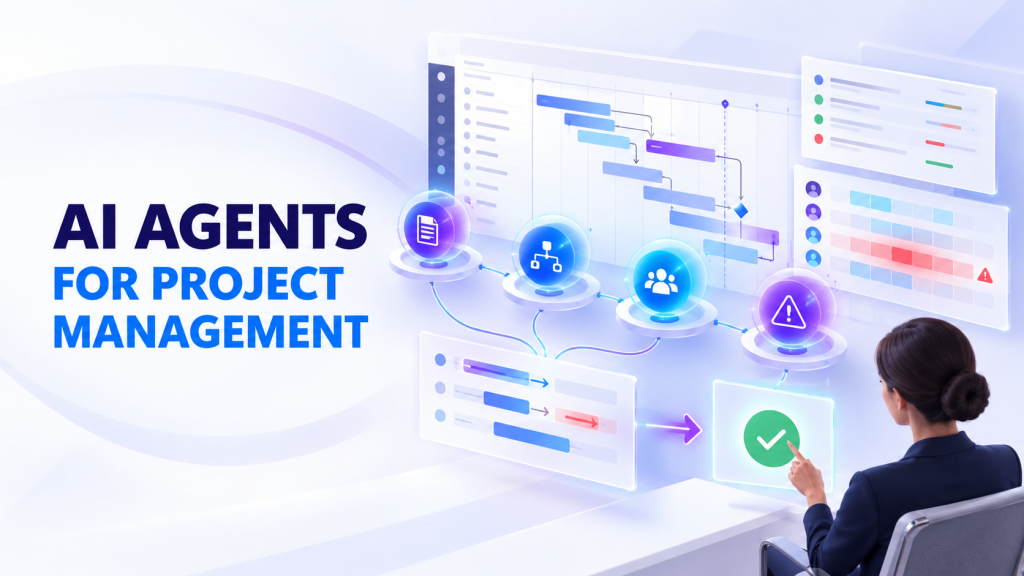
AI agents for project management now draft status reports, chase missing updates, triage risks and prepare task changes for approval. In 2026, most major work management and portfolio platforms ship them.
An agent differs from an AI assistant in one way that matters to a PMO. An assistant answers or drafts when asked. An agent carries out a sequence of steps with connected tools, within the permissions it has.
When many projects share the same specialists, the useful test is not how many tasks an agent completes. It is whether the agent removes work other projects are waiting on, after counting the time people spend checking its output.
This guide covers what agents do, where they help, how to pilot them and how ten options compare on the same criteria.
Key takeaways
- Who this is for: PMO leaders, portfolio managers and resource managers choosing AI agents for teams that share specialists.
- How we compared: official product, pricing and help pages for ten options, checked on 23 October 2026. Same criteria for every tool. Epicflow publishes this guide and is listed first.
- Quick pick: Jira teams: Atlassian Rovo. Microsoft 365: Planner Agent. Built-in agents in work management: Asana, ClickUp, monday.com, Wrike. Projects in Notion: Notion. Small teams: Taskade. Portfolios already on Planview: Planview Anvi. Shared specialists set your delivery dates: Epicflow. See the comparison table.
What Are AI Agents?
An AI agent is software that pursues a defined goal by taking actions, not only by generating text. It reads context, chooses a next step, uses connected tools and checks the result. Researchers writing on responsible AI agents describe agents as software that makes its own decisions and acts toward predefined goals.
An AI agent for project management applies this to a defined job, such as a weekly status report or a follow-up on blocked work. Depending on its setup, it recommends an action, prepares it for approval or makes a permitted change. Its workflow, permissions and human review set its autonomy, not the label "agent." Some vendors call such a tool an AI agent project manager. In practice, it handles defined jobs, and a person still owns the project.
Agents need not be fully autonomous, multimodal or self-learning. Most improve through better configuration and data. They connect to the tools teams already use, such as Jira, Microsoft Project or a portfolio platform.
AI Agents, AI Assistants, and Agentic Project Management
Agentic project management is an approach in which people delegate bounded project workflows to AI agents. People keep responsibility for priorities, commitments and exceptions. It is not a job title, and it does not mean an agent runs the portfolio. Vendors use these terms differently, so judge a product by what it does in your setup. The table is a working model, not a standard.
|
Type |
Typical behavior |
Example |
Control |
|---|---|---|---|
|
Rules-based automation |
Follows predefined conditions |
Sends a reminder when a task is overdue |
An approved rule and access scope |
|
AI assistant |
Answers or drafts when asked |
Summarizes a project discussion |
A person checks and uses the output |
|
AI agent |
Uses context and tools across several steps |
Prepares a report, requests missing updates, routes it for approval |
Scoped actions, review and logs |
|
Agentic workflow |
Combines people, agents and system steps |
Detects a dependency risk, prepares options, gets approval, updates records |
A named owner and controlled handoffs |
The lines blur: many assistants now take actions, and many agents still stop to ask. Agentic AI for project management works best when each step has an owner, with a human-in-the-loop checkpoint wherever an error is expensive. For the wider picture, see our guide to AI in project management.
How AI Agents Are Transforming Project Management
AI agents take over parts of the coordination work in projects: collecting updates, drafting reports, flagging risks and preparing changes for a person to approve. Gantt charts and Kanban boards wait for a person to act. AI agents in project management can:
- Analyze work across the portfolio. Agents review every project in the portfolio and flag likely bottlenecks and risks. Without current resource data, dependencies and permissions, that analysis is a hypothesis in fluent text, not a calculation.
- Automate repetitive tasks. Agents draft status reports, update tracking fields and prepare scheduling changes. Check where an agent only drafts and where it writes into your system.
- Support decisions. Agents compare historical data, current trends and team performance to flag possible delays. They can also miss signals or raise false ones.
- Help with prioritization. An agent can show which tasks are urgent across many projects. It should not override strategic priorities without the authority to do so.
- Answer questions on demand. How current the answer is depends on the integration and the freshness of the source data.
A typical agent workflow runs in five steps: signal, context, proposed action, human approval, logged result. A task status changes, and the agent gathers what it may see and proposes a next step. A person approves any significant change, and the result is recorded.
Adoption is moving fast, and so are failures. In August 2025, Gartner predicted that 40% of enterprise apps would include task-specific AI agents by the end of 2026. In 2025, fewer than 5% did. Gartner also forecast that over 40% of agentic AI projects will be canceled by the end of 2027. Its reasons: escalating costs, unclear business value and inadequate risk controls. An agent needs a measurable job and clear controls.
Key Benefits of Using AI Agents for Project Managers

The benefits of AI agents depend on which part of project work is slow today and on the data the agent reads. Measure each one against a baseline from your own pilot.
1. Improved efficiency
An agent can take over recurring work such as compiling updates, chasing missing time entries and tidying tasks. This is the work Gartner expected AI to absorb first. In 2019, it predicted that AI would eliminate 80% of today's project management work by 2030, starting with data collection, tracking and reporting. Measure preparation time per report, before and after. Many teams start with the agents built into products they already own. Our comparison of AI features and what AI access costs shows what each one does.
2. Effective risk management
Managing risks across multiple simultaneous projects is hard because the signals sit in many plans. Agents watch progress continuously and flag slipping dependencies or overloaded teams early. Measure useful alerts against false alarms, and count the risks the agent missed. Pair the alerts with a way to see which delays matter most across projects.
3. Improved productivity
Efficiency saves time on a task. Productivity means more finished work from the same team. Hours freed in a team nobody waits on change little, while hours freed at your bottleneck move delivery dates. That is why it pays to plan people and AI work from shared capacity. Measure completed work per period and the share of agent output accepted without rework.
4. Enhanced accuracy
Agents can catch inconsistencies in large multi-project data, such as a task marked complete while its dependencies are still open. Accuracy still depends on the source data. Measure corrections per output and the review hours that remain.
Read more: How Project Management Tools Can Improve Business Performance in 2025
Real Examples of AI Agent Usage in Projects

AI agents in project management are most useful where coordination work repeats and the decision stays with a person. The scenarios below are illustrative, not documented customer results.
1. Software development projects.
A development team works on three projects at once, and a bug blocks one of them. The agent finds a developer with matching skills and spare capacity on another project. It proposes the move and shows the effect on both projects. The resource manager checks the developer's remaining work and decides. Measure the time from blocker to decision and any delay caused on the other project.
2. Marketing campaigns.
A global campaign is waiting on late website articles. The agent checks the dependencies and proposes moving social media planning forward, because it does not depend on the articles. The campaign lead confirms and approves the new order. Measure the idle days avoided and any rework the change causes.
3. Healthcare administration projects.
A private clinic runs three administrative projects: a patient follow-up system, training for doctors and courses for interns. The lecturers also see patients. The agent flags the weeks where lectures clash with clinical duty and suggests other qualified lecturers. The department head decides. The agent supports scheduling only, not clinical decisions or regulatory compliance.
Practical AI Agent Use Cases for Project Teams
These are typical patterns for an AI project management agent, and tool support depends on the product and its configuration. Portfolio status reporting and risk triage are common first uses of AI agents for PMO teams. The rows that matter most take work off a specialist, approval or knowledge queue that other projects wait on.
|
Use case |
Context the agent needs |
Agent output or action |
Human checkpoint |
What to measure |
|---|---|---|---|---|
|
Portfolio status reporting |
Current task states and updates |
Draft report with sources |
PMO confirms exceptions |
Preparation plus review time |
|
Risk triage |
Linked tasks and reliable dates |
Alert naming the affected work |
Project manager confirms impact |
Useful alerts versus false alarms |
|
Requirements comparison |
Approved requirement versions |
List of changes and conflicts |
Engineer accepts each item |
First-pass acceptance rate |
|
Evidence pack preparation |
Permitted documents and a template |
Draft audit or compliance pack |
Qualified reviewer signs off |
Specialist hours per pack |
|
Review preparation |
Design files and checklists |
First-pass review notes |
Specialist makes the final review |
Specialist review hours |
|
Cross-project capacity options |
Availability, skills, effort, priorities |
Reallocation options, not automatic staffing |
Resource manager checks every affected project |
Net load and delivery impact |
For the planning side of capacity, see our guide to AI capacity planning.
Count the Human Work Behind an Agent
Every agent creates work for the people who prepare, review and correct its output. Count that work before you count the savings.
Illustrative example, not a customer result. A specialist spends 20 hours a week on a project workflow. An agent takes over work that used to need 10 of those hours. The specialist now spends 3 hours reviewing the output and 1 hour correcting it. Human demand becomes 20 - 10 + 3 + 1 = 14 hours. The net release is 6 hours, not 10.
Now give the review to a colleague who can judge the output against a clear standard. The specialist's demand drops to 10 hours, and the colleague takes on 4. If other projects wait on the specialist, the second setup frees 10 hours where they count. Whoever prepares and checks an agent's work should not be your bottleneck. Where only the expert can judge the result, start with a different workflow.
Freed hours are not automatically cash savings. They improve delivery only where other work was waiting on them.
Choosing the Right AI Agent Framework for Your Project
Here, "framework" means the product or approach you choose, not only a developer toolkit. Start from the workflow you need to improve, then check five things.
1. Ease of use
Ask whether no-code users can configure the agent and how much training the team needs. Ask how long setup takes and what it costs.
2. Integration with existing tools
Ask which data the agent reads, which records it can write and which system owns each record. Clarify who maintains the connections to your current tools.
3. Data security
Data security comes first where many projects share sensitive data. Beyond encryption and data protection, check the controls that apply to agents:
- Access by user role, so the agent sees no more than its user
- The minimum write permissions the workflow needs
- Approval before changes to staffing, budgets or external communication
- An action log you can review and export
- A way to stop the agent and roll back its changes
- Tests for data leaks and for malicious instructions in connected documents
When evaluating enterprise AI agents for project management, check not only what an agent can do, but which data it can access, which actions it may take, and who approves the result. Not every product in this guide documents all of these controls.
4. Added value: where AI agents create portfolio value
An agent creates value when it takes work off a queue that delivery is waiting on. Speeding up work nobody was waiting for moves no delivery date. Before you fund an agent workflow, run three tests:
- Is anything waiting on it? If this work runs late, does a finish date move? Most work fails this test.
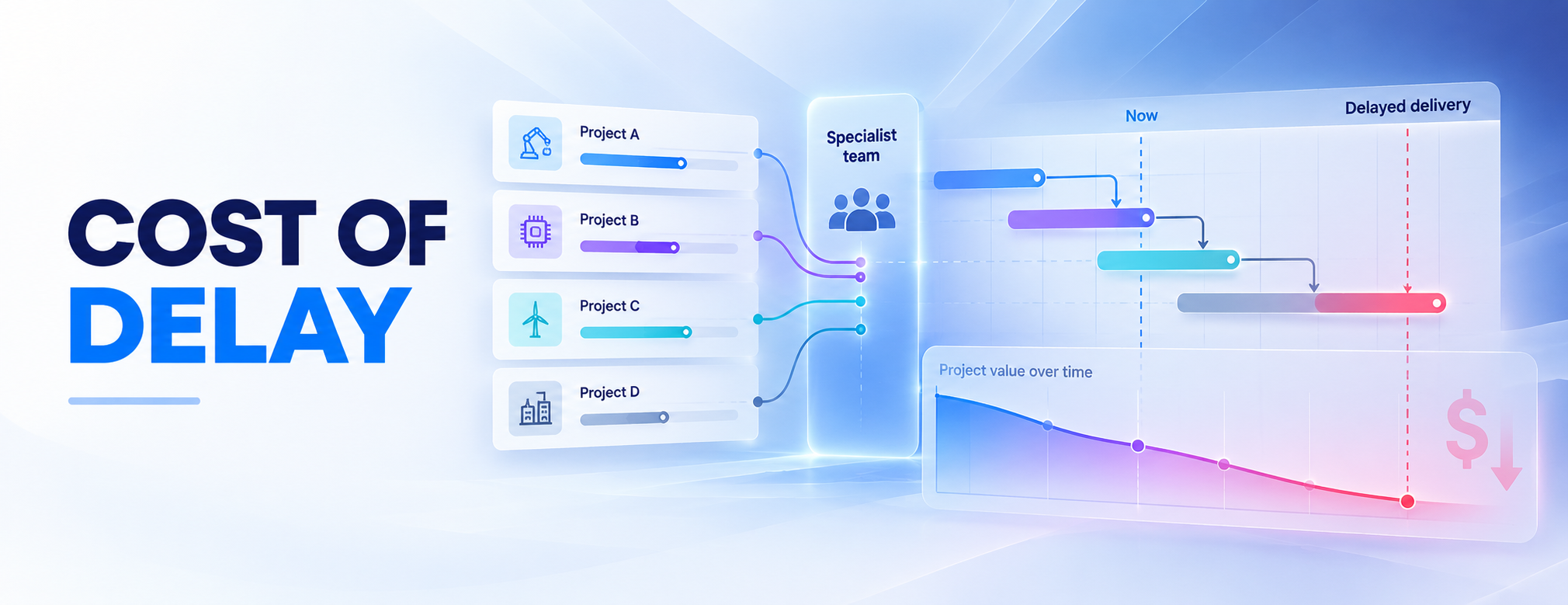
- Does the wait cost money? Some delays cost nothing. Others cost revenue, penalties or a contract. Our guide to cost of delay shows how to put a price on each week.
- Can an agent do it well enough for a person to sign off? Speed is not enough. The output has to meet a standard that someone other than your bottleneck can check.
The easiest workflow to automate is often not the one worth funding. The same tests apply to a single agent and to a multi-agent system.
5. Scalability and performance
Check how the agent handles data volume, concurrent requests and latency. Many vendors meter agent work in credits, so estimate a full month of runs, retries and tool calls.
How to Pilot AI Agents Without Disrupting Projects
- Choose one bounded workflow. Start with a recurring task, such as an internal status report, not autonomous portfolio re-planning.
- Set a baseline. Record preparation time, review time, errors and whose capacity is the bottleneck.
- Define access and approval. Give the agent only the data and actions it needs. Keep staffing, budgets and external commitments behind approval.
- Test before you expand. Run representative cases: missing data, conflicting instructions, unauthorized requests and a failed connection. Keep a manual fallback.
- Scale only after review. Compare quality, net human workload, incidents and full operating cost with the baseline, and work out the ROI. Stop or redesign if checking and corrections eat the benefit.
For a structured check of data, skills and governance before a pilot, use our AI readiness assessment.
How We Compared AI Agents for Project Management
We compared ten options on the same criteria, using official product, pricing and help pages, checked on 23 October 2026.
Disclosure. Epicflow publishes this guide and develops Epicflow and its Epica assistant, listed first. The order is a guide to different uses, not a ranking.
Inclusion criterion. Each tool documents a generally available agent capability for project or portfolio work: multi-step actions with connected tools, within set permissions. Writing assistants alone do not qualify. The bar matters because of agent washing, the rebranding of assistants, RPA and chatbots as agents. Gartner estimates that only about 130 of the thousands of agentic AI vendors are real.
What we checked: what the agents do, whether they change records or only draft, which human controls are documented, and what AI access requires.
What we did not do. We ran no hands-on trials and gave no scores. "Not verified in official docs" means the documentation we read did not confirm a capability. It does not mean the capability is missing.
Reviewed but not included. Trello and Zoho Projects were in an earlier version of this guide. Trello documented AI writing and board features but no agents inside Trello. Zoho Projects labeled its in-product agentic AI as coming soon.
One test for every demo. Give each agent the same workflow, such as a weekly status report for three projects that share one specialist. Ask what it reads, what it changes, who approves, what it logs and what a month of runs costs. Then ask who reviews the output, and whether that person is the one your projects already wait on.
10 Best AI Agents for Project Management in 2026
These ten AI agent project management tools cover different jobs, from agents inside a task board to agents planned against portfolio capacity.
AI agents for project management compared
Checked on 23 October 2026 against official vendor sources. USD unless shown otherwise; annual prices are monthly equivalents billed annually. Usage charges and negotiated terms are extra.
|
Tool |
Best for |
Agent type |
What its agents can do |
Human control documented |
AI access and key condition |
|---|---|---|---|---|---|
|
Epicflow |
Portfolios where shared specialists set delivery dates |
Epica assistant; AI agents planned as resources |
Flag overloads, answer on project data, suggest resources; plan agents with capacity and dates |
Answers within user permissions; a person signs off agent output |
Growth €22.50/person/month; Epica in quoted Enterprise, from 50 users |
|
Asana |
Cross-functional teams already in Asana |
Prebuilt and custom AI Teammates |
Plan from a brief, flag blocked work, draft portfolio status |
Editor, Commenter or Viewer access |
Starter $10.99/user/month; request pool per account |
|
Atlassian Rovo |
Jira Cloud teams |
Prebuilt Jira agents; custom agents |
Break down work, check readiness and blockers, update work items |
User's permissions; confirms consequential actions in chat |
Included in Jira Standard and above; pooled credits |
|
ClickUp |
Tasks, docs and chat in one workspace |
Brain assistant; custom Super Agents |
Status reports, due dates, create, assign and own tasks |
Own access scope; activity log |
Unlimited $7/user/month plus AI add-on from $9 |
|
monday.com |
Delivery on configurable boards |
sidekick; Expert Agents; agent builder |
Create and update items, assign owners, change statuses |
User's access only; admins create agents |
From $9/seat/month; seats plus credits for new customers |
|
Microsoft |
Microsoft 365 organizations using Planner |
Planner Agent; Copilot Studio |
Status reports, tasks from goals, edit tasks and plans |
Changes shown as drafts to approve |
Copilot license; Microsoft 365 Copilot $30/user/month |
|
Notion |
Projects run in Notion databases |
Notion Agent; Custom Agents |
Edit pages and databases, route requests, scheduled reports |
User's permissions or granted pages only |
Business plan or above; credits |
|
Planview |
Enterprises running portfolios on Planview |
Anvi Chat; Anvi agents |
Portfolio insights, status reports, risk detection, scenario ranking |
Role-based access; confirmation for record changes |
Quote-based; metered in Anvi AI Units |
|
Wrike |
Intake, triage and status |
Copilot; AI Agents |
Route requests, update fields and statuses, scheduled summaries |
Space admins create agents; logged AI actions |
Business $25/user/month or higher; pooled actions |
|
Taskade |
Small teams running agent-led task work |
Built-in and custom agents |
Create projects, assign and complete tasks |
Approval before actions on external platforms |
Pro $10/month billed yearly, up to 10 people |
Each profile names its official sources. Prices use different units: a person, a seat, a workspace and a credit are not interchangeable.
1. Epicflow for portfolios where shared specialists set delivery dates
Epicflow is a portfolio platform that plans multi-project work around finite specialist capacity. It fits organizations where one overloaded team decides when many projects finish.
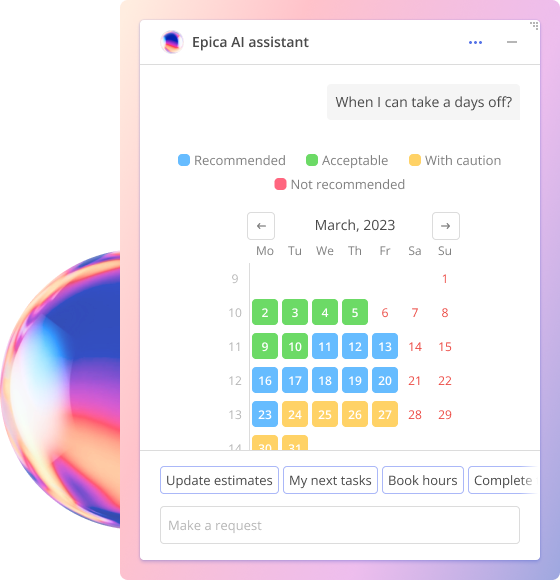
Its AI assistant, Epica, sends role-based alerts, such as an overloaded resource group or missing hours. It answers questions about projects and resources, builds reports on request and suggests resources for tasks. Managers make the assignment, and Epica answers only within each user's permissions.
Epicflow also plans AI agents as a resource. An agent gets capacity, a rate and dates in the same plan as people, and a person signs off its output. Agents run on your own agent platform or on EpicStaff, the governed operating layer for AI agents, which is included with Epicflow. Because the plan shows which team other projects wait on, it shows where an agent's hours move delivery dates.
Pricing and AI access: Growth costs €22.50 per person/month billed annually, for 20 to 50 users. It includes workload analysis, bottleneck detection and due-date feasibility prediction. Enterprise starts at 50 users and is quoted. It adds AI scenario planning, the AI allocation advisor and Epica.
Trade-off: Epicflow is not a task tool or an agent builder. Its forecasts depend on maintained effort and availability data.
Sources: Epicflow pricing plans, Meet Epica, AI agents as a resource, checked 23 October 2026.
2. Asana for AI teammates inside cross-functional projects
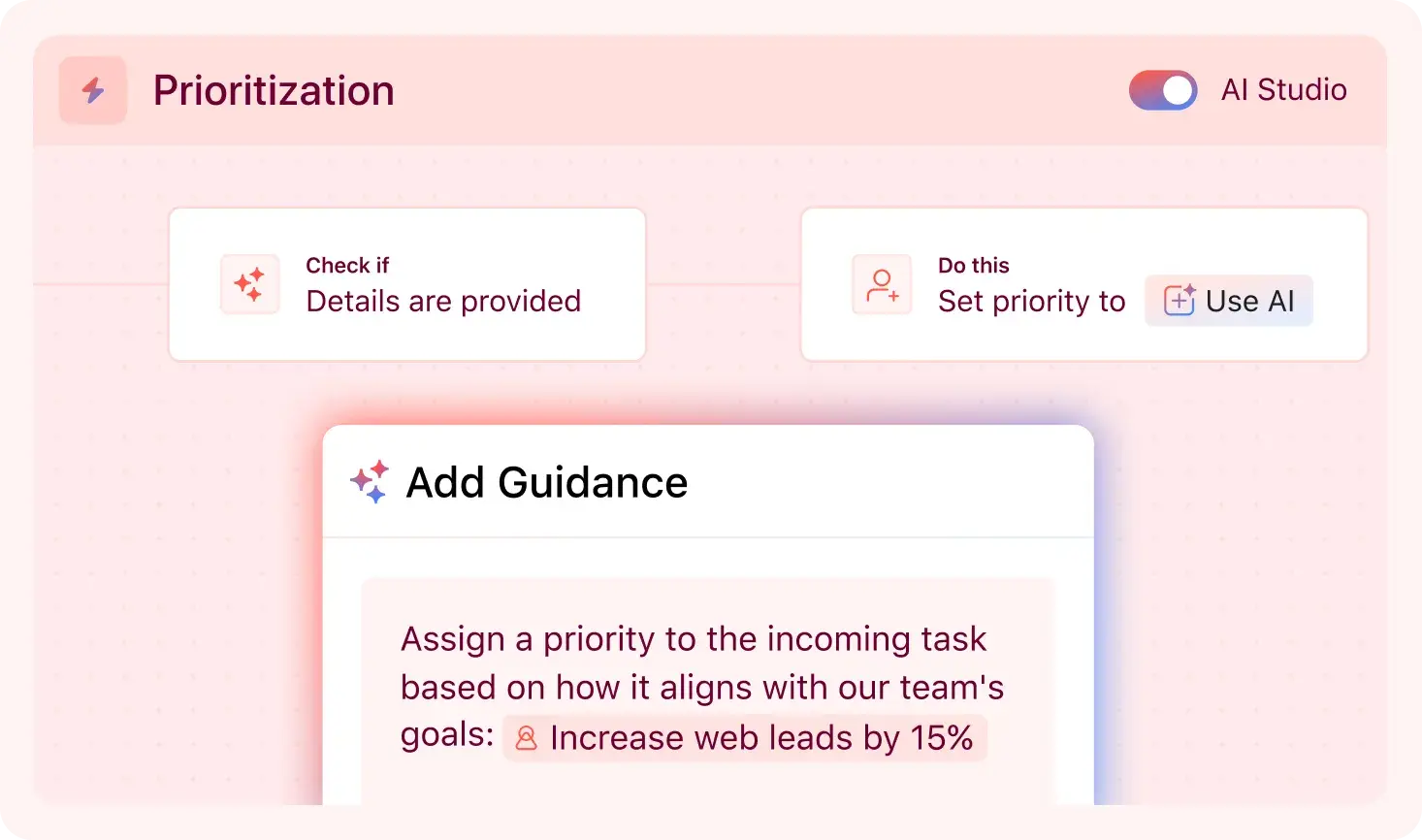
Asana suits teams that coordinate requests, owners and status in Asana. AI Teammates are agents that work inside projects: more than 30 are prebuilt, and teams can build their own. They start when assigned a task, @mentioned, or triggered by a rule, form or recurring task. Asana's examples include turning a brief into a project plan, flagging blocked work and pulling together a monthly portfolio status report.
Teammates use Editor, Commenter or Viewer access and cannot raise their own permissions. They answer only with what the triggering user can see, and admins choose who can create them. A per-action approval setting is not verified in official docs.
Pricing and AI access: Starter costs $10.99 per user/month billed annually, and Advanced $24.99. Teammates draw on a monthly request pool per account. Extra requests cost $0.50 each prepaid.
Trade-off: The included pool is small for a whole account, so heavier use becomes metered spend.
Sources: Asana pricing, AI Teammates product page, Asana Help Center (AI Teammates access and triggers), checked 23 October 2026.
3. Atlassian Rovo for agents inside Jira work items
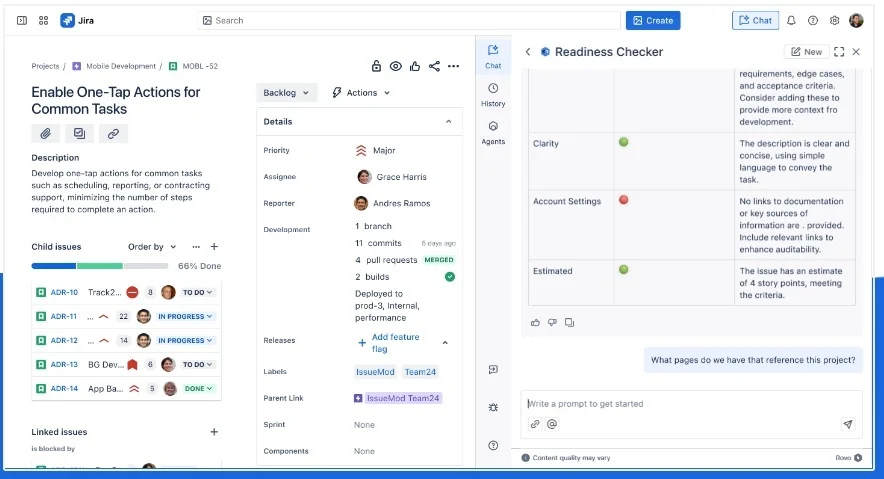
Rovo suits teams that plan and track work in Jira Cloud. Prebuilt Jira agents include a work item planner, a readiness checker, a blocker checker and a progress tracker. A Jira delivery agent, announced in July 2026, runs standups, health checks and stakeholder updates. Custom agents are built in Studio. Agents create and update work items and edit Confluence pages, in bulk actions of up to 20 items.
Agents respect the permissions of the person using them. In chat, they ask for confirmation before consequential actions. Automated runs skip that step, so Atlassian's guidance favors a least-privilege agent account. Actions are logged against the agent's identity.
Pricing and AI access: Rovo is included in Jira Standard, Premium and Enterprise Cloud. Each user adds 25, 70 or 150 credits a month to an organization pool. Agent runs use a variable number of credits.
Trade-off: Variable credit use makes costs hard to forecast. Atlassian's pages describe overage billing differently, so confirm your terms.
Sources: Atlassian Support (Rovo agents, agent actions, permissions, usage limits), Rovo licensing, checked 23 October 2026.
4. ClickUp for configurable agents across tasks, docs and chat
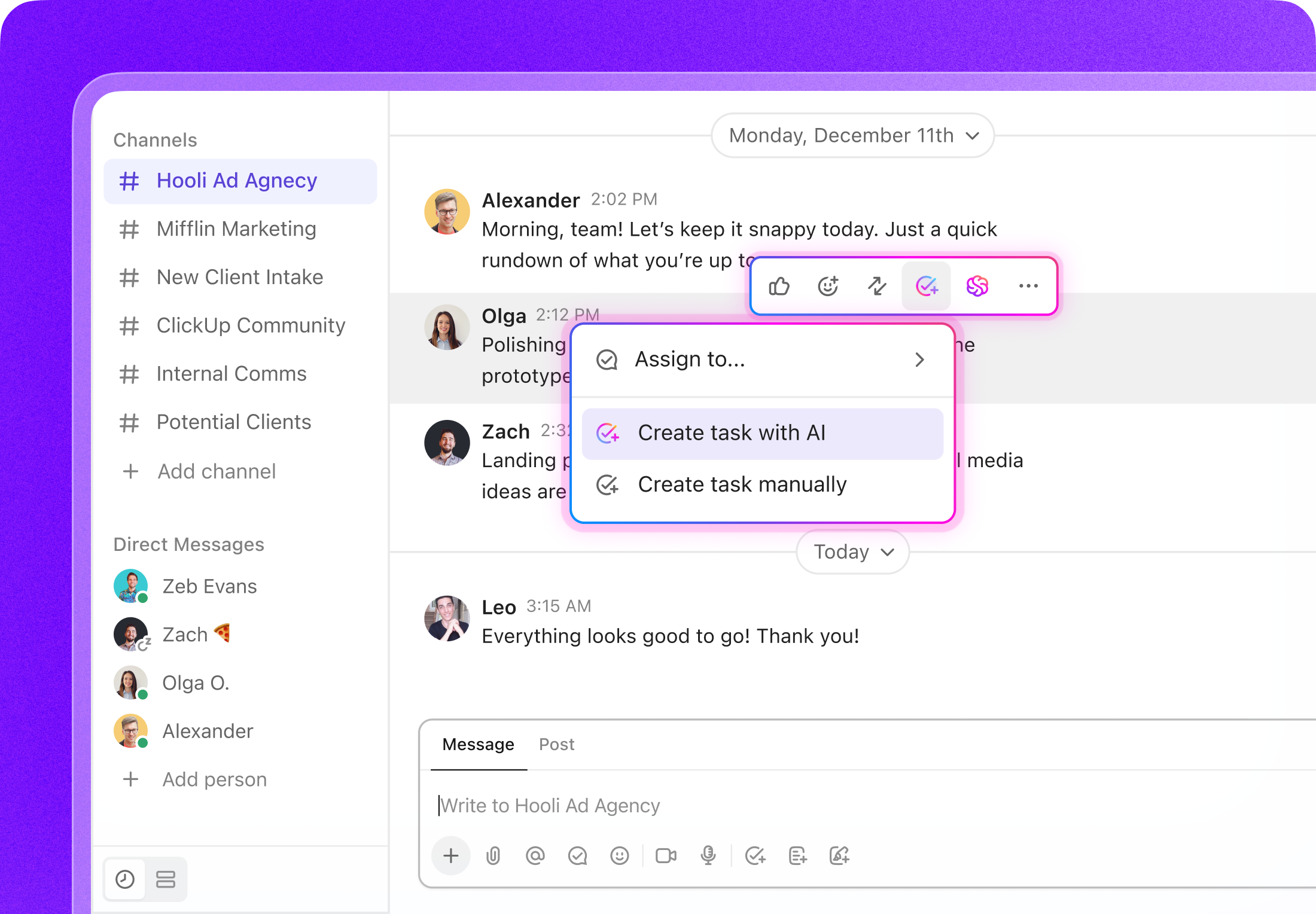
ClickUp suits teams that keep tasks, documents and chat in one workspace. Brain is the assistant. Super Agents are custom agents built in natural language, with tools and data sources set per agent. They run on a mention, a message, an assignment, a schedule, an automation or a webhook. Documented uses include status reports on blockers, due dates set from SLAs, overdue reports and tasks built from a brief. Agents can create, assign and own tasks.
Each agent has its own access: public workspace data plus granted knowledge, which anyone allowed to trigger it may see in answers. Owners can tell an agent to check with a person first, and an activity log shows its tool runs.
Pricing and AI access: On legacy plans, Unlimited costs $7 per user/month billed yearly, plus Brain AI at $9 or Everything AI at $28. Some workspaces see plans with AI credits included. A Super Agent run uses an estimated 100 to 300 credits.
Trade-off: Costs vary per run, and the agent's own access model needs care with private data.
Sources: ClickUp pricing, ClickUp Help Center (Super Agents, permissions, activity log, credits), checked 23 October 2026.
5. monday.com for prebuilt PMO agents on configurable boards
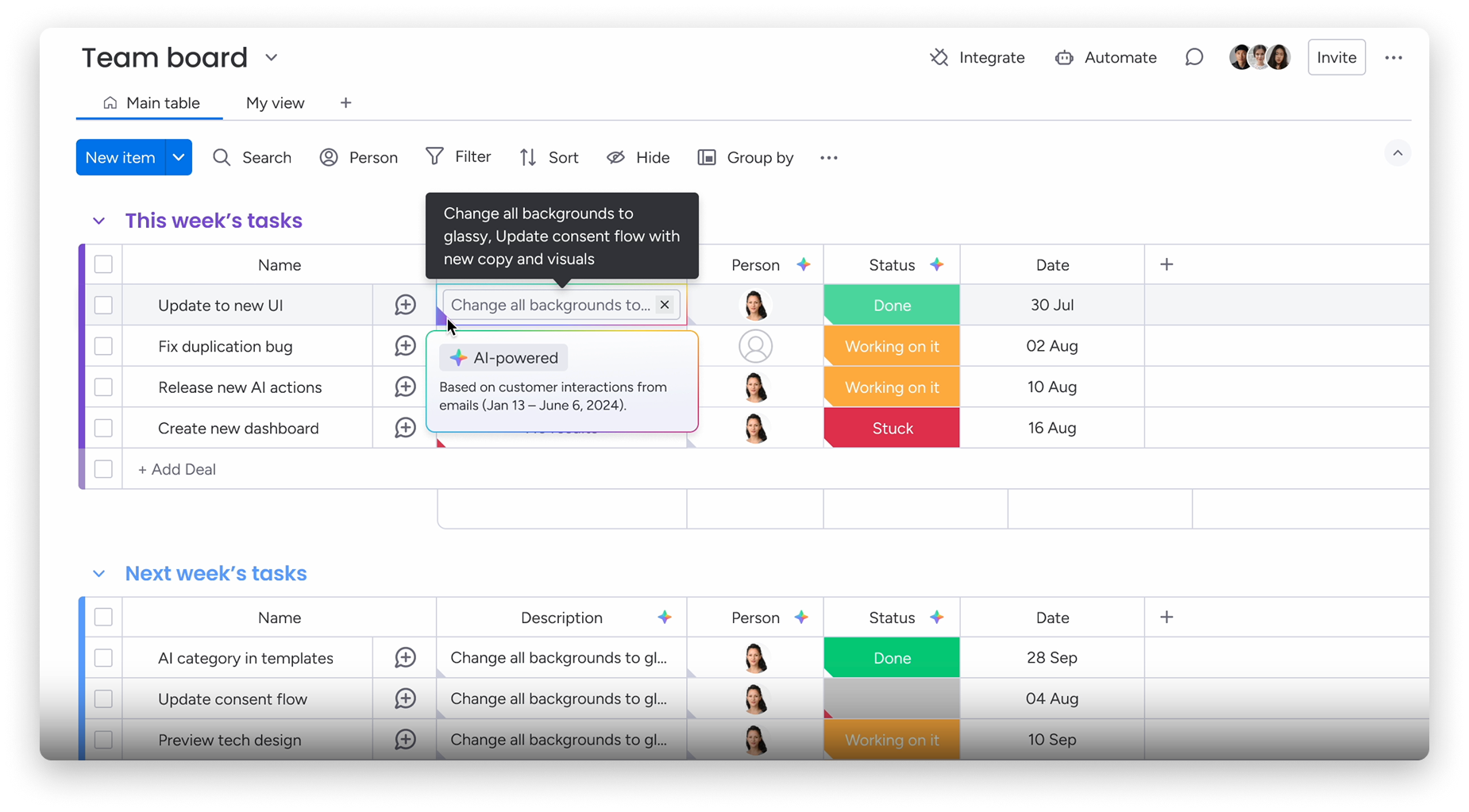
monday.com suits teams that run delivery on configurable boards. It offers the monday sidekick assistant, prebuilt Expert Agents and an agent builder. Custom agents create and update items, assign owners and change statuses. Project templates include a risk analyzer, a project planner, a workload balancer that suggests reassignments and a dependency risk detector.
Agents access only what their user may access, and only admins create or manage them. Runs appear in an activity log, agents can be paused, and configuration changes can be undone.
Pricing and AI access: Seats start at $9 per seat/month for Basic and $12 for Standard, billed annually, with a three-seat minimum. Customers who joined on or after 6 May 2026 also buy AI credits, from 1,000 a month on Basic. An agent run uses roughly 10 to more than 250 credits.
Trade-off: Credits are mandatory and vary per run, and plans cap active AI workflows.
Sources: monday.com pricing, monday.com Support (AI agents, AI credits, AI governance), checked 23 October 2026.
6. Microsoft Planner Agent and Copilot Studio for Microsoft 365 organizations
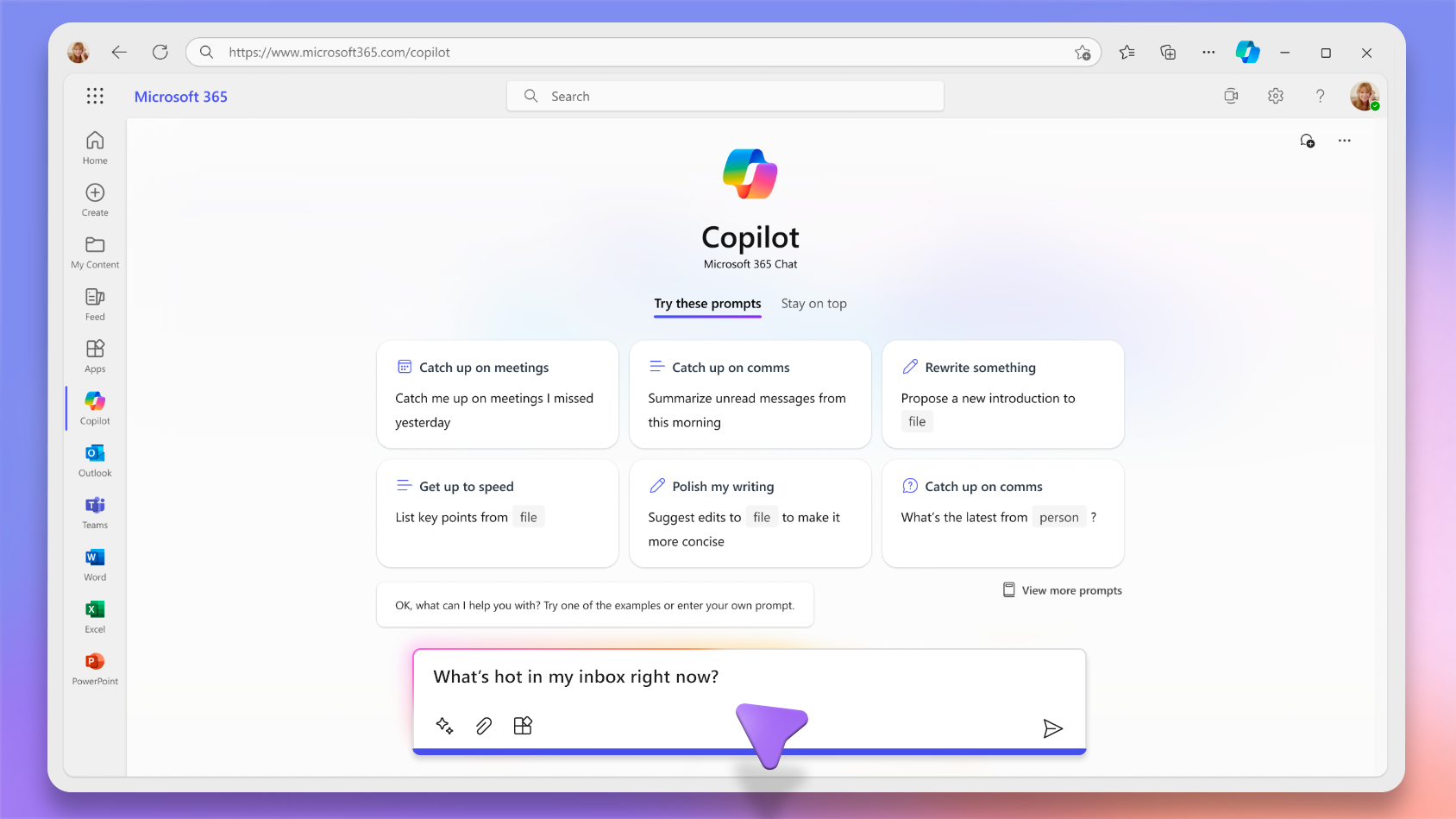
Microsoft fits organizations that plan work in Planner and Teams. Planner Agent, renamed from Project Manager agent in March 2026, is generally available in basic and premium plans. It generates status reports, creates tasks from a goal in premium plans, and edits tasks and plans in Copilot chat. When assigned a task, it puts its output in a Loop component instead of changing the task. Copilot Studio is the no-code builder for custom project agents.
Planner Agent shows changes as drafts for a person to approve. It edits only fields such as name, progress, dates and priority. Admins can switch it off or limit it to a group. Copilot Studio adds Purview audit logs and usage limits.
Pricing and AI access: Planner Agent needs a Copilot license, and Microsoft 365 Copilot costs $30 per user/month paid yearly. Those users build internal agents in Copilot Studio at no extra cost. Standalone, Copilot Studio costs $200 a month per 25,000 credits.
Trade-off: Licenses add up per user, and Copilot Studio leaves project logic and governance to you.
Sources: Microsoft Support (Planner Agent), Microsoft Learn (Planner Agent admin), Microsoft 365 Copilot and Copilot Studio pricing, checked 23 October 2026.
7. Notion for background agents in docs and project databases
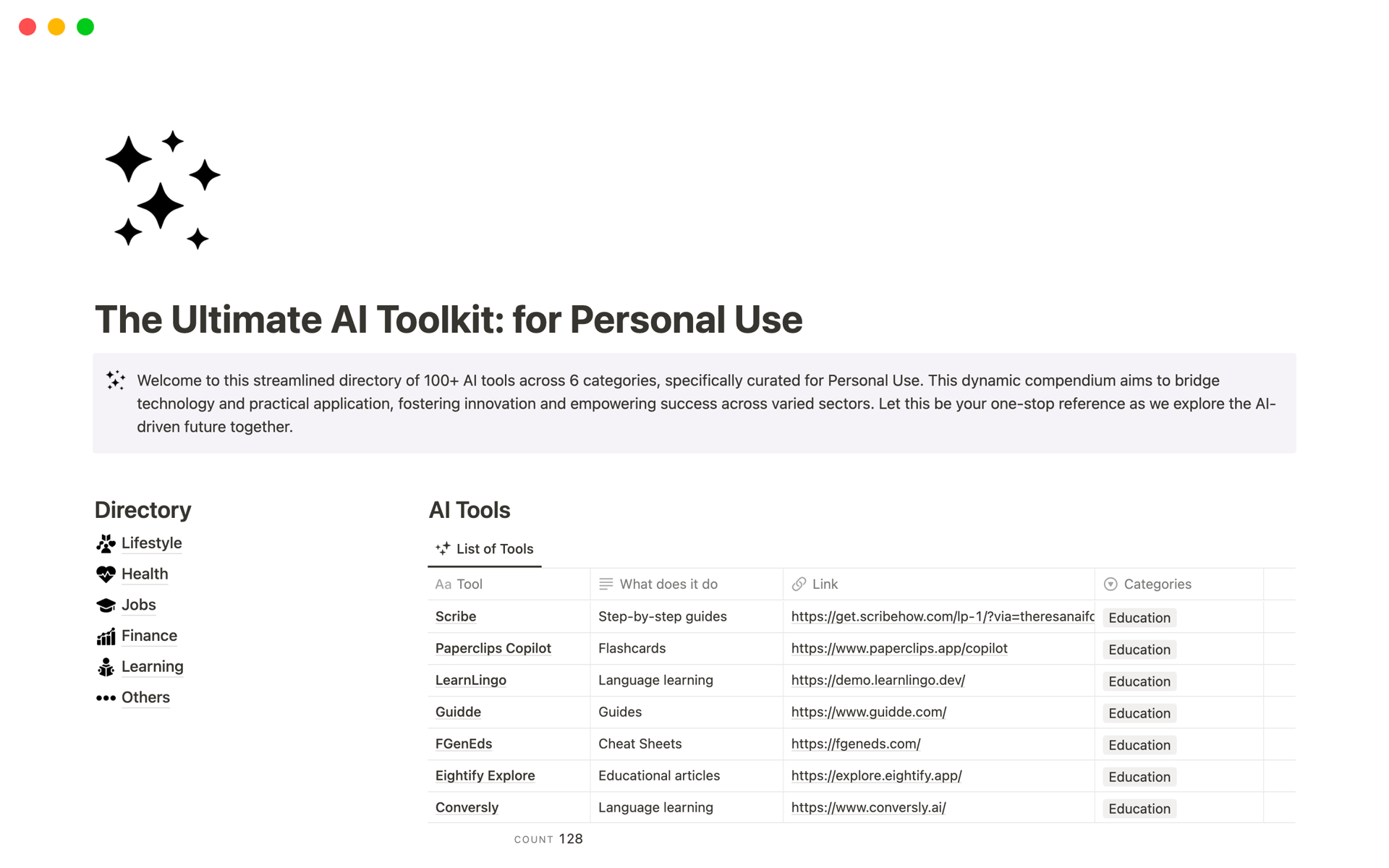
Notion suits teams that run projects in Notion databases next to their documents. Notion Agent works on demand: it creates and edits pages and databases and handles multi-step tasks. Custom Agents run in the background on a schedule or a trigger, such as a database change or a Slack message. They route requests into tasks, write recurring status reports and update records.
Notion Agent has its user's permissions. Custom Agents act only on the pages, databases and apps granted to them. An activity tab shows each run, version history allows a restore, and review modes let a person approve edits first.
Pricing and AI access: Full Notion AI, including Custom Agents, requires Business or Enterprise. Business is listed at $20 per member/month. A new credit system reaches existing workspaces on 2 November 2026.
Trade-off: Notion is a general workspace, not a scheduling or capacity tool. Notion Agent cannot build database automations or change permissions.
Sources: Notion pricing, Notion Help Center (Notion Agent, Custom Agents, credits), checked 23 October 2026.
8. Planview Anvi for AI agents on enterprise PPM data
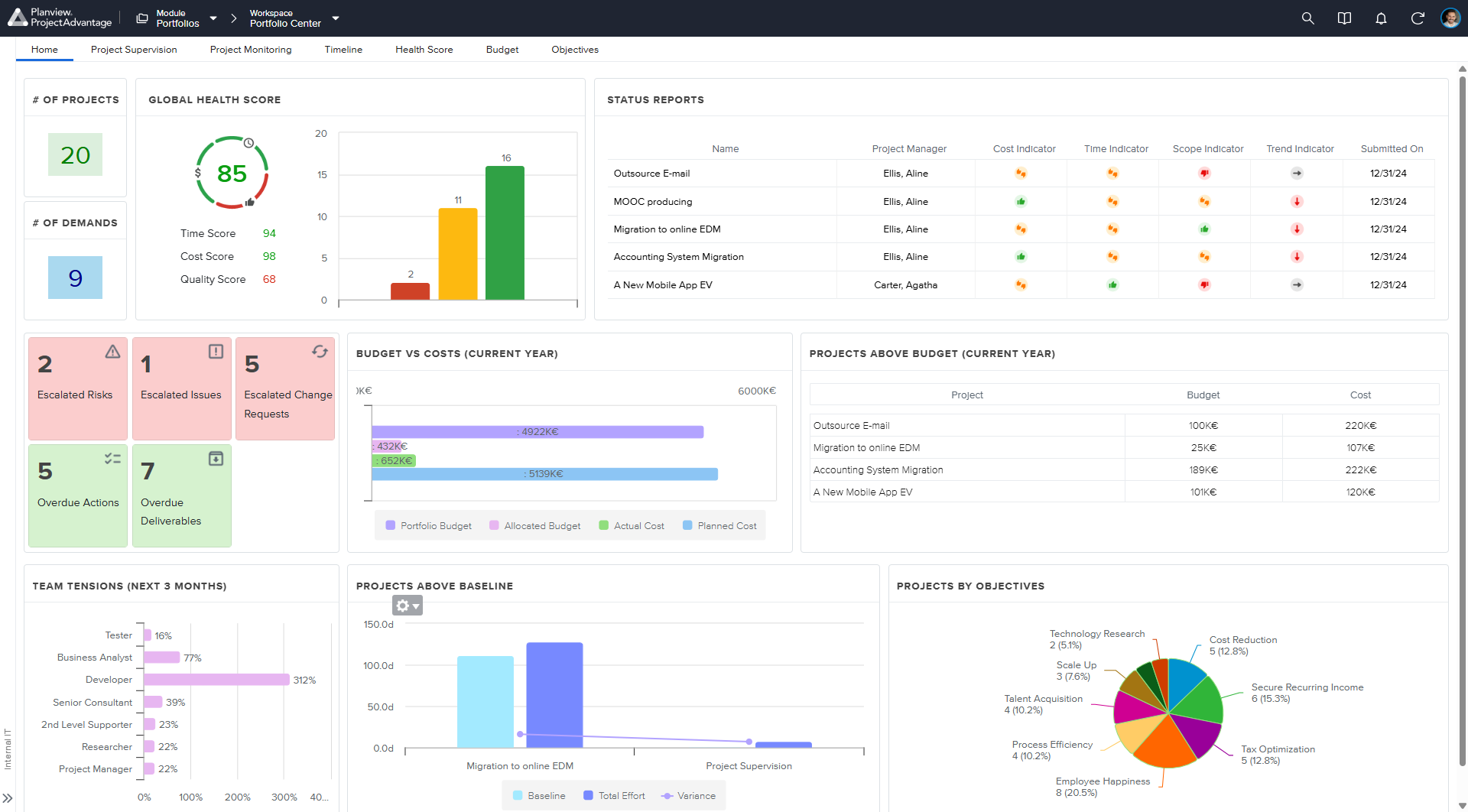
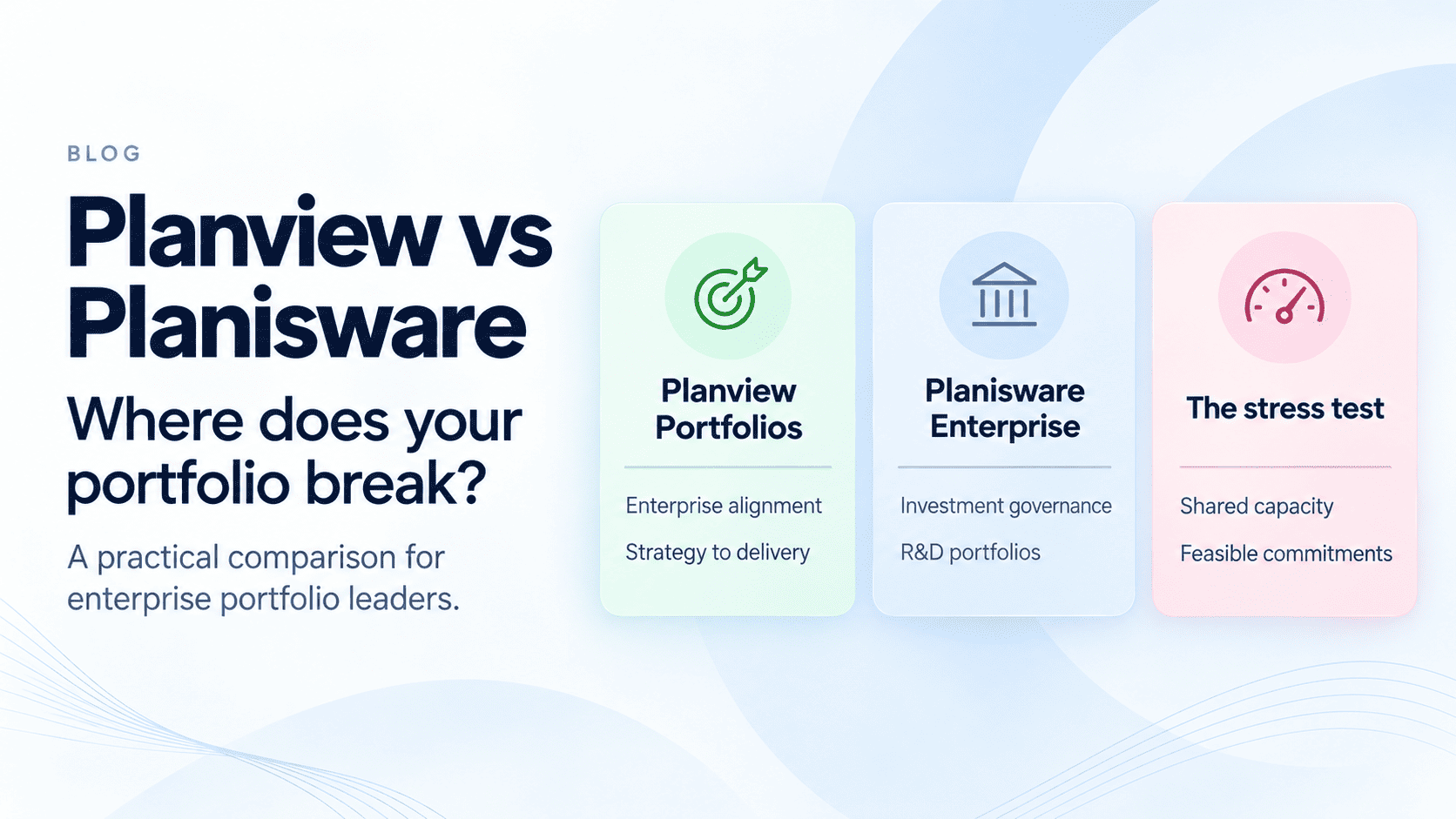
Planview suits enterprises that run portfolios on Planview products such as Portfolios, AdaptiveWork or PPM Pro. Its strength is enterprise portfolio governance across a broad product family. Planview Anvi is the AI layer across them. An Anvi agent chains up to five Anvi Chat prompts, run manually or on a schedule. Planview lists ready-to-use agents for portfolio insights, resource planning and status reporting. Anvi scenario planning ranks scenarios against stated objectives. In May 2026, Planview announced Agent Resource Management for planning AI agents alongside people, available from fall 2026.
Access follows user roles. In AdaptiveWork, a step that changes records needs the user's confirmation unless automated steps are on. Admins see run history and AI usage.
Pricing and AI access: Pricing is quote-based. AI use is metered in Anvi AI Units, an annual allotment shared across the organization.
Trade-off: Agents are short prompt chains on metered units, and they work within the Planview product family.
Sources: Planview AI page, Planview Success Center (Anvi overview, agents, AdaptiveWork), Planview newsroom, checked 23 October 2026.
9. Wrike for intake, triage and status agents in structured delivery
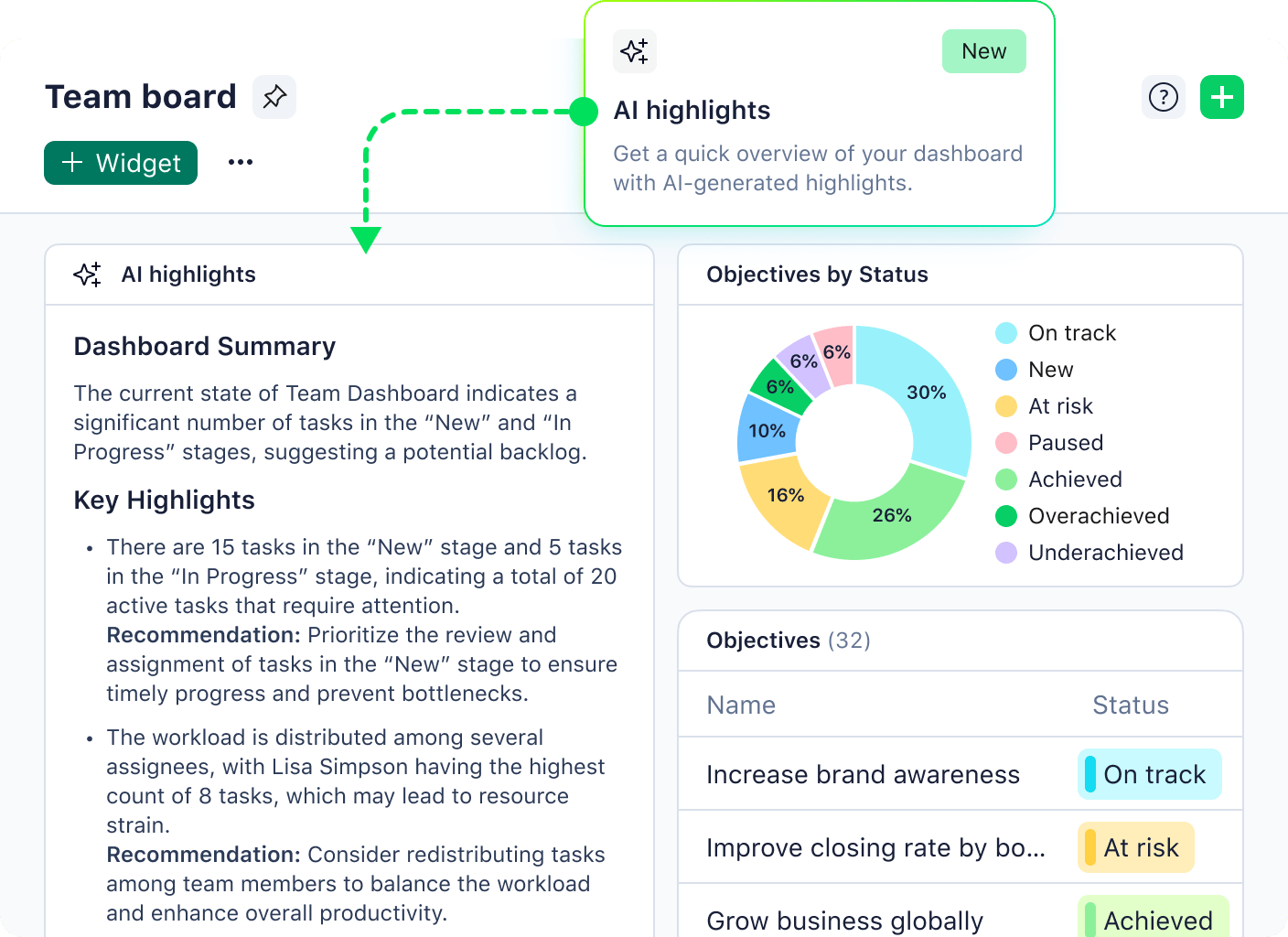
Wrike suits teams that run requests and delivery processes in shared spaces. Wrike AI Agents, generally available since February 2026, watch a space, project or folder for triggers such as a new task. They check requests for completeness, assign them, update statuses, post scheduled summaries and flag overdue work. Wrike Copilot answers and summarizes but does not change records.
Only space admins create agents, and each works within its space. Wrike says AI actions are logged and usage is tracked by agent and user. A confirmation step before agent actions is not verified in official docs.
Pricing and AI access: Business costs $25 per user/month billed annually, and agents need Business or higher. Agent actions draw on a monthly AI Elite allowance pooled across Full User licenses.
Trade-off: The Business allowance is modest. In Wrike's example, 100 users get 300 actions a month, and failed runs also count.
Sources: Wrike pricing, Wrike Help Center (AI Agents, AI Essentials and AI Elite), checked 23 October 2026.
10. Taskade for agents that run task work in a small-team workspace
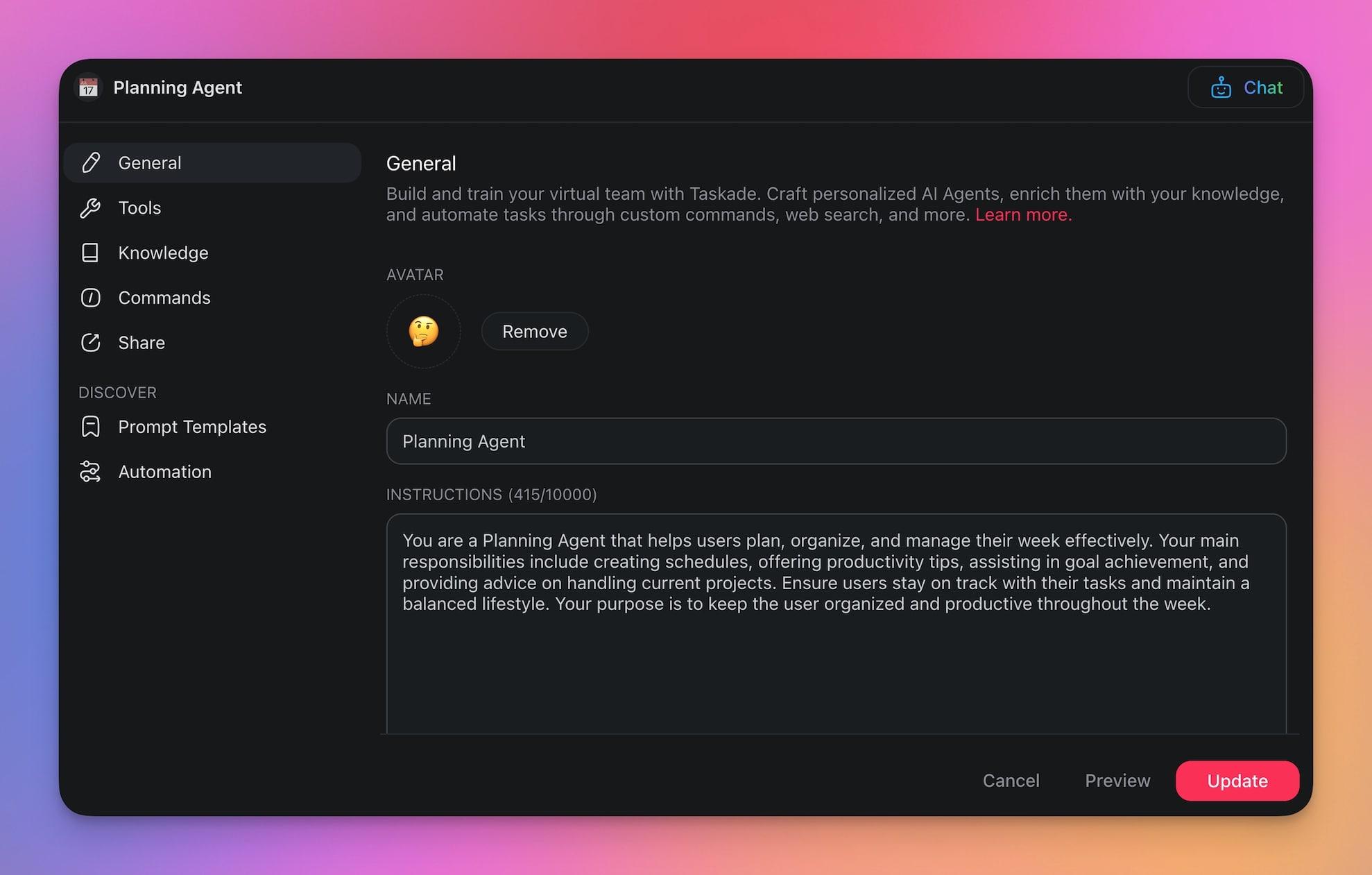
Taskade combines projects, AI agents and automations in one workspace. Its agents create projects, add, edit, complete and assign tasks, and manage due dates and custom fields. Teams can give an agent files as context and connect it to tools and triggered workflows.
A human-in-the-loop setting requires a person to approve or reject actions on external platforms. Configure the tools each agent may use, and inspect its actions during a pilot.
Pricing and AI access: Pro costs $10 a month billed yearly, with 50,000 AI credits a month and up to ten people. Business costs $25 a month billed yearly, with 150,000 credits. Both prices cover a workspace, not a seat.
Trade-off: Taskade's documentation centers on tasks and workflows rather than portfolio capacity, so test portfolio questions separately.
Sources: Taskade pricing, Taskade Help Center (tools for AI agents), checked 23 October 2026.
Future Trends in AI Agents for Project Management
Four directions are visible in 2026. Some are available today in specific products, and others are still developing.
1. Multi-agent orchestration
Several vendors already let specialized agents hand work to each other, such as an intake agent passing a request to a planning agent. Typical roles include smart scheduling, risk analysis, bottleneck forecasting and analysis of the capacity of resources. Orchestration does not remove accountability. Each handoff needs an owner, and each result needs a check.
2. What-if scenarios
Portfolio tools already run what-if scenario analysis. They recalculate dates and workload for a proposed change before anyone commits to it. Agents let managers ask for those scenarios in plain language: "What happens if I move a senior Python developer to Project A next week?" The answer is only as reliable as the calculation model behind the agent. A language model alone does not simulate a portfolio.
3. Automatic resource leveling
Resource leveling in project management adjusts assignments so no one is overbooked, which also protects people from burnout. Optimization engines already do the calculation. An agent adds value when it proposes the change, explains its effect and waits for approval on moves that affect people. Some platforms now also plan AI agents as resources, with capacity and dates, in the same plan as people.
4. AI-human collaboration
As agents take on more work, people spend more time reviewing it. Review becomes a queue of its own. If the same few experts check every agent output, they become the new bottleneck. Plan review capacity like any other work, and route checks to people who can judge the output against a clear standard. PMI's Standard for Artificial Intelligence in Portfolio, Program, and Project Management, published in June 2026, builds human-in-the-loop oversight into its principles.
Conclusion
AI agents for project management already handle useful coordination work: reports, follow-ups, risk triage and changes prepared for approval. They do not take over a project manager's accountability. Three steps make the choice easier:
- Pick one workflow that other projects wait on, not the easiest one to automate.
- Check access and approval before an agent can change records, staffing or commitments.
- Measure net human workload, including the time spent reviewing and correcting the agent's output.
If shared specialists decide your delivery dates, send us one row per project and one row per department. We show you where your bottleneck is and what an hour freed there is worth. Book a demo with your own data
Frequently Asked Questions
What is an AI agent for project management?
An AI agent for project management is software that uses project data and connected tools to complete a defined job, such as a status report or a follow-up on missing updates. It can recommend, prepare or carry out permitted actions. Its permissions and human review decide how far it goes.
How do AI agents help project managers?
They take over coordination work: collecting updates, drafting reports, flagging risks and preparing changes for approval. That frees managers for decisions that need judgment. Count the gain only after subtracting the time people spend reviewing and correcting the output.
What are some examples of AI agents in project management?
Atlassian Rovo agents check Jira work items for readiness and blockers. Microsoft's Planner Agent drafts status reports. Asana AI Teammates turn a brief into a project plan, and Wrike agents triage requests. At portfolio level, Planview Anvi agents run scheduled insights, and Epicflow's Epica flags overloaded teams.
How do I choose the right AI agent framework for my project?
Start with one workflow you want to improve. Check ease of use, integration, data security and approval controls, and the value of the work the agent takes over. Then check how cost and performance scale. Pilot that one workflow before you expand.
What are the best AI agents for project management?
It depends on the job. Jira teams should start with Atlassian Rovo, and Microsoft 365 organizations with Planner Agent. For built-in agents in work management, compare Asana, ClickUp, monday.com and Wrike. Notion suits projects in Notion databases, and Taskade suits small teams. For portfolio work, compare Planview and Epicflow on your own data.
What is agentic project management?
Agentic project management is an approach in which people delegate defined project workflows to AI agents that take permitted steps. It does not remove the need for a project manager. People still own priorities, approvals, stakeholder commitments and decisions outside the agent's scope.
Can AI agents replace project managers?
No. Agents can take over parts of coordination, reporting and administration, but not responsibility for a project. Leadership, negotiation, accountability and decisions under ambiguity still need a person. How much can be automated depends on the workflow, the data and the controls.
How do you implement AI agents safely in project management?
Start with one bounded workflow and a measured baseline. Limit data access and write permissions, and require approval for high-impact changes. Test failure scenarios, name a reviewer and keep a manual fallback. Expand only when quality, net human workload and cost meet your criteria.
Which project management tools have built-in AI agents?
As of October 2026, built-in agents are documented in Asana, Jira through Atlassian Rovo, ClickUp, monday.com, Microsoft Planner, Notion, Planview, Taskade and Wrike. Access usually depends on the plan, and most vendors meter agent work. Check which agents change records and which only draft.
What are the best AI agents for PPM?
Portfolio-level agents need portfolio data: capacity, dependencies, priorities and financials across many projects. Planview Anvi runs agents for portfolio insights, status reporting and scenarios on Planview data. Epicflow plans work and AI agents against shared specialist capacity and shows which delays cost the most. Agents inside task tools see the projects in that tool, so check what they can reach across the portfolio.
Can AI agents handle resource allocation and prioritization across projects?
Some agents suggest assignees or priorities. Few calculate the effect on every project that shares the same people. To test one, change a specialist's availability and see which dates and recommendations change. Epicflow is built for this case: it shows which team everything waits on and which move recovers the most value.