8 Best Planisware Alternatives for Enterprise PPM Teams in 2027
 Mariia Zhorniak
.
Published
.
Project Portfolio Management
.
48 mins READ
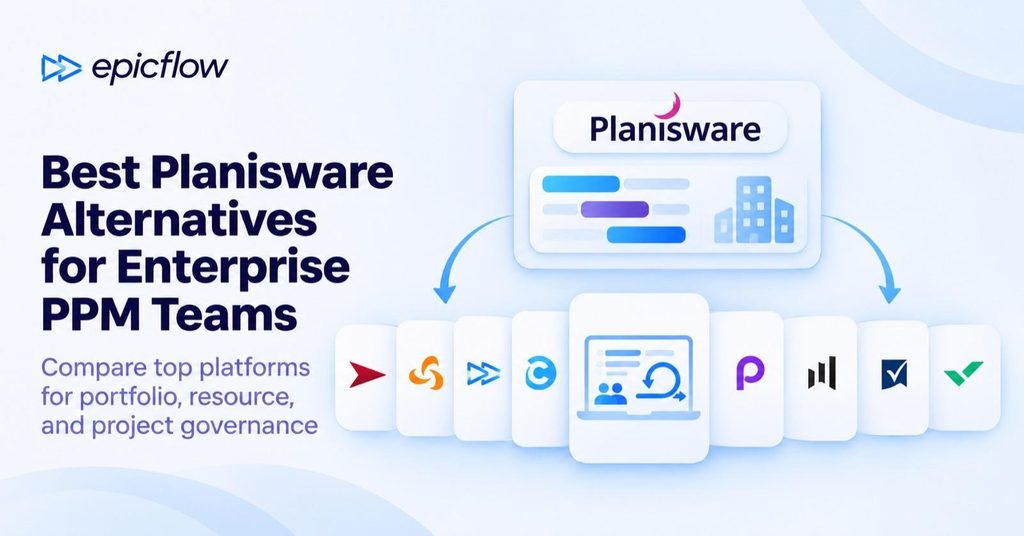
If you are looking for an alternative to Planisware, there is no single platform that works as a drop-in replacement for every team. The right choice depends on your specific portfolio complexity, governance needs, resource constraints, integration stack, and readiness to absorb the cost of migration.
To help you narrow down your search, we compared the best Planisware alternatives using official vendor documentation, the Gartner Peer Insights list of Planisware alternatives [1], and our analysis of hundreds of user reviews on G2, Software Advice, and Capterra. Here are the key takeaways from our research:
- If you need a direct Planisware strategic portfolio management alternative with comprehensive enterprise PPM and stage-gate governance, Planview and Triskell offer a direct substitute.
- If your main challenge is managing scarce specialist capacity across engineering-heavy portfolios, Epicflow is the best choice.
- If your primary bottleneck is resource capacity and portfolio planning without enterprise-scale complexity, tools like Celoxis, OnePlan, or Meisterplan may prove far more practical.
- Finally, if your organization wants to step down to a lighter, highly flexible workflow, collaborative platforms such as Smartsheet and Wrike offer a modern alternative.
The following evaluation does not present a rigid ranking; instead, it matches candidate tools to your operating model and total cost of change.
Start Here: Keep, Extend, or Replace Planisware?
Planisware is strongest at choosing which projects to fund and steering them through gates. If your pain starts after funding, when approved projects wait for the same specialists, compare tools on how they plan finite capacity, not on governance breadth. Use the table to find your branch before you read the profiles.
| Your situation | Likely response | What to verify first |
| Idea intake, stage-gates and funding work well; the issue is cost or complexity | Keep Planisware and reduce scope or configuration first | Which modules you actually use, renewal terms, admin effort |
| You need the same governance, but on a different platform | Replace with a direct peer: Planview or Triskell | Edition fit, phase-gate workflows, implementation plan, data mapping |
| Approved projects queue for the same specialists and dates slip | Add or switch to capacity-focused planning: Epicflow, Meisterplan, Celoxis or OnePlan | Cross-project capacity forecast, scenarios, data path from Planisware |
| Teams already plan in spreadsheets outside Planisware | Step down to work management: Smartsheet or Wrike | Which governance controls and reports you give up |
When keeping Planisware is the better decision: Planisware Enterprise documents portfolio optimization, NPV and cash flow scorecards, phase-gate governance, earned value and demand forecasting, and Planisware Orchestra ships as a turnkey PPM platform for PMOs. If your portfolio board relies on those functions every quarter, replacing them costs more than most problems that trigger a search. Fix the part that hurts, and replace only what the platform does not do for you.
Planisware Alternatives at a Glance
If you don't need a detailed review of each Planisware alternative, here is a quick comparison. We checked the facts on official vendor pages on November 12, 2026; each profile lists its sources and check date. Prices are published list prices or quote-only notes, not total cost; implementation is extra. "Not documented" means we did not find it on official pages, not that it is unavailable. The order follows fit categories, not a ranking.
| Tool | Fit label | Relation to Planisware | Best fit | Portfolio governance | Capacity, scenarios, optimization | Integrations | Deployment | Pricing |
| Planview | Direct fit | Full replacement candidate for Planisware Enterprise | Enterprise portfolios with funding and gated demand governance | Native: demand management, gated workflows, funding at several levels | Capacity forecast: native. Scenarios: native. Prioritization: ranking by business drivers; scenarios can be generated by Anvi | Jira and Azure DevOps through Planview Hub (separate product); SAP, Oracle, Salesforce named; Power BI embedded | SaaS, data centers in the US, UK, EU and Australia | Quote only |
| Triskell | Direct fit | Full replacement candidate for Enterprise or Orchestra | PMOs governing hybrid agile and phase-gate portfolios | Native: idea and demand management, phase-gate transitions | Capacity forecast: native. Scenarios: native. Prioritization: configured scoring | Jira native two-way; Microsoft Project; SAP, Oracle, Dynamics finance exchange; Power BI | SaaS; ISO 27001 and SOC 2 Type II | Quote only; 14-day trial |
| Epicflow | Partial / specialized fit | Partial replacement: multi-project capacity planning and delivery forecasting | Engineering portfolios where shared specialists set the delivery dates | Not covered: idea-intake portals and stage-gate funding governance | Capacity forecast: native (Future Load Graph). Scenarios: native (What-If Analysis). Prioritization: portfolio ordering by business value and capacity (Enterprise). Optimization: Epicflow Portfolio Optimizer, delivered as PMO as a Service | Jira and REST API (optional modules); Microsoft Project and Oracle Primavera P6 (Enterprise); SAP and HRM interfaces | Hosted on ISO 27001-certified infrastructure. On-premises data hosting available | Growth €22.50 (20-user minimum), Enterprise from €45 (50-user minimum) per user/month, billed annually; modules extra |
| Celoxis | Partial fit | Replacement candidate for Orchestra-scale PMOs | PMO controls with published per-user pricing | Native: intake (Professional), strategic portfolio management (Business); stage-gate not documented | Capacity forecast: native, roles from Essentials. Scenarios: What-if project state. Optimization: manual | Jira and Azure DevOps (add-on below Enterprise); Microsoft Project import; Salesforce; REST API | SaaS (US or EU) or on-premises (Enterprise) | $10 to $45 per user/month, billed annually, 5-user minimum; Enterprise quote |
| OnePlan | Partial fit | Replacement candidate for Orchestra; portfolio layer over Microsoft tools | Microsoft-centric organizations | Native on Enterprise: stage-gate approvals, Power Automate gates | Capacity forecast and scenarios: native on Enterprise. Optimization: AI-recommended scenarios (Sofia) | Microsoft Project add-in, Planner, Jira, Azure DevOps; SAP financial import; Power BI | SaaS on Azure: US, Canada, EU, Australia, US government tenants | Basic $10 per user/month (no resource planning); Enterprise quote |
| Meisterplan | Partial fit | Partial replacement for portfolio capacity and scenarios | What-if capacity decisions at portfolio level | Configured intake and scoring; stage-gate not documented | Capacity forecast: native. Scenarios: native (Pro, Premium). Scheduling: Auto-Schedule (Pro, Premium) | Jira native (Pro, Premium), Azure DevOps, Planner Premium, Power BI, REST API; no Microsoft Project or SAP connector listed | SaaS on AWS (US or EU) | Quote only, licensed per planned resource; users free |
| Smartsheet | Adjacent fit | Step-down replacement for scheduling and reporting | Spreadsheet-style work with portfolio rollups | Add-on: Advanced Portfolios intake and approvals; stage-gate not documented | Capacity forecast and what-if: Resource Management add-on. Optimization: not documented | Jira premium connector; SAP and Salesforce listed; Power BI, Tableau; Microsoft Project file import | SaaS (US, EU, Australia); Smartsheet Gov (FedRAMP Moderate) | Pro $9, Business $19 per member/month, billed yearly; Enterprise and add-ons quote |
| Wrike | Adjacent fit | Step-down replacement for cross-team work execution | Intake-driven cross-functional work | Native: request forms and approvals (Business and up); stage-gate not documented | Capacity forecast: Pinnacle and Apex (job roles in hours or FTE). Scenarios and optimization: not documented | Jira Two-Way Sync add-on (included in Apex); Salesforce, Dynamics 365, Tableau; Microsoft Project XML import | SaaS (US or EU data center) | Team $10, Business $25 per user/month, billed annually; Pinnacle and Apex quote |
Read More: 13 Best Smartsheet Alternatives Built for True Portfolio Scale
How We Compared These Planisware Alternatives
To build this comparison, we conducted structured desk research across official vendor product pages, pricing pages, help centers, and trust centers, checked on November 12, 2026. We then analyzed hundreds of user reviews on G2, Software Advice, Capterra, and Gartner Peer Insights to describe implementation effort and day-to-day adoption; the implementation notes in each profile summarize that analysis. We did not run hands-on trials or score the products.
We included tools that a Planisware customer can use to plan a multi-project portfolio together with the shared resources it depends on, from a direct enterprise PPM peer to a lighter work-management step-down. Because B2B software packaging shifts quickly and roadmaps are often marketed as finished capabilities, we treat all vendor-published claims as statements to verify. Moreover, we weighed each Planisware alternative against eight practical criteria to help you determine real operational fit:
- Portfolio model fit: Alignment with enterprise IT or complex engineering programs.
- Governance and strategy: Phase-gate controls and audit trails.
- Resource and capacity planning: Bottleneck detection, shared-resource pooling, and scenario modeling.
- Integrations and data flow: Native connectors to ERP, CRM, and developer ecosystems, alongside API maturity.
- Deployment and security: Cloud architecture and compliance certifications.
- Implementation burden: Time-to-value, self-service administration, and ongoing consultant reliance.
- Total cost of ownership (TCO): Licensing transparency and hidden overhead.
- Migration and exit risk: Data extraction ease, schema portability, and vendor lock-in.
Reviewed but not included: Broadcom Clarity (a direct enterprise PPM peer whose investment-governance scope overlaps Planview's in this shortlist; we compare it in our Planview alternatives guide), ServiceNow Strategic Portfolio Management (mainly relevant to Planisware Horizon users who run IT portfolios on the ServiceNow platform), and Planview ProjectAdvantage, formerly Sciforma (a Planview product, compared in our Planview vs Planisware article).
Read More: 12 Best Jira Alternatives for Portfolio and Multi-Project Management
What to Clarify Before Planisware Replacement
Before shortlisting candidate Planisware competitors, you must define the exact operational boundaries of your current Planisware deployment. "Planisware" is not a single, uniform product; an organization using the turnkey Planisware Orchestra for an emerging or scaling PMO has completely different requirements than an enterprise running heavily customized Planisware Enterprise modules for stage-gated engineering. Assuming any alternative can replace your entire current footprint without a scope audit creates significant migration and operational risk.
Before beginning discussions about Planisware alternatives, clarify these core dimensions internally:
- Product edition and needed modules. Identify whether your license covers Planisware Enterprise, Orchestra, or Horizon (or one of Planisware's newer products, such as Nova, Valoris, or Luma), and document every active module (e.g., stage-gate lifecycles, resource capacity, financial management, or timesheets).
- Business units and user personas. Audit who actively uses the platform, from executive governance boards and portfolio planners to resource managers.
- Live integrations and data flow. Map all existing system dependencies, including Jira syncing, ERP accounting connections (SAP, Oracle), and HR master resource data, with the direction of each flow.
- Data ownership and historical depth. Determine how many years of historical project archives and audit trails must be retained or migrated versus archived off-platform.
- Commercial and exit constraints. Review your contract renewal timeline, prepaid agreements, export formats, and transition terms before committing to a switch.
Read More: 13 Best Planview Alternatives for Portfolio and Resource Planning in 2026
Why Teams Consider Planisware Alternatives
Organizations rarely seek Planisware alternatives simply because of missing features. More often, the evaluation stems from shifts in delivery models or budget pressure. The category also keeps growing: MarketsandMarkets estimates the project portfolio management market at $8.64 billion in 2025 and expects 12.6% annual growth from 2026 to 2031 [2], so buyers have more options than when many Planisware contracts were signed. Enterprise buyers should investigate these challenges as core alignment questions:
- Total Cost of Ownership: Does the actual Planisware total cost of ownership (rising maintenance fees, mandatory module add-ons) still match the realized business value?
- Operating model fit: Has your organization shifted toward hybrid delivery, agile product streams, or constraint-heavy engineering where traditional stage-gate controls feel overly rigid?
- Usability and adoption: Are project teams actively maintaining schedules inside the platform, or have they retreated to shadow spreadsheets due to interface complexity?
- Resource and bottleneck control: Does Planisware resource planning provide executable, finite-capacity scheduling for shared specialist pools, or does it leave your teams with high-level, theoretical capacity charts?
- Reporting agility: Can cross-functional stakeholders extract timely, portfolio-level business metrics and cash forecasts without waiting on custom report engineering?
These gaps explain why portfolio leaders look beyond basic task tracking: respondents rated only 48% of their projects successful in PMI's 2024 Maximizing Project Success research [3], which makes capacity planning, scenario modeling, and financial governance more valuable.
Read More: Resource Capacity Planning Software
8 Planisware Alternatives Compared
1. Planview for enterprise portfolios that need funding and gated demand governance
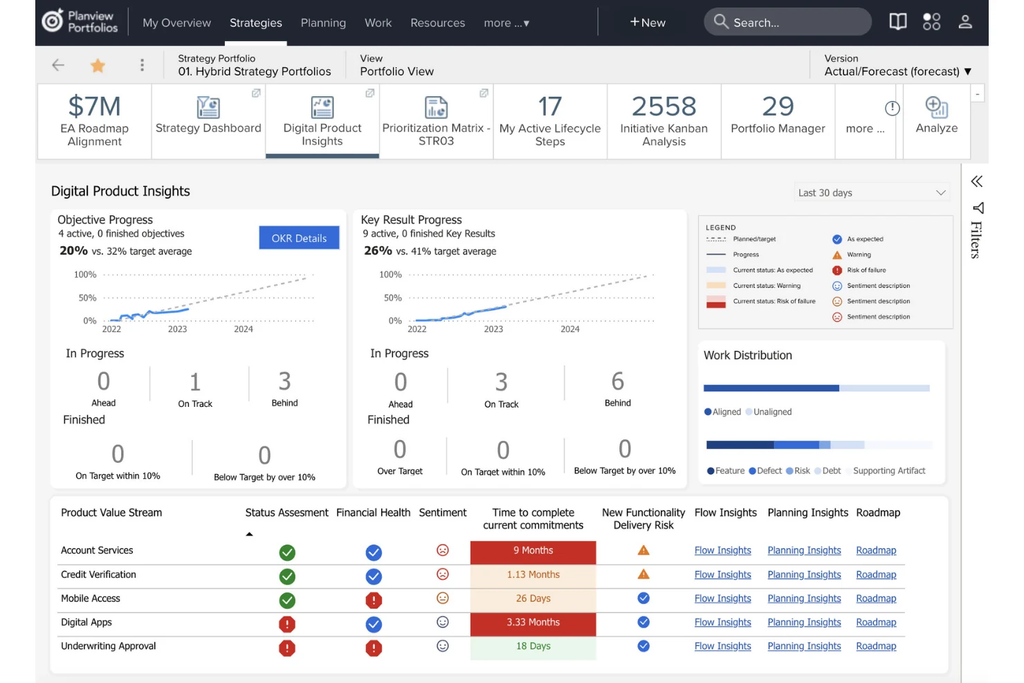
- Best for: Global enterprises requiring top-down strategic portfolio management, multi-level funding, and auditable stage-gate governance. The product is Planview Portfolios (formerly Planview Enterprise One).
- Fit label: Direct fit.
- Relation to Planisware: Full replacement candidate for Planisware Enterprise in governance-led portfolios. Planview documents no Planisware importer, so migration is a scoped project.
- Verified overlap: Demand management that turns ideas into formal requests, gated process automation, capacity planning with forecasts of future resource needs, skills-based staffing, scenario planning, and budget, forecast and actuals across portfolios.
- What it does not replace: It is not a lightweight task tracker; it maintains high governance discipline. Teams that need simple work management will use a fraction of the platform.
- Integrations: Jira and Azure DevOps sync through Planview Hub, a separate product. SAP, Oracle ERP, Salesforce, Workday and ServiceNow are named on the product page; Power BI is embedded. The REST API is listed as early access.
- Deployment: SaaS with data centers in Oregon, London, Frankfurt and Sydney. On-premises deployment is not documented.
- Implementation/migration: Heavy configuration and multi-month rollouts; often requires dedicated administrative owners or systems integrators.
- Pricing: Quote-based enterprise licensing; no price or license unit is published.
- Evaluate next: Ask for one demand-to-funding workflow built on your own gates, and for the Hub licensing your Jira sync requires.
- Sources: Planview Portfolios product page, project portfolio management solution page, Planview Hub integrations page, Strategic Portfolio Management solution brief 2026, Planview status and privacy pages; checked November 11, 2026.
2. Triskell for PMOs governing hybrid agile and phase-gate portfolios
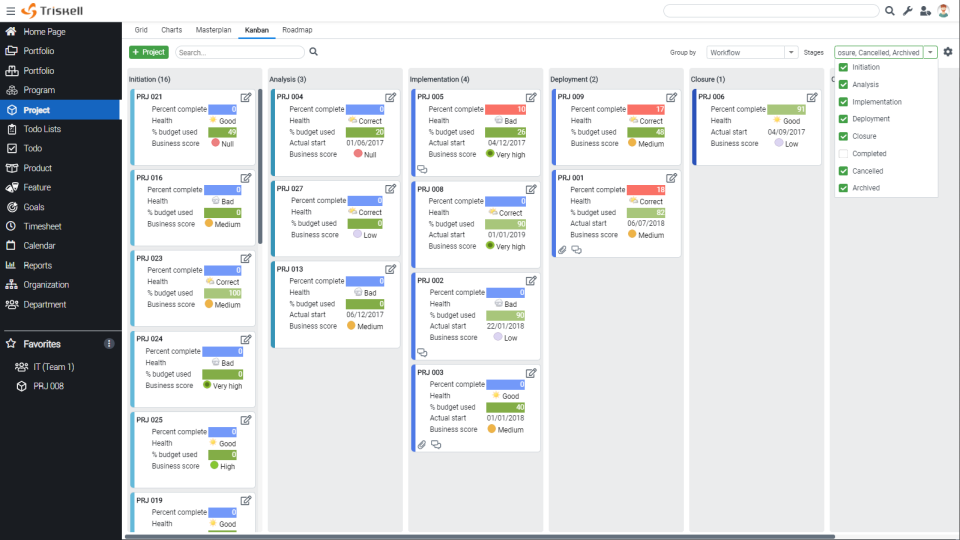
- Best for: Mid-to-large organizations wanting agile-to-waterfall portfolio governance and cost management without legacy platform overhead.
- Fit label: Direct fit.
- Relation to Planisware: Full replacement candidate for Planisware Orchestra, and for Enterprise where governance, demand and financials are the main modules in use. Triskell documents no Planisware importer.
- Verified overlap: Waterfall, phase-gate and agile project models, stage transitions with mandatory documents, idea and demand management, cross-project capacity planning with scenarios, multi-currency budgeting, and CAPEX and OPEX tracking.
- What it does not replace: Deep shop-floor task scheduling or highly specialized engineering simulation pipelines.
- Integrations: Jira native and two-way at no extra license, Microsoft Project, Azure DevOps, Salesforce, Power BI, ERP financial exchange with SAP, Oracle and Dynamics, and a REST API.
- Deployment: SaaS; ISO 27001 and SOC 2 Type II. On-premises deployment is not offered on the pages we checked.
- Implementation/migration: Three implementation models (Ready, Adapt, Platform) with an upgrade path allow phased deployment; Triskell lists one to two weeks for Ready and two to three months for Platform. Plan the mapping of Planisware fields and history as a separate workstream.
- Pricing: Customized, quote-based pricing; a 14-day trial is available.
- Evaluate next: Rebuild one phase-gate lifecycle with your approval roles and check how the Jira sync handles your issue hierarchy.
- Sources: Triskell project portfolio, resource and financial management pages, platform key features, integrations and Jira pages, solution chooser, Planisware vs Triskell page; checked November 11, 2026.
3. Epicflow for engineering portfolios where shared specialists set the delivery dates
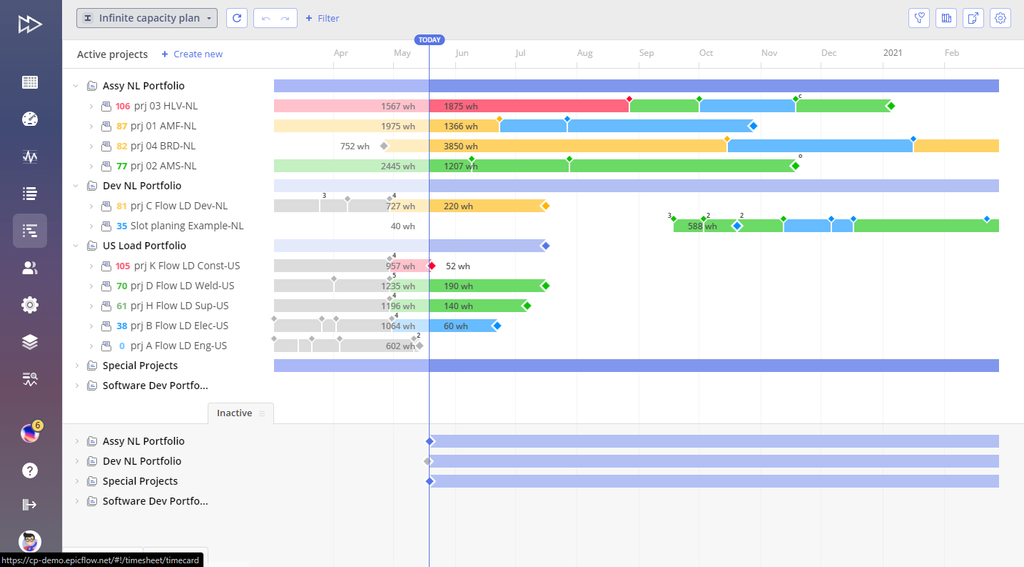
- Best for: One of the strongest Planisware alternatives for resource planning in engineering, aerospace, defense, and manufacturing enterprises whose commitments depend on shared, bottleneck-constrained specialist capacity.
- Fit label: Partial / specialized fit.
- Relation to Planisware: Partial replacement for multi-project capacity planning and delivery forecasting; idea intake and stage-gate funding stay in Planisware. No Planisware connector is listed; test its schedule export via Microsoft Project or P6.
- Verified overlap: Multi-project resource planning, milestone dates from shared capacity, Future Load Graph forecasts, and What-If Analysis of dates, load, margin, penalties and cash flow.
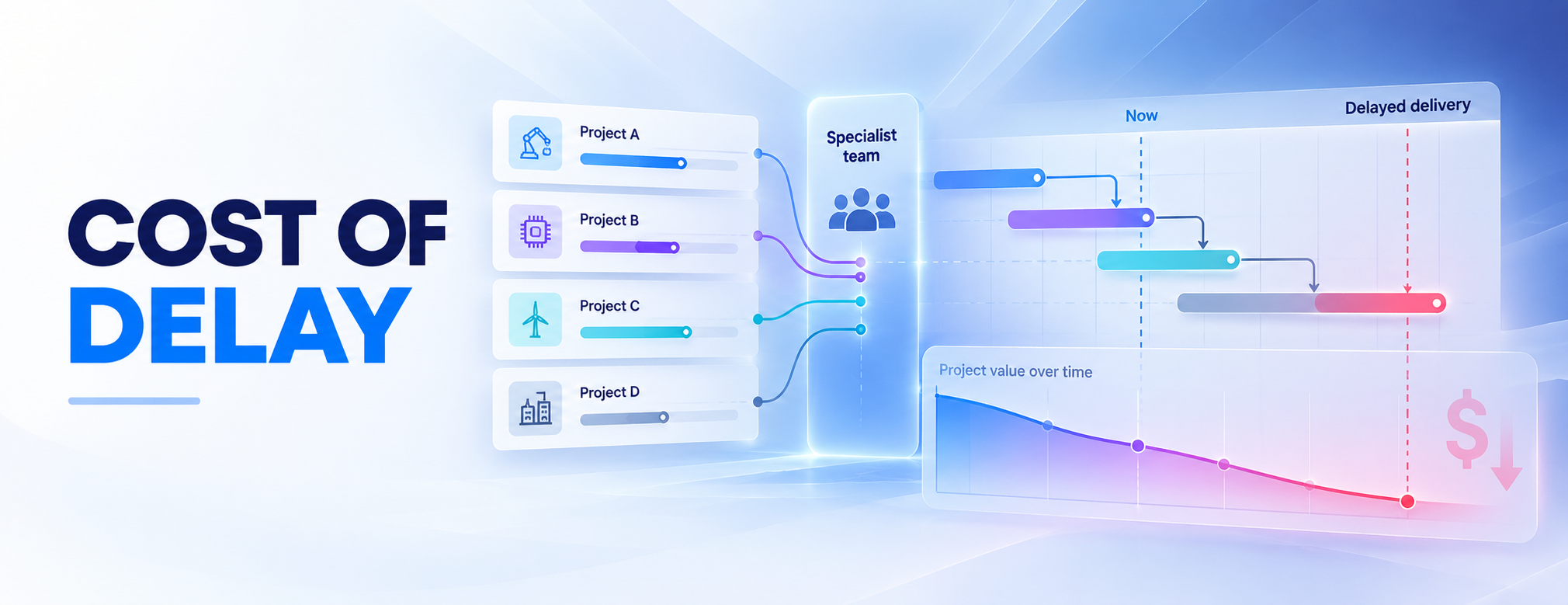
- What differs: Epicflow puts a price on each week of delay at your most overloaded team. Epicflow Portfolio Optimizer, delivered as PMO as a Service, searches millions of combinations of project order against your capacity and returns a What-If for management to approve.
- What it does not replace: Idea-intake portals, general-ledger accounting or locked timesheets. Engineers keep working in Jira or Microsoft Project.
- Integrations: Jira, REST API, Microsoft Project plugin and Primavera P6 (Enterprise), SAP and HRM interfaces.
- Deployment: Hosted on ISO 27001-certified infrastructure. On-premises data hosting available.
- Implementation/migration: Faster time-to-value than traditional PPM suites by focusing directly on resource data and active project schedules.
- Pricing: Growth €22.50 (20-user minimum, up to 50 projects) and Enterprise from €45 (50-user minimum) per user per month, billed annually. Modules and implementation cost extra.
- Evaluate next: Load one shared specialist pool and check that the forecast names the bottleneck your leads know.
- Sources: Epicflow pricing, AI, integrations and security pages; checked November 11, 2026 (on-premises hosting October 28).
4. Celoxis for PMOs that want portfolio controls with published pricing
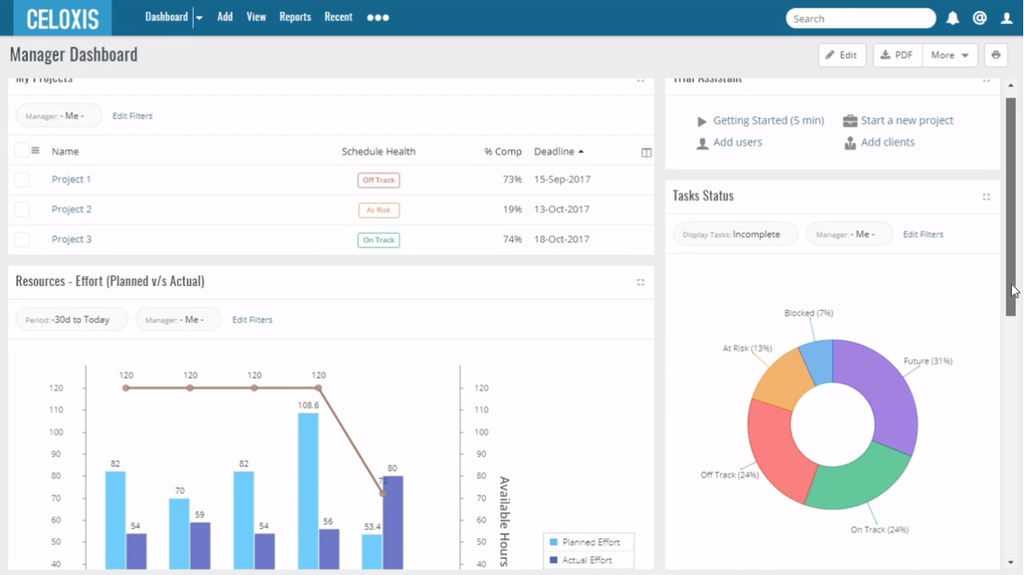
- Best for: Mid-market to enterprise PMOs seeking rapid deployment, automated scheduling, and customizable KPI tracking.
- Fit label: Partial fit.
- Relation to Planisware: Replacement candidate for Planisware Orchestra-scale PMOs; partial for Enterprise, where portfolio optimization and phase-gate depth matter.
- Verified overlap: Project portfolio health tracking, budget versus actual tracking, resource capacity across every project a person is booked on, intake routing, and a What-if project state that shows tentative work without changing committed workload.
- What it does not replace: Complex enterprise stage-gate compliance or deeply nested R&D product lifecycle management (PLM). The Celoxis knowledge base notes that the What-if state has no undo, so teams that compare many scenarios should test it.
- Integrations: Jira and Azure DevOps (add-on below Enterprise, included in Enterprise), Salesforce, Google Drive and Calendar, QuickBooks, Microsoft Project import, and a REST API.
- Deployment: SaaS in US or EU data centers, or on-premises on the Enterprise plan.
- Implementation/migration: Straightforward configuration with intuitive UI. Planisware documents schedule export to Microsoft Project, and Celoxis imports Microsoft Project plans, so test which fields survive the round trip.
- Pricing: Core $10, Essentials $25, Professional $35 and Business $45 per standard user per month, billed annually, with a 5-user minimum; Enterprise is quote-based. Intake starts on Professional and strategic portfolio management on Business.
- Evaluate next: Put two tentative projects in the What-if state and check the resource conflicts they create.
- Sources: Celoxis pricing, features and integrations pages; knowledge base on portfolio management and Jira and Azure DevOps; Planisware integrations page; checked November 11, 2026.
5. OnePlan for Microsoft-centric organizations adding a portfolio layer
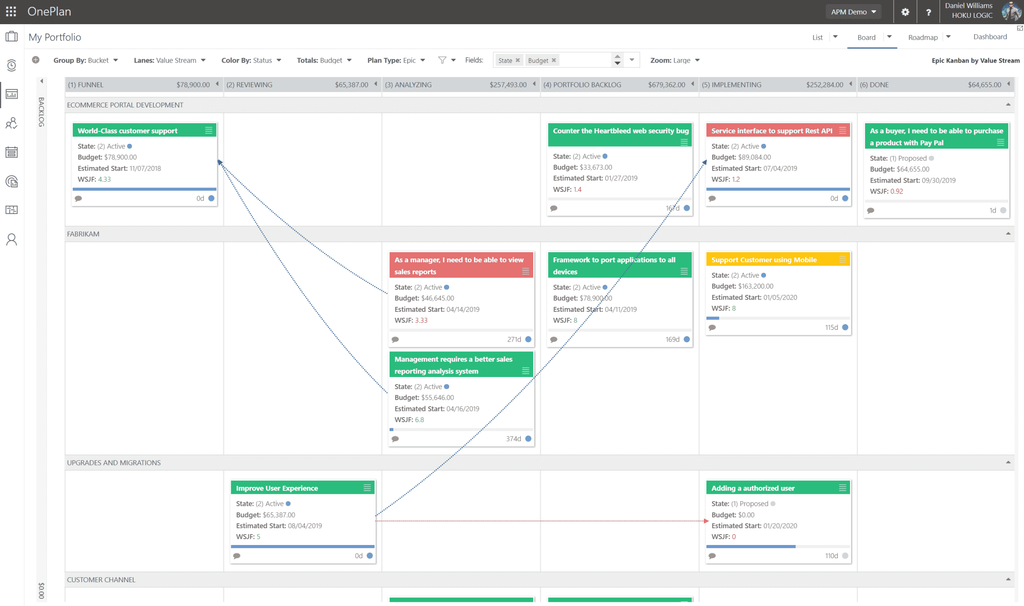
- Best for: Enterprises committed to the Microsoft ecosystem seeking adaptive portfolio management over Microsoft Project, Planner and Azure DevOps.
- Fit label: Partial fit.
- Relation to Planisware: Replacement candidate for Planisware Orchestra where work already runs in Microsoft tools; partial for Enterprise.
- Verified overlap: Strategic portfolio planning, stage-gate approvals with native or Power Automate gates, resource plans by role and skill, Portfolio Modeler what-if scenarios with financial and resource constraints, and financial plans with budget, forecast and actuals. All of these are on the Enterprise plan.
- What it does not replace: Non-Microsoft enterprise platforms where native M365 architecture is restricted or unavailable.
- Integrations: Microsoft Project add-in and Planner (Enterprise), Jira and Azure DevOps sync, Power Apps, Power Automate, Teams, Power BI report packs, and SAP financial data import.
- Deployment: SaaS on Azure, with tenants in the US, Canada, the Netherlands, Australia and a US government (GCC) environment.
- Implementation/migration: Fast for Microsoft shops, but custom Power Apps configurations and data synchronization require administrative planning. No Planisware importer is documented.
- Pricing: Basic starts at $10 per user per month, billed annually, for 5 or more users, but does not include resource planning or scenarios. Enterprise, which does, is quote-based. The Innovation Portal is sold separately from $3,000 per platform.
- Evaluate next: Run one Portfolio Modeler scenario with a resource constraint and check how the result moves into the plan.
- Sources: OnePlan pricing, integrations, resource planning, Portfolio Modeler and privacy pages; OnePlan support articles on stage-gate approvals and financial plans; checked November 11, 2026.
6. Meisterplan for what-if capacity decisions at portfolio level
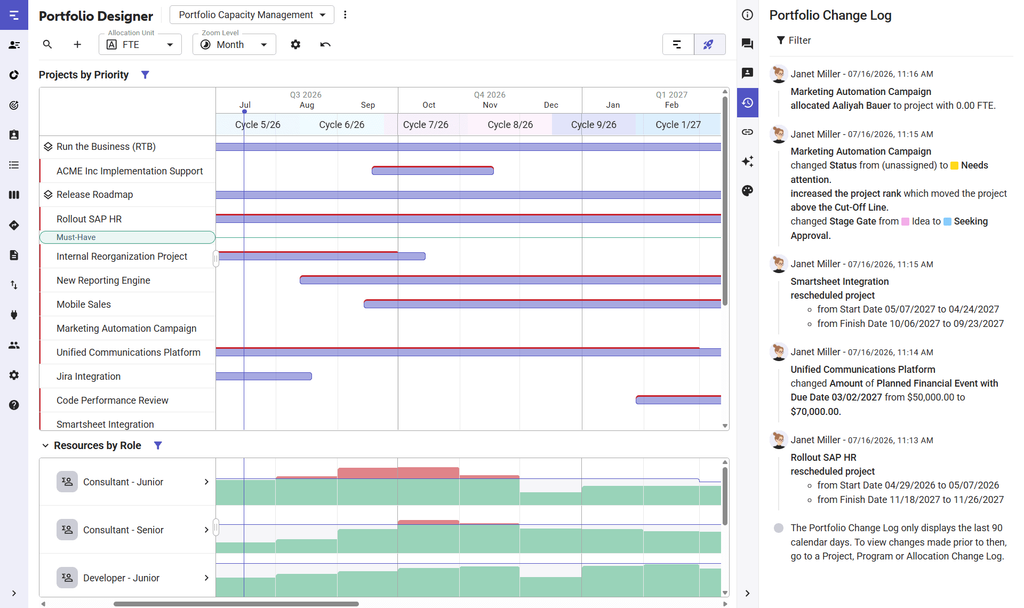
- Best for: PMO directors needing lean portfolio prioritization and what-if scenario simulations above the team tools where tasks are planned.
- Fit label: Partial fit.
- Relation to Planisware: Partial replacement for portfolio capacity planning and scenarios. Idea intake, phase-gate governance and earned value need separate checks.
- Verified overlap: Portfolio-level capacity forecasting by role and skill, identification of the roles causing bottlenecks, scenarios as protected copies of the plan of record, weighted priority scoring, and planned versus actual costs including CapEx and OpEx.
- What it does not replace: Operational task-level execution, which stays in Jira, Asana or similar tools. Formal earned value management is not documented.
- Integrations: Jira (native, Pro and Premium), Azure DevOps, Planner Premium, Smartsheet, Wrike, ServiceNow, Teams, Slack, Power BI, Tableau, a Salesforce app, Zapier and Power Automate, and a REST API. No Microsoft Project or SAP connector is listed.
- Deployment: SaaS on AWS in Oregon or Frankfurt; ISO 27001 and ISO 27018.
- Implementation/migration: Rapid onboarding; teams can import resource pools and project roadmaps within days to run portfolio modeling. Imports run through Excel or copy and paste; Quick Import does not carry milestone dependencies or rank.
- Pricing: Quote-based. Meisterplan licenses per planned resource; users are free and unlimited, and contracts run annually or monthly.
- Evaluate next: Run Auto-Schedule (Pro and Premium) on a trial portfolio and check which projects move, and why.
- Sources: Meisterplan pricing, resource capacity planning, scenario planning, prioritization, financial management, integrations and trust center pages; help center on Excel import and Auto-Schedule; checked November 11, 2026 (Auto-Schedule October 28, 2026).
7. Smartsheet for teams stepping down to spreadsheet-style work management
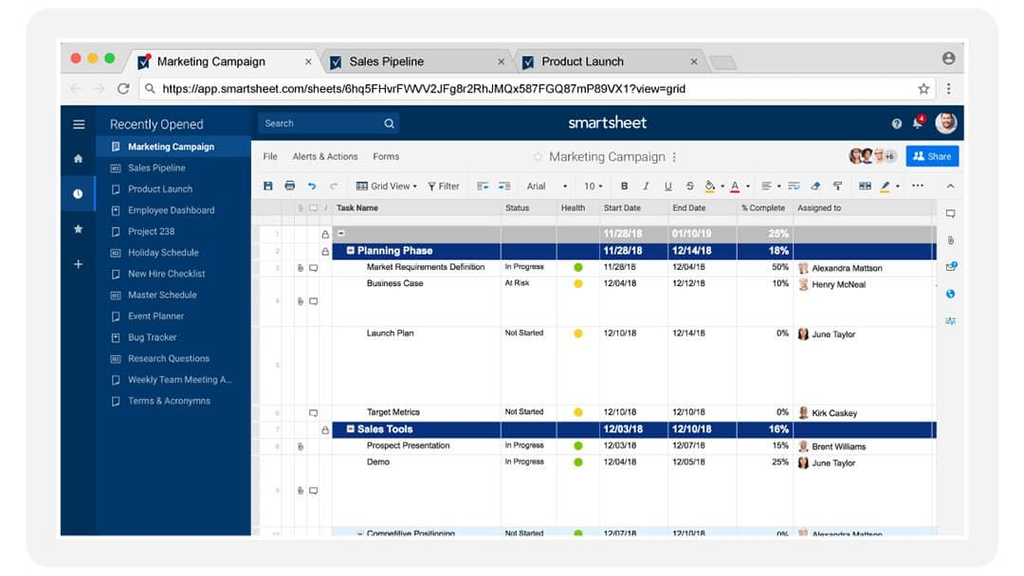
- Best for: Organizations downsizing from heavy legacy software to flexible, spreadsheet-style collaborative work tracking.
- Fit label: Adjacent fit.
- Relation to Planisware: Step-down replacement for project scheduling and reporting. Planisware documents schedule export and import with Smartsheet.
- Verified overlap: Gantt scheduling, automated review routing, team collaboration, and cross-project summary dashboards. Advanced Portfolios adds demand intake and approvals; the Resource Management add-on adds demand forecasts, what-if scenarios and budget versus actual costs.
- What it does not replace: Formal stage-gate governance, earned value management and automated capacity leveling are not documented on Smartsheet's official pages, so test them if you rely on them in Planisware.
- Integrations: Teams and Slack on all plans, Power BI and Tableau from Business, a premium Jira Connector, and listed integrations with Salesforce, SAP ERP, Dynamics, ServiceNow and Workday; some are paid add-ons.
- Deployment: SaaS in US, EU and Australian regions; Smartsheet Gov is FedRAMP Moderate authorized.
- Implementation/migration: Very rapid adoption; however, replicating Planisware controls requires premium add-ons like Advanced Portfolios (or Control Center) and Resource Management. Microsoft Project files import up to 50 MB.
- Pricing: Pro $9 and Business $19 per member per month, billed yearly ($12 and $24 monthly). Enterprise, Advanced Work Management and the Resource Management add-on are quote-based.
- Evaluate next: Ask for one quote that lists your plan, Advanced Portfolios, Resource Management and the Jira Connector together.
- Sources: Smartsheet pricing, portfolio management, resource management, integrations, regions and FedRAMP pages; Smartsheet help center on Control Center and file import; Planisware integrations page; checked November 11, 2026.
8. Wrike for cross-functional teams that run intake-driven work
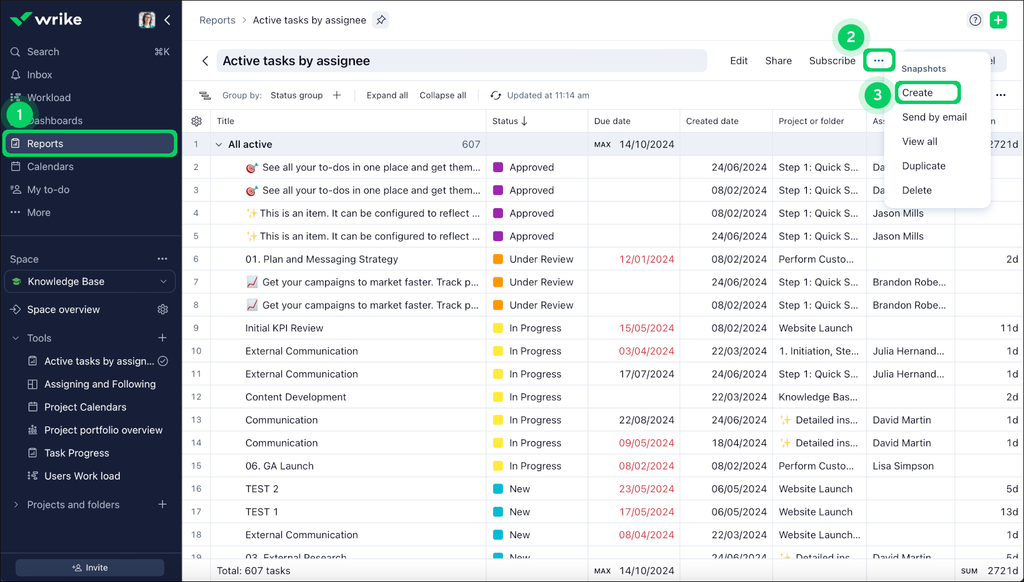
- Best for: Fast-moving IT, marketing, and operational teams requiring structured workflow intake, proofing, and project execution.
- Fit label: Adjacent fit.
- Relation to Planisware: Step-down replacement for cross-team work execution; not a replacement for portfolio investment governance.
- Verified overlap: Cross-team project tracking, visual Gantt charts, request forms that start approvals, and workload charts on Business. Pinnacle and Apex add capacity planning by job role in hours, percent or FTE, bookings, and budgets from cost rates.
- What it does not replace: True enterprise strategic portfolio investment gating or industrial-scale resource constraint modeling. Scenario modeling is not documented.
- Integrations: Teams, Outlook, Google, Slack, Salesforce, Dynamics 365 and Tableau; Jira through the Two-Way Sync add-on, included in Apex.
- Deployment: Cloud only, with data in a US or EU data center.
- Implementation/migration: Low user friction and self-service administration. Wrike imports Microsoft Project XML up to 5 MB without custom fields, and Excel up to 5,000 tasks per import; no Planisware importer is documented.
- Pricing: Team $10 and Business $25 per user per month, billed annually; Pinnacle and Apex, which include capacity planning, are quote-based. Enterprise has not been sold since January 21, 2026.
- Evaluate next: Book one shared job role across two projects on a Pinnacle trial and check how over-booking shows up.
- Sources: Wrike pricing and resource management pages, integrations page, help center on request forms, workload charts and Microsoft Project import; checked November 11, 2026.
Note: All prices were checked on November 11, 2026. Check the official vendor website for current prices.
Which Planisware Competitors Fit Your Situation?
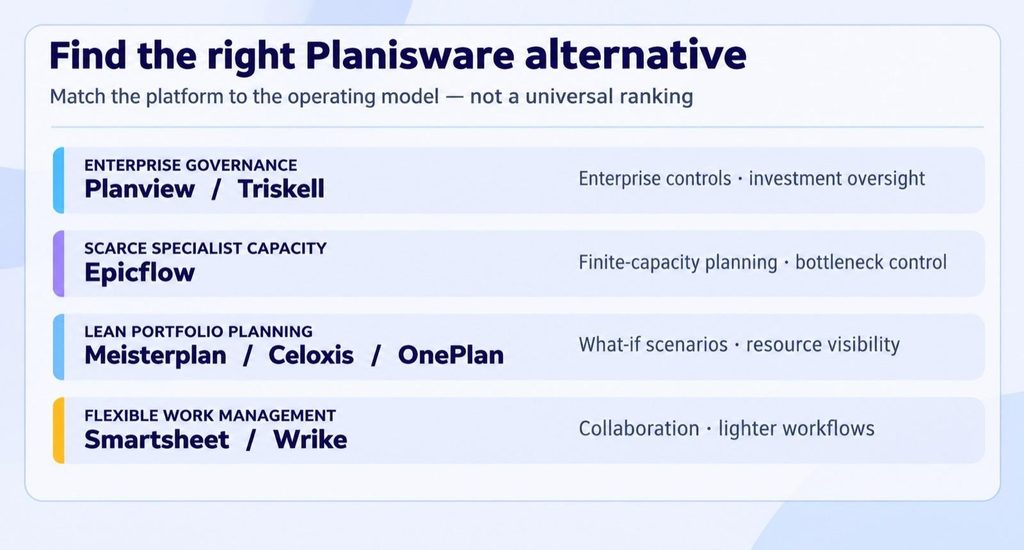
Finding the right Planisware alternative comes down to matching your operating model with the platform's core strengths, while staying clear-eyed about the inherent trade-offs:
- Full enterprise portfolio governance: Look at Planview or Triskell if you must have rigid stage-gate controls, multi-entity financial tracking, and enterprise-wide compliance. However, you should be ready to face substantial configuration overhead and likely recurring consultant costs.
- Scarce specialist capacity: Turn to Epicflow if approved projects wait for the same specialists and you need to see what each week of waiting costs in milestone dates, invoiceable value, and contractual penalties. Remember that idea intake and stage-gate funding stay in Planisware or a governance tool.
- Lean scenarios and capacity planning: Consider Meisterplan, Celoxis, or OnePlan if leadership wants clean what-if portfolio simulations and resource forecasting without operational clutter. Meisterplan handles strategic planning smoothly but relies on team tools for day-to-day task execution; OnePlan fits best when work already runs in Microsoft tools.
- Flexible collaboration for lighter scopes: Choose Smartsheet or Wrike if your teams push back against heavy enterprise software and value intuitive onboarding and agile execution. Nevertheless, stage-gate controls and complex cross-project dependency logic are not documented as standard features of either platform.
Three example situations (example organizations, for illustration):
- Medical device manufacturer on Planisware Enterprise: 60 R&D projects, 300 engineers, phase-gate reviews and SAP finance. The governance works; the license and administration cost does not. Candidates: Planview and Triskell. Deciding check: rebuild one phase-gate workflow with your approval roles in each product.
- Aerospace supplier on Planisware Orchestra: 35 engineering projects, 140 engineers, 6 shared test and certification specialists, and Jira for the software teams. Approved projects wait for the same specialists, and contract penalties apply when milestones slip. Candidates: Epicflow and Meisterplan. Deciding check: load the shared specialist pool and see whether the tool shows which project waits, for how long, and what that delay costs.
- Product group of 25 people that uses Planisware mostly for schedules and keeps real plans in spreadsheets. Candidates: Smartsheet and Wrike. Deciding check: list the governance reports you lose when stage-gates leave the system.
Read More: Planview vs Planisware: Start With Where Your Portfolio Breaks
How to Evaluate and Migrate from Planisware
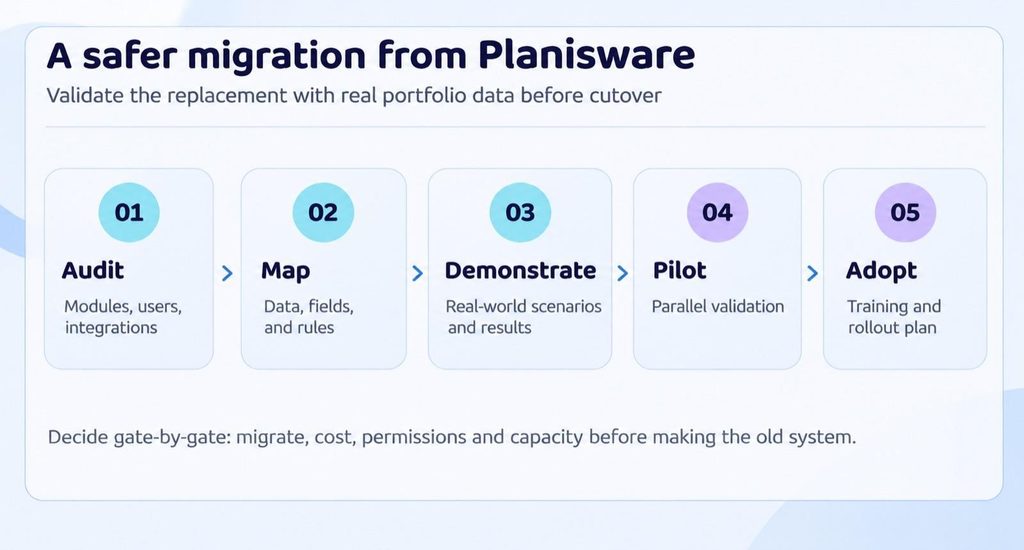
Planisware migration isn't something you want to rush with a hard cutover. Because every deployment differs widely in custom configurations, portfolio size, and technical complexity, generic migration timelines rarely hold up. None of the alternatives above documents an importer from Planisware. The documented routes start on the Planisware side: REST APIs (Orchestra 7.0 and later, Enterprise 7.1 and later), scheduled flat-file exports, and schedule export to Microsoft Project, Smartsheet, Oracle Primavera P6 and XML. Anchor your transition around practical evaluation milestones:
- Take stock of workflows and integrations: Audit every active module, approval pathway, and live connection feeding your ERP, CRM, or developer tools.
- Map data structures and historical records: Compare your existing portfolio hierarchies, custom fields, and cost breakdowns against the new platform's schema. Decide early on which project history actually needs to be imported versus what can be safely archived off-platform.
- Check contract terms and export paths: Review your vendor exit clauses, data extraction formats (whether via API or flat-file exports), and transition support options before signing anything new.
- Demand realistic demo scenarios: Skip standard vendor sales scripts. Instead, insist on live product walkthroughs built around your real project structures and shared-resource bottlenecks.
- Pilot with parallel validation: Run a focused pilot with a few representative teams to stress-test permissions and daily usability. Run deliverables side-by-side against Planisware to make sure nothing gets lost in translation.
- Plan for user adoption and rollback: Set up role-specific training, establish clear administrative ownership, and keep a documented rollback plan on hand until the new platform is fully embedded.
What usually transfers, transforms, or gets rebuilt:
| Data or setup | Typical path | What to check in the pilot |
| Project list, WBS, dates, dependencies | Transfers through schedule export or the API | Dependency types, constraints, baselines |
| Resources, roles, calendars | Transfers through flat-file export or the API | Part-time patterns, leave, skills |
| Custom fields, cost structures, scoring models | Transforms to the new data model | Field-by-field mapping, currencies |
| Stage-gate workflows, approvals, reports, integrations | Rebuilt in the new platform | Approval trail, report parity, sync direction |
Read More: Engineering Project Management Software
Test Your Shortlist on One Real Decision
If shared specialists are what slows your portfolio, test Epicflow on that problem. Send us your project list. We build a model of your own portfolio and show you, in one session, the team that holds your portfolio back, two or three ways to change the plan, and what each one does to dates and expected cash. All we need is one row per department and one row per project; a spreadsheet is enough. Book a demo with your own data.
Frequently Asked Questions
1. What are the best alternatives to Planisware?
The best Planisware alternatives depend on your operating requirements. Direct enterprise PPM and SPM suites include Planview and Triskell. Organizations whose dates depend on scarce shared specialists can look at Epicflow, a portfolio platform that plans multi-project work around finite specialist capacity and prices each week of delay, while Meisterplan, Celoxis and OnePlan offer targeted capacity planning. Collaborative platforms like Smartsheet and Wrike serve teams seeking lighter work management.
2. Is Planisware any good?
Yes, Planisware is a market-leading enterprise platform. Planisware reports Leader placements in Gartner's 2026 Magic Quadrant for Adaptive Project Management and Reporting and in the Forrester Wave for Strategic Portfolio Management Tools, Q2 2026, and it names aerospace and defense, automotive, pharma, medical technology and the public sector among its industries. It excels at complex stage-gate product lifecycles and demand forecasting. However, mid-tier organizations often encounter friction with steep licensing costs alongside long implementation curves.
3. Is Planview the same as Planisware?
No. They are distinct competing vendors targeting similar enterprise PMO buyers. Planisware traditionally leads in engineering R&D and stage-gate product development, whereas Planview Portfolios focuses on enterprise strategic portfolio management, funding and demand across business and IT. Both offer deep governance, but their interface models and module packages differ significantly. Our Planview vs Planisware comparison covers the differences in detail.
4. What is Planisware, and what is it used for?
Planisware is enterprise strategic portfolio management (SPM) and project portfolio management (PPM) software. Organizations use it to capture ideas and business cases, steer projects through phase-gate approvals, forecast demand against resource capacity, and track budgets, earned value, CapEx and OpEx across large engineering and R&D portfolios. Its products include Planisware Enterprise, the turnkey Planisware Orchestra, and Planisware Horizon for IT portfolios. Planisware runs on its own single-tenant cloud and is also offered in private cloud and on-premises setups.
5. How much does Planisware cost compared with alternatives?
Planisware pricing is custom and quote-based, oriented towards enterprises. Beyond license fees, upfront Planisware implementation costs can be substantial due to custom environment configuration and external consulting. Among the alternatives, Celoxis ($10 to $45 per user per month), Smartsheet (from $9 per member per month), Wrike (from $10 per user per month) and Epicflow (from €22.50 per user per month) publish entry prices, all billed annually, while Planview, Triskell and Meisterplan quote. Entry tiers rarely include full portfolio and capacity planning, so compare the plan that does, plus implementation, against your Planisware renewal.
6. How long does it take to replace Planisware?
There is no reliable generic timeline, because the effort depends on customization, data-migration depth and stage-gate complexity. Vendors publish setup ranges, for example Triskell lists one to two weeks for its pre-configured model and two to three months for its custom platform, but those cover implementation, not migration of your Planisware history. Plan phased milestones and a scoped pilot instead of a single cutover date.
7. Can Smartsheet replace Planisware?
Smartsheet is one of the best Planisware alternatives for teams that need flexible, spreadsheet-style team collaboration rather than formal enterprise governance. User adoption is much faster, and Planisware documents schedule export to Smartsheet. Formal stage-gate governance, earned value tracking and automated finite-capacity leveling are not documented on Smartsheet's official pages, and portfolio intake and capacity forecasting need the Advanced Portfolios and Resource Management add-ons.
8. Which Planisware alternative is best for enterprise PMOs?
Planview is generally one of the closest direct Planisware alternatives for PMOs requiring end-to-end stage-gate governance and portfolio-wide audit controls. For engineering and industrial PMOs where delivery commitments depend on shared specialists, Epicflow is the more focused choice: it plans every project under finite capacity, prices each week of delay at the overloaded team, and leaves stage-gate governance to Planisware or Planview.
References
1. Gartner Peer Insights, Planisware alternatives: https://www.gartner.com/reviews/market/strategic-portfolio-management/vendor/planisware/alternatives
2. MarketsandMarkets, Project Portfolio Management Market: https://www.marketsandmarkets.com/Market-Reports/project-portfolio-management-software-market-225932595.html
3. PMI, Maximizing Project Success (2024): https://www.pmi.org/learning/thought-leadership/project-success