Best SAP Alternatives & ERP Competitors for Modern Businesses
 Victoria Sokolova
.
Published
.
Project Portfolio Management
.
54 mins READ
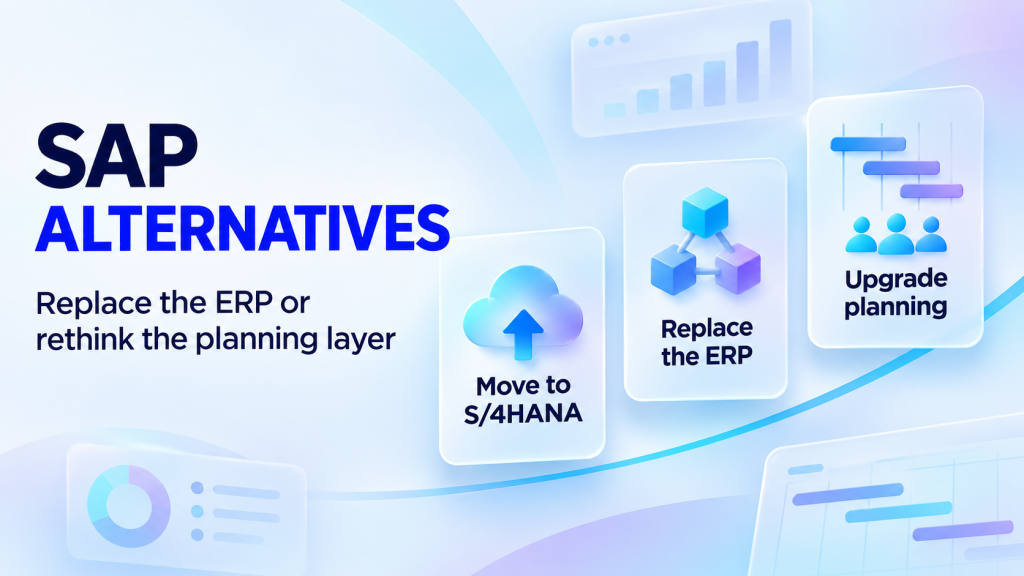
SAP ECC 6.0 leaves mainstream maintenance on December 31, 2027. Optional extended maintenance runs to December 31, 2030, at a higher fee. Every company still on ECC now chooses between three paths: move to SAP S/4HANA, replace SAP with another ERP, or keep SAP for finance and replace only the modules that hold work back.
This guide helps you pick the path and shortlist two or three SAP alternatives for it. It compares seven ERP alternatives to SAP for enterprise, mid-market and small business, and two alternatives to SAP's project and portfolio modules for engineering organizations. Epicflow publishes this guide and sells one of the compared products. How we selected and checked each tool is explained before the comparison table.
What Are SAP Alternatives?
SAP alternatives are software products that replace all or part of SAP's business applications. Most are SAP ERP alternatives: ERP systems that take over SAP's role as the system of record for finance, supply chain and manufacturing. Others replace one SAP module, such as project and portfolio management, and leave SAP finance in place.
The difference sets the size of the program. Replacing an ERP moves your ledger, master data and core processes. Replacing a project module changes how one function plans its work.
| Aspect | Replacing SAP ERP | Replacing SAP PPM or SAP PS |
|---|---|---|
| What changes | General ledger, procurement, inventory, manufacturing, order to cash | Project portfolio, schedules, resource capacity |
| Typical owner | CFO, CIO, COO | Head of PMO, portfolio director, VP Engineering |
| What stays in SAP | Nothing after cutover, or a phased coexistence | Finance, procurement, cost collection |
| Typical trigger | ECC maintenance dates, cost of ownership, process fit | Late projects because shared specialists are overbooked |
Confusing the two is expensive. If projects slip because the same engineers are booked on five programs at once, a new ledger will not move a single finish date.
Read more: What Is Resource Planning? Definition, Importance & How to Do It
Why Look for SAP Software Alternatives?
Most searches for SAP software alternatives start with a date, a budget or a frustrated team. Before comparing vendors, name the SAP product you would replace, because each one has a different trigger and a different set of options.
Which SAP product are you replacing?
| SAP product | Typical user | Lifecycle facts (checked November 5, 2026) | Realistic paths |
|---|---|---|---|
| SAP ECC 6.0 (SAP Business Suite 7), on-premise | Large and midsize enterprises | Mainstream maintenance ends December 31, 2027. Optional extended maintenance runs to December 31, 2030, at a premium of two percentage points on the maintenance basis. Customer-specific maintenance follows. | Convert to S/4HANA, replace with another ERP, or keep SAP finance and replace modules |
| SAP S/4HANA (on-premise, Cloud Private Edition through RISE with SAP, SAP Cloud ERP formerly Cloud Public Edition) | Enterprises already migrated | SAP commits to maintaining S/4HANA until at least the end of 2040. S/4HANA 2025 is the current on-premise release. | Stay, extend with specialist tools, or replace single modules |
| SAP Business One | Small and midsize businesses, sold through partners | Available on-premise or as a cloud subscription | Compare with the small business alternatives below |
| SAP Portfolio and Project Management and SAP Project System | Project-driven manufacturers and engineering firms | Portfolio and project management has been part of S/4HANA since release 1709. Project System ships in S/4HANA 2025, with some functions changed or deprecated. | Keep, or replace the planning layer and keep SAP finance |
SAP also sells a "SAP ERP, private edition, transition option" for 2031 to 2033, which SAP said on October 13, 2026 may run until December 31, 2035 under further prerequisites. It is not a maintenance extension for on-premise ECC: systems must first move to SAP ERP, private edition, before December 31, 2030.
Four reasons companies evaluate alternatives to SAP
1. Total cost of ownership. The license is only part of the cost. An SAP program also pays for systems integration partners, ABAP developers, custom code that must be remediated before S/4HANA, and the extended maintenance premium for anyone who stays on ECC after 2027.
2. Implementation effort. A conversion to S/4HANA is itself a multi-phase program. If a company is going to run a program anyway, the deadline becomes a natural moment to compare ERP alternatives to SAP instead of assuming the upgrade.
3. Usability. Long-time ECC users often work in transaction codes and dense screens that take weeks to learn. When front-line teams avoid the system, they keep their own spreadsheets, and the data in SAP stops matching reality.
4. Custom code and flexibility. Years of changes to core SAP logic make every upgrade slower and riskier. Many buyers now prefer a standard core with extensions connected through APIs.
When keeping SAP is the better decision
Not every company that searches for SAP alternatives should leave SAP. Keep SAP when it runs complex global manufacturing, logistics and compliance processes that work, when your S/4HANA program is funded and staffed, or when moving decades of master data and custom logic would cost more than it saves. Replacing an ERP is a multi-year commitment too.
Keeping SAP does not mean keeping every SAP module. In engineering organizations, the project and portfolio layer is a typical candidate for replacement, because that is where late projects show up first.
How We Selected SAP Alternatives: Our Methodology
Epicflow publishes this comparison of SAP alternatives and sells one of the products in it: Epicflow, a portfolio platform that plans multi-project work around finite specialist capacity. Epicflow is not an ERP, so it appears in a separate group for SAP's project and portfolio modules, not among the ERP alternatives. The order inside each group is a guide to different situations, not a ranking.
On November 5, 2026, we reviewed official product, documentation, pricing and lifecycle pages for the SAP software alternatives on this page. Our inclusion criteria:
- ERP alternatives: a cloud ERP sold today with native financials plus at least one operational domain (supply chain, manufacturing, projects or services).
- Project and portfolio alternatives: portfolio software sold today with resource capacity planning and a documented way to run next to SAP.
We compared deployment, financial consolidation, manufacturing and project depth, relation to SAP and pricing basis. This is documentary research: we did not run hands-on trials, migrations or benchmarks, and we did not score the products. Where an official page did not document a capability, we write "not verified", not "no".
Reviewed but not included:
- Oracle Fusion Cloud ERP: a large-enterprise, finance-led suite. Oracle is represented by NetSuite here; Fusion appears in the FAQ.
- Workday Financial Management: finance and HR focus. This guide centers on companies that also run manufacturing or project operations in SAP.
- Epicor Kinetic: manufacturing ERP for situations already covered by the Infor and Acumatica profiles.
- Deltek Costpoint: a specialist ERP for US government contractors, covered in the FAQ.
- Planview: an enterprise portfolio governance suite, also used next to SAP. See our Planview alternatives guide for how it compares with other portfolio tools.
Quick Comparison Table: Top SAP Alternatives at a Glance
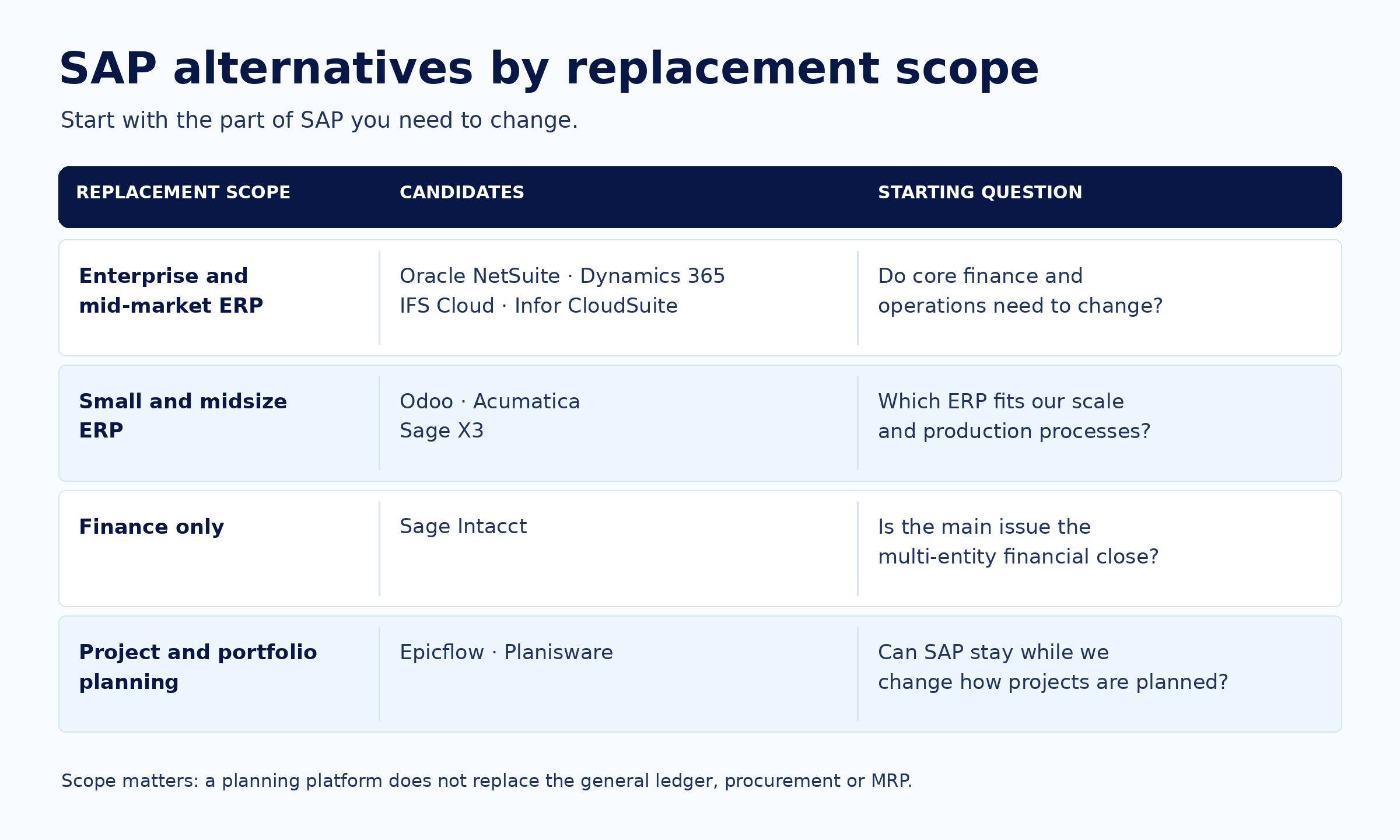
The table compares seven SAP ERP alternatives and two project and portfolio tools on the points that decide fit. Checked November 5, 2026. Prices are published list prices in the vendor's currency, or a note that pricing is quote only. They are not total cost of ownership: implementation, migration and partner services are extra for every product. The order is not a ranking.
| Platform | Group | Best fit | Relation to SAP | Deployment | Manufacturing and project depth | Pricing basis |
|---|---|---|---|---|---|---|
| Oracle NetSuite | Cloud ERP, mid-market to enterprise | Multi-subsidiary companies that want one vendor-run ERP | Full replacement | Vendor-run cloud service | Assemblies, work orders, routings: native. Shop-floor execution: add-on. Engineer-to-order: not verified | Quote; by service tier, modules and subsidiaries |
| Microsoft Dynamics 365 | Cloud ERP, small business to enterprise | Companies standardized on Microsoft 365 | Full replacement | Microsoft cloud or on-premises | Discrete, process, lean and project-based production: native (Supply Chain Management). Project accounting: native | Per user per month, paid yearly, from $80 (Business Central) or $210 (Finance) |
| IFS Cloud | Cloud ERP, enterprise | Project-, asset- and service-intensive manufacturers | Full replacement | IFS-operated cloud or customer-operated | Project budgets, forecasts, earned value: native. Manufacturing depth: not verified | Not published |
| Infor CloudSuite | Cloud ERP, mid-market to enterprise | Aerospace, defense and engineer-to-order manufacturers | Full replacement | Multi-tenant on AWS; AWS GovCloud (US) for defense | Engineer-to-order, configure-to-order, project-based production: native | Not published |
| Odoo | ERP, small business | Small companies starting with one app | Full replacement for small companies | Odoo Online, Odoo.sh or on-premise | Multilevel BoMs, PLM, quality: native. Project accounting through analytic accounts: native | Per user per month in euros; one app free |
| Acumatica | Cloud ERP, small and midsize | Companies that want every employee in the ERP | Full replacement | SaaS on AWS or private cloud | MRP and scheduling: native (Manufacturing Edition). Process manufacturing: add-on | Quote; by applications and resource level, unlimited users |
| Sage Intacct and Sage X3 | Finance-led ERP, mid-market | Multi-entity close (Intacct); process manufacturing (X3) | Intacct: partial (finance). X3: full | Intacct: cloud. X3: Sage-managed cloud or on-premise | Intacct: projects native, manufacturing add-on. X3: lots, potency, quality native | Quote |
| Epicflow | Project and portfolio layer | Engineering portfolios where projects wait for the same specialists | Partial: takes over multi-project scheduling and resource planning; SAP finance and cost collection stay | Cloud or customer-managed installation | Multi-project capacity forecast: native. What-If and cost of delay: native (Enterprise). Not an ERP | €22.50 (Growth, 20 to 50 users) or from €45 (Enterprise, 50 users minimum) per user per month, paid yearly |
| Planisware | Project and portfolio layer | R&D portfolios that select and fund programs | Partial: replaces SAP PPM, SAP PS and CO stay | SaaS, single-tenant | Portfolio selection, capacity views, earned value: native. Not an ERP | On request |
Best Cloud-Based Alternatives to SAP ERP (Enterprise & Mid-Market)
These four cloud-based alternatives to SAP ERP replace SAP as the system of record. NetSuite and Microsoft suit finance-led and Microsoft-centric companies. IFS and Infor suit manufacturers whose operations run on projects, installed assets and long-lead engineering.
Read more: Top 10 Manufacturing Capacity Planning Tools
1. Oracle NetSuite for multi-subsidiary companies that want one vendor-run cloud ERP
Oracle NetSuite with OneWorld fits growing companies that run many legal entities across countries and want one cloud ERP instead of several SAP instances.
What you can do: With OneWorld, each subsidiary keeps its own base currency and tax setup. NetSuite produces consolidated financial statements with currency translation and eliminates intercompany profit through elimination subsidiaries. One account supports up to 250 subsidiaries.
What differs: NetSuite is a vendor-run service with two major releases a year, rolled out in phases. There are no customer-managed upgrade projects.
Relation to SAP: Full replacement for finance, order to cash, procurement and inventory. Complex manufacturing needs the add-on described below or a separate shop-floor system.
What is needed: A service tier (Standard to Ultimate, sized by users, storage and monthly transaction lines) and the OneWorld upgrade, which is one-time and cannot be reversed. Data moves through CSV import, up to 25,000 records per file, or through web services for large volumes. NetSuite documents no SAP-specific migration tool.
Pricing: Quote only; no list prices on the official pages we could check. NetSuite licenses by service tier, modules and, with OneWorld, by subsidiary country and currency combination.
Where it may not fit: Assemblies, work orders, routings and WIP are native. Mobile shop-floor data capture and detailed production scheduling need the Advanced Manufacturing SuiteApp, set up with NetSuite Professional Services. Engineer-to-order manufacturers should test their configuration and project costing in detail.
Evaluate next: Run a consolidation of your real entity structure, including intercompany eliminations, in a test account.
Sources: Oracle NetSuite Help Center: OneWorld, service tiers, Manufacturing Overview, Advanced Manufacturing, CSV Import, NetSuite 2026.2 release notes; checked November 5, 2026.
2. Microsoft Dynamics 365 for organizations standardized on Microsoft 365
Microsoft Dynamics 365 is a strong SAP alternative for companies whose people already work in Excel, Teams and Power BI. It comes as Business Central for small and midsize businesses, and as Dynamics 365 Finance with Supply Chain Management for larger and global companies.
What you can do: In Supply Chain Management, master planning creates planned orders. Production or batch orders are scheduled against finite capacity, released, reported through the MES terminal and posted to WIP. Business Central Premium covers production BOMs, routings, supply planning, subcontracting and quality management.
What differs: Microsoft-native work. Edit in Excel writes changes back to Business Central, Business Central records open in Teams, and Power BI apps cover manufacturing and projects.
Relation to SAP: Full replacement. Supply Chain Management supports discrete, process, lean and project-based production; engineer-to-order is typically handled through projects.
What is needed: A Microsoft partner; Business Central is sold through Cloud Solution Provider partners. Microsoft documents no SAP importer: data moves through the data management framework or configuration packages. Coexistence with SAP runs through the Power Platform SAP ERP connector, which needs an on-premises data gateway.
Pricing: Per user per month, paid yearly, in USD: Business Central Essentials $80, Premium $110, Team Members $8. Finance $210 and Supply Chain Management $210, or $300 each as Premium. Project Operations $135. Further products attach at lower prices to a qualifying base license, and minimums apply to some products.
Where it may not fit: Microsoft documents no upgrade path from Business Central to Finance, so choose the tier up front. Business Central consolidation eliminations are manual. Finance and Supply Chain Management customers must take at least two service updates a year.
Evaluate next: Map every user to a base or attach license before you compare cost with SAP.
Sources: Microsoft Learn: production process overview, Business Central manufacturing, consolidation, project accounting, data migration, service update policy; Dynamics 365 pricing pages and licensing guidance; SAP ERP connector reference; checked November 5, 2026.
3. IFS Cloud for project-, asset- and service-intensive manufacturers
IFS Cloud fits manufacturers and service companies whose revenue runs through large projects, installed assets and service contracts, such as aerospace and defense suppliers.
What you can do: Projects break into subprojects, activities and tasks. Cost, revenue and progress update the project automatically, budget and forecast versions run in parallel with execution, and earned value is calculated from baseline or planned values.
What differs: IFS combines project-centric ERP with maintenance, repair and overhaul on one platform for aerospace and defense, and offers defense contract reporting and service controls for ITAR.
Relation to SAP: Full replacement.
What is needed: A deployment choice: IFS-operated cloud, or a customer-operated "remote deployment" on your own infrastructure. IFS ships two releases a year plus monthly service updates. IFS documents no SAP-specific migration tool.
Pricing: Not published.
Where it may not fit: Companies without project, asset or service complexity may not use what sets IFS apart. Under remote deployment, the customer installs and operates the system. Public documentation did not let us verify manufacturing depth (MRP, shop floor) for your production mode, so test it.
Evaluate next: Model one real contract end to end: project budget, procurement, production and earned value reporting.
Sources: IFS Cloud documentation 26R1 (Project Management, earned value progress methods, Remote Deployment Guide); IFS aerospace and defense pages; IFS Cloud 25R2 and 26R1 release pages; checked November 5, 2026.
4. Infor CloudSuite for aerospace, defense and engineer-to-order manufacturers
Infor CloudSuite fits discrete manufacturers with complex, project-based or engineer-to-order production. Infor LN serves large multi-site manufacturers; Infor SyteLine (CloudSuite Industrial) serves small and midsize ones.
What you can do: In Infor LN, project progress entered as percent complete, milestones or level of effort feeds a project performance report with earned value, cost performance index, schedule performance index and variances by activity.
What differs: Infor CloudSuite Aerospace & Defense documents contract management with flow-down and CLIN definition, DCAA audit support, and controls for CMMC 2.0, FAR, DFARS and ITAR. A FedRAMP Moderate-authorized multi-tenant version runs in AWS GovCloud (US only).
Relation to SAP: Full replacement.
What is needed: Multi-tenant cloud on AWS with monthly updates; the aerospace and defense offering also lists on-premise and hybrid deployments. Infor documents no SAP-specific migration tool.
Pricing: Not published.
Where it may not fit: Infor documents its earned value functions for LN 10.5, so confirm the same functions in the cloud edition you buy. Services companies without production use little of the manufacturing depth.
Evaluate next: Ask for a walkthrough of your contract structure (CLINs and flow-down) and one engineer-to-order order from quote to shipment.
Sources: Infor LN, Infor SyteLine, industrial manufacturing, aerospace and defense industry and ERP pages; Infor LN 10.5 documentation; checked November 5, 2026.
Best Alternatives to SAP for Small Business & Startups
These alternatives to SAP for small business suit companies on SAP Business One, or companies that outgrew accounting software and want to avoid SAP's scale. Acumatica and Sage also serve midsize companies.
5. Odoo for small companies that want to start with one app and add the rest later
Odoo fits startups and small manufacturers or distributors that want to start with one app, such as invoicing or inventory, and add manufacturing, quality or projects as they grow.
What you can do: Manufacturing turns demand from sales orders or the master production schedule into manufacturing orders with multilevel BoMs and work centers. Operators record lots and serial numbers on the Shop Floor screen, and PLM manages engineering change orders.
What differs: Two editions. Community is open source under LGPLv3 and self-hosted. Enterprise is the paid subscription with Odoo hosting and upgrades.
Relation to SAP: Full replacement for small companies, including SAP Business One users.
What is needed: A hosting choice: Odoo Online (Standard plan, no custom modules), or Odoo.sh or on-premise (Custom plan). Implementation runs through Odoo partners or Success Packs. Data moves through Excel or CSV import, using external IDs from the old system; Odoo documents no SAP connector.
Pricing: One App Free: €0 for one app with unlimited users. Standard (all apps on Odoo Online) from €11.90 and Custom (Odoo.sh or on-premise, Studio, multi-company, external API) from €22.90 per user per month paid yearly, at an introductory discount valid for 12 months for the initial users. Paying monthly costs more. Implementation and Odoo.sh hosting are extra.
Where it may not fit: Upgrades are included, but custom modules must be made compatible by their maintainer before the database can move to a new version, and each major version is supported for three years. Process-industry features such as formulas and potency were not verified.
Evaluate next: Count your custom modules and agree who maintains them through the next two major versions.
Sources: Odoo pricing, editions, licenses, upgrade documentation, Manufacturing app, consolidation, data import, Odoo 20 release notes; checked November 5, 2026.
6. Acumatica for companies that want every employee in the ERP without per-user fees
Acumatica Cloud ERP fits midsize distributors, manufacturers, construction and field service companies that want warehouse staff, technicians and approvers in the system without buying a seat for each.
What you can do: Employees submit timesheets and project expenses in the free iOS or Android app. Costs post against original and revised project budgets, and billing runs fixed-price, cost-plus or time and materials, with revenue recognized by percentage of completion.
What differs: Pricing is "based primarily on the number of applications you implement", plus expected usage, resource level and deployment. Users are unlimited.
Relation to SAP: Full replacement for small and midsize companies. Acumatica publishes a guide for companies migrating from SAP Business One.
What is needed: An Acumatica partner and an industry edition (General Business, Manufacturing, Construction, Distribution, Professional Services or Retail). SaaS runs on AWS with a separate database per customer; a private cloud subscription is also offered. Data moves through import scenarios and a migration mode for open balances.
Pricing: Quote only, through partners. Resource levels scale with monthly commercial transactions. After the first year, SaaS can be canceled at renewal with 30 days' written notice.
Where it may not fit: High-volume businesses should check which resource level they need and what the next level costs. Process manufacturing and quality control are Marketplace add-ons, and engineer-to-order was not verified. Direct ODBC database access is not allowed; integrations use the APIs.
Evaluate next: Ask the partner, in writing, which resource level your transaction volume needs at renewal.
Sources: Acumatica pricing, SaaS FAQ, Cloud ERP, manufacturing, project accounting, intercompany accounting and mobile pages; 2026 R2 release announcement; checked November 5, 2026.
7. Sage Intacct and Sage X3 for finance-led companies and process manufacturers
Sage Intacct fits growing companies whose priority is a fast financial close across many entities. Sage X3 fits midsize manufacturers and distributors, including process industries.
What you can do: In Sage Intacct, inter-entity transactions tagged with the affiliate entity dimension are eliminated automatically during consolidation, and Global Consolidation translates several base currencies into one reporting book.
What differs: Intacct's Revenue Management supports ASC 606. CPA.com, an AICPA subsidiary, runs the Sage Intacct Advisory program for accounting firms together with Sage. Sage X3 manages lots and sublots, serial numbers, potency, expiry dates and quality-control stock statuses natively.
Relation to SAP: Sage Intacct is a partial replacement: it replaces SAP finance, not manufacturing. Sage X3 is a full replacement for midsize manufacturers.
What is needed: Intacct runs in the cloud, with consolidation, revenue management and contracts sold as separate subscriptions. X3 runs as a Sage-managed cloud service or on-premise. Sage documents no SAP migration tool for either product.
Pricing: Quote only for both. Intacct pricing depends on the modules included, and consolidation across several base currencies adds a subscription fee.
Where it may not fit: Intacct has no native manufacturing; manufacturing comes from Marketplace apps such as MISys. Advanced formula and regulatory features for X3 come from a Marketplace add-on.
Evaluate next: For Intacct, run a full month-end close with your entity and currency structure. For X3, take one lot from receipt through quality control to release.
Sources: Sage Intacct help center and release notes (consolidation, revenue management, 2026 R2 and R3); CPA.com Sage Intacct pages; Sage X3 Version 12 online help; Sage Marketplace; Sage X3 product and press pages; checked November 5, 2026.
Alternatives to SAP PPM and SAP PS for Project-Driven Engineering
Some companies look for SAP alternatives because projects are late, not because the ledger is wrong. If projects planned in SAP slip because the same specialists are needed on several projects at once, the decision is usually about the planning layer, not the ERP.
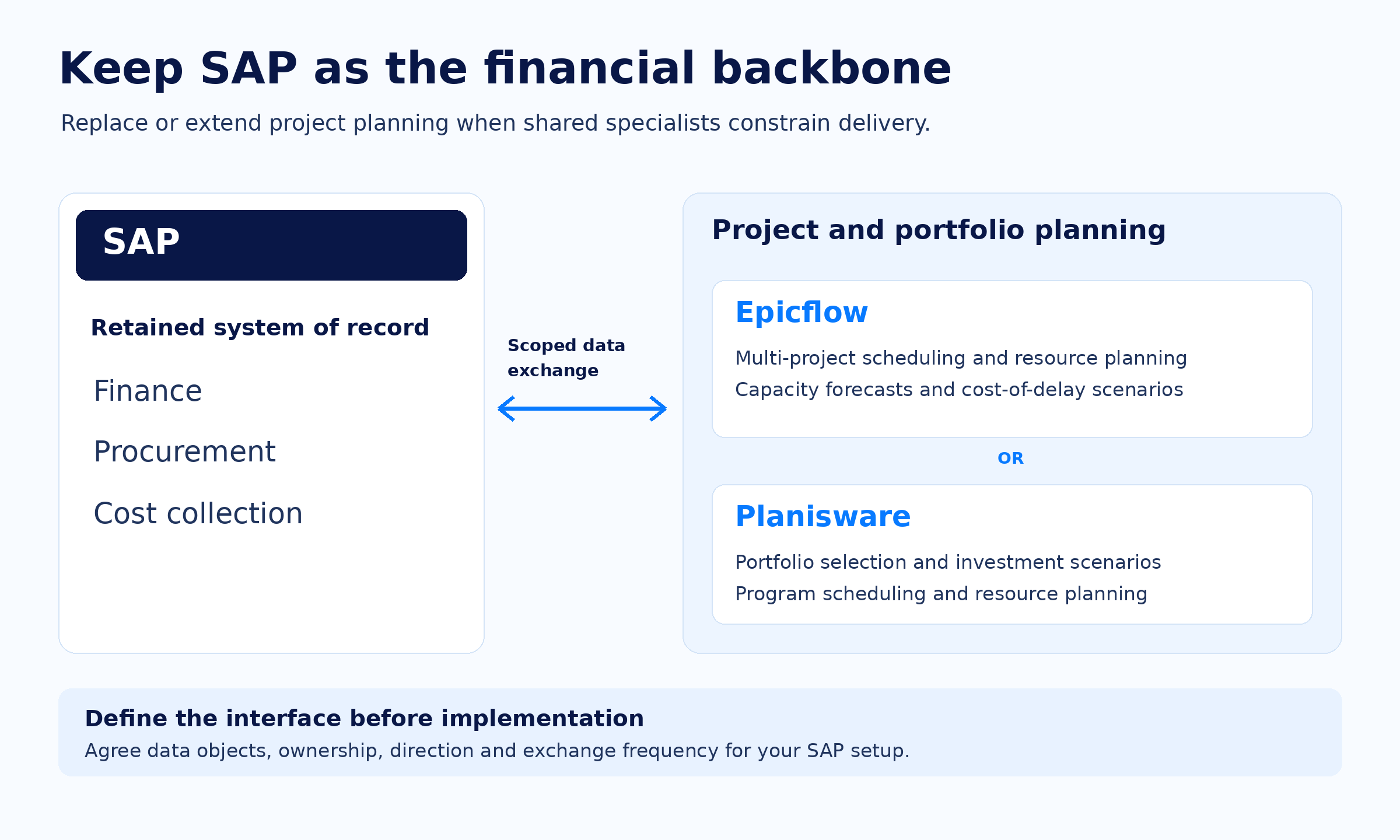
The two SAP alternatives below replace or extend SAP's project and portfolio planning while SAP stays the system of record for finance, procurement and cost collection. Neither is an ERP. Choose Planisware when the main question is which programs to fund. Choose Epicflow when the main question is which project your scarcest specialists work on next, and what each week of waiting costs.
Read more: 13 Best Planview Alternatives for Portfolio and Resource Planning and, for project tools that run next to an ERP, 12 Best Engineering Project Management Tools
8. Epicflow for engineering portfolios where projects wait for the same specialists
Epicflow fits PMOs and portfolio directors in engineering-driven organizations where 10 to 100 projects compete for the same specialists and SAP stays the ERP.
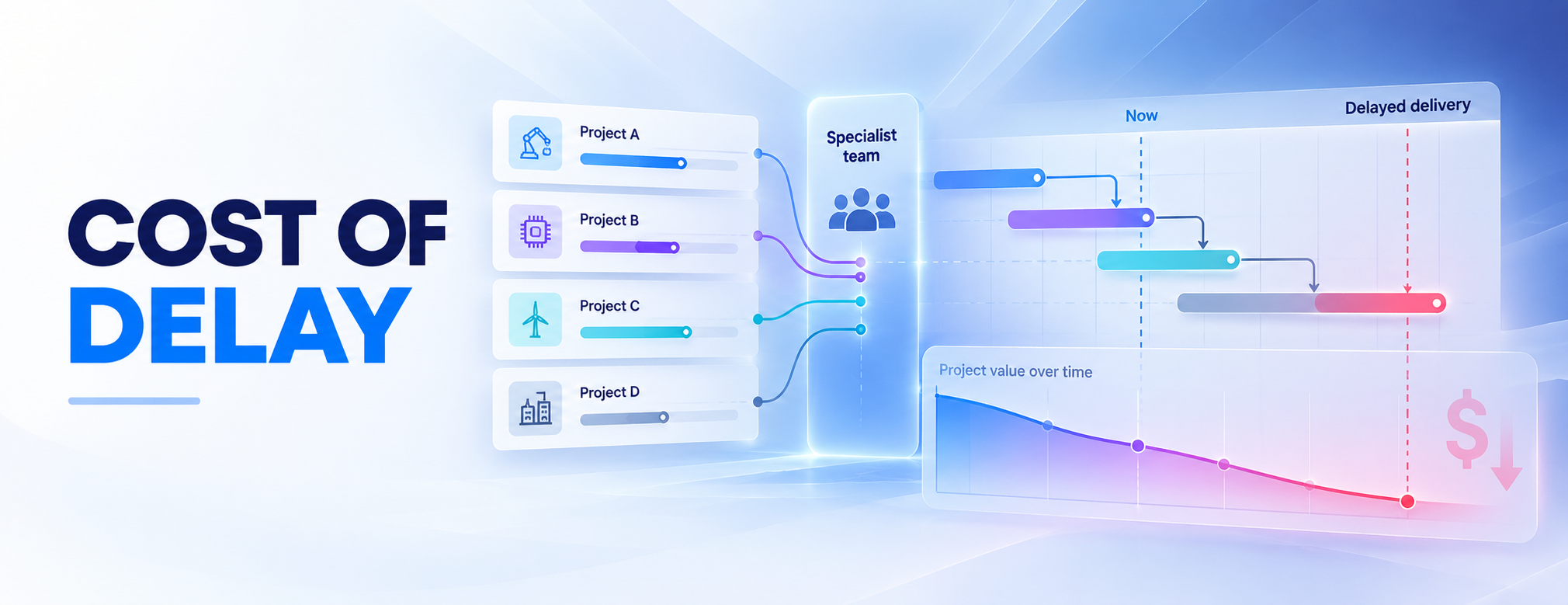
What you can do: Future Load shows which shared team is overloaded, when, and which projects cause it. What-If Analysis (Enterprise) tests a change, such as a new project or a specialist's absence, showing dates, team load, predicted profit, penalties and cash flow before anyone applies it.
What differs: Epicflow puts a price on each week of delay at your most overloaded team, using contract terms like bonus and penalty schemes (Enterprise). Epicflow Portfolio Optimizer, delivered as PMO as a Service, searches millions of combinations of project selection and order for the plan that earns the most, and returns it as a What-If for people to approve.
Relation to SAP: Partial replacement: Epicflow takes over multi-project scheduling and resource planning from SAP PPM and PS. SAP stays the system of record for finance, procurement and cost collection; the schedule-based cash flow forecast does not replace ERP or treasury. Epicflow's integrations page lists SAP as an interfaced system.
What is needed: Effort estimates on tasks and team capacity. CSV import; Microsoft Project and Primavera P6 integrations on Enterprise. Hosted on ISO 27001-certified infrastructure. Customer-managed installation is available, with additional licensing and support.
Pricing: Growth: €22.50 per user per month paid yearly (€25 monthly), 20 to 50 users, 50 projects and 250 tasks, 30-day trial. Enterprise: from €45 paid yearly (€50 monthly), minimum 50 users; adds What-If, cash flow forecasting and bonus and penalty schemes. Optional modules are priced separately.
Where it may not fit: Epicflow is not an ERP: no general ledger, procurement or MRP. It adds little where projects rarely share people.
Evaluate next: Load one shared pool, check that the forecast names the bottleneck your team leads already know, then agree the SAP interface objects, direction and frequency.
Sources: Epicflow pricing, AI and integrations pages; checked November 5, 2026.
9. Planisware for R&D portfolios that select and fund programs next to SAP
Planisware Enterprise fits large R&D and engineering organizations, for example in aerospace, automotive, medtech and pharma, that need portfolio selection, program financials and resource planning in one system next to SAP. Planisware Orchestra is a packaged version for PMOs in small and midsize organizations.
What you can do: Planisware Enterprise scores business cases with scorecards and financial measures such as NPV, builds investment scenarios on an efficient frontier, and compares resource supply with demand and capacity to find over-allocations. What-if tools simulate resourcing changes.
What differs: Program scheduling depth: Gantt and PERT views, work breakdown structures, earned value and stage-gate support in the same system as portfolio selection.
Relation to SAP: Partial replacement of SAP PPM; SAP PS and SAP CO remain the financial backbone. Planisware documents customer interfaces in which project structures created in Planisware are transferred to SAP PS, cost centers flow to SAP CO, and actuals flow back from SAP. Data exchange uses Planisware's standard API and configurable import and export interface.
What is needed: SaaS on Planisware-owned single-tenant servers. Interface scope is defined per customer. Managed services are offered for Orchestra.
Pricing: On request.
Where it may not fit: Planisware's own capacity planning ranking lists "longer implementation" as its limitation and says deployment requires dedicated configuration. Teams whose main problem is next week's specialist assignments may not need its portfolio selection depth.
Evaluate next: Ask for the reference interface closest to your SAP setup, with objects, direction and frequency.
Sources: Planisware Enterprise, Orchestra, SAP interfaces, integrations and platform pages; Planisware capacity planning ranking (July 8, 2026); checked November 5, 2026.
How to Choose the Right SAP Alternative for Your Organization
Use these seven steps to move from a long list of SAP software alternatives to two or three candidates you can test before you commit to an SAP alternative.
1. Identify your bottleneck. Name the problem SAP does not solve today. If it is the financial close across entities, shortlist finance-first platforms. If projects stall because scarce specialists are booked on overlapping deadlines, a new ERP will not resolve it; look at the project and portfolio layer.
Illustrative example, fictional numbers: two projects need the same test engineer next week. The engineer has 32 hours available. Project A needs 24 of them and Project B needs 20, so one project slips by a week. A week of delay costs $15,000 in contract penalties on Project A and $5,000 on Project B. Any ERP records both projects correctly. Who gets the engineer first is a separate decision. Here it is Project A: if A goes first, B's week of waiting costs $5,000; if B goes first, A's costs $15,000. Per hour of the engineer's time, A's work is worth $625 and B's $250.
2. Decide who will work in the platform. List the roles that will use the system every day:
- Executive leadership and finance need milestone status, billing forecasts and the cash impact of schedule changes.
- Project and resource managers need capacity planning, bottleneck detection and fast schedule changes.
- Front-line contributors need a clear daily task list without dense menus or transaction codes.
Setting the user scope early keeps you from paying for licenses that front-line teams will not use.
3. List your functional requirements. Write down the workflows your organization cannot run without, such as multi-currency general ledger, automated procurement, finite-capacity scheduling or project-based billing. Separating must-haves from nice-to-haves prevents over-scoping.
4. Calculate 3-year and 5-year total cost of ownership. Subscription or license fees are only part of the cost. Include:
- Implementation and consulting: integration partner hours, custom API connectors and data migration.
- Change management and training: the productivity dip while people learn the new system.
- Ongoing administration: system administrators and upgrade testing.
- The cost of staying: extended maintenance for SAP ECC after 2027 adds two percentage points to the maintenance basis.
5. Test what differs, not what every vendor has. Dashboards, Gantt charts, basic scenarios and AI assistants are standard in almost every enterprise suite. Ask how the SAP alternatives on your list handle the hard cases, for example whether capacity planning respects finite specialist capacity, or whether cash forecasts move when the schedule moves.
6. Plan the migration or the coexistence. None of the SAP alternatives in this guide documents a dedicated SAP importer, so expect partner-led migration through import tools and APIs. For each option, write down which data moves (master data, open transactions, history), which system owns each object afterwards, how you will pilot with a representative data set, how balances will be reconciled, and what triggers a rollback. If SAP stays for finance, agree the interface objects, direction and frequency before you sign.
7. Shortlist two or three SAP alternatives and test them on your own data. Compare the finalists on the requirements from steps 1 to 6. Then skip the generic slide deck and give each vendor a representative, anonymized data set: real project dependencies, shared resource pools and contract payment terms. How each platform handles your hard cases is the clearest evidence of fit.
Read more: ERP Implementation Failures: Main Reasons and How to Prevent Them
Final Words
SAP alternatives replace SAP completely or replace the modules that no longer fit how your business creates value. Here is how the SAP alternatives in this guide map to situations, including staying on SAP:
- Stay on SAP and convert to S/4HANA if SAP runs complex processes that work and the program is funded.
- Oracle NetSuite if you need multi-subsidiary financial consolidation in one vendor-run cloud ERP.
- Microsoft Dynamics 365 if your company runs on Microsoft 365 and Power BI.
- IFS Cloud if your revenue runs through large projects, installed assets and service contracts.
- Infor CloudSuite if you build engineer-to-order products for aerospace and defense customers.
- Odoo if you are a small company that wants to start with one app on a lean budget.
- Acumatica if you want every employee in the ERP without per-user fees.
- Sage Intacct if finance is the priority, or Sage X3 if you are a midsize process manufacturer.
- Epicflow if SAP finance works but projects wait for the same specialists: keep SAP and change the planning layer.
- Planisware if you need R&D portfolio selection and program financials next to SAP.
Frequently Asked Questions (FAQ)
1. Why are customers leaving SAP?
The main trigger is the end of mainstream maintenance for SAP ECC 6.0 on December 31, 2027. Every ECC customer must convert to S/4HANA, pay a premium for extended maintenance to 2030, or move to another ERP. Cost of ownership, implementation effort and usability lead some of them to compare SAP alternatives at that point. Others stay with SAP and convert to S/4HANA.
2. Is SAP getting outdated?
No. SAP commits to maintaining S/4HANA until at least the end of 2040, and S/4HANA 2025 is the current on-premise release. What ages is SAP ECC 6.0 and the custom code built on it. Classic screens and heavy customization make some ECC systems expensive to run and change, which is why the 2027 date is a natural point to compare SAP alternatives.
3. Who is SAP's biggest competitor?
By product scope, Oracle competes across the widest range: Oracle Fusion Cloud ERP for large enterprises and Oracle NetSuite for mid-market companies. Microsoft Dynamics 365 competes from small business (Business Central) to enterprise (Finance and Supply Chain Management). In manufacturing, Infor and IFS compete directly with SAP and offer dedicated aerospace and defense editions.
4. What are the best SAP alternatives for mid-market and enterprise businesses?
The best SAP alternative depends on what you replace. For finance-led and multi-entity companies, Oracle NetSuite and Microsoft Dynamics 365. For manufacturers with project, asset or engineer-to-order complexity, IFS Cloud and Infor CloudSuite. If SAP finance works and the problem is project delivery on shared specialists, keep SAP and replace the planning layer with Epicflow or Planisware.
5. What are the most cost-effective alternatives to SAP for small business?
Odoo has a free plan for one app and per-user plans for the full suite. Acumatica does not charge per user. Microsoft Dynamics 365 Business Central starts at $80 per user per month, paid yearly. Cost-effective depends on total cost, though: implementation partners, data migration and customization can cost more than the first year's subscription.
6. What are SAP alternatives?
SAP alternatives are business software products that replace all or part of SAP. SAP ERP alternatives such as NetSuite, Dynamics 365, IFS, Infor, Odoo, Acumatica and Sage take over finance, supply chain and manufacturing. Project and portfolio alternatives such as Epicflow and Planisware replace or extend the planning in SAP's project and portfolio modules and leave SAP finance in place.
7. What are the best alternatives to SAP Concur?
SAP Concur is travel and expense management software, not ERP, so replacing SAP ERP does not require replacing Concur. If you want expenses inside the new ERP, NetSuite has native expense reports with approval routing, Dynamics 365 Finance has expense management with a mobile app, and Business Central offers expense management in preview. Dedicated travel and expense platforms are a separate category that this guide does not compare.
8. What makes a platform a true SAP competitor in complex manufacturing?
It needs multilevel bills of materials, routings, MRP, finite-capacity scheduling, shop-floor data collection, quality management and, for engineer-to-order work, project-linked production and costing. Dynamics 365 Supply Chain Management and Infor CloudSuite document these, and IFS Cloud documents project-centric ERP for aerospace and defense. NetSuite covers assemblies, work orders and routings natively and adds shop-floor execution through a SuiteApp; test engineer-to-order depth before choosing it.
9. What are the key operational risks when switching away from SAP?
The biggest risks are:
- Data cleansing: decades of master data, duplicates and obsolete records.
- Cutover disruption: closing books, open orders and inventory during the switch.
- User adoption: people return to spreadsheets if the new system does not fit their work.
Mature SAP systems carry years of custom logic. Adopt the new platform's standard processes instead of rebuilding old customizations, pilot with representative data, reconcile balances, and define the rollback conditions before cuto
10. Which SAP competitor is optimal for government and defense contractors?
For US government contractors whose accounting must satisfy DCAA, FAR, CAS and DFARS, the specialist choice is Deltek Costpoint, an ERP built for government contracting with DCAA audit support and a cloud edition that meets FedRAMP Moderate equivalency per DoD policy. Infor CloudSuite Aerospace & Defense documents CMMC 2.0, DCAA, FAR, DFARS and ITAR controls, and IFS offers aerospace and defense capabilities with defense contract reporting. These systems manage contracts, costs and compliance. Deciding which program gets scarce engineers first is a planning decision made next to them, and Epicflow is one option for it.
Check whether your SAP question is an ERP question
If projects slip because the same specialists are needed in several places, the fix may not be a new ERP. Our AI searches millions of combinations for the portfolio plan that delivers the most of what you value, and today we deliver it as PMO as a Service.
Explore how Epicflow identifies the teams that hold your portfolio back, compares alternative ways to change the plan, and shows how different scenarios affect project dates and expected financial outcomes.
Build your own demo. Pick your role and the problems you want solved. Watch a short demo built around them, no call needed.