Best Multi Project Management Software Solutions to Test in 2026
 Anna Balyuk
.
Updated
.
Project Management
.
26 mins READ
Anna Balyuk
.
Updated
.
Project Management
.
26 mins READ

Multiple project management tools help organizations run concurrent projects from one system, but they do different jobs. Some give leaders a consolidated view of status. Some coordinate hand-offs, dependencies and team workload. A few calculate what the people you actually have can deliver when several projects need the same specialists. This comparison of seven tools to manage multiple projects shows which job each does, which plan it needs and what to test in a demo, so you can choose multi project management software for the decisions your portfolio depends on.
Best Multi Project Management Tools in 2026: Shortlist
The best tools for managing multiple projects differ mainly in the job they are built for: seeing many projects, coordinating work between them, or deciding what shared specialists can deliver. Epicflow publishes this article and appears first; the order is not a ranking.
|
Tool |
Best-fit use case |
Multi-project strengths |
Main trade-off |
Feature access to verify |
|---|---|---|---|---|
|
Epicflow |
Many projects sharing the same specialists |
Finite-capacity forecast; bottleneck team; cost of delay |
Effort estimates required on tasks |
Growth €22.50/user/month (annual); economics on Enterprise |
|
Asana |
Cross-functional portfolio coordination |
Portfolios, portfolio dashboards, portfolio workload |
Capacity planning is Enterprise-only |
Advanced, $24.99/user/month (annual) |
|
Backlog |
Technical teams tracking issues and code |
Issues, Git/SVN, cross-project Gantt |
Cross-project Gantt shows up to five projects at a time |
Premium, $175/month flat |
|
ClickUp |
Configurable work with effort-based workload |
Workload by estimates or points; automatic dependency rescheduling |
Accuracy depends on estimates |
Workload limits vary by plan; Business $12/user/month (annual) |
|
monday work management |
Visual coordination with portfolio options |
Multi-board dashboards; Enterprise portfolios, cross-project dependencies, Resource planner |
Portfolio controls need Enterprise |
Workload widget on Pro; Enterprise quoted |
|
Runrun.it |
Service teams managing demand, time and cost |
Time tracking, cost per project, available hours, Predictive Burnup |
Costing described, not invoicing |
Business US$10/user/month (annual); 5-user minimum |
|
Scoro |
Client delivery with services financials |
Resource planner, utilization, fixed-fee, T&M and retainer billing |
Apps sold in packages |
$17 to $57/user/month (monthly); 5-seat minimum |
Prices are list prices on October 6, 2026; an entry price may not include the features described.
How We Evaluated These Multiple Project Management Tools
Epicflow publishes this editorial shortlist and is one of the seven products in it. It is not a market survey or a performance ranking; the seven come from the earlier version of this article. On October 6, 2026, we rechecked all seven against official product, help and pricing pages under one evidence rule, Epicflow included, and ran no hands-on comparative tests.
A multi project management tool can mean anything from a shared board to a portfolio scheduler. Every profile therefore uses the same six labels, each answering one question, and ends with a question to ask in the demo:
- Best fit: which operating need is the product built for?
- Multi-project strengths: which mechanisms work across projects, starting with consistent project health and drill-down into exceptions?
- Dependencies and resources: can a dependency link work in different projects, and can demand be compared with the real capacity of shared people?
- Reporting and governance: can executives compare status and risk across projects, and can teams control ownership, access and intake? This matters most when you assess PM software for multi-team coordination.
- Limitation: what does the buyer give up or have to maintain?
- Access and validation: which plan includes the capability, and does the commercial workflow fit?
We treat a link between two tasks and a fight over one specialist as separate questions: two projects with no task links can still delay each other through a shared team. Where public documentation was silent, we say so and turn the gap into a demo question, not a verdict of absence. Plans in multiple project management software change often, so verify access before buying. Wrike, Smartsheet and Jira Plans also appear on many shortlists of project management software for multiple projects; they are outside these seven profiles, and their absence is not a verdict either.
7 Best Software for Managing Multiple Projects Compared
Epicflow: for portfolios constrained by shared specialists
Best fit: Organizations whose projects share the same specialists, where late delivery carries contractual or revenue consequences.
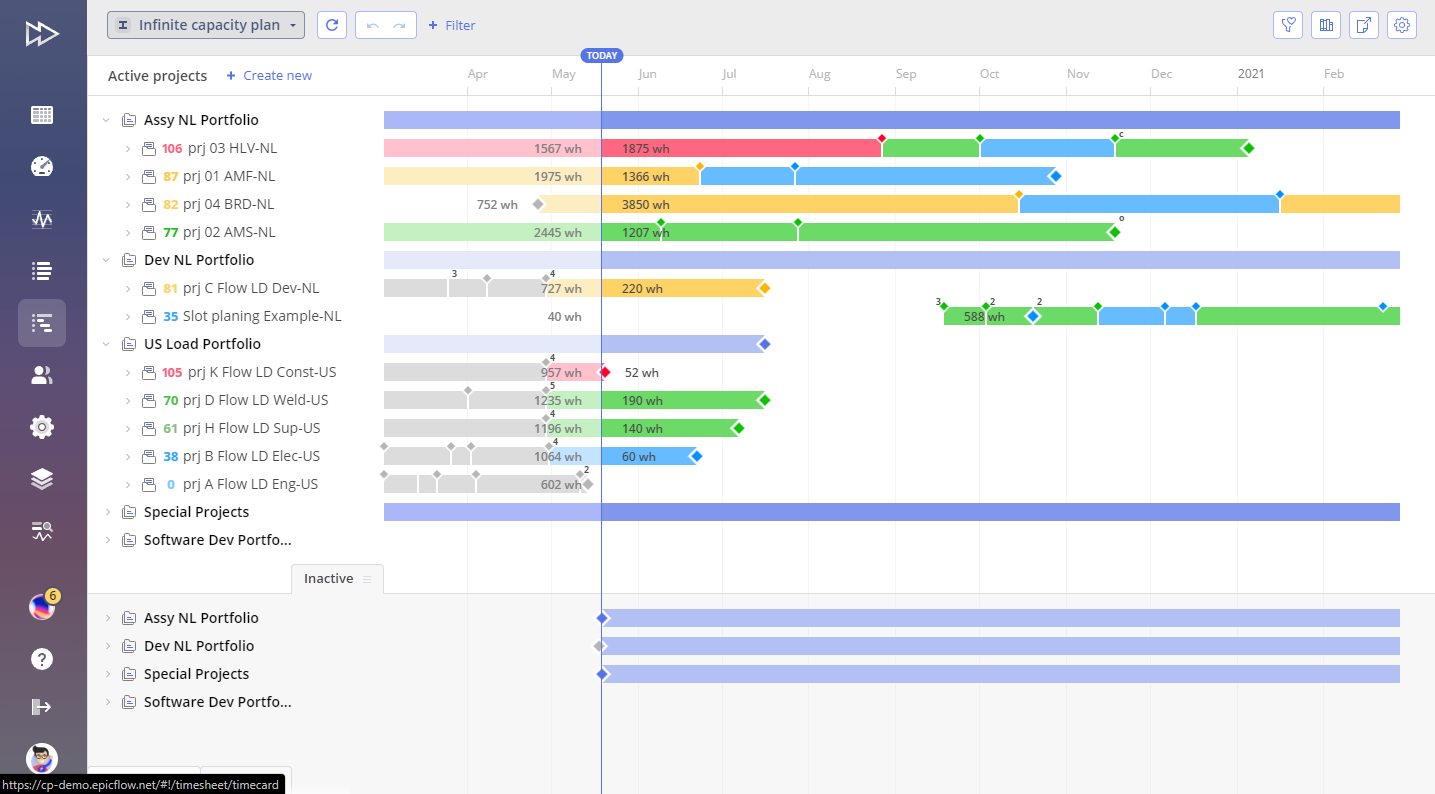
Multi-project strengths: The Pipeline flags infeasible project dates, and each person gets one task list prioritized across all projects. What-If analysis tests changes in a separate simulation, and the Epicflow Portfolio Optimizer proposes capacity-feasible sequences; managers choose.
Dependencies and resources: Inter-project relations share milestones between projects. Every project is forecast against the finite capacity of each resource group; the Future Load graph shows where demand exceeds it.
Reporting and governance: On Enterprise, the Pipeline adds the cost of each week of delay, margin, predicted penalties and invoice forecasts.
Limitation: Effort estimates are required on tasks, and forecasts depend on remaining-work updates. It is more than a team needs for simple tracking.
Access and validation: Growth costs €22.50 per user per month billed annually, for 20 to 50 users and up to 50 projects; Enterprise is quoted (pricing). Jira, Microsoft Project and Primavera connectors vary by tier. Demo question: which team will your portfolio wait on next quarter, and what moves if one project slips?
Asana: for cross-functional portfolio coordination
Best fit: Cross-functional teams that need shared status, ownership and reporting across many projects.
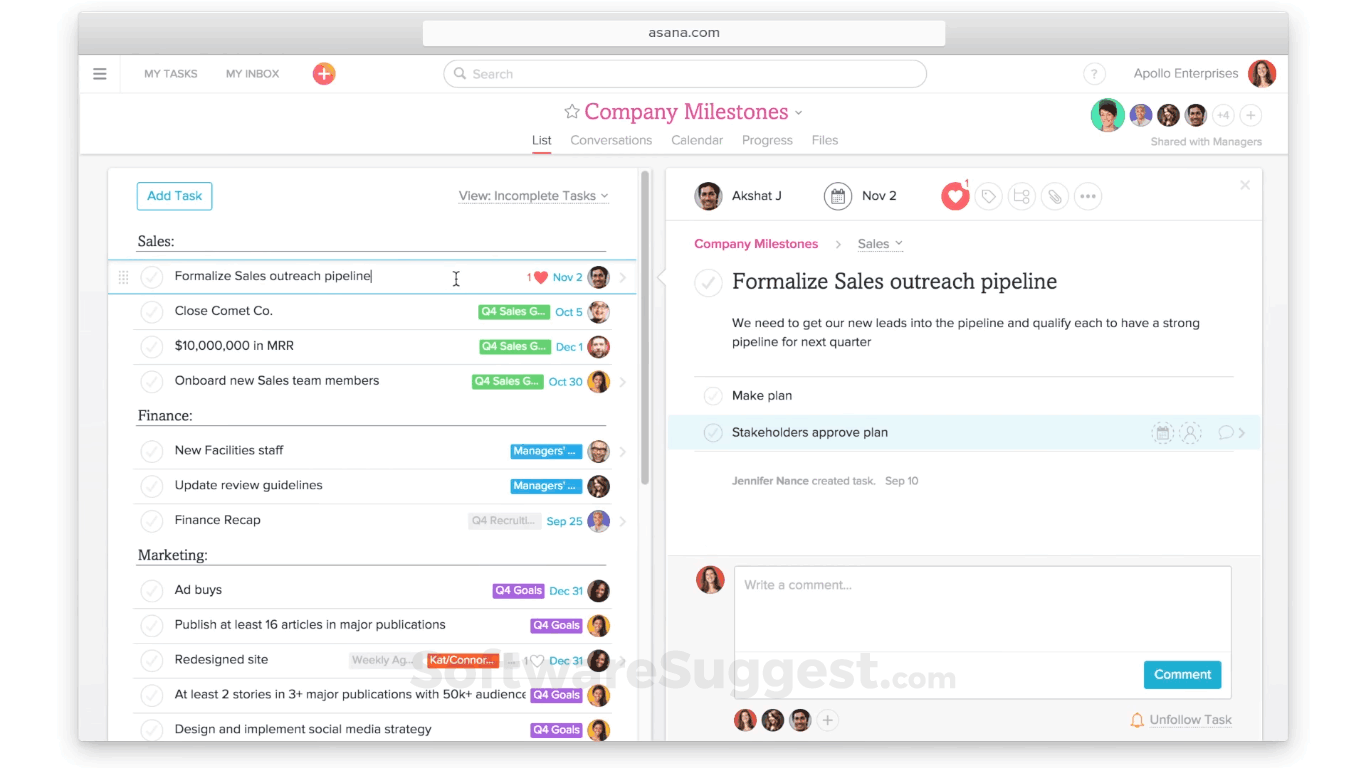
Multi-project strengths: Asana portfolios group projects, including nested portfolios, to monitor health and progress. Portfolio status updates and dashboards track metrics such as budget, time spent and task status. A timeline shows dates and milestones across the portfolio.
Dependencies and resources: Task dependencies start in Starter, and Asana can auto-shift dependent dates by keeping or consuming the buffer between tasks. Portfolio workload shows team bandwidth and supports drag-and-drop reassignment and rescheduling across projects. We found no official documentation of what happens when a dependency crosses into another project, so test it.
Reporting and governance: Goals, approvals and time tracking start in Advanced, and intake forms start in Starter.
Limitation: Resource views are tiered. Advanced covers resource management within one portfolio; universal resource management and capacity planning are Enterprise features. Rebalancing is a planner action, so check what Asana recalculates on its own.
Access and validation: Portfolios start in Advanced at $24.99 per user per month billed annually, or $30.49 monthly. Enterprise is quoted. Demo question: overload one specialist across two portfolio projects; what does Asana flag, and which dates change?
ClickUp: for configurable work and workload views
Best fit: Teams that want tasks, docs, dashboards and workload in one configurable workspace.
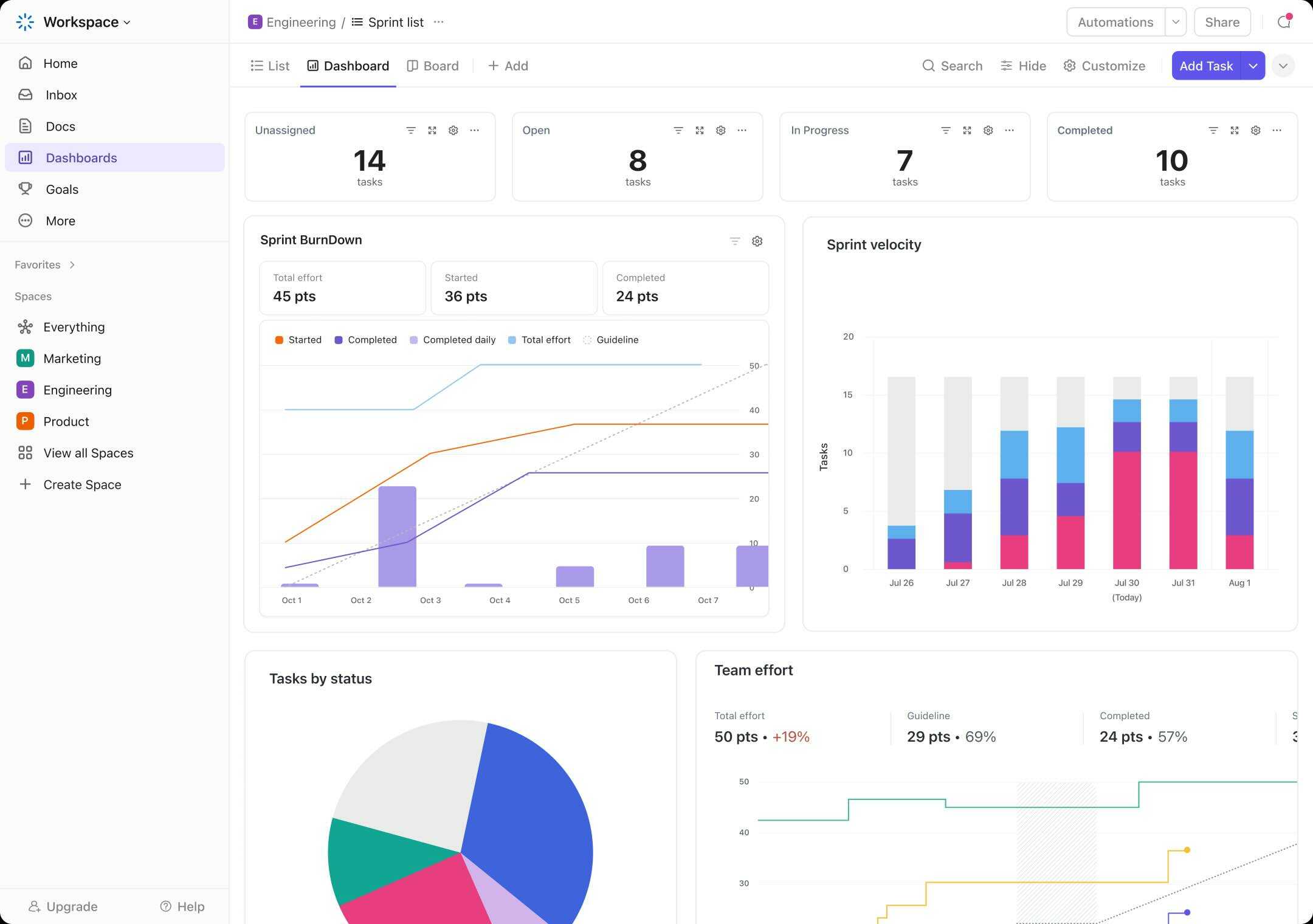
Multi-project strengths: ClickUp's Workload view measures work by tasks, sprint points, time estimates, or time estimates as a share of capacity. Capacity follows the Workspace work schedule, non-working days carry no capacity, and managers can set limits per person.
Dependencies and resources: A task can be "waiting on" or "blocking" another. With the Reschedule Dependencies ClickApp listed on all plans, moving a blocking task shifts its dependent tasks by the same amount. Shifting dates is not the same as rebalancing an overloaded person, so ask how that is handled.
Reporting and governance: Business adds unlimited dashboards with advanced cards. Enterprise adds custom roles and enterprise permissions.
Limitation: The workload picture is only as good as the estimates and work schedules behind it, and Workload view access and limits vary by plan and user role.
Access and validation: Business costs $12 per user per month billed annually, or $19 monthly; Enterprise is quoted. Demo question: make one person unavailable for a week; what recalculates automatically, and what must a planner move?
Monday work management: for visual coordination with portfolio requirements
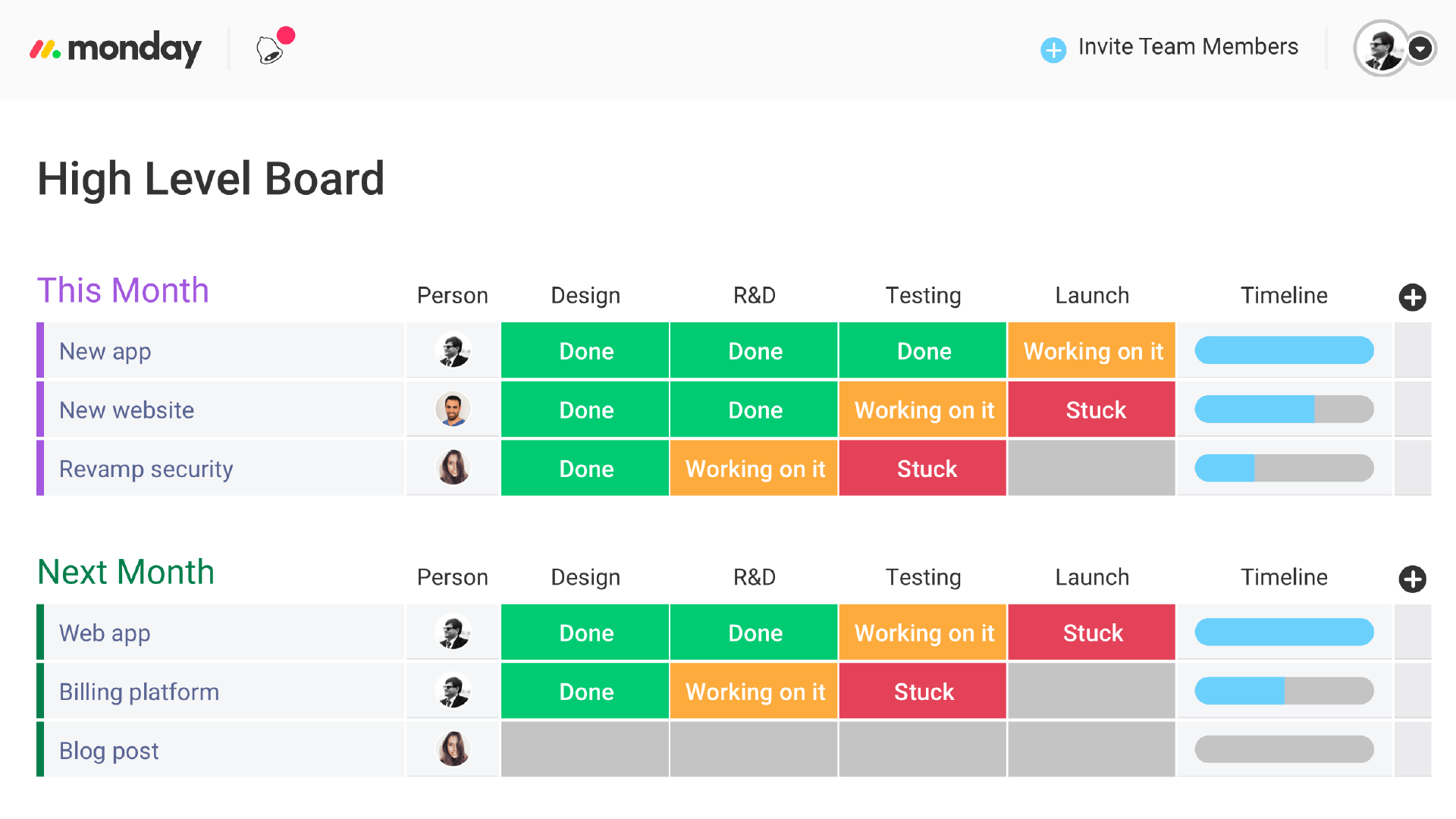
Best fit: Organizations that want visual, flexible boards across departments, with the option to add portfolio controls on Enterprise.
Multi-project strengths: Dashboards combine up to 20 boards on Pro. The Workload widget shows how work is spread across people on those boards, on Pro and Enterprise. Timeline and Gantt views start in Standard.
Dependencies and resources: A dependency column is available from Pro. On Enterprise, project boards connect to a portfolio, and cross-project dependencies link tasks across project boards. The Resource planner, a Resource Directory with roles, skills and locations, and a Capacity manager support allocation across projects.
Reporting and governance: Work Management for Enterprise adds portfolio-wide dashboards and risk insights.
Limitation: The controls that matter most for shared resources, namely portfolios, cross-project dependencies and the Resource planner, require Enterprise. On lower plans, a multi-board dashboard gives visibility, not a capacity-based plan.
Access and validation: Pricing is per seat; Enterprise is quoted. Ask for monday work management by name, because monday CRM and monday dev are separate products. Demo question: link a task in one project board to a task in another, delay the first, and show the effect on the second project and in the Resource planner.
Runrun.it: for service-team demand, time, and cost visibility
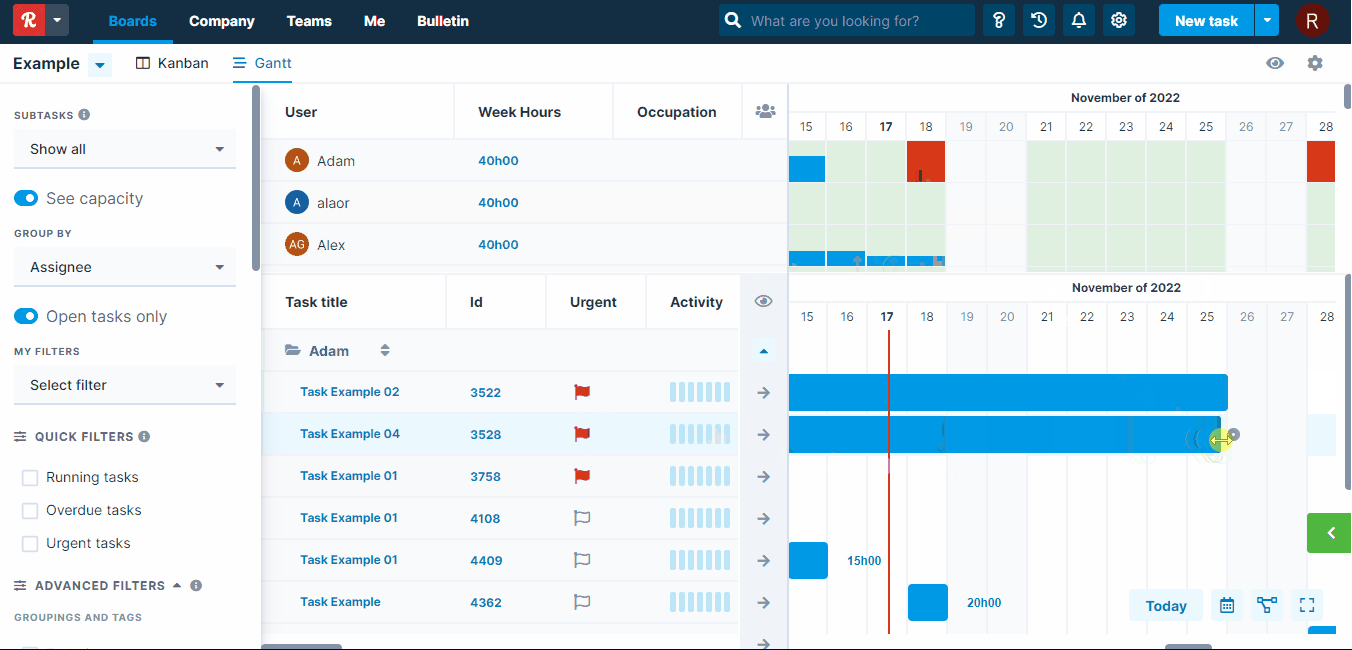
Best fit: Service teams that need incoming requests, time, cost and availability in one place.
Multi-project strengths: Smart Time Tracking records time by task, and hours roll up to clients and projects. With an hourly value per person, Runrun.it shows the cost of each task and project and compares budgeted with actual hours or cost by client. An available-hours report shows when people or teams can take on new demands.
Dependencies and resources: Tasks can have prerequisites, and a task with open prerequisites cannot be started or delivered. The Predictive Burnup chart projects scope against delivery using task types, work schedules and priority queues.
Reporting and governance: Customizable dashboards combine metrics and charts across clients and projects.
Limitation: The reviewed pages describe costing and budget control, not invoice generation, so billing may stay in another system. The burnup chart and cost mapping require Business or Enterprise.
Access and validation: Business costs US$10 and Enterprise US$26 per user per month, billed annually, with a five-user minimum. APIs, webhooks and Zapier connections start in Business. Demo question: add an urgent client request; what changes in available hours and in the projected delivery?
Scoro: for client delivery and professional-services financials
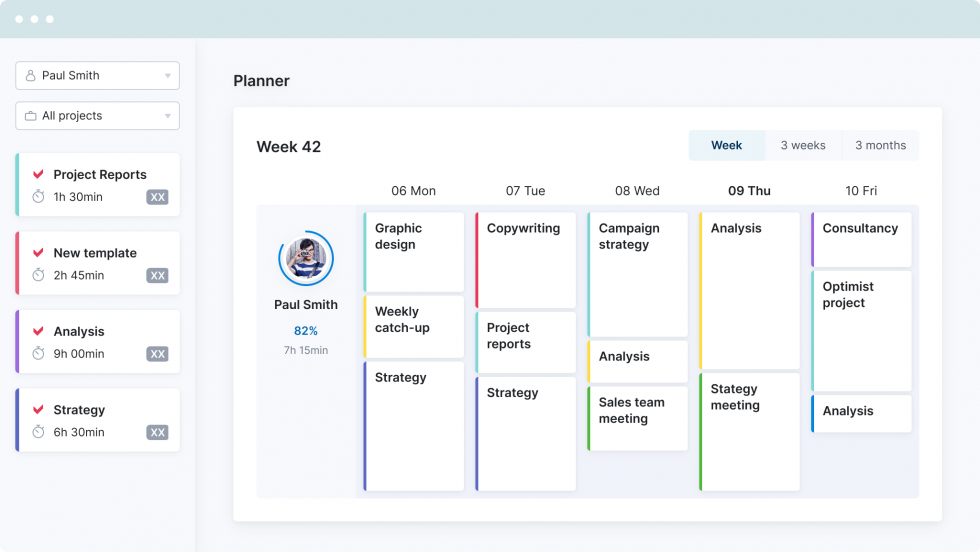
Best fit: Agencies and consultancies that need client delivery, utilization and commercial administration in one system.
Multi-project strengths: Scoro connects quotes, project delivery, time, resourcing and invoicing. Its resource app covers bookings, a planner and utilization reports. Project revenue models include fixed fee and time and materials, capped or uncapped. Retainers run from quote to invoice, with a recurring budget per billing period and time and cost burn tracked against it.
Dependencies and resources: The project Gantt chart sets task dependencies within a project's phases. The planner can account for each assignee's remaining time when scheduling. Cross-project dependencies were not documented in the pages we reviewed.
Reporting and governance: Margin reports show project profitability next to budgets and time.
Limitation: Scoro sells its apps in packages, so resourcing and invoicing are not in every package. Check that yours includes both before comparing prices.
Access and validation: Packages range from $17 to $57 per user per month on monthly billing, with a five-seat minimum and a 13 to 17% discount for annual billing. The End-to-end package combines delivery, resources and invoicing. Demo question: overbook one consultant across a fixed-fee and a retainer project; show utilization, forecast margin and the invoice schedule.
Backlog: for technical teams coordinating project and issue work
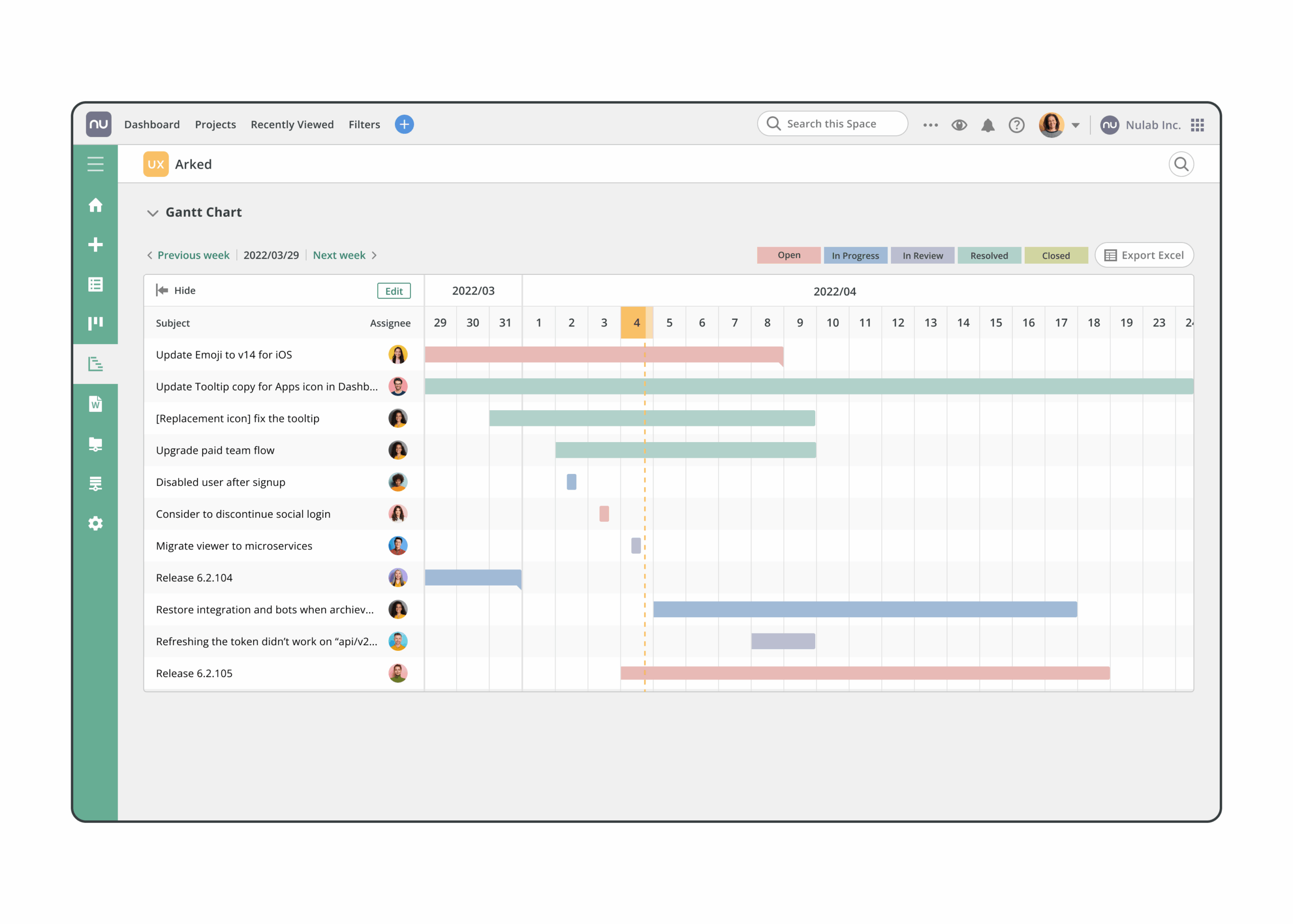
Best fit: Software and technical teams that track issues, code and releases together.
Multi-project strengths: Backlog by Nulab combines issue tracking with Git and Subversion repositories on paid plans, and burndown charts start in Standard. A cross-project Gantt chart shows issues from several projects in one view, grouped by project, assignee or milestone, including the workload of members who work across projects.
Dependencies and resources: The reviewed Gantt documentation describes parent and child issues. We found no documented task-to-task dependency links or capacity-based scheduling; treat both as demo questions rather than absences.
Reporting and governance: Custom fields start in Premium, which helps standardize reporting fields across projects.
Limitation: The cross-project Gantt displays up to five projects at a time and requires Premium or above. That is a view limit, not a cap on how many projects you run.
Access and validation: Backlog charges a flat monthly team price rather than per user. Premium is $175 per month on monthly billing with unlimited users, and annual billing saves 17%. Demo question: delay one issue in a five-project Gantt; what else moves, and who becomes overloaded?
How to Choose the Best Multi Project Management Software
Decide whether you need tracking, coordination, or portfolio decisions
Before choosing a tool to manage multiple projects, decide which of three jobs matters most. Most teams need the first; fewer need the third.
- Tracking. PM software for tracking parallel projects should make status and exceptions comparable across projects. Each of the seven offers some cross-project view. A multi project tracker is useful for visibility; validate resource and dependency controls separately, because a system for keeping track of multiple projects may show progress without checking whether shared people can meet the schedule.
- Coordination. Hand-offs, dependencies, team workload and consistent reporting. Asana, ClickUp and monday work management are the usual candidates; Backlog when issue and code work dominate; Scoro and Runrun.it when client commercials drive the work.
- Portfolio decisions. What finite shared capacity can deliver, which project goes first, and what a change does to every other date. The bottleneck is a resource constraint: the specialists every project needs at the same time. Epicflow is built for this job. Asana and monday work management also offer capacity planning on Enterprise; for any candidate, test whether a conflict changes the dates or only the colors.
Multiple project tracking software is enough when projects share neither people nor deliverables. Once they share people, ask whether PM software to manage multiple priorities changes only a label or also the order in which people work. The best project management software for multiple projects should match the level of control your portfolio requires.
Test dependencies, shared capacity, and competing priorities
Feature labels hide the difference between a workload warning, manual rescheduling and a recalculated schedule. Run one test with every vendor: Projects A, B and C each need 20 hours from the same specialist team in the same week, and the team has 40 available hours.
| Input | Hours |
|---|---|
| Project A demand | 20 |
| Project B demand | 20 |
| Project C demand | 20 |
| Total demand | 60 |
| Available specialist capacity | 40 |
| Uncovered demand | 20 |
Illustrative scenario, not a customer result or benchmark.
Now add two changes. One specialist is unavailable for eight hours, so capacity falls to 32 and uncovered demand rises to 28 hours. A deliverable in A also becomes a predecessor for work in B. The A-to-B link is a logical dependency; the competition for the team is a resource conflict. Multiple project scheduling software should handle both and show you which is which. Steps 1 to 3 and step 6 apply to every buyer; steps 4 and 5 matter if conflicts like this one recur in your portfolio.
- Show which projects cause the overload and which dates are at risk.
- Link A to B across projects and show whether B's dates move.
- Compare prioritizing A, moving C or adding qualified capacity across all three projects.
- Run the plan with unlimited capacity: delays that disappear come from the bottleneck, delays that remain from dependencies or durations.
- Price the delay. If a week of delay on B costs more than one on C, the choice is a comparison of two numbers. Stephen Devaux called that figure drag cost.
- Say which steps are automatic, suggested or manual, and which need a higher plan.
To evaluate PM software that improves multi-project handling, look for a revised schedule and its evidence, not only a red workload bar. A tool that stops at step 3 can still be the right choice when such conflicts are rare.
Check commercial fit, governance, and implementation
Multi project management software differs as much in upkeep as in features. Ask which system owns tasks, time, project plans and financial actuals. A tool does not need to replace your existing systems to be suitable: Backlog includes Git and Subversion repositories, Runrun.it connects to other apps through Zapier, and Epicflow connects to Jira, Microsoft Project and Primavera.
Every tool for managing multiple projects in this list depends on maintained data: estimates, availability, progress and priorities. Visibility usually arrives first, because it is mostly a data job. New planning habits take longer, because they change how people work. Then shortlist two or three tools for managing multiple projects and run a pilot with your own project and resource structure.
Conclusion
The best software to manage multiple projects depends on which decisions your team needs the system to support. Choose the depth your work requires, then verify it with your own data. If several projects depend on the same specialists, schedule a live Epicflow demo with your project list and see which team your portfolio is waiting on, and what that wait costs.
Frequently Asked Questions
Which tools let you track multiple projects in one dashboard?
Asana portfolios, dashboards in monday work management and ClickUp, Backlog's cross-project Gantt chart and Epicflow's Pipeline all consolidate status across projects. A useful multiple project tracker rolls up health, milestones and owners, then lets managers open the work behind an exception. A dashboard shows status; it does not prove the dates are feasible with your current people. See our multiple project dashboard guide.
Which tools support dependencies across multiple projects?
monday work management documents cross-project dependencies on Enterprise, and Jira Plans maps dependencies across teams on Jira Premium and Enterprise. Epicflow shares milestones between projects through inter-project relations. ClickUp reschedules dependent tasks automatically when a blocking task moves, while Asana and Scoro document dependencies within projects. A logical link differs from two projects competing for one team, so test both. More in dealing with dependencies across a multi-project environment.
What is a good tool for managing shared resources and capacity across projects?
Workload views in ClickUp, Asana and monday work management show assigned work against capacity, and Asana and monday add capacity planning on Enterprise. Epicflow forecasts delivery dates under finite capacity, for portfolios where the same specialists block several projects. Test each candidate with a real conflict and see whether dates are recalculated or only colored red. More on resource capacity planning.
Which tools suit consulting or client projects with different budgets and billing models?
When selecting multi-project management software for consulting, check client reporting, capacity, budgets and the billing models you actually use. Scoro documents fixed-fee, time-and-materials and retainer workflows with invoicing. Runrun.it documents time, cost per project and budget against actuals, but the reviewed pages do not describe invoicing. Confirm each billing model separately rather than inferring invoicing from cost tracking.
What software works for projects across multiple departments?
Look for common status definitions, clear ownership, department-level permissions, intake forms and shared reports. When assessing PM software for managing multi-department plans, check who can see and change each project. Asana and monday work management suit broad cross-functional use, and ClickUp Enterprise adds custom roles. If departments share specialists, add the capacity steps from the evaluation test. See PMO governance and portfolio decisions.
Which platforms help monitor risks and issues across projects?
Separate four things: issue logs, manual risk registers, workflow alerts and predictive warnings. Backlog is built around issue tracking. Asana and monday work management support status updates and portfolio dashboards, and monday's Enterprise tier adds risk insights. Epicflow forecasts which resource groups will be overloaded and, on Enterprise, predicts contract penalties. None of these replaces a full risk-management process.
How much does multiple project management software cost?
Cost depends on the plan that includes the features you need, not the entry price. On October 6, 2026, list prices were $24.99 per user per month for Asana Advanced, $12 for ClickUp Business, US$10 for Runrun.it Business and €22.50 for Epicflow Growth, billed annually; Scoro packages cost $17 to $57 on monthly billing and Backlog Premium $175 per month flat. Enterprise plans, including monday work management Enterprise, are quoted. Add implementation, integrations and training.
How do I choose software for a large portfolio with many concurrent projects?
Run a pilot with your real project and resource structure, permissions and reports, not a demo dataset. Project count alone tells you little; shared specialists and dependencies decide the difficulty. Verify limits and performance claims in writing. The best tool for managing multiple projects at that scale is the one that still gives usable answers with your real data volume, permissions and busiest teams.